-
Spring Cloud 学习纪要一:Eureka
Spring Cloud Eureka:服务治理
Spring Cloud Eureka是Spring Cloud Netflix服务套件中的一部分,它基于Netflix Eureka做了二次封装,主要负责完成微服务架构中的服务治理,接下来将展示入门Demo。
开发环境
版本
IDEA
2018.2.6
JDK
1.8
Spring Boot
2.1.0
Spring Cloud
Greenwich.M1
Eureka服务端
新建项目
在IDEA中通过Spring Initializr创建项目,选择Spring Boot 2.1.0版本、选择Maven依赖Eureka Server(Cloud Discovery中)。
org.springframework.cloud spring-cloud-starter-netflix-eureka-server org.springframework.boot spring-boot-starter-test test - 1
- 2
- 3
- 4
- 5
- 6
- 7
- 8
- 9
- 10
- 11
加入注解
在入口类添加@EnableEurekaServer注解。
@SpringBootApplication @EnableEurekaServer // 开启Eureka注册服务 public class EurekaApplication { public static void main(String[] args) { SpringApplication.run(EurekaApplication.class, args); } }- 1
- 2
- 3
- 4
- 5
- 6
- 7
添加配置
在文件application.yml添加配置。
eureka: client: service-url: defaultZone: http://localhost:8761/eureka/ register-with-eureka: false #禁止自身注册 # server: # enable-self-preservation: false instance: prefer-ip-address: true #默认显示IP instance-id: ${spring.cloud.client.ip-address}:${server.port} # hostname: ServerName spring: application: name: eureka- 1
- 2
- 3
- 4
- 5
- 6
- 7
- 8
- 9
- 10
- 11
- 12
- 13
- 14
- 15
运行项目
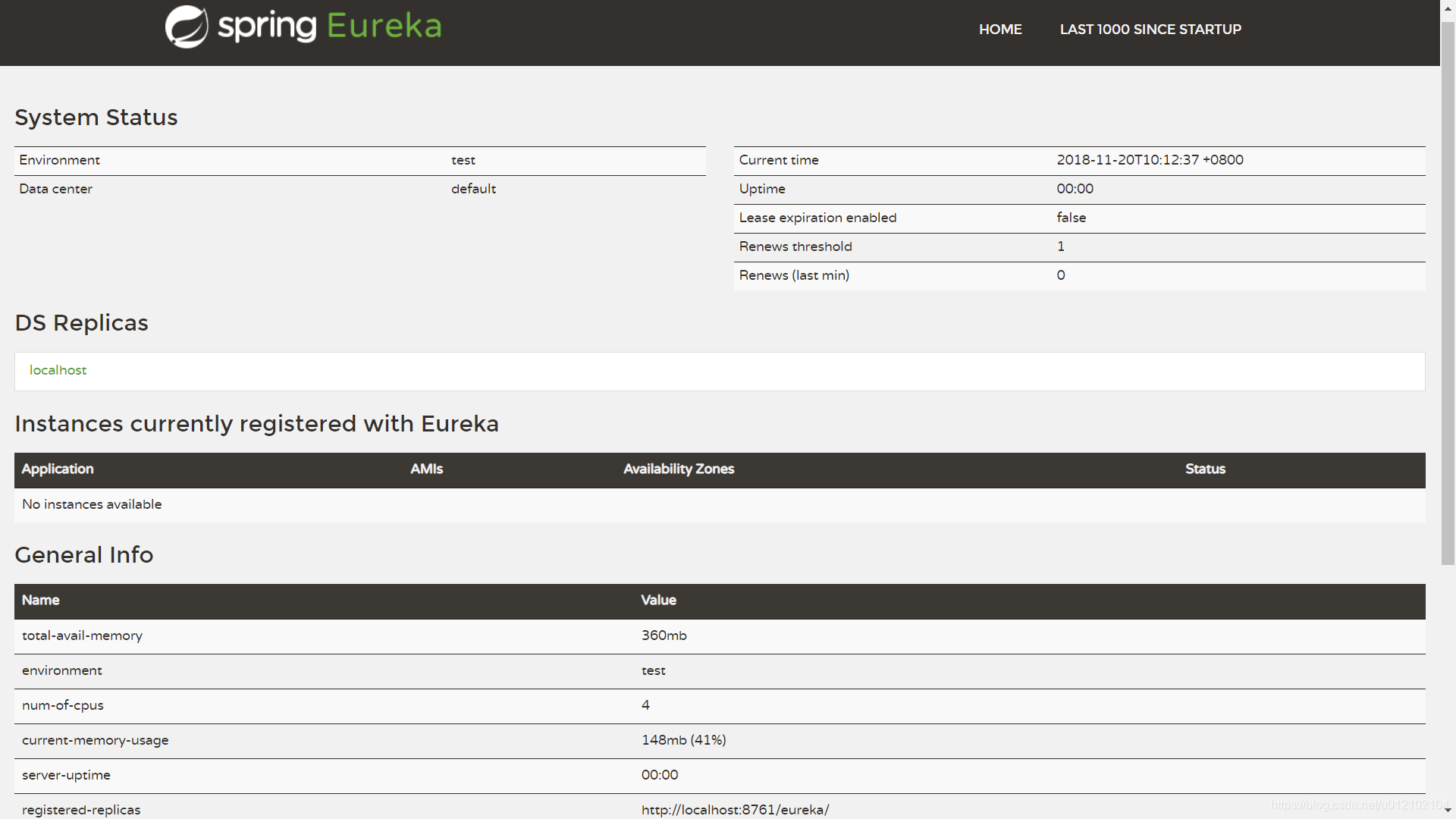
在VM options设置-DServer.port=8761,运行项目,浏览器打开http://localhost:8761即可看到Eureka页面。
Eureka客户端
新建项目
在IDEA中通过Spring Initializr创建项目,选择Spring Boot 2.1.0版本、选择Maven依赖Web和Eureka Discovery(Cloud Discovery中)。
org.springframework.cloud spring-cloud-starter-netflix-eureka-client org.springframework.boot spring-boot-starter-web org.springframework.boot spring-boot-starter-test test - 1
- 2
- 3
- 4
- 5
- 6
- 7
- 8
- 9
- 10
- 11
- 12
- 13
- 14
- 15
加入注解
在入口类添加@EnableEurekaClient注解。
@SpringBootApplication @EnableEurekaClient //开启Eureka发现 public class FeignProviderApplication { public static void main(String[] args) { SpringApplication.run(FeignProviderApplication.class, args); } }- 1
- 2
- 3
- 4
- 5
- 6
- 7
添加配置
在文件application.yml添加配置。
eureka: client: service-url: defaultZone: http://localhost:8761/eureka/ instance: prefer-ip-address: true # hostname: ProviderName instance-id: ${spring.cloud.client.ip-address}:${server.port} spring: application: name: provider- 1
- 2
- 3
- 4
- 5
- 6
- 7
- 8
- 9
- 10
- 11
运行项目
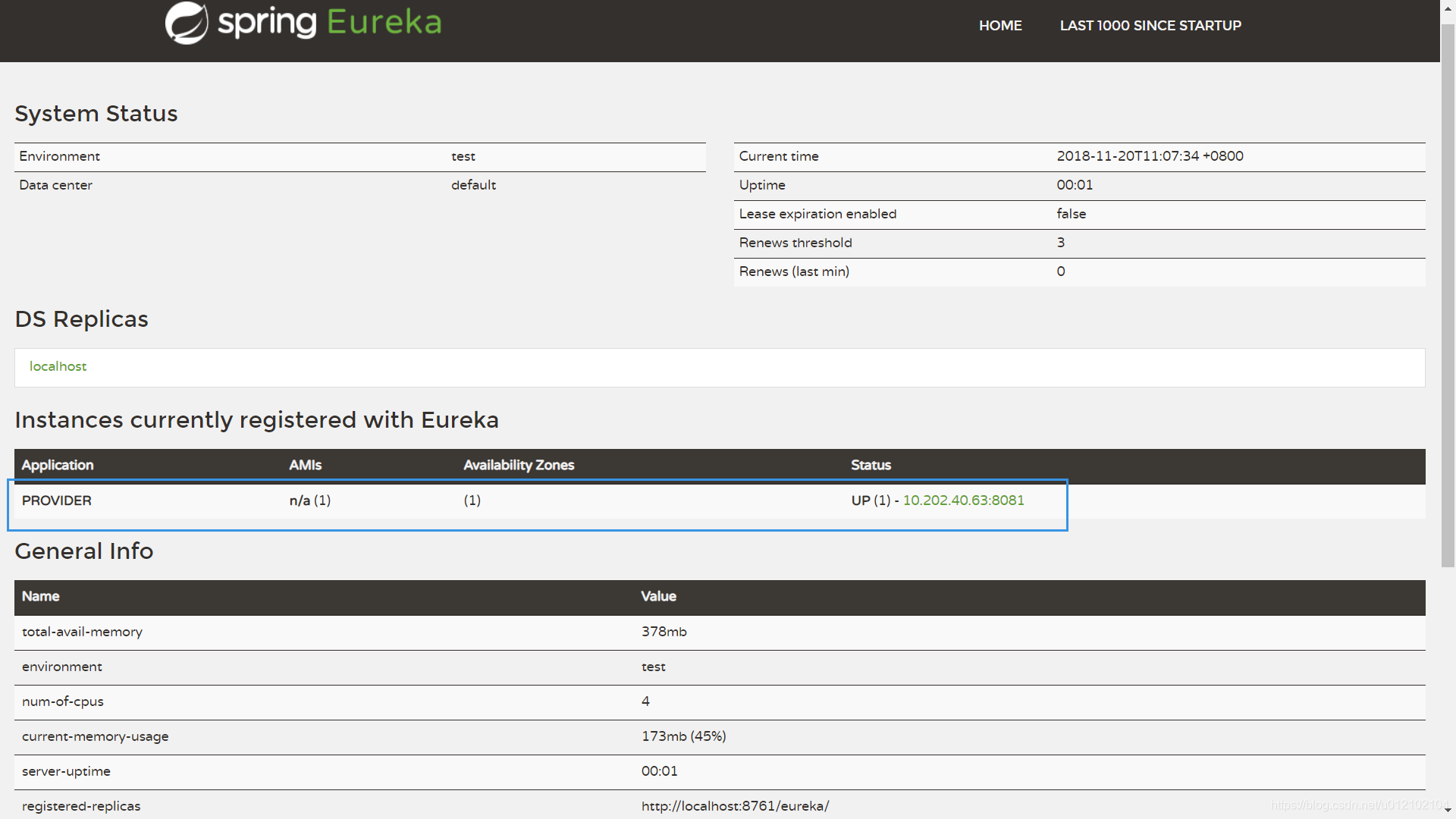
在VM options设置-DServer.port=8081,运行项目,在Eureka页面可以看到如下图线框处,证明本项目启动时已自动注册成功。
附件
-
相关阅读:
RocketMQ的简单使用
css、css3、scss的区别与联系
PMBOK知识点整理【第十二章项目采购管理】(49个子过程、输入、工具和技术、输出)
阿里巴巴面试题- - -多线程&并发篇(二十九)
windows 10 局域网设置固定 IP 地址
未来十年将是Web3.0发展的黄金十年
基于Springboot+Vue开发建筑工地用料管理系统
mysql常用函数
系统篇: ubuntu 下利用 apt 安装与卸载详解
document.activeELement和antdesign-useForm
- 原文地址:https://blog.csdn.net/m0_67392931/article/details/126496932