-
AidLux OS搭建web站点
1.在安卓手机上安装AidLux ,点击2的位置,打开共享

2.在步骤1,3的位置,访问地址
3.找到终端,可以像linux一样操作

4.AidLux 本身具备nginx环境,直接在/etc/nginx/conf.d 里面创建gitbbook.nginx,指定静态文件目录
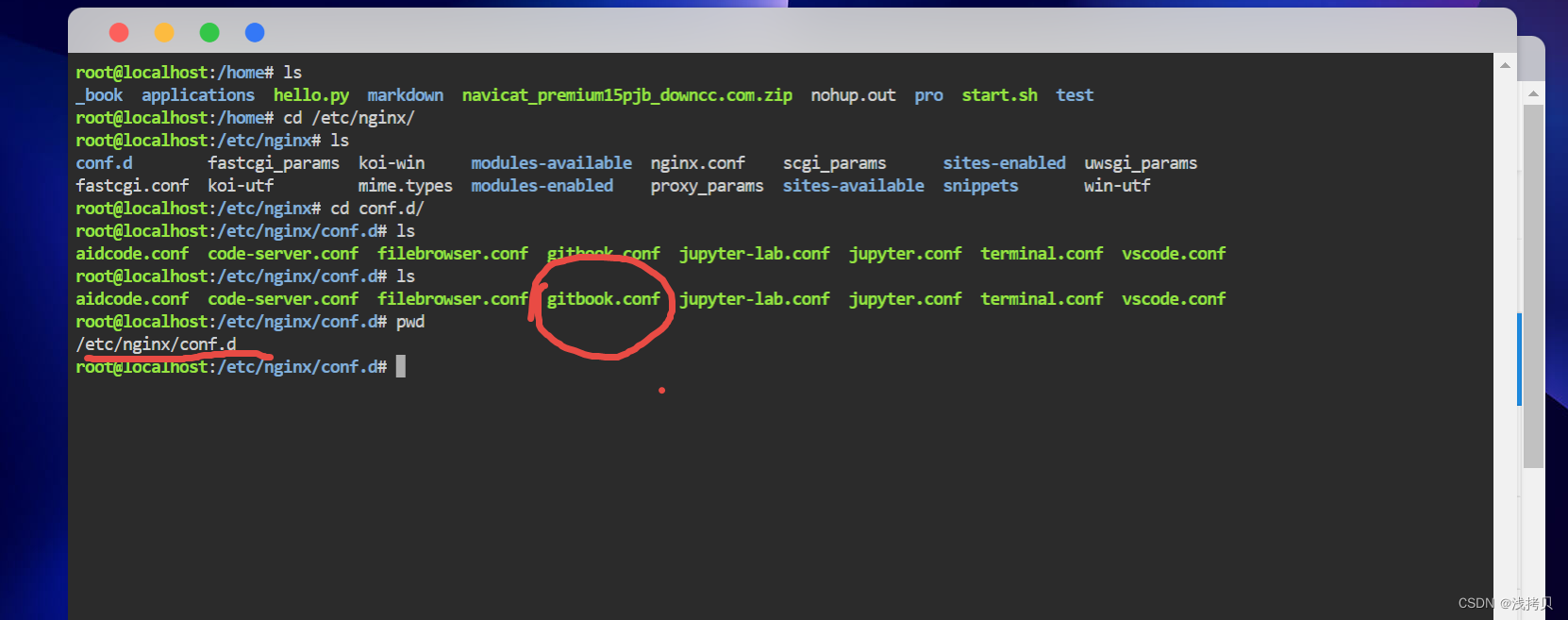
5.gitbbook.nginx# gitbbook.nginx # Here is the aided system configuration file # Please do not modify server { set $internal_port 19800; # 自己写需要的端口 set $external_port 19800; # 自己写需要的端口 listen 19800; underscores_in_headers on; client_max_body_size 0; chunked_transfer_encoding on; location / { root /home/_book; # 我放文件的目录 index index.html index.htm; } }- 1
- 2
- 3
- 4
- 5
- 6
- 7
- 8
- 9
- 10
- 11
- 12
- 13
- 14
- 15
- 16
6.终端刷新nginx配置
nginx -s reload- 1
7.本机访问
http://localhost:19800/- 1
8.其它机器访问
http://192.168.1.103:19800/- 1
-
相关阅读:
会员题-力扣408-有效单词缩写
什么是网络安全?
HTML+CSS+JS做一个好看的个人网页—web网页设计作业
Java反射入门与反射执行Runtime示例
51单片机STC89C52RC——2.1 独立按键控制LED亮灭
GEO生信数据挖掘(三)芯片探针ID与基因名映射处理
c++ primer中文版第五版作业第三章
使用 gst-plugins-bad 里面的 gst-element-maker 工具创建gstreamer 插件
决策树(中):数据挖掘十大算法之一
Python —— 深拷贝&浅拷贝
- 原文地址:https://blog.csdn.net/weixin_37770279/article/details/126063763
