-
postman-pre-request-scripts使用
一、场景
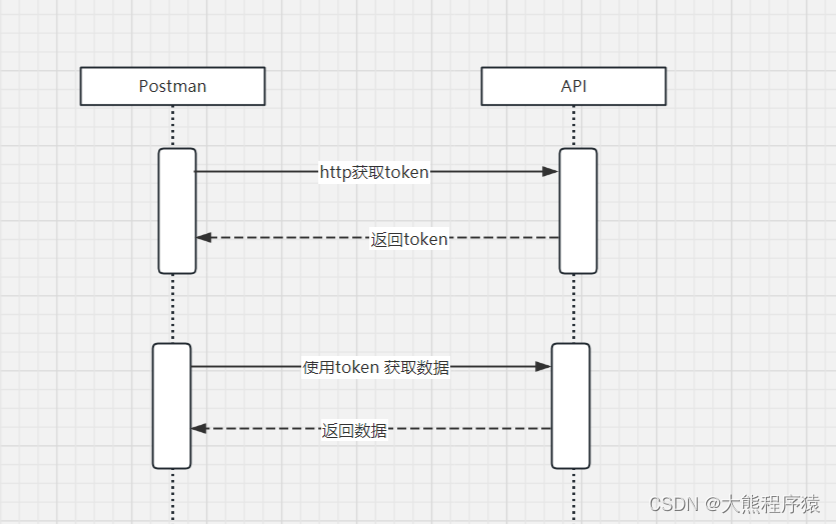
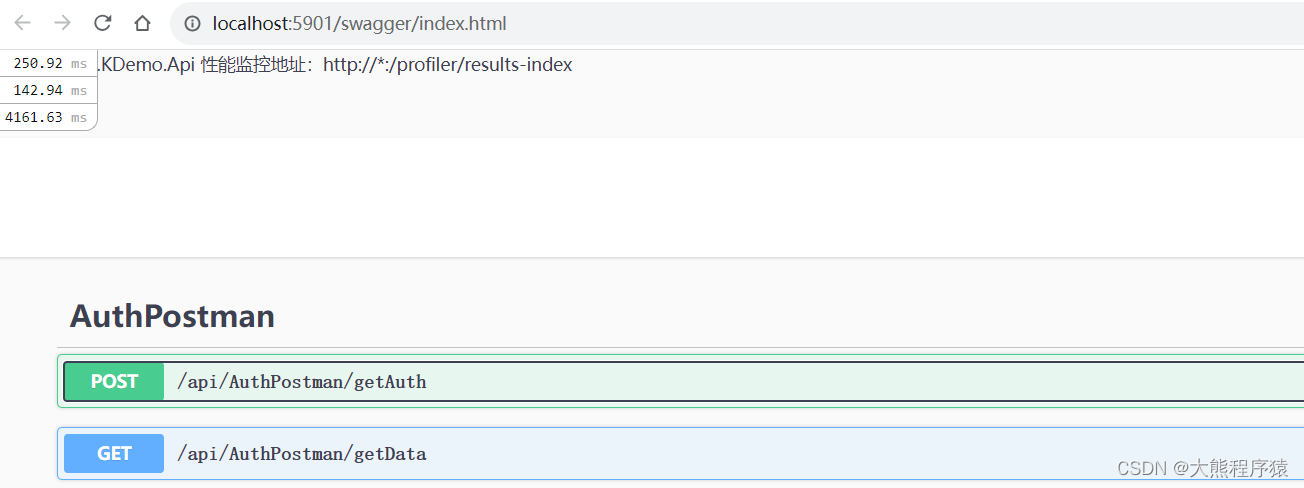
二、定义模拟接口
- using Microsoft.AspNetCore.Authorization;
- using Microsoft.AspNetCore.Http;
- using Microsoft.AspNetCore.Mvc;
- using SaaS.Framework.DataTransfer;
- using System.Threading.Tasks;
- namespace SaaS.KDemo.Api.Controllers
- {
- [Route("api/[controller]")]
- [ApiController]
- public class AuthPostmanController : ControllerBase
- {
- [AllowAnonymous]
- [HttpPost("getAuth")]
- [ProducesResponseType(typeof(OkResponse), StatusCodes.Status200OK)]
- public virtual async Task<IActionResult> GetAuth([FromBody] InputPar inputPar)
- {
- return Ok(new SucceedResponse<object>() { Data = new { SecreteKey = inputPar.ShopID + "_TQtNDQ0Mi00NThmL", SecreteToken = inputPar.ShopID + "_YTk2ZGUzOTQtNDQ0Mi00NThmLTgzMzktM2M3YmYyNGEwYjY0" } });
- }
- [AllowAnonymous]
- [HttpGet("getData")]
- [ProducesResponseType(typeof(OkResponse), StatusCodes.Status200OK)]
- public virtual async Task<IActionResult> GetData(string name,string secreteKey,string secreteToken)
- {
- return Ok(new SucceedResponse<object>() { });
- }
- }
- public class InputPar
- {
- public int ShopID { get; set; }
- }
- }
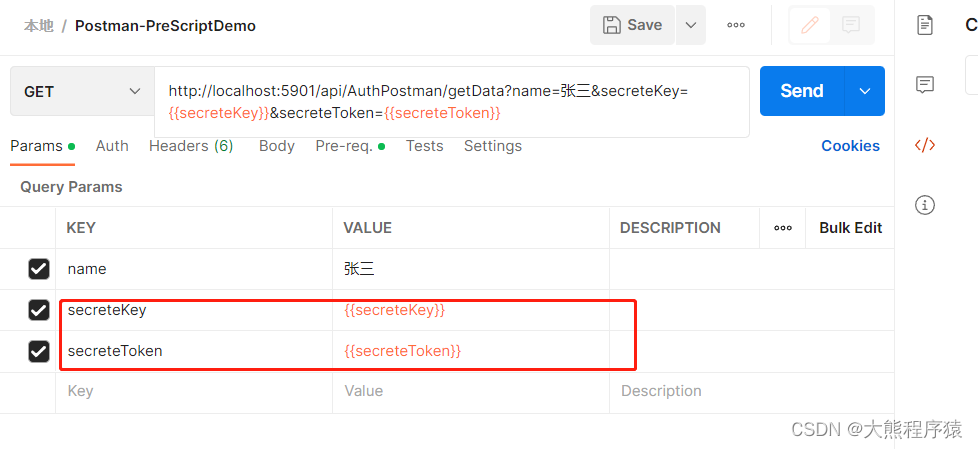
三、Postman
设置环境变量
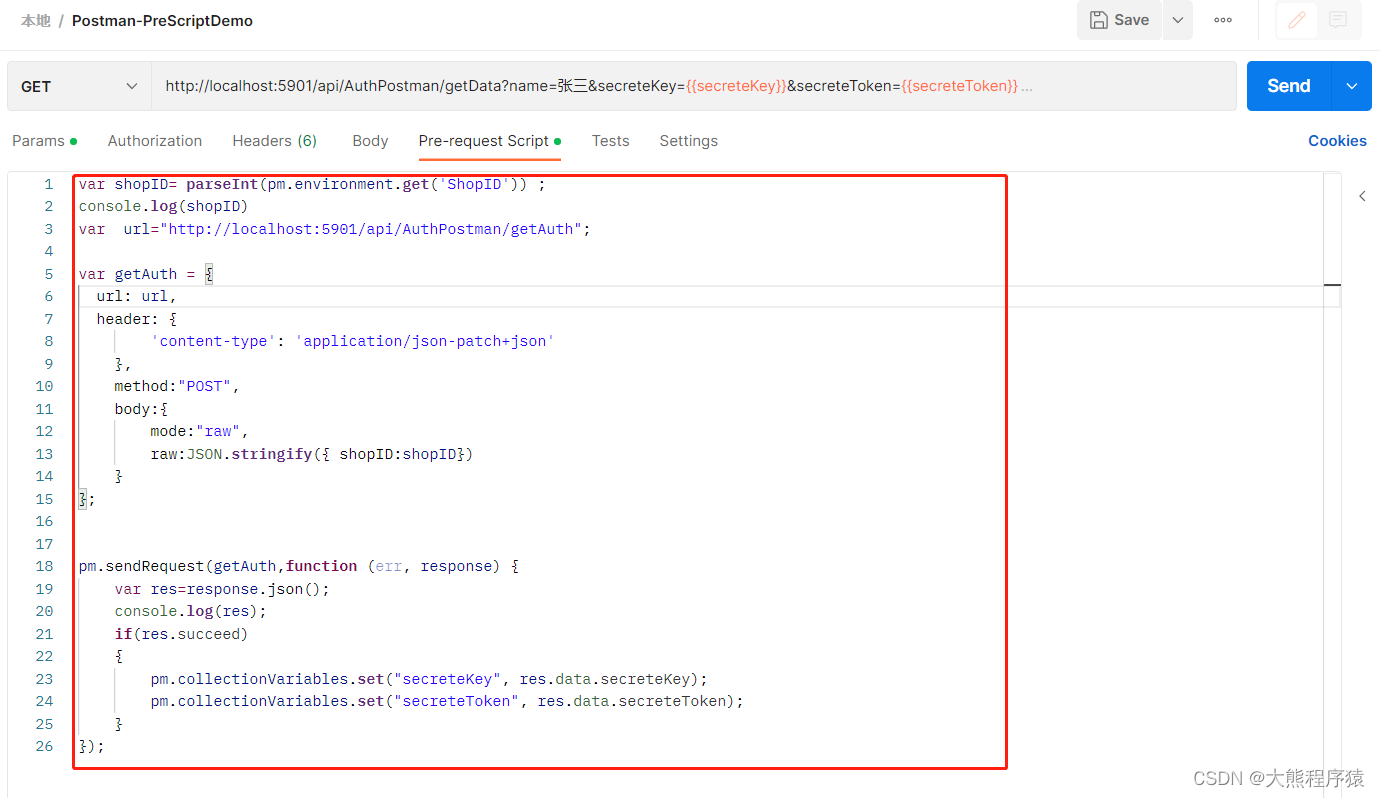
配置pre-request-scripts
- var shopID= parseInt(pm.environment.get('ShopID')) ;
- console.log(shopID)
- if(pm.request.method=="POST")
- {
- var raw=JSON.parse(pm.request.body.raw)
- console.log(raw)
- for(var key in raw)
- {
- console.log(key+':'+raw[key])
- }
- }
- else
- {
- var queryParam = pm.request.url.query.members
- console.log(queryParam)
- for (var item in queryParam) {
- if(queryParam[item].disabled)
- {
- continue;
- }
- console.log(queryParam[item].key+':'+queryParam[item])
- }
- }
- var url="http://localhost:5901/api/AuthPostman/getAuth";
- var getAuth = {
- url: url,
- header: {
- 'content-type': 'application/json-patch+json'
- },
- method:"POST",
- body:{
- mode:"raw",
- raw:JSON.stringify({ shopID:shopID})
- }
- };
- pm.sendRequest(getAuth,function (err, response) {
- var res=response.json();
- console.log(res);
- if(res.succeed)
- {
- pm.collectionVariables.set("secreteKey", res.data.secreteKey);
- pm.collectionVariables.set("secreteToken", res.data.secreteToken);
- }
- });
-
相关阅读:
数据查询优化技术方案
Redis 集群偶数节点跨地域部署之高可用测试
1019 数字黑洞
DEJA_VU3D - Cesium功能集 之 057-百度地图纠偏
软件测试/测试开发丨Web自动化—capability参数配置 学习笔记
自动驾驶的法律和伦理问题
一文学会如何使用原型模式
装饰模式(Decorator)
C语言程序设计算法题 -- lab07(1027 - 1030)
本地FTP YUM源报错处理
- 原文地址:https://blog.csdn.net/xiaoxionglove/article/details/133203279
