-
Python常见问题
使用了与模块相同的命名
AttributeError: module ‘psutil’ has no attribute ‘cpu_times’
可能在项目中有 psutil.py 的文件
使用了与函数相同的命名
AttributeError: partially initialized module ‘os’ has no attribute ‘stat’ (most likely due to a circular import)
可能在项目中有 stat.py 的文件
Python模块安装失败
Try to run this command from the system terminal. Make sure that you use the correct version of ‘pip’ installed for your Python interpreter located at ‘D:\development\Python_3.8.5\Scripts\python.exe’.
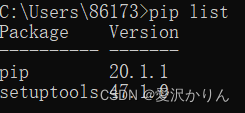

pycharm虚拟环境与python解释器,pip版本要一致可以直接安装到pycharm虚拟环境,不修改安装目录:
# 如安装pymysql到pycharm虚拟环境 pip install pymysql --target=D:\development\Python_3.8.5\Lib\site-packages- 1
- 2
以管理员身份运行pycharm,或者cmd
# 阿里镜像 pip install torch==1.7.1 -i https://mirrors.aliyun.com/pypi/simple/- 1
- 2
# 安装指定版本pip安装包 python -m pip install pip==22.2.2- 1
- 2
# 查看可更新的安装包 pip list -o- 1
- 2

# 更新版本 pip install -U pip- 1
- 2

Cannot find reference ‘dom’ in ‘init.pyi’

我们Ctrl+左键进入__init__.py发现是有dom成员的
所以这个编译错误可以忽略虚拟环境出现问题
ImportError: Couldn’t import Django. Are you sure it’s installed and available on your PYTHONPATH environment variable? Did you forget to activate a virtual environment?
我把Django安装到虚拟环境,没有在\venv3.8.5\Lib\site-packages\bin发现django-admin.exe文件。我也不知道为什么。
解决:重新创建了虚拟环境,安装Django后就正常了。
Django端口被占用
[WinError 10013]以一种访问权限不允许的方式做了一个访问套接字的尝试
Django创建用户失败
django.db.utils.OperationalError: no such table: auth_user
1、首先使用命令行创建默认库
python manage.py migrate- 1
2、使用命令行创建默认超级用户:
python manage.py createsuperuser- 1
Python3.9安装mysqlclient失败(痛!太痛了!)
Preparing metadata (setup.py) … error
error: subprocess-exited-with-error× python setup.py egg_info did not run successfully.
│ exit code: 1
╰─> [16 lines of output]
/bin/sh: mysql_config: command not found
/bin/sh: mariadb_config: command not found
/bin/sh: mysql_config: command not found由于我的mysql在docker中,缺少了mysql_config配置文件。
尝试安装mysqlclient-2.1.1.tar.gz,结果一样,失败。
尝试拷贝mysqlclient-2.1.1-py3.9.egg-info到我site-packages中,启动项目后报Did you install mysqlclient?
解决方法一(推荐):切换使用pymysql
这个就需要在你的Django子应用app的__init__.py中加入:
import pymysql pymysql.install_as_MySQLdb() # 使用pymysql代替mysqldb连接数据库- 1
- 2
我比较喜欢pymysql,因为我不想在本地安装mysql。
解决方法二:将mysql安装到本地来解决,不然要安装什么mysql-connector-c不仅浪费内存,还很很鸡肋。
# 查看 mysql_config 路径 whereis mysql_config- 1
- 2
django生成数据库表失败
Running migrations:
No migrations to apply.我将生成的数据库表和0001_initial.py删除后重新执行命令,就会出现这样的问题。
解决:将django_migrations表中有关那张表的数据删除,重新执行命令。
-
相关阅读:
【论文精读】分类扩散模型:重振密度比估计(Revitalizing Density Ratio Estimation)
RoadBEV:鸟瞰图中的道路表面重建
Objective-C 基础教程第五章,复合
Iceberg 源码阅读 python API—— TypeID
国产功率半导体企业迎来“黄金时代”!(内附中国功率半导体企业60强名单)
2022年第二季度全球网络攻击创新高,如何有效防范网络攻击
Turtlebot3-burger入门教程#foxy版#-软件清单
上位机工业协议-S7COMM
前端面试题日常练-day70 【面试题】
华硕平板k013me176cx线刷方法
- 原文地址:https://blog.csdn.net/dark159735/article/details/126918618