-
fatal: not in a git directory Error: Command failed with exit 128: git
fatal: not in a git directory Error: Command failed with exit 128: git
执行
brew install cmake遇到了下面的错误Already downloaded: /Users/kingcall/Library/Caches/Homebrew/downloads/b7ef8d6eb909e967d072212c62e71bfb8e94e6227ae2d3567bbabcc561fd9fff--cmake-3.21.4.bottle_manifest.json ==> Downloading https://ghcr.io/v2/homebrew/core/cmake/blobs/sha256:c86a0bb0e37c293e2d4475519d28f2784c430e871f74969a1a2afeb64b540a7d Already downloaded: /Users/kingcall/Library/Caches/Homebrew/downloads/1e8ca69a4444469a3f380baf4e514072d4d0f0b5d5ccd43b8ce3eb68081eff3d--cmake--3.21.4.arm64_monterey.bottle.tar.gz fatal: not in a git directory Error: Command failed with exit 128: git- 1
- 2
- 3
- 4
- 5
解决方法如下:
执行brew -v 查看会有两个提示,提示用户设置
homebrew-cask和homebrew-core的文件路径为设置为safe.directory, 即使用如下命名: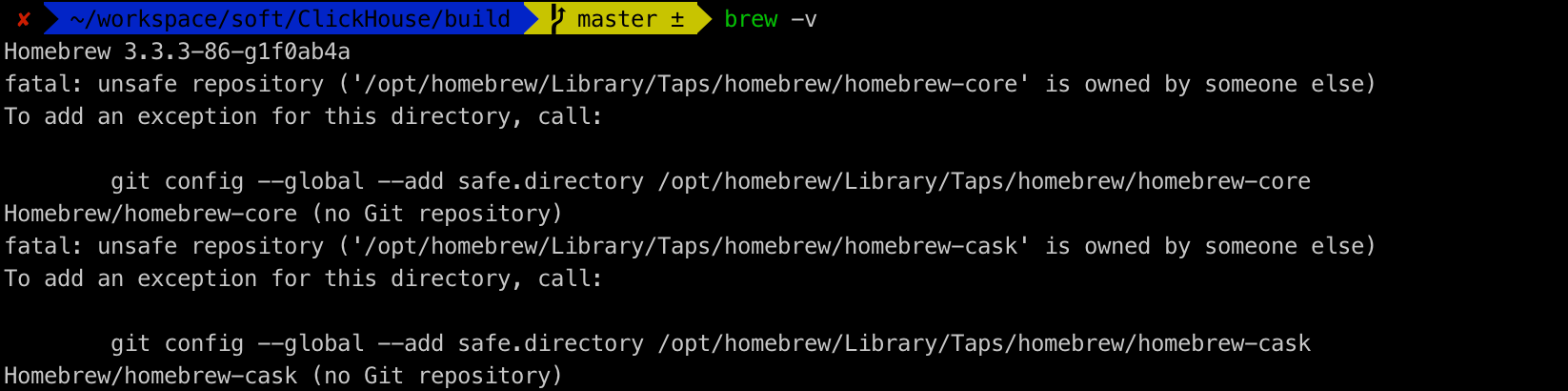
根据提示执行
git config --global --add safe.directory /opt/homebrew/Library/Taps/homebrew/homebrew-core git config --global --add safe.directory /opt/homebrew/Library/Taps/homebrew/homebrew-cask- 1
- 2
之后再执行
arch -arm64 brew install cocoapods即可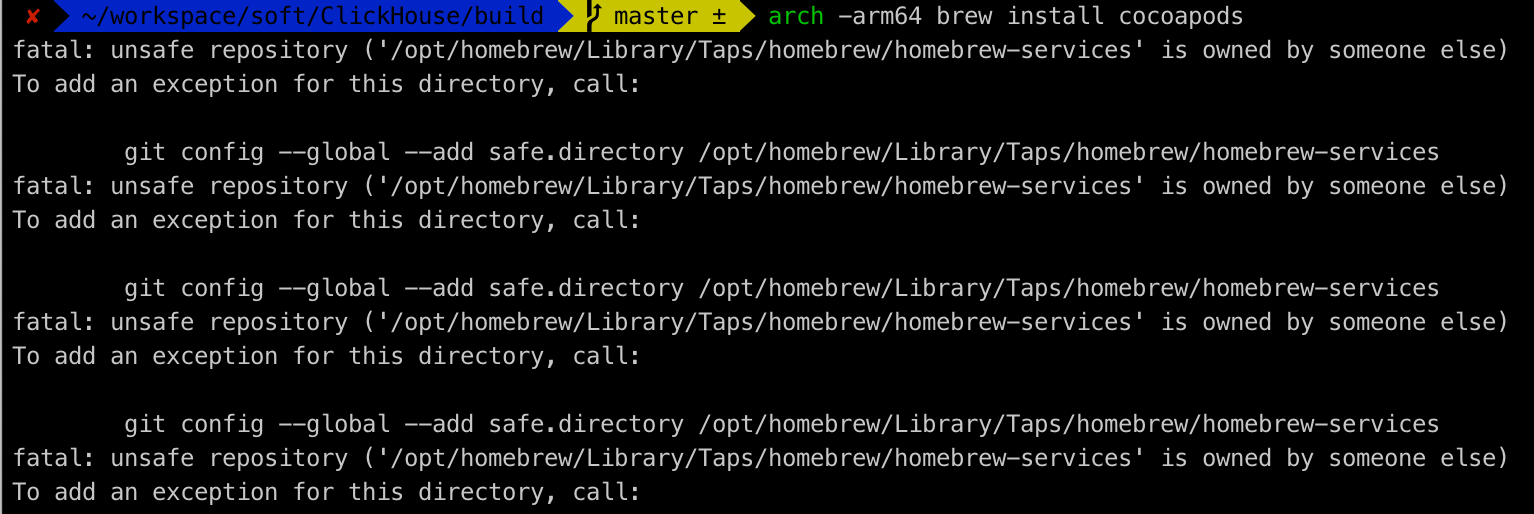
如果遇到上面的错误则根据提示执行
git config --global --add safe.directory /opt/homebrew/Library/Taps/homebrew/homebrew-services- 1
然后再次执行
arch -arm64 brew install cocoapods即可成功。执行成功后我们再次执行我们的安装命令
brew install cmake -
相关阅读:
互联网医院系统|互联网医院软件功能与广阔应用领域
MySQL-JSON
微信快捷回复软件
词云的可视化设计教程
Django 路由配置(二)
关于CUDA+Torch+TorchVision+Python环境配置问题
阿里云99元的主机到底怎么样?
【cmake开发(6)】Cmakelists 使用 gcc/g++指定版本,find_package 基本原理
仿射变换矩阵
js----Data
- 原文地址:https://blog.csdn.net/king14bhhb/article/details/126799622