-
微服务SpringCloud(Bus 消息总线)整合十九
上一篇,我们学习了SpringCloud Config分布式配置中心,我们也发现了一个很恶心的问题,就是我们在配置中心更改了配置,需要手动给每一个客户端发送post请求,这样如果客户端有几百个,那不得手动发几百次请求。那有没有更好的方式呢?只需要发一次请求,就可以通知所有的客户端。这个就是我们今天要讲的SpringCloud Bus消息总线了。
SpringCloud Bus是什么?

Spring Cloud Bus是用来将分布式系统的节点与轻量级消息系统链接起来的框架,它整合了Java的事件处理机制和消息中间件的功能。Spring Clud Bus目前支持RabbitMQ和Kafka。SpringCloud Bus 可以用来做什么呢?
Spring Cloud Bus能管理和传播分布式系统间的消息,就像一个分布式执行器,可用于广播状态更改、事件推送等,也可以当作微服务间的通信通道。

SpringCloud Bus 为何称为消息总线呢?
在微服务架构的系统中,通常会使用轻量级的消息代理来构建一个共用的消息主题,并让系统中所有微服务实例都连接上来。由于该主题中产生的消息会被所有实例监听和消费,所以称它为消息总线。在总线上的各个实例,都可以方便地广播一些需要让其他连接在该主题上的实例都知道的消息。
配置中心客户端实例都监听MQ中同一个topic(默认是springCloudBus)。当一个服务刷新数据的时候,它会把这个信息放入到Topic中,这样其它监听同一Topic的服务就能得到通知,然后去更新自身的配置。可以看到如果我们要使用SpringCloud Bus 的话,必须要结合MQ来使用,所以我们需要安装RabbitMQ。因为我本机已经安装过了RabbitMQ,大家可以到官网下载安装:https://www.rabbitmq.com/#features。

我们进入到MQ安装位置的目录里面:
执行命令: rabbitmq-plugins enable rabbitmq_management

这个用来添加可视化插件的。

我们就可以通过命令启动MQ了。启动之后访问地址: http://localhost:15672/
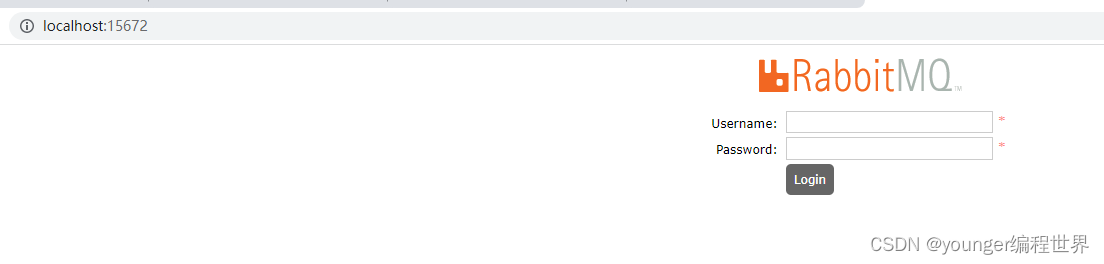
输入账号 和密码:guest guest
SpringCloud 整合Bus
我们在新增一个客户端 pcloud-config-client-5588,新建Module


新建pom文件:4.0.0 pcloud com.younger.springcloud 1.0-SNAPSHOT com.younger.springcloud pcloud-config-client-5588 1.0-SNAPSHOT pcloud-config-client-5588 org.springframework.cloud spring-cloud-starter-config org.springframework.cloud spring-cloud-starter-netflix-eureka-client org.springframework.boot spring-boot-starter-web org.springframework.boot spring-boot-starter-actuator org.springframework.boot spring-boot-devtools runtime true org.projectlombok lombok true org.springframework.boot spring-boot-starter-test test - 1
- 2
- 3
- 4
- 5
- 6
- 7
- 8
- 9
- 10
- 11
- 12
- 13
- 14
- 15
- 16
- 17
- 18
- 19
- 20
- 21
- 22
- 23
- 24
- 25
- 26
- 27
- 28
- 29
- 30
- 31
- 32
- 33
- 34
- 35
- 36
- 37
- 38
- 39
- 40
- 41
- 42
- 43
- 44
- 45
- 46
- 47
- 48
- 49
- 50
- 51
- 52
- 53
- 54
新增bootstrap.yml文件:
server: port: 5588 spring: application: name: pcloud-config-client cloud: #Config客户端配置 需要读取的文件 younger-edu-ad-dev.yml config: label: master #分支名称 name: younger-edu-ad #配置文件名称 profile: dev #读取后缀名称 uri: http://localhost:5555 #配置中心地址k #服务注册到eureka地址 eureka: client: service-url: defaultZone: http://eureka6001:6001/eureka/ # 暴露监控端点 management: endpoints: web: exposure: include: "*"- 1
- 2
- 3
- 4
- 5
- 6
- 7
- 8
- 9
- 10
- 11
- 12
- 13
- 14
- 15
- 16
- 17
- 18
- 19
- 20
- 21
- 22
- 23
- 24
- 25
- 26
新增启动类:ConfigClientMain5588
package com.younger.springcloud; import org.springframework.boot.SpringApplication; import org.springframework.boot.autoconfigure.SpringBootApplication; import org.springframework.cloud.netflix.eureka.EnableEurekaClient; @SpringBootApplication @EnableEurekaClient public class ConfigClientMain5588 { public static void main(String[] args) { SpringApplication.run(ConfigClientMain5588.class, args); } }- 1
- 2
- 3
- 4
- 5
- 6
- 7
- 8
- 9
- 10
- 11
- 12
- 13
- 14
新增controller :ConfigClientController

package com.younger.springcloud.controller; import org.springframework.beans.factory.annotation.Value; import org.springframework.cloud.context.config.annotation.RefreshScope; import org.springframework.web.bind.annotation.GetMapping; import org.springframework.web.bind.annotation.RestController; @RestController @RefreshScope public class ConfigClientController { @Value("${spring.datasource.url}") private String dataSourceUrl; @GetMapping("/getDataSourceUrl") public String getDataSourceUrl() { return "数据库地址:" + dataSourceUrl; } }- 1
- 2
- 3
- 4
- 5
- 6
- 7
- 8
- 9
- 10
- 11
- 12
- 13
- 14
- 15
- 16
- 17
- 18
- 19
- 20
通过消息总线刷新配置有两种方式:
1、利用消息总线触发一个客户端/bus/refresh,而刷新所有客户端的配置

2、利用消息总线触发一个服务端ConfigServer的/bus/refresh端点,而刷新所有客户端的配置

这两种方案显然第二种方式更符合我们的要求,如果使用第一种方式会有一定的局限性。例如,微服务在迁移时,它的网络地址常常会发生变化,此时如果想要做到自动刷新,那就会增加更多的修改。所以接下来我们采用第二种方式刷新消息。
一、我们先修改 配置中心 5555 的pom文件 和 yml文件:

org.springframework.cloud spring-cloud-starter-bus-amqp - 1
- 2
- 3
- 4

server: port: 5555 spring: application: name: pcloud-config-center cloud: config: server: git: uri: https://gitee.com/youngerone123/younger-edu-repo #GitHub上面的git仓库名字 ####搜索目录 search-paths: - younger-edu-repo # git上面存放配置的文件夹 username: youngerone123 password: qq42338 ####读取分支 label: master name: config rabbitmq: host: localhost port: 5672 username: guest password: guest #服务注册到eureka地址 eureka: client: service-url: defaultZone: http://eureka6001:6001/eureka/ ##rabbitmq相关配置,暴露bus刷新配置的端点 management: endpoints: #暴露bus刷新配置的端点 web: exposure: include: 'bus-refresh'- 1
- 2
- 3
- 4
- 5
- 6
- 7
- 8
- 9
- 10
- 11
- 12
- 13
- 14
- 15
- 16
- 17
- 18
- 19
- 20
- 21
- 22
- 23
- 24
- 25
- 26
- 27
- 28
- 29
- 30
- 31
- 32
- 33
- 34
- 35
- 36
二、修改5566的pom文件和yml文件:

org.springframework.cloud spring-cloud-starter-bus-amqp - 1
- 2
- 3
- 4

#rabbitmq相关配置 rabbitmq: host: localhost port: 5672 username: guest password: guest- 1
- 2
- 3
- 4
- 5
- 6
三、修改5588的pom文件和yml文件:

org.springframework.cloud spring-cloud-starter-bus-amqp - 1
- 2
- 3
- 4

rabbitmq: host: localhost port: 5672 username: guest password: guest- 1
- 2
- 3
- 4
- 5
启动项目测试:

我们修改码云上的配置:

刷新配置请求: http://localhost:5555/actuator/bus-refresh

配置中心获取配置 : http://127.0.0.1:5555/younger-edu-ad-dev.yml

客户端获取配置: http://localhost:5566/getDataSourceUrl、 http://localhost:5588/getDataSourceUrl


可以看到都已经成功获取到了最新的配置了。我们不仅可以通知所有的客户端刷新配置,我们还可以只通知某个客户端刷新配置。我们现在只想通知5566 刷新配置。
我们码云上的配置:

发送post请求:http://localhost:5555/actuator/bus-refresh/pcloud-config-client:5566

客户端获取配置: http://localhost:5566/getDataSourceUrl、 http://localhost:5588/getDataSourceUrl


这样我们就可以通知某个客户端刷新配置了。 -
相关阅读:
如何使用ChatGPT辅助设计工作
C. Rings---Codeforces Round #741 (Div. 2)
华为机试真题 Python 实现【日志首次上报最多积分】【2022.11 Q4 新题】
学习阶段性总结
AI项目十三:PaddleOCR训练自定义数据集
BUUCTF 乌镇峰会种图 1
SpringBoot整合Swagger
干货 | 人力资源数字化的优势和应用场景展示
文档分类FastText模型 (pytorch实现)
虚拟机中对已经存在的磁盘扩容
- 原文地址:https://blog.csdn.net/m0_59092234/article/details/126577943