-
Basic web in PLSQL
Introduction to HTML
Even the language of the Web,HTML,one of a broad class of markup languages,is derived from a more mature open standard called Standard Generalized Markup Language,or SGML. The earlier standard is dense and complex. Fortunately for us, HTML is a lot simpler than SGML
Where Do Web Pages Come From?
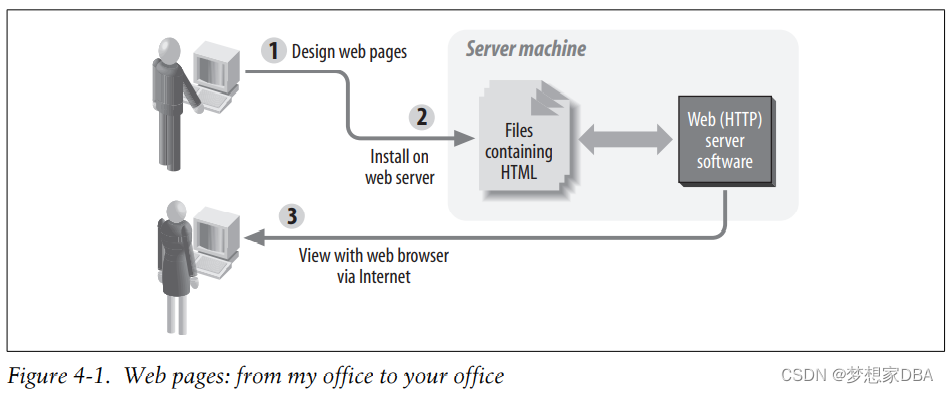
HTML Basics
HTML provides a way to mark up plain text so that it can have structure such as headings,paragraphs,and tables,and so that it can include non-textual elements such as images,buttons,and lines. HTML defines some special tags to designate the elements of the document. An element is a predefined logical part of the document such as a section heading. A tag is a name given to the element; tags appear between angle brackets (greater-than and less-than signs). Most elements are delimited with a pair of tags following the pattern: my document
<tagname>my document elementtagname>Notice the slash in front of the tag name at the end. It is this slash that designates the closing tag.
In addition to tags,HTML elements can have properties known as attributes. Attributes appear inside the tag, taking the general form:
<tagname attribute="value">my text heretagname>In the following example of using an attribute,I define the background color of an HTML document to be white rather than the browser default (often gray). As you can see, bgcolor is an attribute of the BODY element:
- <BODY bgcolor="white">
- my document body
- BODY>
You will want at least two sections in your document:
• A header section,delimited by the HEAD element,which contains information such as the page title.
• A body section,delimited by the BODY element,which contains the content of the page. This is the main part of the document.
The pattern for a simple HTML document is:
- <HTML>
- <HEAD>
- <TITLE>Document titleTITLE>
- ...other "declarative" information
- HEAD>
- <BODY>
- content of page
- BODY>
- HTML>
The following list describes these components:
HTML element
The HTML element,bounded by the and tags,houses the document’s head and body.
HEAD element
This section contains “declarative” information (that is,information that applies
to the entire page). The document title,keywords for search engines,and special instructions to the browser all go here, between and .
BODY element
The body corresponds to the visible parts of the web page. Between and
you put your text,marked up to indicate subheadings,images,links,
tables, and other presentable elements—everything you want the user to see.At last we’re ready to look at our first HTML document:
- <HTML>
- <HEAD>
- <TITLE>Famous Quotations: Richard IIITITLE>
- HEAD>
- <BODY>
- "A horse, a horse, my kingdom for a horse!" - Richard III
- BODY>
- HTML>
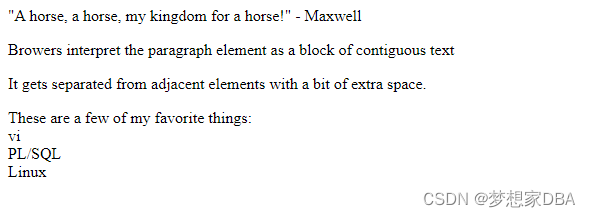
- <html>
- <head>
- <title>Famous Quotations: Maxwelltitle>
- head>
- <body>
- "A horse, a horse, my kingdom for a horse!" - Maxwell
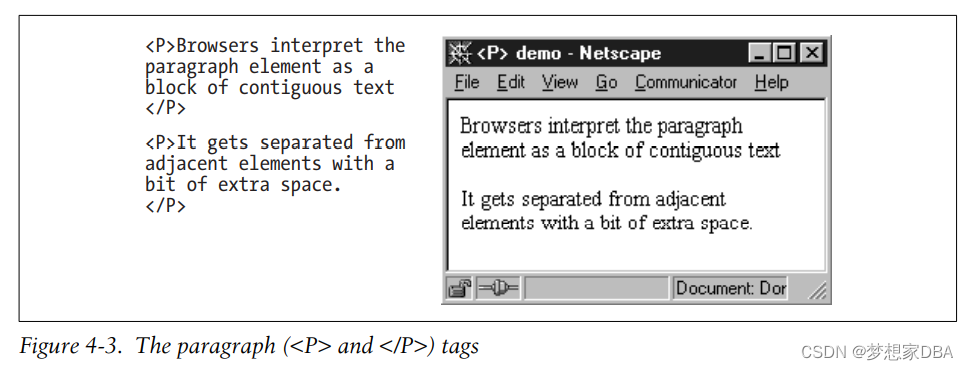
- <p> Browers interpret the paragraph element as a block of contiguous textp>
- <p>It gets separated from adjacent elements with a bit of extra space.p>
- <p>
- These are a few of my favorite things:<br>
- vi<br>
- PL/SQL<br>
- Linux
- p>
- body>
- html>


Building a web-based library form
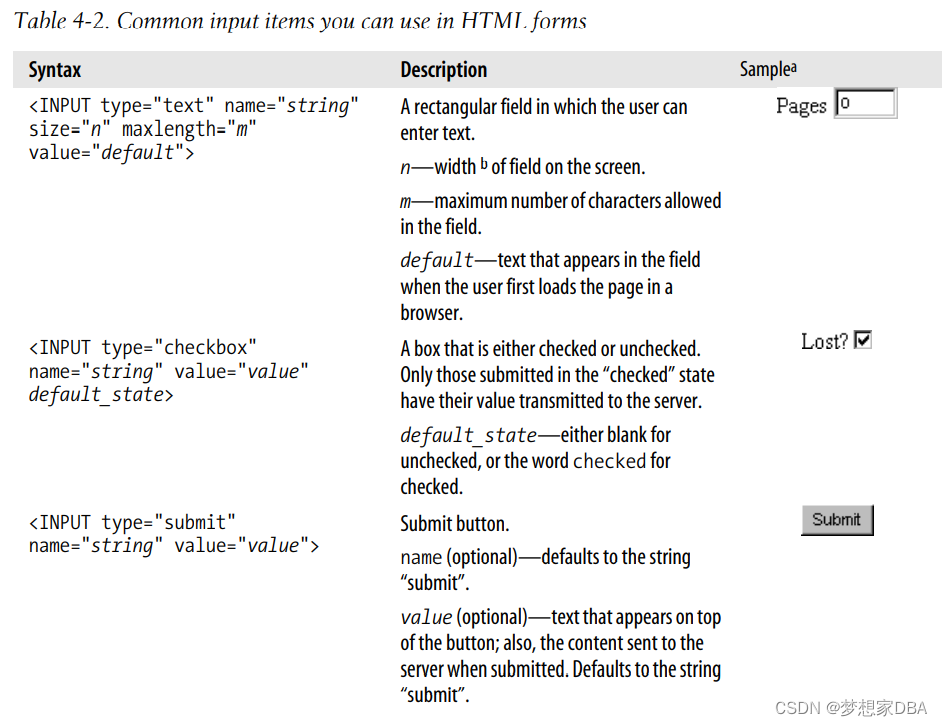
The following is the HTML for the form:
- <html>
- <HEAD>
- <TITLE>Add Book to CatalogTITLE>
- HEAD>
- <BODY bgcolor="white">
- <H1>Add Book to CatalogH1>
- <FROM method="post" action="eat_add_book_form">
- <P>ISBN
- <INPUT type="text" name="isbn" maxlength="13" size="13">
- P>
- <P>Title
- <INPUT type="text" name="title" size="70" maxlength="2000">
- P>
- <P>Bar code
- <INPUT type="text" name="barcode_id" maxlength="100" size="35">
- P>
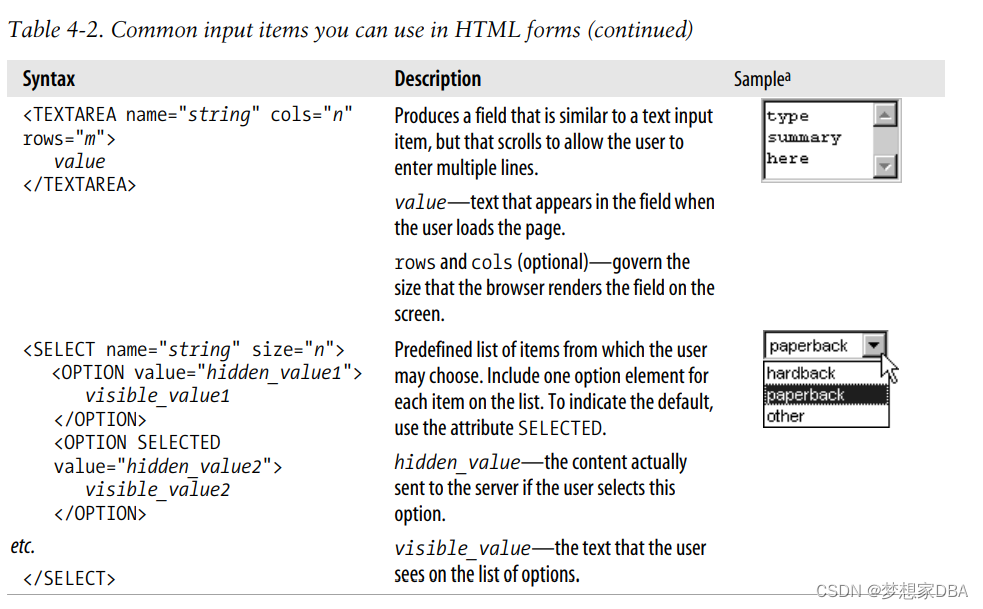
- <p>Summary
- <textarea name="summary" color="60" rows="8">textarea>
- p>
- <p>Author
- <INPUT type="text" name="author" maxlength="200" size="40">
- p>
- <p>Date published
- <INPUT type="text" name="date_published" size="20" maxlength="40">
- p>
- <p>Page count
- <INPUT type="text" name="page_count" maxlength="6" size="6">
- p>
- <p>
- <INPUT type="submit" name="Submit" value="Submit">
- p>
- FROM>
- BODY>
- html>

Using PL/SQL to Create Web Pages


-
相关阅读:
Github星标90K?京东架构师一篇讲明白百亿级并发系统架构设计
【英语:基础进阶_核心词汇扩充】E2.常见词后缀拓词
windows系统redis和ARDM(redis客户端)下载安装步骤【非常详细】
PostMan动态设置全局变量
C++——vector
工业物联网如何改善供暖生活
自动化测试定位不到元素怎么办?
(6)APB总线协议——(官方文档阅读APB3.0)
ArcGIS:将相邻面进行合并,并不显示中间线条
RabbitMq消息模型-队列消息
- 原文地址:https://blog.csdn.net/u011868279/article/details/126158832
