-
springboot基础(34):Elasticsearch的基本操作
前言
Elasticsearch的基本操作,需要使用postman
索引
Es支持Restful风格的请求,可以使用postman来创建索引。
下面创建了索引:(索引不能重复)
http://localhost:9200/books PUT
books为索引名
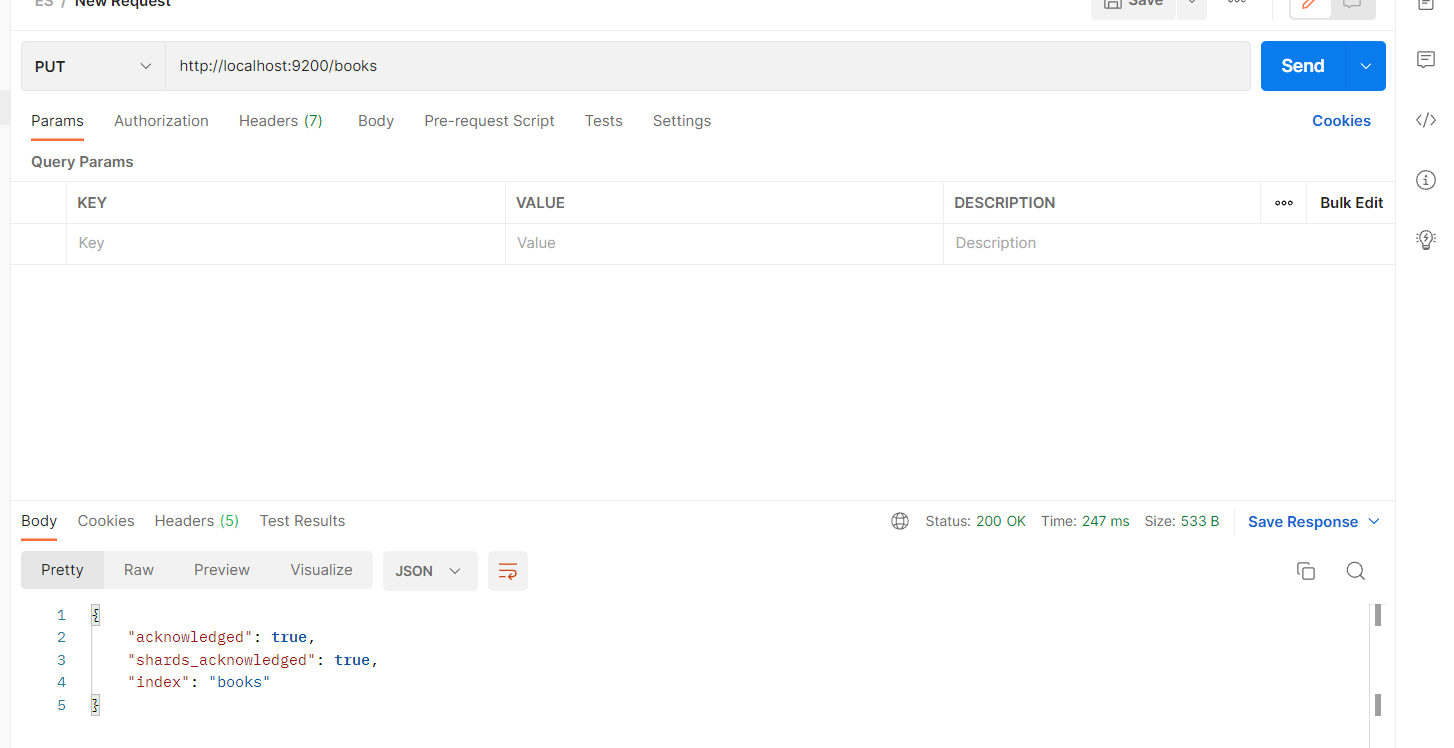
PUT 创建索引
GET 查询索引
DELETE 删除索引IK分词器
默认情况下,Es没有分词器,分词器是以插件包的形式存在。
下载地址 :https://github.com/medcl/elasticsearch-analysis-ik/releases/解压 zip文件后,把内容复制进来
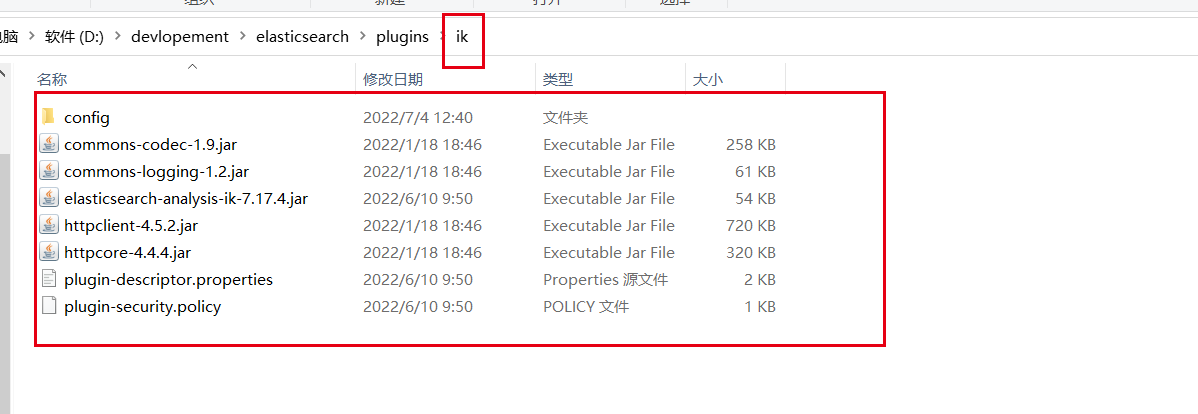
重新启动es即可。
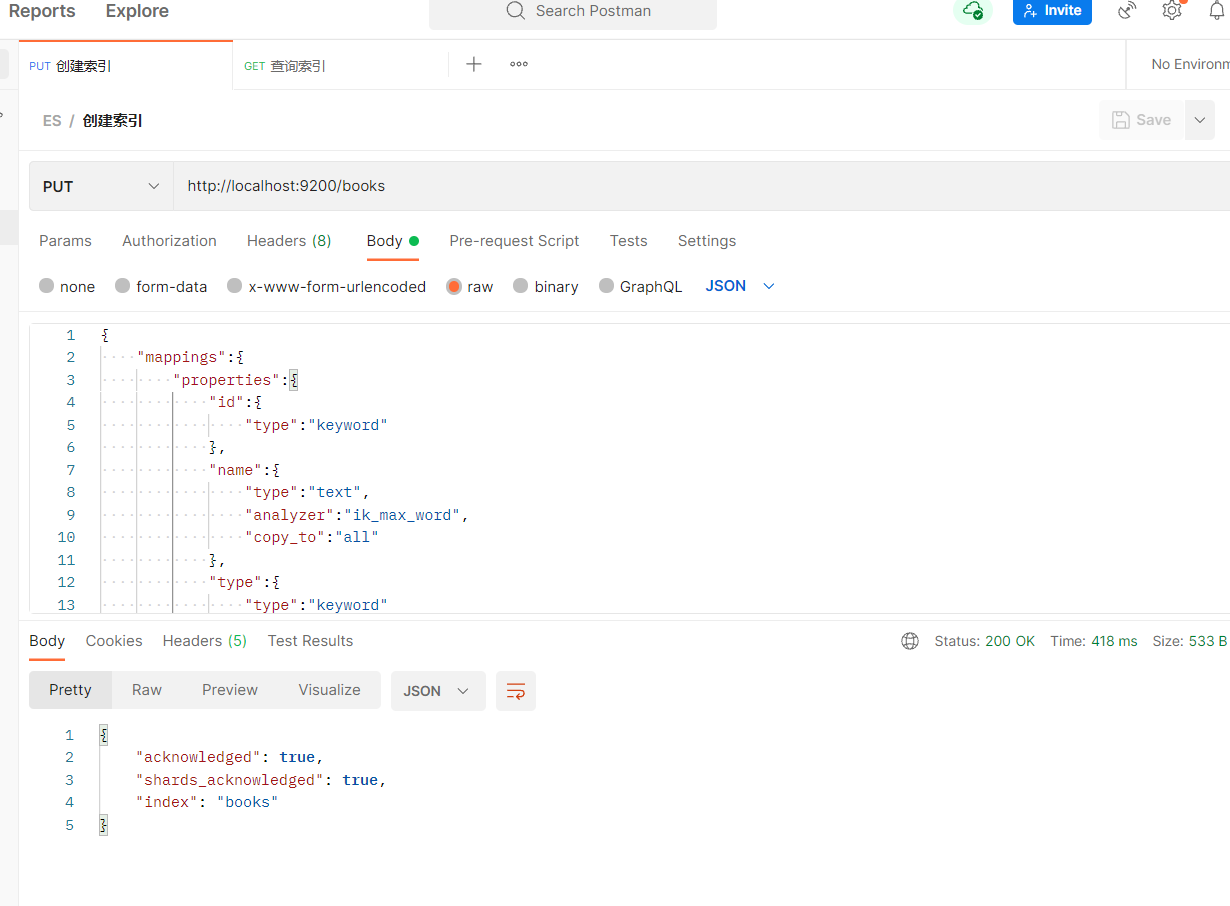
创建索引(带有分词)
请求的body格式为raw格式,内容为json格式(如下)
PUT请求
http://localhost:9200/booksall这个属性是虚拟的,不存在的,是通过扩展的形式,将name和description通过copy的方式合并到all里面的
type:keyword 表示不需要分词,是关键字,text则表示内容需要分词
analyzer: 分词器,指定分词器名称
copy_to: 扩展字段复制,组合形成的虚拟字段。{ "mappings":{ "properties":{ "id":{ "type":"keyword" }, "name":{ "type":"text", "analyzer":"ik_max_word", "copy_to":"all" }, "type":{ "type":"keyword" }, "description":{ "type":"text", "analyzer":"ik_max_word", "copy_to":"all" }, "all":{ "type":"text", "analyzer":"ik_max_word" } } } }- 1
- 2
- 3
- 4
- 5
- 6
- 7
- 8
- 9
- 10
- 11
- 12
- 13
- 14
- 15
- 16
- 17
- 18
- 19
- 20
- 21
- 22
- 23
- 24
- 25
- 26
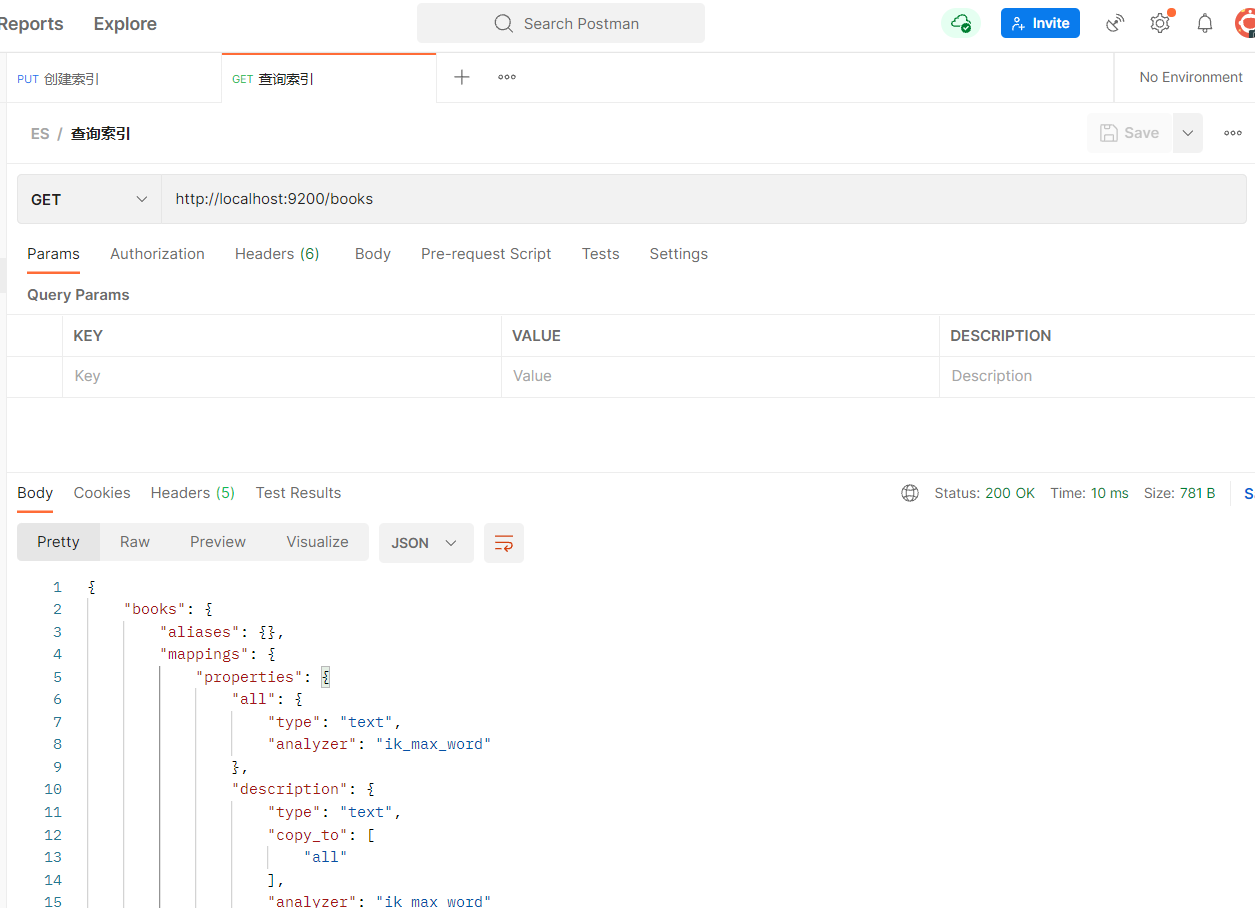
查看索引
GET请求
http://localhost:9200/books
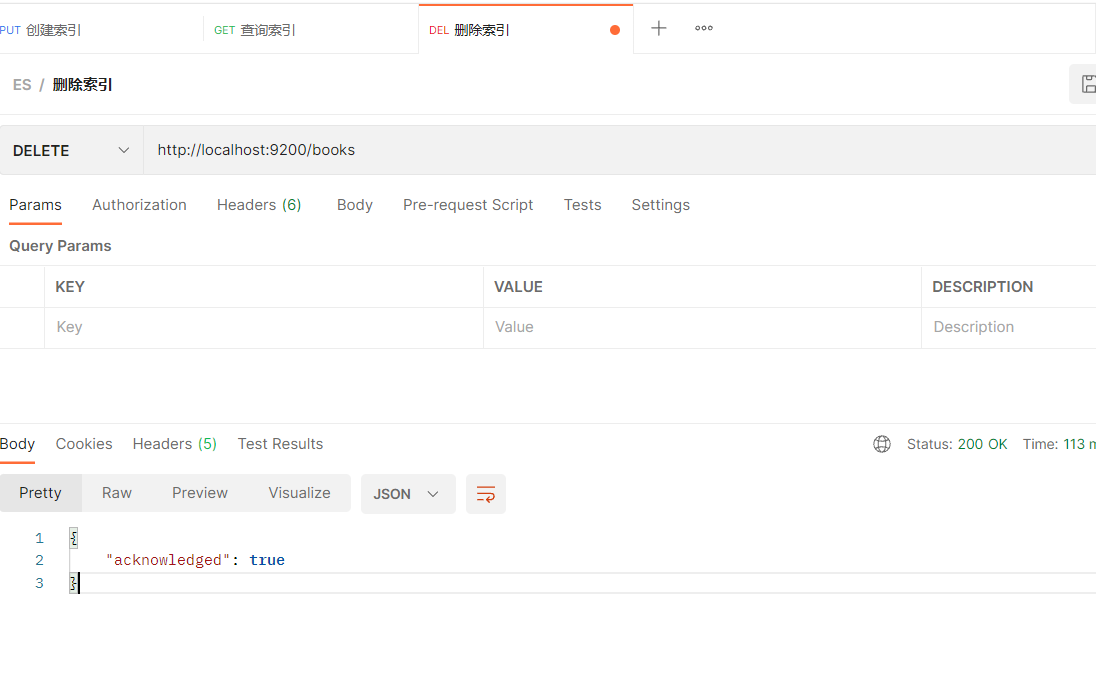
删除索引
DELETE请求
http://localhost:9200/books
文档
添加文档
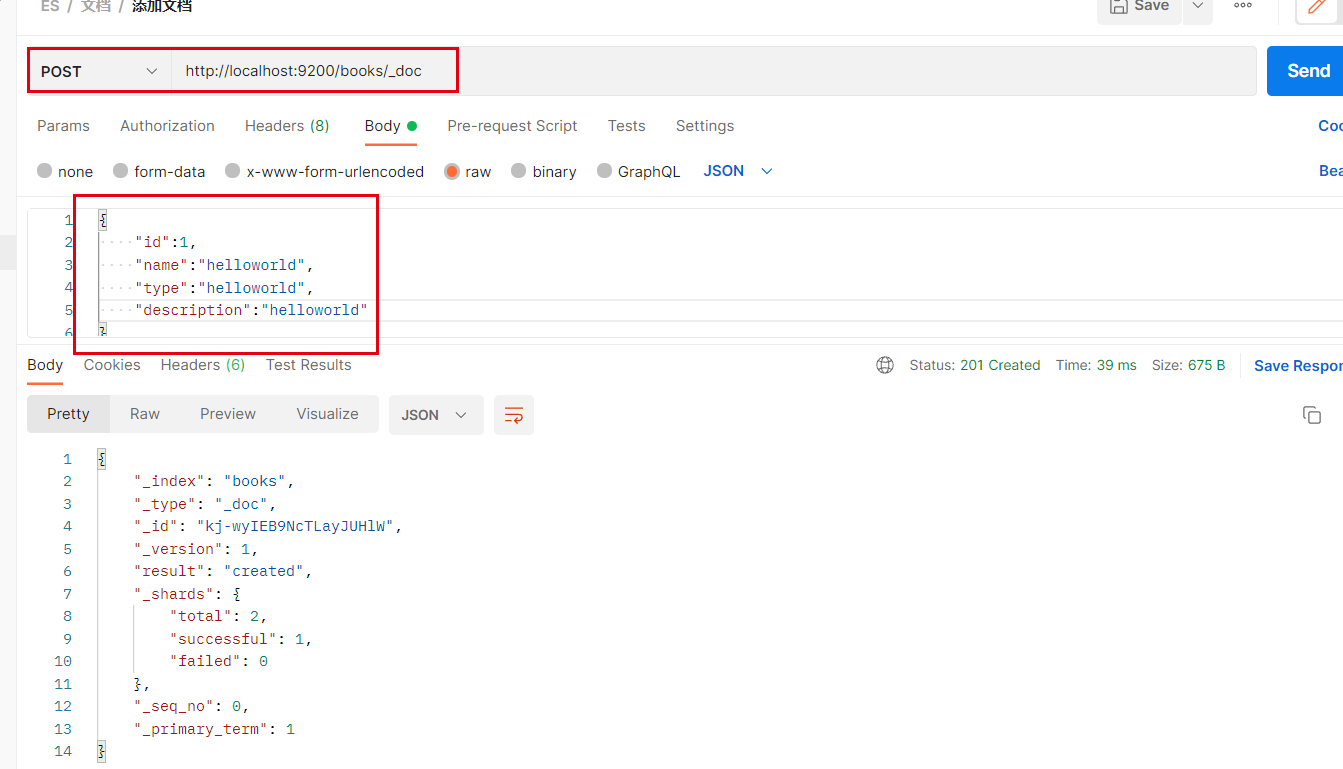
添加文档都是post方式
第一种方式
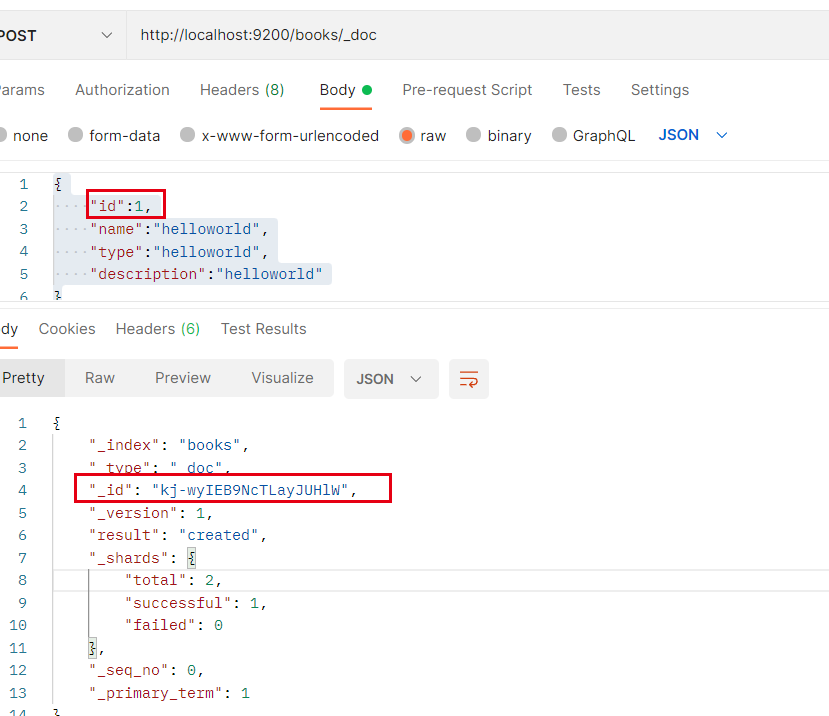
添加文档可以看到,id并不是我们数据中的id,系统自动生成id
http://localhost:9200/books/_doc{ "id":1, "name":"helloworld", "type":"helloworld", "description":"helloworld" }- 1
- 2
- 3
- 4
- 5
- 6
id是由系统生成的随机id,而不是body里的id
第二种方式_doc
在链接中传入id

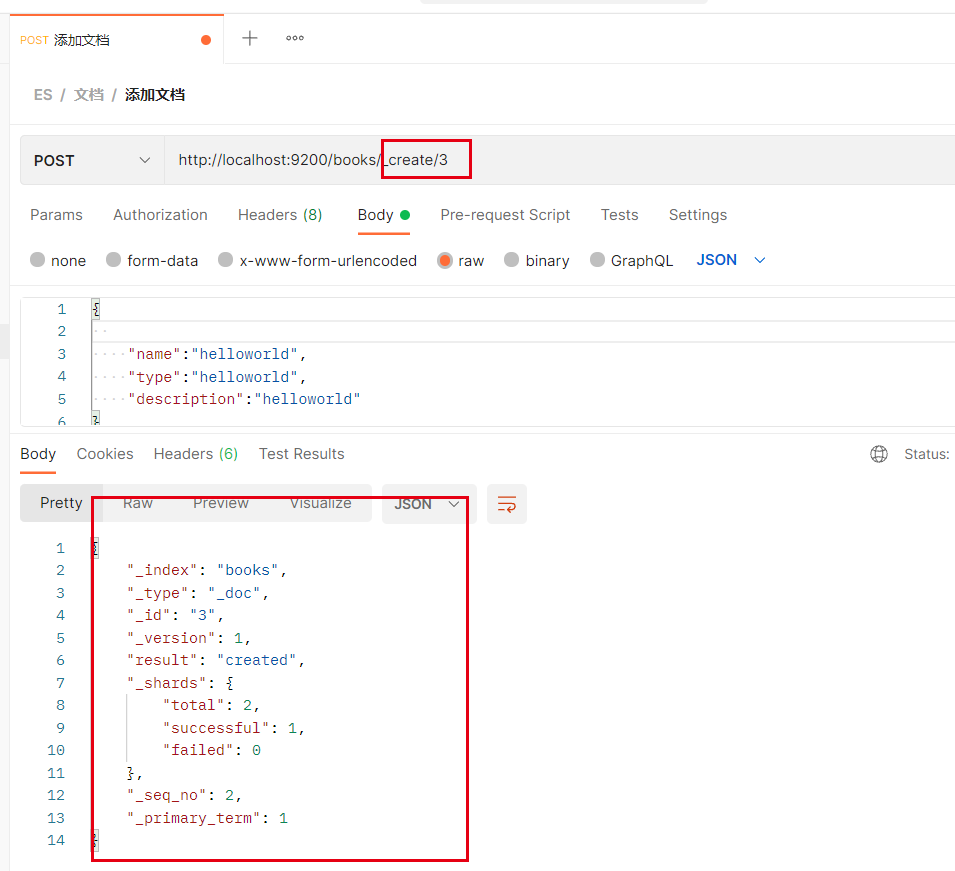
第三种方式_create
使用_create创建文档
查询文档
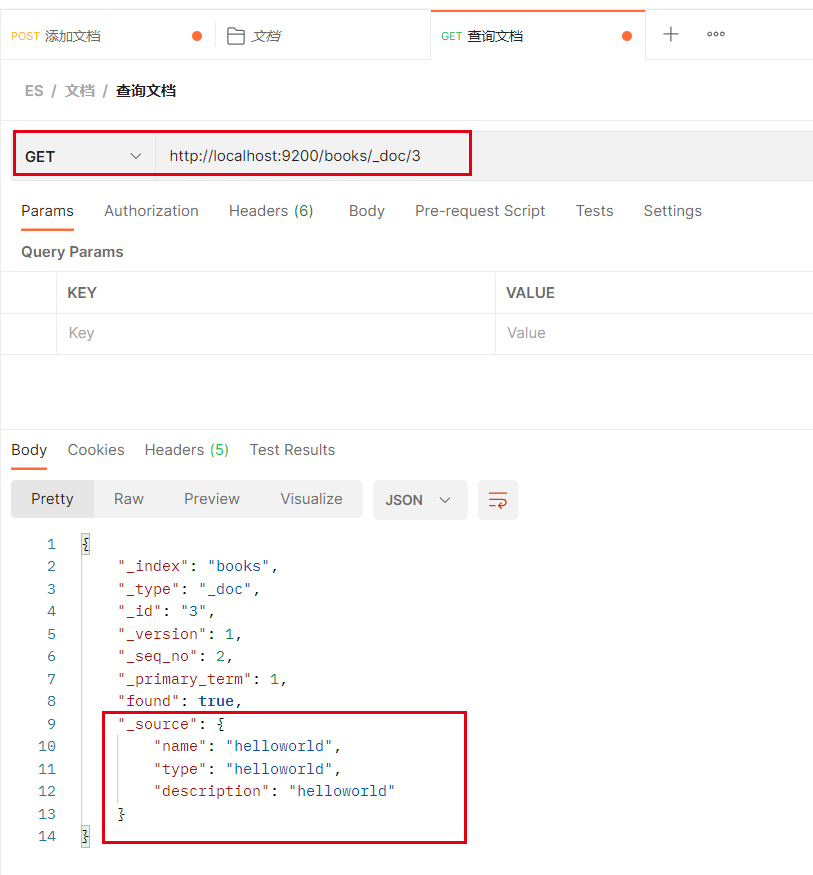
查询单个文档
使用GET请求,
http://localhost:9200/books/_doc/3
查询全部文档
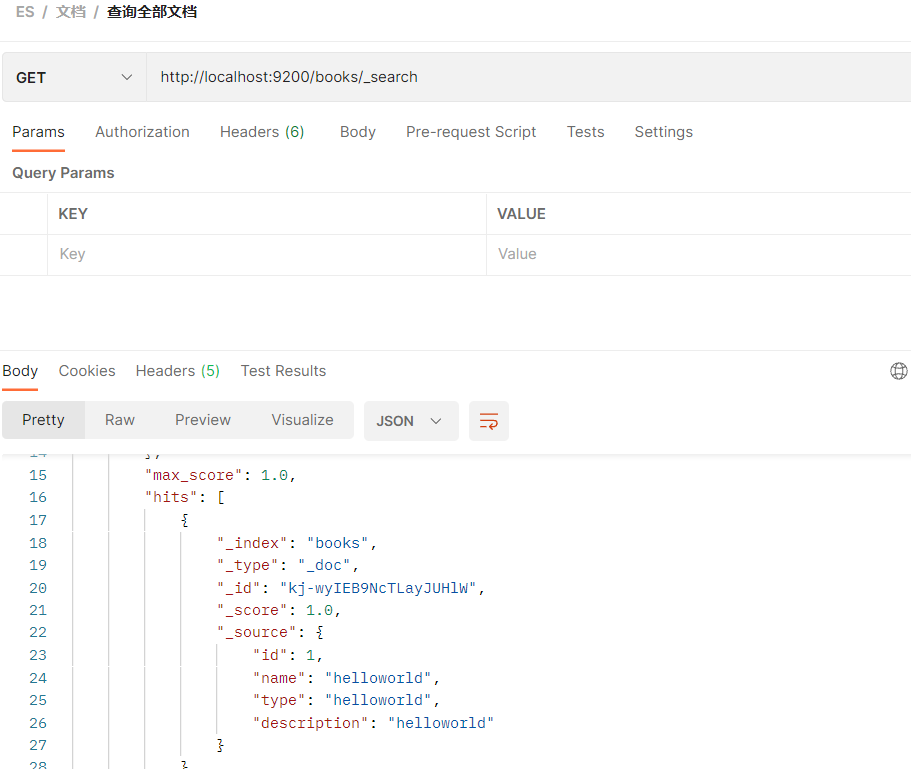
使用GET请求,
http://localhost:9200/books/_search
按条件查询
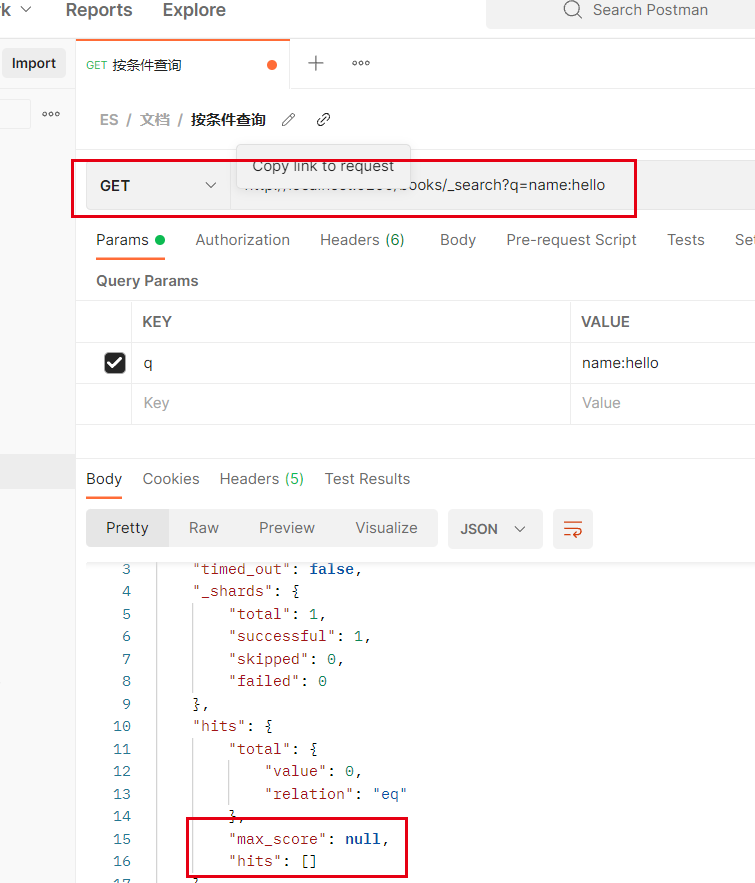
使用GET请求,
http://localhost:9200/books/_search?q=name:helloq=name:hello
q是 query的缩写
name表示查询的字段
hello表示关键词可以看到没查到任何结果,因为英文的分词是空格,helloworld没有空格,会被认为是一个词,所以不会被分拆。
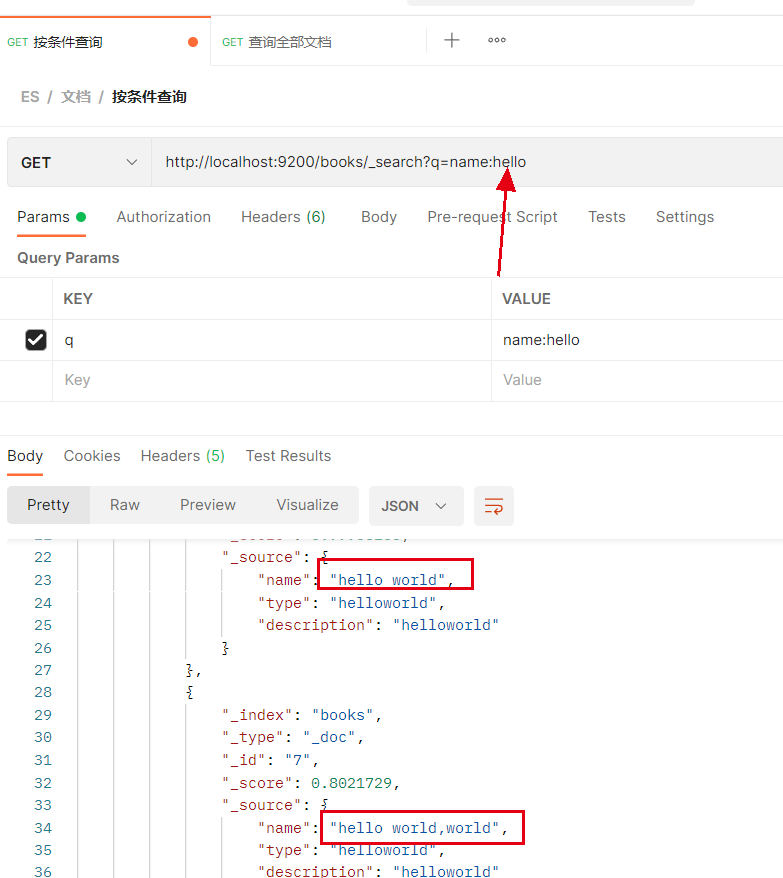
此时再添加几个符合条件的文档后,再执行查询
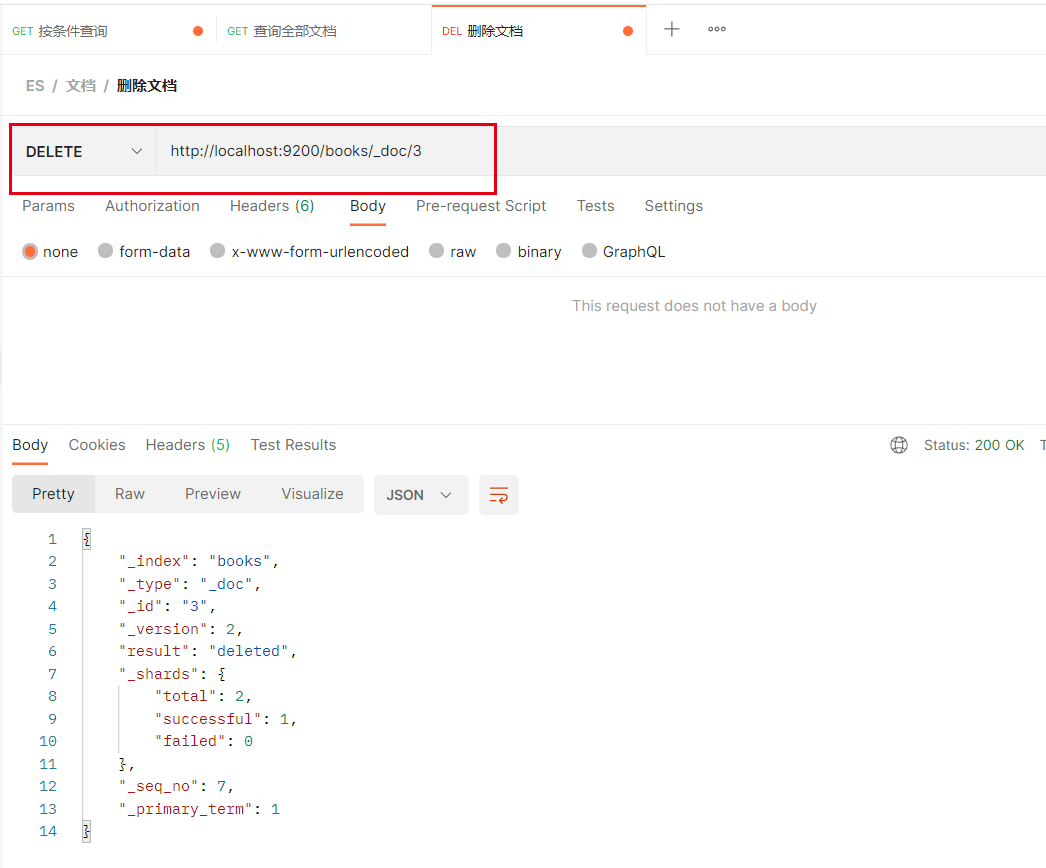
删除文档
DELETE操作
http://localhost:9200/books/_doc/3
修改文档
全覆盖修改
修改操作就是覆盖操作,所以修改和添加是相同的
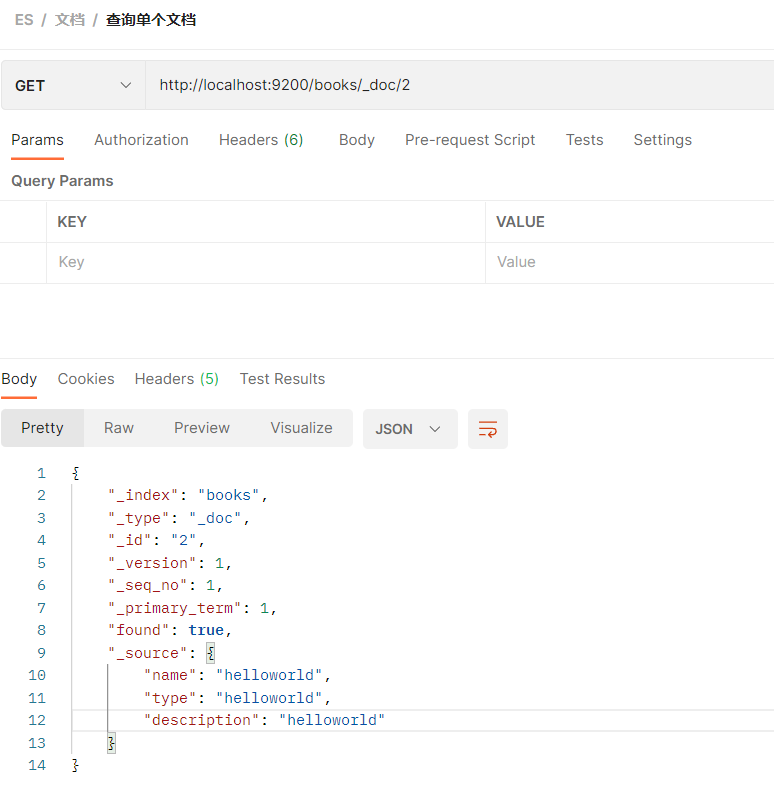
这里查询出一条数据进行修改
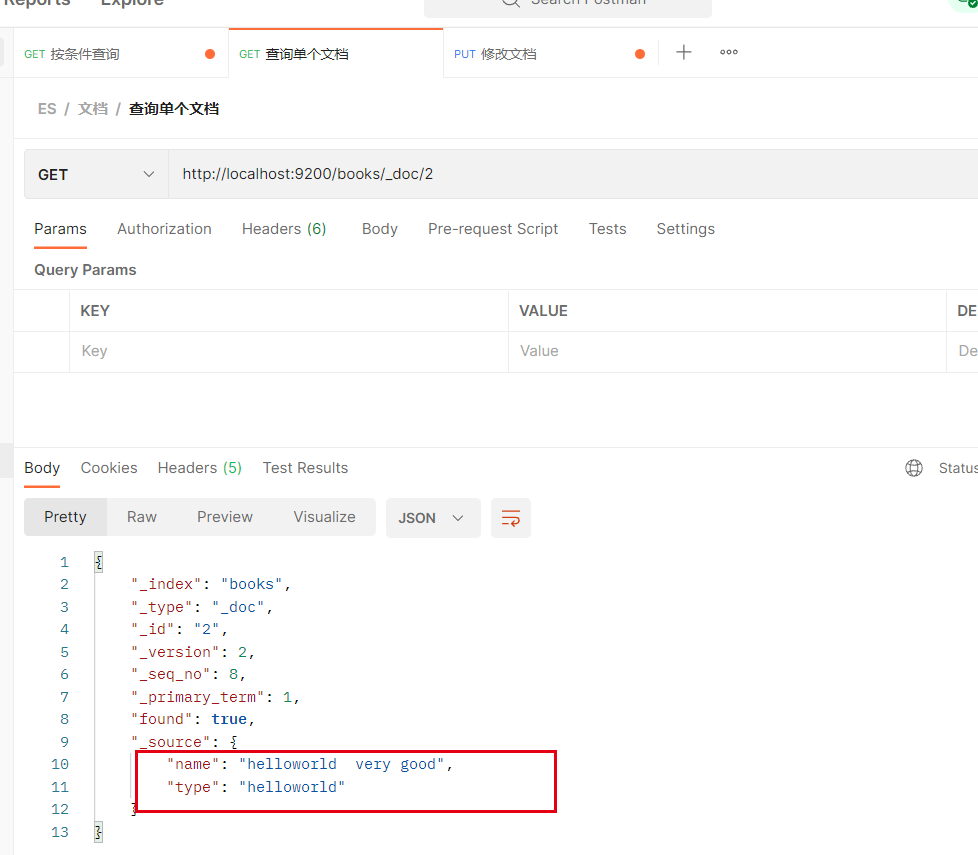
修改内容,并发送

查询内容,发现内容被完全覆盖了
部分修改
POST请求
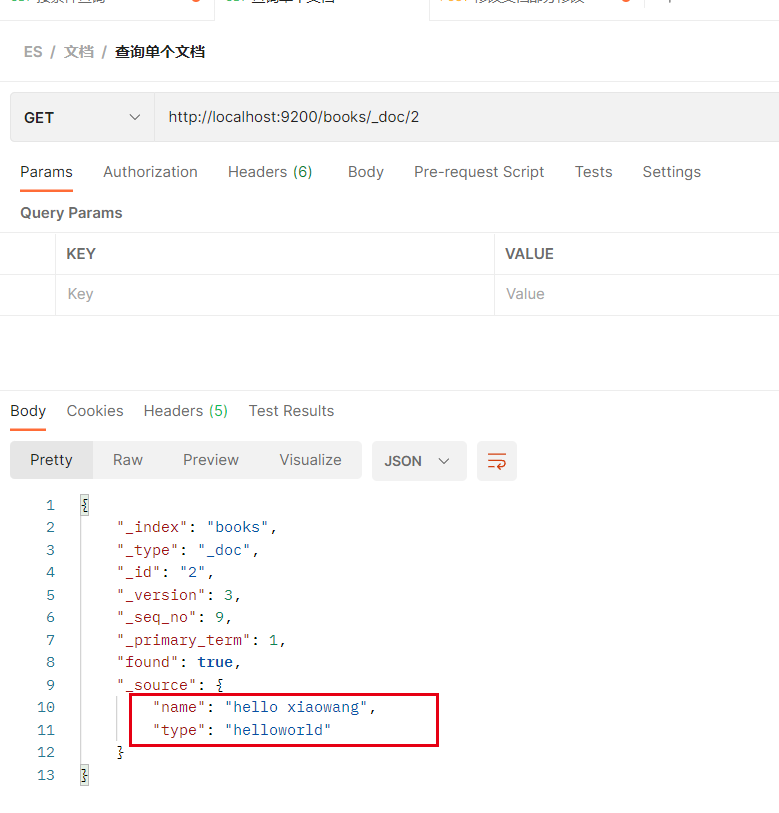
http://localhost:9200/books/_update/2{ "doc":{ "name":"hello xiaowang" } }- 1
- 2
- 3
- 4
- 5
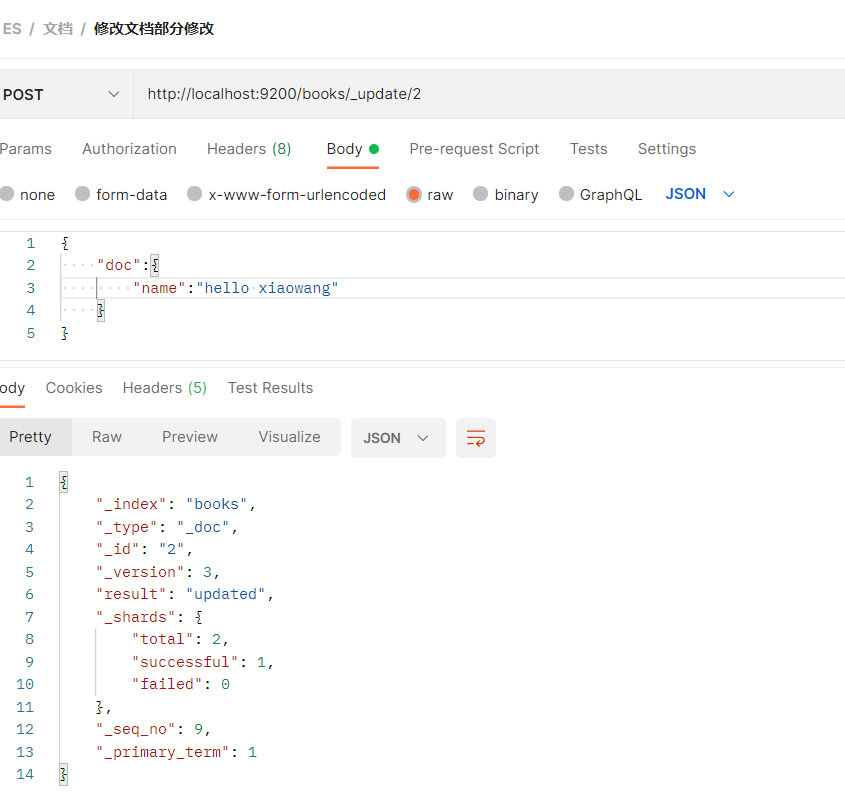
再次查询,可以看到只是部分内容被修改
-
相关阅读:
Linux 下安装python
excel排序没有 扩展选定区域
【C++】哈希基础1
grafana配置钉钉告警模版(一)
two ways to customize unordered_set
如何用servlet写注册登录页面?
Flink 1.13 源码解析——JobManager启动流程之ResourceManager启动
使用Nodejs 实现一个简单的 Redis客户端
车牌自动识别-matlab
Npm使用教程(详细讲解)
- 原文地址:https://blog.csdn.net/u011628753/article/details/125597151
