-
Spring Boot Actuator 管理日志
为了解决以下两个问题:
1、单JAR包应用查看日志需要的时候如果需要远程访问服务器登录查看日志,那样相对比较麻烦
2、生产环境为了解决BUG需要临时更换日志级别,总不能重启服务来解决吧
所以使用了actuator 其中的部分来解决这两个问题。
首先在POM文件中引入actuator依赖:
- <dependency>
- <groupId>org.springframework.boot</groupId>
- <artifactId>spring-boot-starter-actuator</artifactId>
- <version>${spring-boot.version}</version>
- </dependency>
配置文件中配置:
- management.endpoints.web.base-path=/actuator
- management.endpoints.web.exposure.include=logfile,loggers
- management.endpoint.health.show-details=always
- logging.file.name=logs/EL-3KJ/EL-3KJ.log
然后直接可以访问 http://localhost:8085/actuator
得到下列结果:
{"_links":{
        "self"{"href":"http://localhost:8085/actuator","templated":false},
        "logfile:         {"href":"http://localhost:8085/actuator/logfile","templated":false},"loggers":{"href":"http://localhost:8085/actuator/loggers","templated":false},"loggers-name":{"href":"http://localhost:8085/actuator/loggers/{name}","templated":true}}}
其中
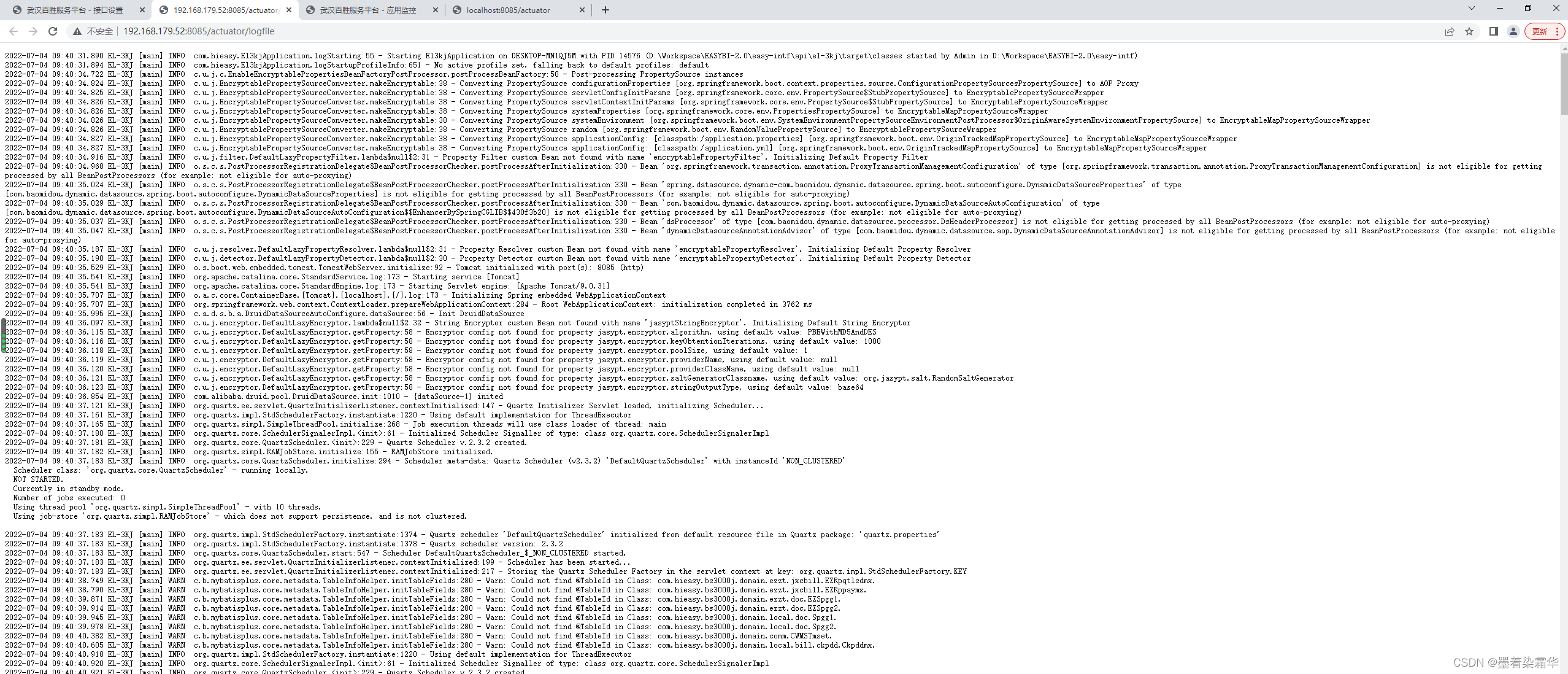
logfile 是查看日志文件
loggers是查看日志级别
loggers/{name}是更改日志级别
前端参考代码:
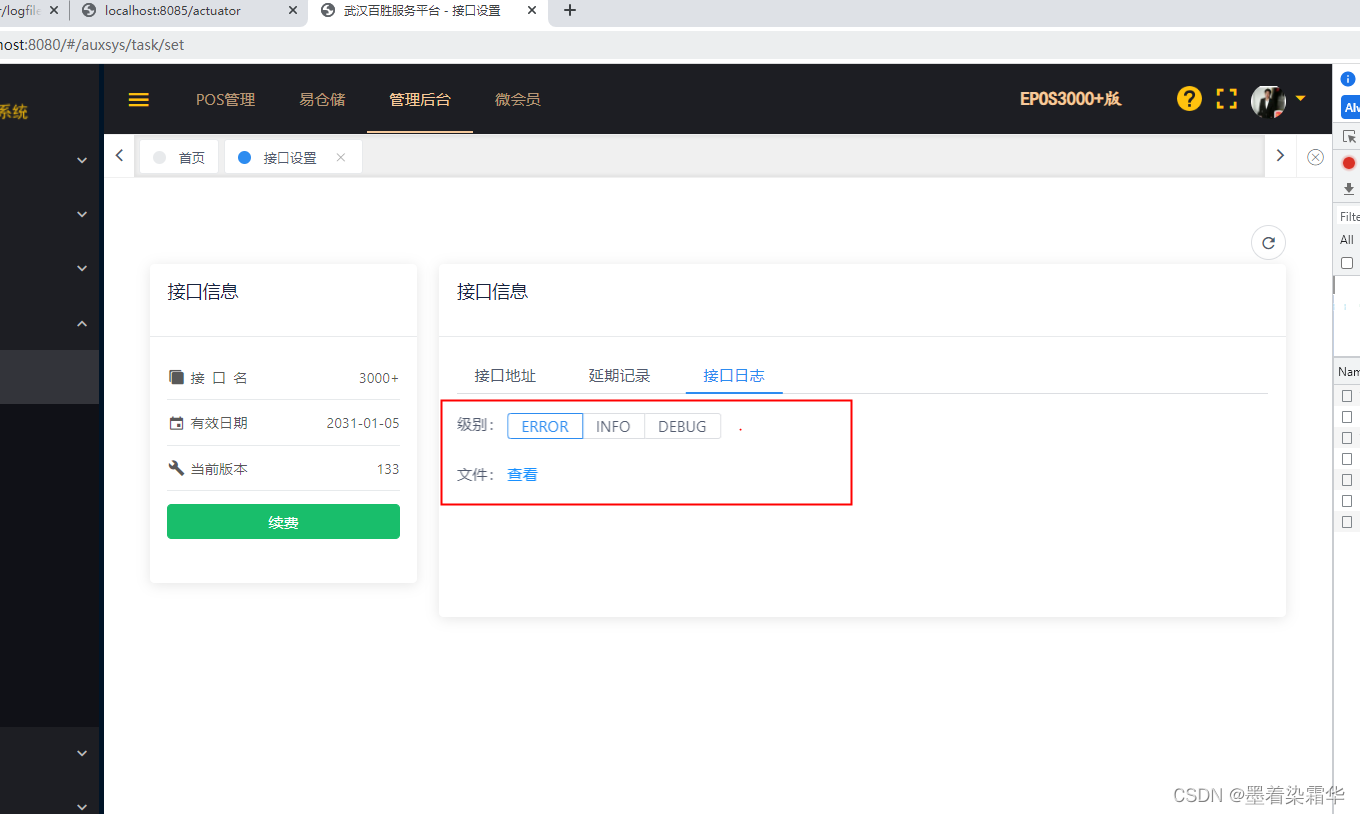
- <TabPane label="接口日志" name="name3">
- 级别:
- <RadioGroup v-model="loglevel" type="button" size="small" @on-
- change="lvChange()">
- <Radio label="ERROR"></Radio>
- <Radio label="INFO"></Radio>
- <Radio label="DEBUG"></Radio>
- </RadioGroup> <br/><br/>
- 文件:<a :href="logfileurl" target="_blank" > 查看</a>
- </TabPane>
- this.logfileurl = res.dataApi+"actuator/logfile";
- this.loglevelurl = res.dataApi+"actuator/loggers/root";
- getLogLevel(){
- this.ajax_get({
- url: this.loglevelurl,
- params: {},
- }).then((res) => {
- this.loglevel=res.configuredLevel
- });
- },
- lvChange(){
- this.changeLogLevel(this.loglevel)
- },
- changeLogLevel(level){
- this.ajax_post({
- url: this.tenant.dataApi + "actuator/loggers/root",
- params: {'configuredLevel':level},
- }).then((res) => {
- this.spinShow = false;
- if (!res.code) {
- this.$Notice.success({
- title:'更改日志级别为'+level,
- desc:res.msg
- });
- } else {
- this.$Notice.error({
- title:'更改日志级别失败',
- desc:res.msg
- });
- }
- });
- }
最终效果如下:
-
相关阅读:
【兴业数金】其他面试题整理
契约锁“7大”签约避坑指南,帮您化解99%的合同签署麻烦
爬虫(1) - 爬虫基础入门理论篇
MBR16200FCT-ASEMI大功率肖特基二极管MBR16200FCT
SQL获取IP电脑名
JVM详细教程
【算法专题--链表】两两交换链表中的节点 -- 高频面试题(图文详解,小白一看就懂!!!)
输入输出系统
2022年中纪实 -- 一个普通人的经历
Django系列8-员工管理系统实战--部门管理
- 原文地址:https://blog.csdn.net/chengmin123456789/article/details/125597951
