-
SpringBoot+百度地图+Mysql实现中国地图可视化
通过SpringBoot+百度地图+Mysql实现中国地图可视化
一、申请百度地图的ak值
进入百度开发者平台

编辑以下内容

然后申请成功
二、Springboot写一个接口
确保数据库里有数据

文件目录如下

1、配置application.properties文件
- #访问端口号
- server.port=9090
- # 数据库连接信息
- spring.datasource.driver-class-name=com.mysql.cj.jdbc.Driver
- spring.datasource.url=jdbc:mysql://localhost:3306/JobData?serverTimezone=UTC
- spring.datasource.username=root
- spring.datasource.password=1234
- # 连接池配置
- spring.datasource.type=com.alibaba.druid.pool.DruidDataSource
- spring.datasource.druid.initial-size=20
- spring.datasource.druid.min-idle=10
- spring.datasource.druid.max-active=100
- # 实体类使用驼峰命名。数据库使用下划线
- mybatis.configuration.map-underscore-to-camel-case=true
2、配置pom.xml文件
spring-boot-test org.springframework.boot 2.1.3.RELEASE org.springframework.boot spring-boot-starter-web org.springframework.boot spring-boot-starter-thymeleaf org.projectlombok lombok 1.18.22 org.mybatis.spring.boot mybatis-spring-boot-starter 2.1.1 mysql mysql-connector-java runtime com.alibaba druid-spring-boot-starter 1.1.10 org.mybatis.spring.boot mybatis-spring-boot-starter 2.2.0 com.baomidou mybatis-plus-boot-starter 3.1.2
3、编写com/App.java启动类
- package com;
- import org.springframework.boot.SpringApplication;
- import org.springframework.boot.autoconfigure.SpringBootApplication;
- @SpringBootApplication
- public class App {
- // 调用SpringApplication的run方法来启动Spring Boot应用程序。
- // 传入的App.class参数指定了应用程序的启动类。
- public static void main(String[] args) {
- SpringApplication.run(App.class);
- }
- }
4、编写controller/CityController.java
- package com.controller;
- import com.entity.CityEntity;
- import com.service.CityService;
- import org.springframework.beans.factory.annotation.Autowired;
- import org.springframework.web.bind.annotation.RequestMapping;
- import org.springframework.web.bind.annotation.RestController;
- import java.util.List;
- @RestController
- @RequestMapping("city")
- public class CityController {
- @Autowired
- private CityService cityService;
- @RequestMapping("list")
- public List
list() { - return cityService.list();
- }
- }
5、编写
5、编写dao/CityDao.java
- package com.dao;
- import com.baomidou.mybatisplus.core.mapper.BaseMapper;
- import com.entity.CityEntity;
- import org.apache.ibatis.annotations.Mapper;
- @Mapper
- public interface CityDao extends BaseMapper
{ - }
6、编写entity/CityEntity.java
封装数据库字段信息
- package com.entity;
- import com.baomidou.mybatisplus.annotation.TableName;
- import lombok.*;
- @NoArgsConstructor
- @AllArgsConstructor
- @Getter
- @Setter
- @Data
- @TableName("t_city_count") //数据库表名
- public class CityEntity {
- private String city;
- private int count;
- }
7、编写service/CityService.java
- package com.service;
- import com.baomidou.mybatisplus.extension.service.IService;
- import com.entity.CityEntity;
- public interface CityService extends IService
{ - }
8、编写service/impl/CityServiceImpl.java
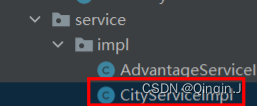
- package com.service.impl;
- import com.baomidou.mybatisplus.extension.service.impl.ServiceImpl;
- import com.dao.CityDao;
- import com.entity.CityEntity;
- import com.service.CityService;
- import org.springframework.stereotype.Service;
- @Service("CityService")
- public class CityServiceImpl extends ServiceImpl
- }
9、启动App类

结果:
访问端口
http://localhost:9090/city/list得到数据

三、可视化
1、选择Echarts中地图示例
选择Echarts中地图示例,我选择的是这个

2、创建html文件
在resources/templates创建html文件

在html文件中引用 js 文件

通过jQuery获取接口数据,完整代码如下:
- <div id="main" style="width:1620px; height:750px;">div>
- <script type="text/javascript">
- window.onload = function citys() {
- // 基于准备好的dom,初始化echarts实例
- var myChart = echarts.init(document.getElementById('main'));
- myChart.showLoading(); //数据加载完之前先显示一段简单的loading动画
- //声明一个对象
- var citylist = [];
- var nus = [];
- $.ajax({
- async: true, //异步请求
- data: {},
- //请求方式get
- type: "GET",
- //请求地址
- url: "/city/list",
- //数据,json字符串
- dataType: "json",
- //请求成功
- success: function (result) {
- console.log(result);
- //进行数据的遍历
- $.each(result, function (index, item) {
- citylist.push(item.city);
- // 格式化对象
- nus.push({
- name: item.city,
- value: item.count
- });
- });
- console.log(citylist);
- console.log(nus);
- myChart.hideLoading(); //隐藏加载动画
- var data = nus; // 城市的数据
- // 地理坐标
- var geoCoordMap = {
- 海门: [121.15, 31.89],
- 鄂尔多斯: [109.781327, 39.608266],
- 招远: [120.38, 37.35],
- 舟山: [122.207216, 29.985295],
- 齐齐哈尔: [123.97, 47.33],
- 盐城: [120.13, 33.38],
- 赤峰: [118.87, 42.28],
- 青岛: [120.33, 36.07],
- 乳山: [121.52, 36.89],
- 金昌: [102.188043, 38.520089],
- 泉州: [118.58, 24.93],
- 莱西: [120.53, 36.86],
- 日照: [119.46, 35.42],
- 胶南: [119.97, 35.88],
- 南通: [121.05, 32.08],
- 拉萨: [91.11, 29.97],
- 云浮: [112.02, 22.93],
- 梅州: [116.1, 24.55],
- 文登: [122.05, 37.2],
- 上海: [121.48, 31.22],
- 攀枝花: [101.718637, 26.582347],
- 威海: [122.1, 37.5],
- 承德: [117.93, 40.97],
- 厦门: [118.1, 24.46],
- 汕尾: [115.375279, 22.786211],
- 潮州: [116.63, 23.68],
- 丹东: [124.37, 40.13],
- 太仓: [121.1, 31.45],
- 曲靖: [103.79, 25.51],
- 烟台: [121.39, 37.52],
- 福州: [119.3, 26.08],
- 瓦房店: [121.979603, 39.627114],
- 即墨: [120.45, 36.38],
- 抚顺: [123.97, 41.97],
- 玉溪: [102.52, 24.35],
- 张家口: [114.87, 40.82],
- 阳泉: [113.57, 37.85],
- 莱州: [119.942327, 37.177017],
- 湖州: [120.1, 30.86],
- 汕头: [116.69, 23.39],
- 昆山: [120.95, 31.39],
- 宁波: [121.56, 29.86],
- 湛江: [110.359377, 21.270708],
- 揭阳: [116.35, 23.55],
- 荣成: [122.41, 37.16],
- 连云港: [119.16, 34.59],
- 葫芦岛: [120.836932, 40.711052],
- 常熟: [120.74, 31.64],
- 东莞: [113.75, 23.04],
- 河源: [114.68, 23.73],
- 淮安: [119.15, 33.5],
- 泰州: [119.9, 32.49],
- 南宁: [108.33, 22.84],
- 营口: [122.18, 40.65],
- 惠州: [114.4, 23.09],
- 江阴: [120.26, 31.91],
- 蓬莱: [120.75, 37.8],
- 韶关: [113.62, 24.84],
- 嘉峪关: [98.289152, 39.77313],
- 广州: [113.23, 23.16],
- 延安: [109.47, 36.6],
- 太原: [112.53, 37.87],
- 清远: [113.01, 23.7],
- 中山: [113.38, 22.52],
- 昆明: [102.73, 25.04],
- 寿光: [118.73, 36.86],
- 盘锦: [122.070714, 41.119997],
- 长治: [113.08, 36.18],
- 深圳: [114.07, 22.62],
- 珠海: [113.52, 22.3],
- 宿迁: [118.3, 33.96],
- 咸阳: [108.72, 34.36],
- 铜川: [109.11, 35.09],
- 平度: [119.97, 36.77],
- 佛山: [113.11, 23.05],
- 海口: [110.35, 20.02],
- 江门: [113.06, 22.61],
- 章丘: [117.53, 36.72],
- 肇庆: [112.44, 23.05],
- 大连: [121.62, 38.92],
- 临汾: [111.5, 36.08],
- 吴江: [120.63, 31.16],
- 石嘴山: [106.39, 39.04],
- 沈阳: [123.38, 41.8],
- 苏州: [120.62, 31.32],
- 茂名: [110.88, 21.68],
- 嘉兴: [120.76, 30.77],
- 长春: [125.35, 43.88],
- 胶州: [120.03336, 36.264622],
- 银川: [106.27, 38.47],
- 张家港: [120.555821, 31.875428],
- 三门峡: [111.19, 34.76],
- 锦州: [121.15, 41.13],
- 南昌: [115.89, 28.68],
- 柳州: [109.4, 24.33],
- 三亚: [109.511909, 18.252847],
- 自贡: [104.778442, 29.33903],
- 吉林: [126.57, 43.87],
- 阳江: [111.95, 21.85],
- 泸州: [105.39, 28.91],
- 西宁: [101.74, 36.56],
- 宜宾: [104.56, 29.77],
- 呼和浩特: [111.65, 40.82],
- 成都: [104.06, 30.67],
- 大同: [113.3, 40.12],
- 镇江: [119.44, 32.2],
- 桂林: [110.28, 25.29],
- 张家界: [110.479191, 29.117096],
- 宜兴: [119.82, 31.36],
- 北海: [109.12, 21.49],
- 西安: [108.95, 34.27],
- 金坛: [119.56, 31.74],
- 东营: [118.49, 37.46],
- 牡丹江: [129.58, 44.6],
- 遵义: [106.9, 27.7],
- 绍兴: [120.58, 30.01],
- 扬州: [119.42, 32.39],
- 常州: [119.95, 31.79],
- 潍坊: [119.1, 36.62],
- 重庆: [106.54, 29.59],
- 台州: [121.420757, 28.656386],
- 南京: [118.78, 32.04],
- 滨州: [118.03, 37.36],
- 贵阳: [106.71, 26.57],
- 无锡: [120.29, 31.59],
- 本溪: [123.73, 41.3],
- 克拉玛依: [84.77, 45.59],
- 渭南: [109.5, 34.52],
- 马鞍山: [118.48, 31.56],
- 宝鸡: [107.15, 34.38],
- 焦作: [113.21, 35.24],
- 句容: [119.16, 31.95],
- 北京: [116.46, 39.92],
- 徐州: [117.2, 34.26],
- 衡水: [115.72, 37.72],
- 包头: [110, 40.58],
- 绵阳: [104.73, 31.48],
- 乌鲁木齐: [87.68, 43.77],
- 枣庄: [117.57, 34.86],
- 杭州: [120.19, 30.26],
- 淄博: [118.05, 36.78],
- 鞍山: [122.85, 41.12],
- 溧阳: [119.48, 31.43],
- 库尔勒: [86.06, 41.68],
- 安阳: [114.35, 36.1],
- 开封: [114.35, 34.79],
- 济南: [117, 36.65],
- 德阳: [104.37, 31.13],
- 温州: [120.65, 28.01],
- 九江: [115.97, 29.71],
- 邯郸: [114.47, 36.6],
- 临安: [119.72, 30.23],
- 兰州: [103.73, 36.03],
- 沧州: [116.83, 38.33],
- 临沂: [118.35, 35.05],
- 南充: [106.110698, 30.837793],
- 天津: [117.2, 39.13],
- 富阳: [119.95, 30.07],
- 泰安: [117.13, 36.18],
- 诸暨: [120.23, 29.71],
- 郑州: [113.65, 34.76],
- 哈尔滨: [126.63, 45.75],
- 聊城: [115.97, 36.45],
- 芜湖: [118.38, 31.33],
- 唐山: [118.02, 39.63],
- 平顶山: [113.29, 33.75],
- 邢台: [114.48, 37.05],
- 德州: [116.29, 37.45],
- 济宁: [116.59, 35.38],
- 荆州: [112.239741, 30.335165],
- 宜昌: [111.3, 30.7],
- 义乌: [120.06, 29.32],
- 丽水: [119.92, 28.45],
- 洛阳: [112.44, 34.7],
- 秦皇岛: [119.57, 39.95],
- 株洲: [113.16, 27.83],
- 石家庄: [114.48, 38.03],
- 莱芜: [117.67, 36.19],
- 常德: [111.69, 29.05],
- 保定: [115.48, 38.85],
- 湘潭: [112.91, 27.87],
- 金华: [119.64, 29.12],
- 岳阳: [113.09, 29.37],
- 长沙: [113, 28.21],
- 衢州: [118.88, 28.97],
- 廊坊: [116.7, 39.53],
- 菏泽: [115.480656, 35.23375],
- 合肥: [117.27, 31.86],
- 武汉: [114.31, 30.52],
- 大庆: [125.03, 46.58]
- };
- var convertData = function (data) { // 遍历传入的data数组。
- var res = [];
- for (var i = 0; i < data.length; i++) {
- var geoCoord = geoCoordMap[data[i].name]; // 城市的名称
- if (geoCoord) { // 检查geoCoordMap中是否存在当前城市的数据。
- res.push({ // 格式化数据
- name: data[i].name,
- value: geoCoord.concat(data[i].value)
- });
- }
- }
- return res;
- };
- function renderItem(params, api) { // 渲染坐标信息元素
- var coords = [ // 定义一个包含经纬度坐标的数组。
- [116.7, 39.53],
- [103.73, 36.03],
- [112.91, 27.87],
- [120.65, 28.01],
- [119.57, 39.95]
- ];
- var points = []; // 存储转换后的坐标点
- // 将经纬度坐标转换为图表坐标系中的点。
- for (var i = 0; i < coords.length; i++) {
- points.push(api.coord(coords[i]));
- }
- var color = api.visual('color'); // 填充颜色
- return {
- type: 'polygon', // 指定图形类型为 'polygon'(多边形)。
- // 定义多边形的形状,即使用前面计算出的 points 数组。
- shape: {
- points: echarts.graphic.clipPointsByRect(points, {
- x: params.coordSys.x,
- y: params.coordSys.y,
- width: params.coordSys.width,
- height: params.coordSys.height
- })
- },
- // 定义多边形的样式,包括填充颜色和描边颜色。
- style: api.style({
- fill: color,
- stroke: echarts.color.lift(color)
- })
- };
- }
- var option = {
- // 设置整个图表的背景颜色为透明
- backgroundColor: 'transparent',
- // 配置标题,包括主标题文本、位置和样式
- title: {
- text: '职位城市分布', // 主标题文本
- left: 'center', // 主标题位置设置为居中
- textStyle: {
- color: '#fff' // 主标题文字颜色设置为白色
- }
- },
- // 配置提示框组件,当鼠标悬停在图表项时显示的提示信息
- tooltip: {
- trigger: 'item' // 提示框触发方式设置为数据项
- },
- bmap: {
- center: [104.114129, 37.550339], // 地图中心点坐标
- zoom: 5, // 地图缩放级别
- roam: true, // 是否允许缩放和平移
- mapStyle: { // 自定义地图样式
- styleJson: [
- {
- featureType: 'water',
- elementType: 'all',
- stylers: {
- color: '#044161'
- }
- },
- {
- featureType: 'land',
- elementType: 'all',
- stylers: {
- color: '#004981'
- }
- },
- {
- featureType: 'boundary',
- elementType: 'geometry',
- stylers: {
- color: '#064f85'
- }
- },
- {
- featureType: 'railway',
- elementType: 'all',
- stylers: {
- visibility: 'off'
- }
- },
- {
- featureType: 'highway',
- elementType: 'geometry',
- stylers: {
- color: '#004981'
- }
- },
- {
- featureType: 'highway',
- elementType: 'geometry.fill',
- stylers: {
- color: '#005b96',
- lightness: 1
- }
- },
- {
- featureType: 'highway',
- elementType: 'labels',
- stylers: {
- visibility: 'off'
- }
- },
- {
- featureType: 'arterial',
- elementType: 'geometry',
- stylers: {
- color: '#004981'
- }
- },
- {
- featureType: 'arterial',
- elementType: 'geometry.fill',
- stylers: {
- color: '#00508b'
- }
- },
- {
- featureType: 'poi',
- elementType: 'all',
- stylers: {
- visibility: 'off'
- }
- },
- {
- featureType: 'green',
- elementType: 'all',
- stylers: {
- color: '#056197',
- visibility: 'off'
- }
- },
- {
- featureType: 'subway',
- elementType: 'all',
- stylers: {
- visibility: 'off'
- }
- },
- {
- featureType: 'manmade',
- elementType: 'all',
- stylers: {
- visibility: 'off'
- }
- },
- {
- featureType: 'local',
- elementType: 'all',
- stylers: {
- visibility: 'off'
- }
- },
- {
- featureType: 'arterial',
- elementType: 'labels',
- stylers: {
- visibility: 'off'
- }
- },
- {
- featureType: 'boundary',
- elementType: 'geometry.fill',
- stylers: {
- color: '#029fd4'
- }
- },
- {
- featureType: 'building',
- elementType: 'all',
- stylers: {
- color: '#1a5787'
- }
- },
- {
- featureType: 'label',
- elementType: 'all',
- stylers: {
- visibility: 'off'
- }
- }
- ]
- }
- },
- series: [
- {
- // 定义一个散点图系列
- name: 'pm2.5', // 系列名称
- type: 'scatter', // 图表类型为散点图
- coordinateSystem: 'bmap', // 指定使用的坐标系为百度地图
- data: convertData(data), // 使用转换后的数据
- encode: { // 定义数据编码,value: 2 表示数据值作为散点图的 z 轴值
- value: 2
- },
- symbolSize: function (val) { // 定义散点大小的回调函数
- return val[2] / 10;
- },
- label: {
- formatter: '{b}', // 标签格式化器,显示数据名称
- position: 'right', // 标签位置为右侧
- },
- itemStyle: {
- color: '#ddb926' // 数据项样式的颜色
- },
- emphasis: {
- label: {
- show: true, // 高亮状态下标签是否显示
- }
- }
- },
- {
- // 图表类型,这里是 effectScatter,表示带有特效的散点图
- type: 'effectScatter',
- // 指定坐标系类型,这里是 'bmap',表示使用百度地图作为坐标系
- coordinateSystem: 'bmap',
- data: convertData(data),
- // 编码,定义如何将数据字段映射到图形的属性上
- encode: {
- value: 2 // 表示将数据项的 value 属性映射到散点图的 z 轴上
- },
- // 自定义数据点的大小
- symbolSize: function (val) {
- return val[2] / 10; // 根据数据值的大小调整散点的大小
- },
- // 设置波动效果一直显示
- showEffectOn: 'render',
- rippleEffect: {
- brushType: 'stroke',
- scale: 6, // 控制波动的缩放比例
- period: 5 // 控制波动周期,值越大,波动越慢
- },
- // 是否启用鼠标悬停动画
- hoverAnimation: true,
- // 标签的配置
- label: {
- formatter: '{b}', // 标签内容的格式化器,'{b}' 表示显示数据项的名称
- position: 'right', // 标签的位置在数据点的右侧
- show: true, // 是否显示标签
- textStyle: {
- // 修改标签文本颜色为红色,您可以根据需要选择颜色
- color: '#F7F7F7',
- // 如果需要,您可以保留字体大小和加粗样式,或者添加其他样式
- fontSize: 12,
- fontWeight: 'bold',
- fontFamily: 'Arial, sans-serif'
- }
- },
- // 数据项样式的配置
- itemStyle: {
- color: '#f4e925', // 数据点的颜色
- shadowBlur: 10, // 阴影的模糊度
- shadowColor: '#333' // 阴影的颜色
- },
- // z 层级,用于控制图形的堆叠顺序
- zlevel: 1
- },
- ]
- };
- // 使用 setOption 方法加载数据和配置项
- myChart.setOption(option);
- },
- error: function (errorMsg) {
- //请求失败时执行该函数
- alert("图表请求数据失败!");
- myChart.hideLoading();
- }
- });
- };
- script>
3、结果
访问端口
http://localhost:9090/
-
相关阅读:
第二十四节 SpringBoot使用spring.factories
C++ map和set
Pandas处理异常值的两种方法
数据结构-链表的简单操作实现
Ubuntu下使用ffmpeg分割和合并视频文件
每天一个注解之 @WebMethod
计算机图形学 实验三:二维图形变换
STM32G030F6 (SOP-20)Cortex ® -M0+, 32KB Flash, 8KB RAM, 17 GPIOs
Go 1.22 将修复 for 循环变量错误
[代码随想录]二叉树篇
- 原文地址:https://blog.csdn.net/2202_75688394/article/details/139391384