-
CountDownLatch使用错误+未最终断开连接导致线程池资源耗尽
错误描述:
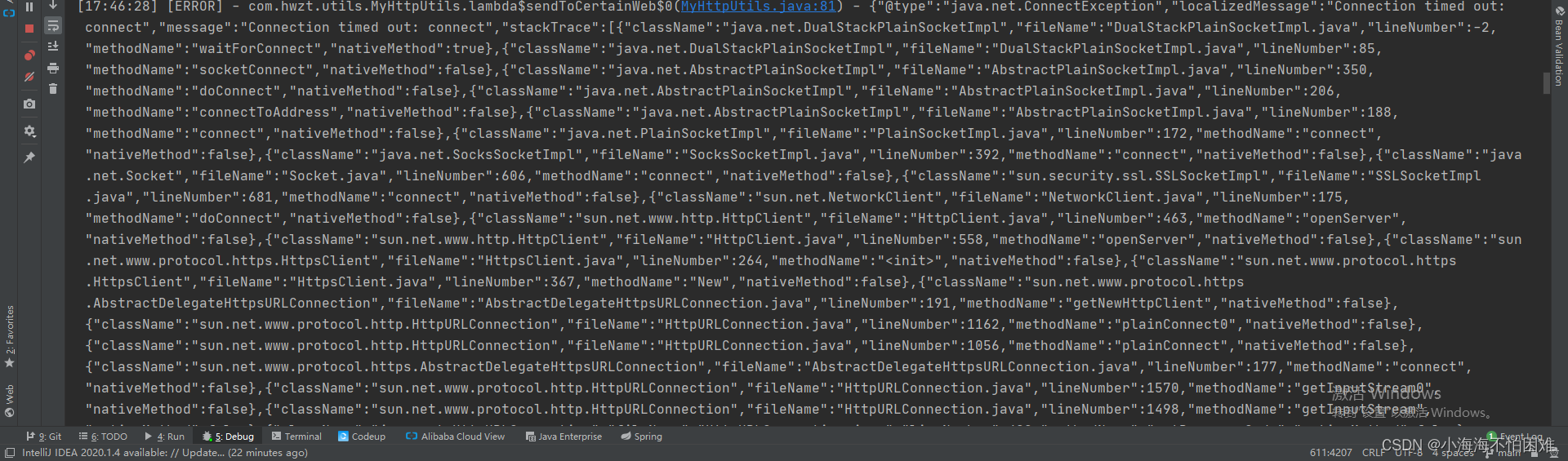
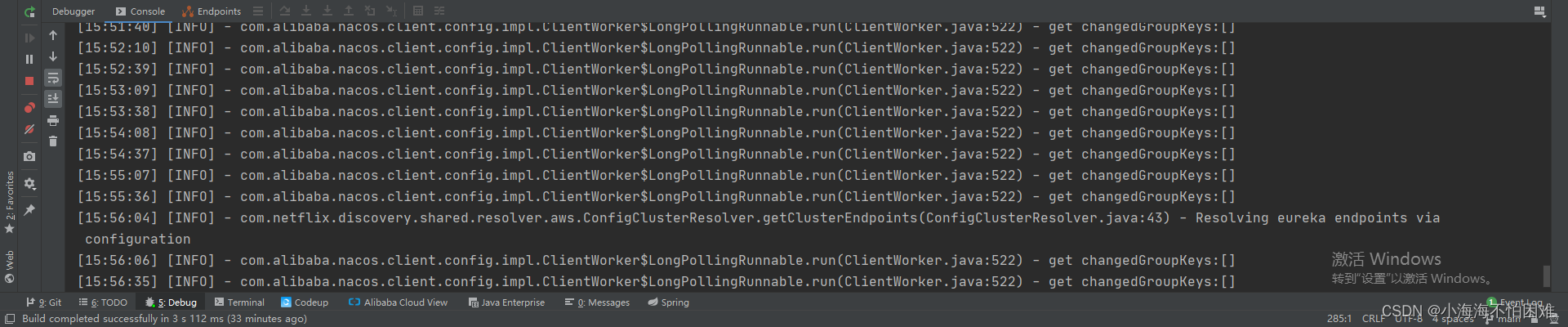
我设置了CountDownLatch对线程的协作做出了一些限制,但是我发现运行一段时间以后便发现定时任务不运行了。
具体代码:
- public void sendToCertainWeb() throws IOException, InterruptedException {
- List
urlList = scheduleplanMapper.getRandomUrlList(); - Thread.sleep(6000);
- CountDownLatch countDownLatch = new CountDownLatch(20);
- for (String s : urlList) {
- transportThreadPool.execute(()->{
- try {
- URL url = new URL(s);
- // 打开连接
- HttpURLConnection connection = (HttpURLConnection) url.openConnection();
- // 设置请求方法为GET
- connection.setRequestMethod("GET");
- connection.setConnectTimeout(100000);
- connection.setReadTimeout(100000);
- // 添加自定义的请求头信息
- String agent = scheduleplanMapper.getRandomAgent();
- connection.addRequestProperty("User-Agent", agent);
- connection.addRequestProperty("Accept-Language", "en-US,en;q=0.9");
- // 获取服务器返回的状态码
- int responseCode = connection.getResponseCode();
- if (responseCode == HttpURLConnection.HTTP_OK) {
- // 读取服务器返回的数据
- BufferedReader reader = new BufferedReader(new InputStreamReader(connection.getInputStream()));
- String line;
- StringBuilder response = new StringBuilder();
- while ((line = reader.readLine()) != null) {
- response.append(line);
- }
- reader.close();
- log.info("Right Code: " + responseCode);
- } else {
- log.error("Error Code: " + responseCode);
- }
- // 关闭连接
- connection.disconnect();
- countDownLatch.countDown();
- }catch (Exception e){
- log.error(JSON.toJSONString(e));
- }
- });
- }
- countDownLatch.await();
- }
报错以后定时任务不运行了
错误排查:
打印线程日志发现定时任务的线程在第86行代码停着不动了。
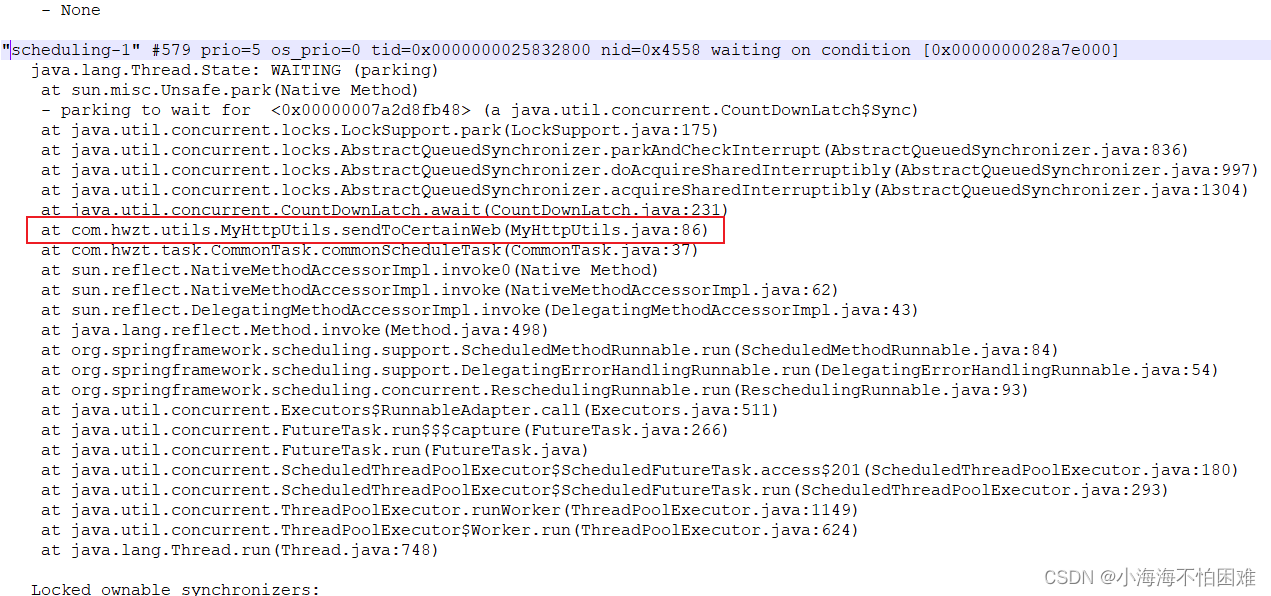
正常的线程日志应该是这样的。

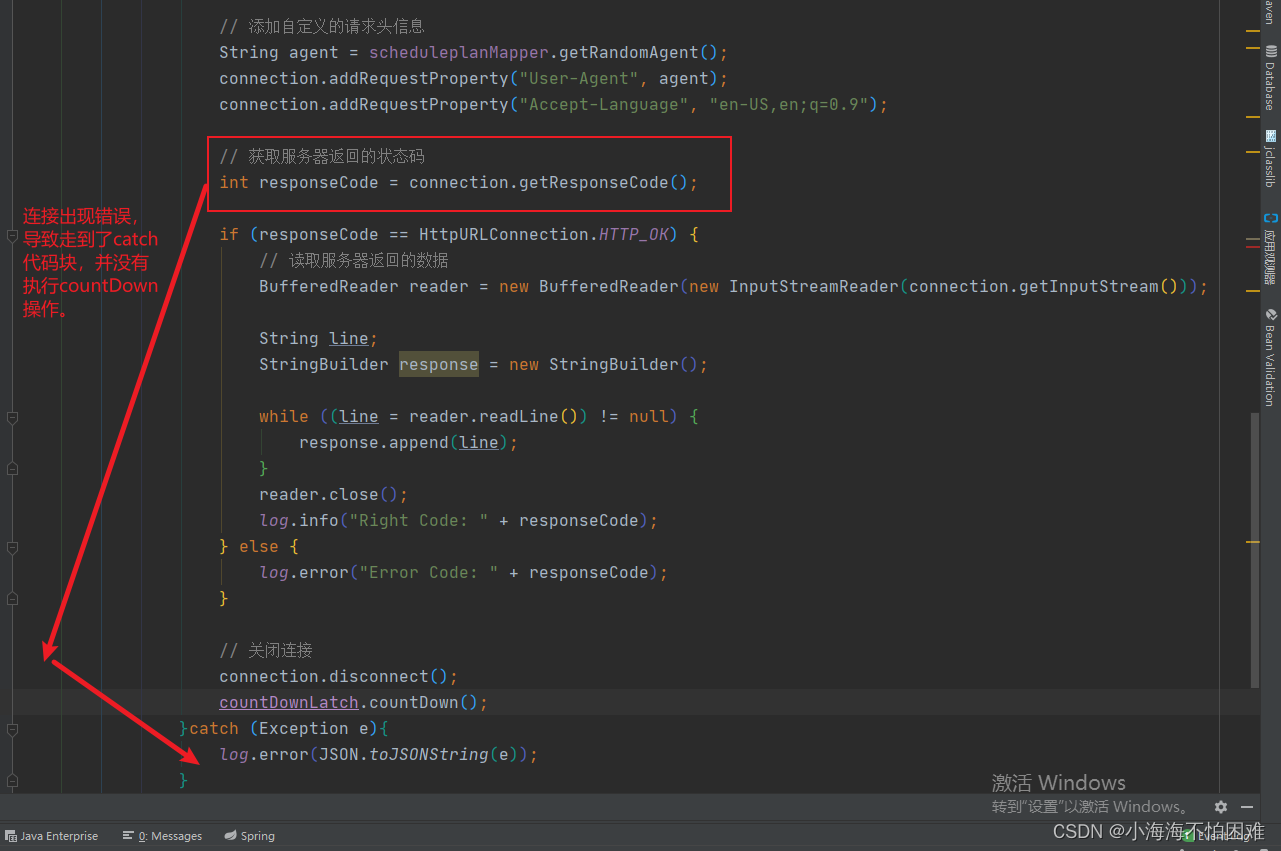
查看第86行代码,发现这里并没有唤醒主线程 ,导致线程一直处于运行状态,无法继续下一个任务。
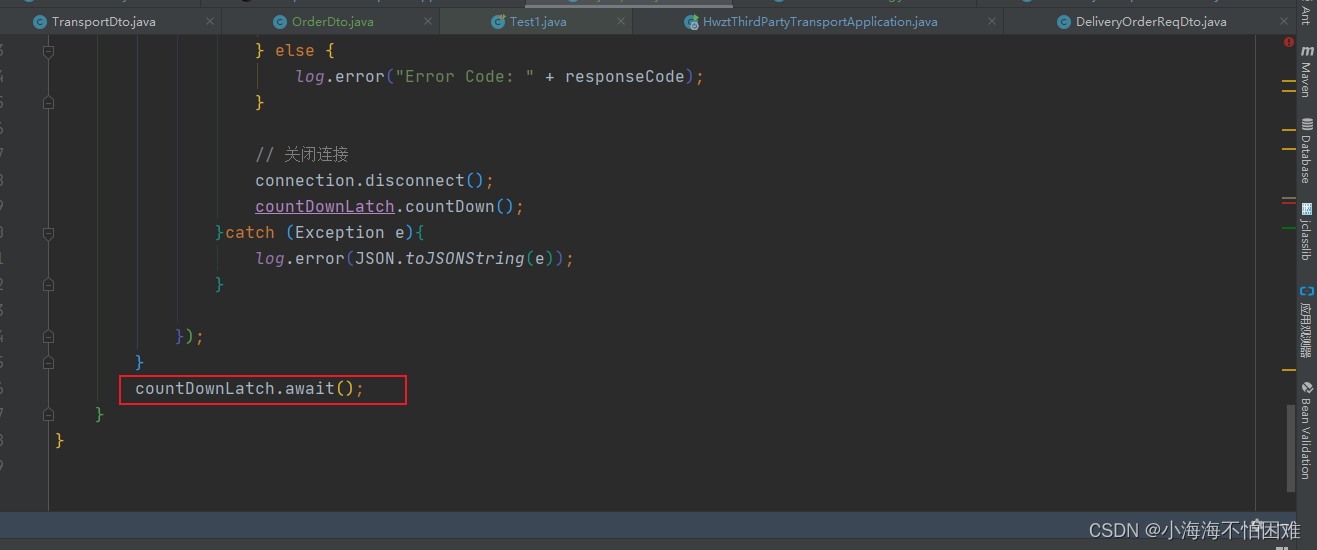
错误的原因是countDownLatch.countDown()并没有放在finally块里因此发生了错误并不会走这块代码,导致线程没有countDown
错误修改:
把countDownLatch.countDown();放在finally代码块里保证一定会进行countDown这个动作
正确代码:
- public void sendToCertainWeb() throws IOException, InterruptedException {
- List
urlList = scheduleplanMapper.getRandomUrlList(); - Thread.sleep(6000);
- CountDownLatch countDownLatch = new CountDownLatch(20);
- for (String s : urlList) {
- transportThreadPool.execute(()->{
- try {
- URL url = new URL(s);
- // 打开连接
- HttpURLConnection connection = (HttpURLConnection) url.openConnection();
- // 设置请求方法为GET
- connection.setRequestMethod("GET");
- connection.setConnectTimeout(100000);
- connection.setReadTimeout(100000);
- // 添加自定义的请求头信息
- String agent = scheduleplanMapper.getRandomAgent();
- connection.addRequestProperty("User-Agent", agent);
- connection.addRequestProperty("Accept-Language", "en-US,en;q=0.9");
- // 获取服务器返回的状态码
- int responseCode = connection.getResponseCode();
- if (responseCode == HttpURLConnection.HTTP_OK) {
- // 读取服务器返回的数据
- BufferedReader reader = new BufferedReader(new InputStreamReader(connection.getInputStream()));
- String line;
- StringBuilder response = new StringBuilder();
- while ((line = reader.readLine()) != null) {
- response.append(line);
- }
- reader.close();
- log.info("Right Code: " + responseCode);
- } else {
- log.error("Error Code: " + responseCode);
- }
- // 关闭连接
- connection.disconnect();
- }catch (Exception e){
- log.error(JSON.toJSONString(e));
- }finally {
- countDownLatch.countDown();
- }
- });
- }
- countDownLatch.await();
- }
错误总结:
我们一般认为线程处于blocked状态的时候线程才是处于阻塞状态,但是这个状态只是对于计算机来说的。对于我们来说,只要业务不执行了,线程就是处于阻塞状态的,因此任何状态下的线程对于业务来说都是阻塞的。 我这个项目是爬虫项目,会去爬取别人网站的数据,有些网站识别爬虫之后不仅会拒绝你访问,还会通过一直不给响应使得你的服务器线程占满,进而导致你的爬虫服务器崩溃。
参考文章:
-
相关阅读:
88-Spring Boot详解
cube-studio 部署过程
pageoffice打开excel文件变成了打开本地~tempXXXX-Excel文件
有什么可替代问卷星的好用的问卷工具?
04.Pandas查询数据
【批处理DOS-CMD命令-汇总和小结】-Cmd窗口中常用操作符(<、<<、&<、>、>>、&>、&、&&、||、|、()、;、@)
Java版本spring cloud + spring boot企业电子招投标系统源代码
2022年Redis最新面试题第6篇 - Redis淘汰策略
动态规划——62. 不同路径
【快速上手系列】使用MD5加密对密码进行加密
- 原文地址:https://blog.csdn.net/weixin_55229531/article/details/138108063