-
【Quarto】Markdown导出PPT
title: “Quarto Basics”
mainfont: “LXGW WenKai Mono”
format:
revealjs:
theme: default
incremental: true
pptx:
incremental: true
html:
code-fold: true
beamer:
incremental: true
aspectratio: 169
QUARTO
这段代码是一个 YAML 头部(front matter),用于配置一个 Quarto 文档的元数据和格式化选项。
title: 设置文档的标题为 “Quarto Basics”。mainfont: 指定文档使用的主字体为 “LXGW WenKai Mono”。这可能是一个中文字体,需要确保在生成文档的系统上已经安装了这种字体。format: 定义了不同输出格式的特定配置选项。revealjs: 用于生成 HTML 幻灯片展示。revealjs是一个流行的 web-based 幻灯片框架。theme: 设置 reveal.js 幻灯片的主题为default。incremental: 设置为true,意味着幻灯片中的项目列表可以逐个显示,而不是一次性显示全部项目。
pptx: 用于生成 PowerPoint 幻灯片(.pptx 文件)。incremental: 同样设置为true,在 PowerPoint 幻灯片中逐个显示项目。
html: 用于生成静态 HTML 文档。code-fold: 设置为true,允许代码块在 HTML 文档中可以折叠和展开,有利于读者聚焦于文本内容。
beamer: 用于生成 LaTeX Beamer 幻灯片(通常用于生成 PDF 文件)。incremental: 在 LaTeX Beamer 幻灯片中逐个显示项目。aspectratio: 设置幻灯片的宽高比为 16:9。
Typora中latex主题的安装
https://www.bilibili.com/video/BV1634y1h7pE/?spm_id_from=333.880.my_history.page.click&vd_source=03f46161f85a0a5c828c31ed7544a9e7
项目仓库:https://github.com/Keldos-Li/typora-latex-theme Typora-Pie主题:https://theme.typora.io/theme/Pie/
如何用 Quarto 和 Markdown 高效简便做幻灯 PPT?
https://www.bilibili.com/video/BV1Kc411175v/?spm_id_from=333.880.my_history.page.click&vd_source=03f46161f85a0a5c828c31ed7544a9e7
Quarto 简介
简介及安装
Quarto 是一个开源的科学和技术沟通工具,它可以将
Markdown、Jupyter Notebooks和 R Markdown 等内容转换成各种发布格式,如HTML、PDF、EPUB和幻灯片等。以下是一个案例,展示如何使用 Quarto 将 Markdown 文本转换为多页的 PPTX 文件。首先,安装 Quarto可以访问 Quarto’s official website 获取。
然后,创建一个新的 Markdown 文件,例如
presentation.md,并在文件中编写你的幻灯片内容。以下是一个简单的例子:presentation.qmd,并在文件中编写你的幻灯片内容。
简单案例
以下是一个简单的例子:
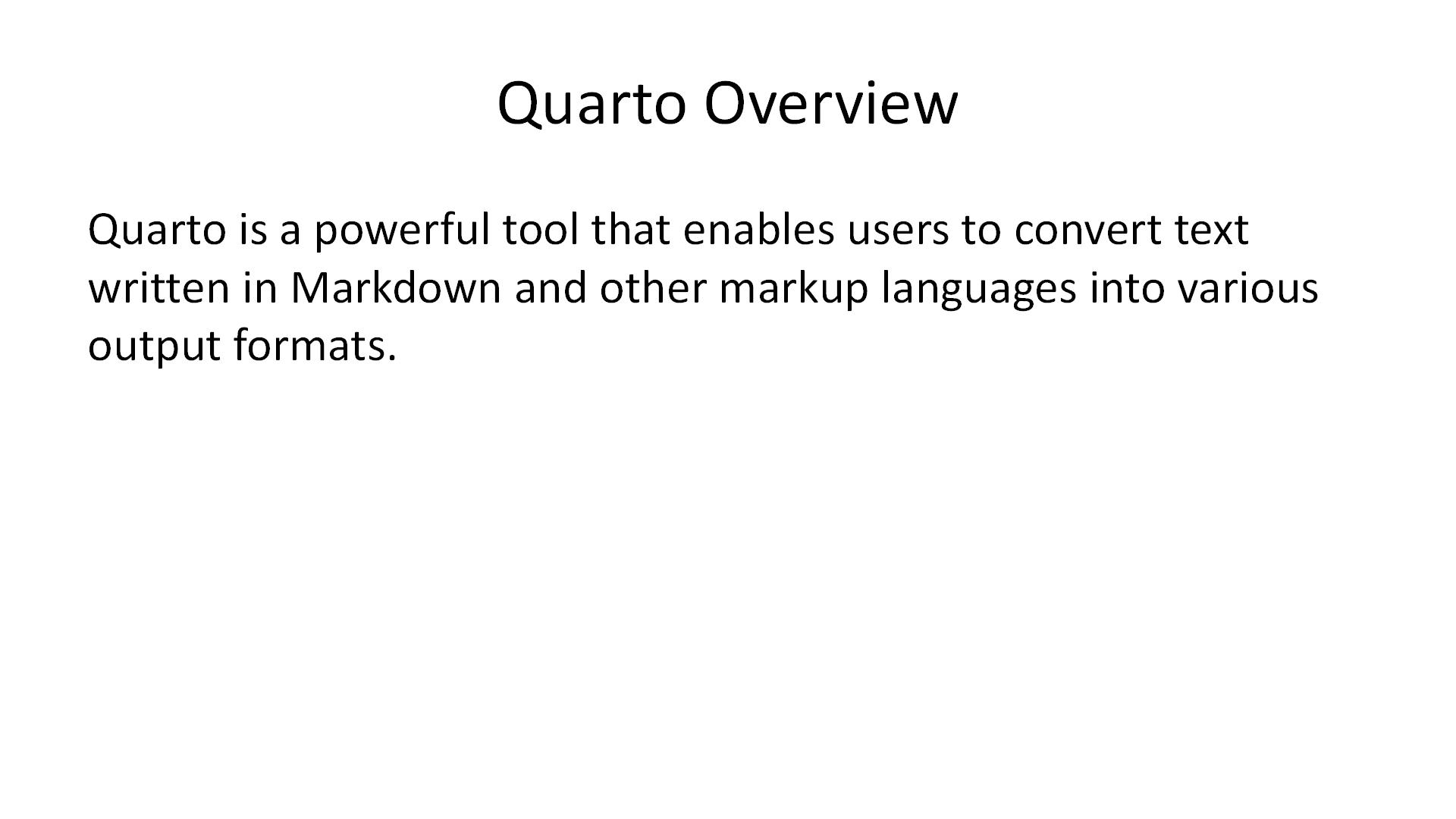
--- title: "Introduction to Quarto" format: pptx --- ## Quarto Overview Quarto is a powerful tool that enables users to convert text written in Markdown and other markup languages into various output formats. --- ## Features - Convert to HTML, PDF, EPUB, and Slides - Supports Markdown, Jupyter, and R Markdown - Extensible through plugins and extensions --- ## Why Use Quarto? - Streamline the publishing process - Maintain a single source of truth - Enhance collaboration among peers --- ## Getting Started To start using Quarto: 1. Install Quarto from the official website 2. Create a `.qmd` file for your project 3. Use Quarto commands to convert to desired format- 1
- 2
- 3
- 4
- 5
- 6
- 7
- 8
- 9
- 10
- 11
- 12
- 13
- 14
- 15
- 16
- 17
- 18
- 19
- 20
- 21
- 22
- 23
- 24
- 25
- 26
- 27
- 28
- 29
- 30
- 31
- 32
- 33
- 34
在 Markdown 文件中,每个
---表示一个新的幻灯片页。你可以按照这个格式添加尽可能多的幻灯片页。
markdown输出为PPT
完成 Markdown 文件的编写后,你可以使用 Quarto 命令行工具来将其转换为 PPTX 文件。在命令行(终端或命令提示符)中,导航到你的 Markdown 文件所在的目录,并运行以下命令:
quarto render 2024年2月28日markdown做PPT1.md --to pptx- 1
这个命令会创建一个名为
presentation.pptx的 PowerPoint 文件,你可以在任何支持 PPTX 格式的软件中打开它。建议查看 Quarto’s documentation 获取最新信息和更多高级功能。
输出成果案例


-
相关阅读:
企业级数据仓库-数仓实战
211. 添加与搜索单词 - 数据结构设计
探讨:UDP广播还有前途吗?(代码验证)
golang中使用泛型
云服务器使用及Linux基本命令
C++面向对象核心编程必备知识点之----堆区
【Java基础面试三十五】、谈谈你对面向接口编程的理解
LVGL自定义组件__页面指示器
Tensorflow—第四讲网络八股扩展
k8s利用StatefulSet部署mysql
- 原文地址:https://blog.csdn.net/hmywillstronger/article/details/136358899
