-
鸿蒙自定义侧滑菜单布局(DrawerLayout)
前言
为了实现安卓中的侧滑菜单布局效果,通过查找鸿蒙的布局控件,发现SideBarContainer控件有点像,但是使用中发现并不是很符合我们的UI交互效果,因此我在鸿蒙中通过自定义布局的方式实现,本文主要介绍该自定义控件如何使用、SideBarContainer原生控件如何使用,后面会介绍如何通过自定义实现侧滑菜单布局。
DeVEcoStudio版本如下:

"minAPIVersion": 9,
"targetAPIVersion": 9,
控件效果
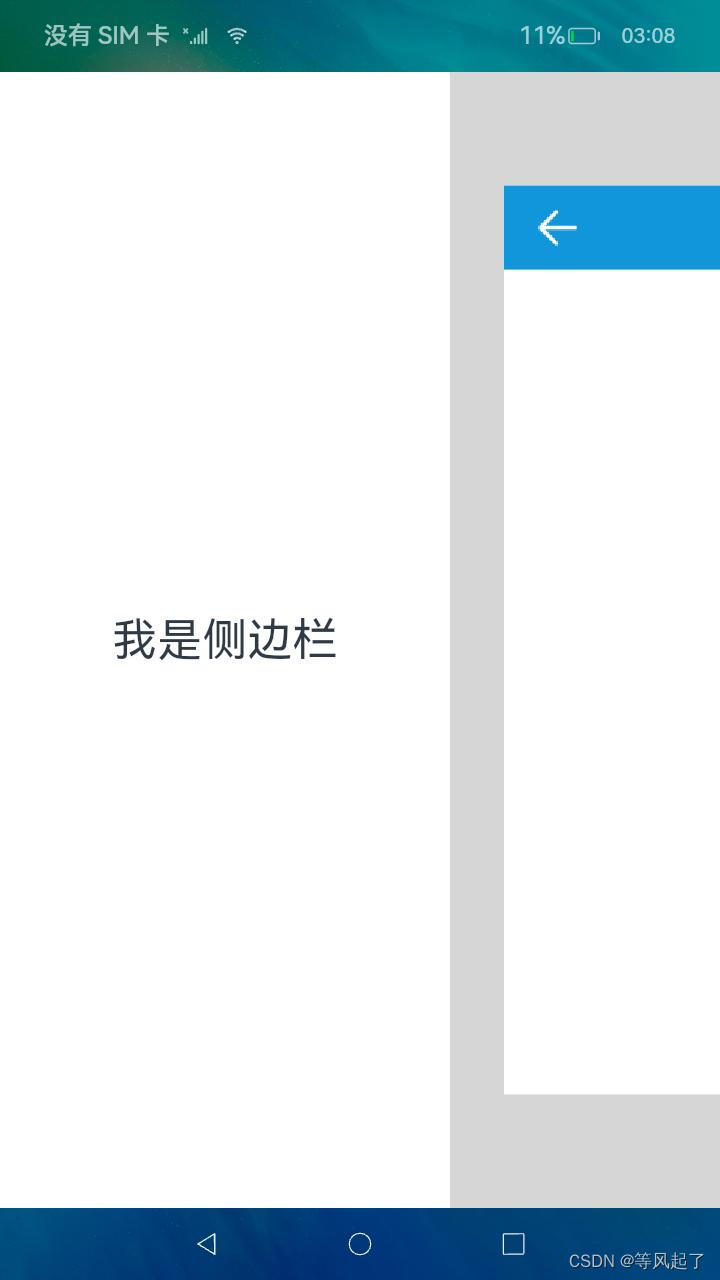

如何使用
1、DrawerLayout.har包的引用
DrawerLayout.har下载地址:https://download.csdn.net/download/Abner_Crazy/88864397
在entry下的main目录下新建libs目录将下载完成的DrawerLayout.har拷贝到该目录,然后在oh-package.json5文件中添加对DrawerLayout.har的引用

oh-package.json5文件
- {
- "license": "",
- "devDependencies": {},
- "author": "",
- "name": "entry",
- "description": "Please describe the basic information.",
- "main": "",
- "version": "1.0.0",
- "dependencies": {
- "@app/DrawerLibrary": "file:./src/main/libs/DrawerLibrary.har"
- }
- }
2、调用DrawerLayout布局
- import { DrawerController, DrawerLayout } from '@app/DrawerLibrary'
- @Entry
- @Component
- struct Index {
- @State controller: DrawerController = new DrawerController()
- @State isShowSideBar: boolean = false
- @Builder
- leftView() {
- Text('我是侧边栏').fontSize(30)
- }
- @Builder
- rightView() {
- Column() {
- RelativeContainer() {
- Image(this.isShowSideBar ? $r('app.media.drawer_select') : $r('app.media.drawer_normal'))
- .width(32)
- .height(32)
- .id('imageDrawer')
- .margin({ left: 20 })
- .alignRules({
- center: { anchor: '__container__', align: VerticalAlign.Center },
- left: { anchor: '__container__', align: HorizontalAlign.Start }
- })
- .onClick(() => {
- if (this.isShowSideBar) {
- this.controller.hideSideBar()
- } else {
- this.controller.showSideBar()
- }
- })
- Text('首页')
- .fontSize(24)
- .fontColor(Color.White)
- .fontWeight(FontWeight.Bold)
- .id("textTitle")
- .alignRules({
- center: { anchor: '__container__', align: VerticalAlign.Center },
- middle: { anchor: '__container__', align: HorizontalAlign.Center }
- })
- }
- .backgroundColor('#1296db')
- .width('100%')
- .height(56)
- }.width('100%')
- .height('100%')
- }
- build() {
- Stack() {
- DrawerLayout({
- isShowSideBar: this.isShowSideBar,
- controller: this.controller,
- leftView: () => this.leftView(),
- rightView: () => this.rightView()
- })
- }.width('100%')
- .height('100%')
- }
- }
DrawerLayout参数解释:
属性 是否必须 描述 isShowSideBar 是 侧边栏是否显示 controller 是 布局控制器,有两个方法:
showSideBar():显示侧边栏
hideSideBar():隐藏侧边栏
leftView 是 左侧侧边栏的布局 rightView 是 右侧内容的布局 sideBarWidth 否 左侧侧边栏的宽度 鸿蒙原生侧边栏布局使用介绍
SideBarContainer控件官方介绍:sidebarcontainer介绍

1、SideBarContainer调用
- @Entry
- @Component
- struct Index {
- @State isShowSideBar: boolean = false
- @Builder
- leftView() {
- Text('我是侧边栏').fontSize(30)
- }
- @Builder
- rightView() {
- Column() {
- RelativeContainer() {
- Image(this.isShowSideBar ? $r('app.media.drawer_select') : $r('app.media.drawer_normal'))
- .width(32)
- .height(32)
- .id('imageDrawer')
- .margin({ left: 20 })
- .alignRules({
- center: { anchor: '__container__', align: VerticalAlign.Center },
- left: { anchor: '__container__', align: HorizontalAlign.Start }
- })
- .onClick(() => {
- this.isShowSideBar = !this.isShowSideBar
- })
- Text('首页')
- .fontSize(24)
- .fontColor(Color.White)
- .fontWeight(FontWeight.Bold)
- .id("textTitle")
- .alignRules({
- center: { anchor: '__container__', align: VerticalAlign.Center },
- middle: { anchor: '__container__', align: HorizontalAlign.Center }
- })
- }
- .backgroundColor('#1296db')
- .width('100%')
- .height(56)
- }.width('100%')
- .height('100%')
- }
- build() {
- Stack() {
- SideBarContainer(SideBarContainerType.Embed) {
- this.leftView()
- this.rightView()
- }
- .showSideBar(this.isShowSideBar)
- .showControlButton(false) //是否显示控制按钮
- .sideBarWidth(300)
- .maxSideBarWidth(300)
- .onChange((value: boolean) => {
- console.info('status:' + value)
- })
- }.width('100%')
- .height('100%')
- }
- }
2、控件效果:


-
相关阅读:
Java 17 VS Java 8: 新旧对决,这些Java 17新特性你不容错过
什么是layer1,layer2,为什么区块链需要layer2?
Kafka - topic producer consumer 常用命令
电子学会青少年软件编程 Python编程等级考试三级真题解析(判断题)2020年12月
django 的 filter 使用技巧
【软件测试】软件测试基础理论
Java学习笔记——并发编程(三)
以Vivado工具为例了解FPGA综合
信息论学习笔记(一):认识通信系统
C++ multimap实践
- 原文地址:https://blog.csdn.net/Abner_Crazy/article/details/136234674