-
Spring Cloud Gateway 中文文档
Spring Cloud Gateway 中文文档
该项目提供了一个建立在Spring Ecosystem之上的API网关,包括:Spring 5,Spring Boot 2和Project Reactor。
Spring Cloud Gateway旨在提供一种简单而有效的方式来对API进行路由,并为他们提供切面,例如:安全性,监控/指标 和弹性等。1. 如何在工程中引用Spring Cloud Gateway(How to Include Spring Cloud Gateway)
要在项目中引入
Spring Cloud Gateway,需要在pom.xml中引入下面starter依赖:<project xmlns="http://maven.apache.org/POM/4.0.0" xmlns:xsi="http://www.w3.org/2001/XMLSchema-instance" xsi:schemaLocation="http://maven.apache.org/POM/4.0.0 http://maven.apache.org/xsd/maven-4.0.0.xsd"> <modelVersion>4.0.0modelVersion> <dependencyManagement> <dependencies> <dependency> <groupId>org.springframework.bootgroupId> <artifactId>spring-boot-starter-parentartifactId> <version>${spring.boot.version}version> <type>pomtype> <scope>importscope> dependency> <dependency> <groupId>org.springframework.cloudgroupId> <artifactId>spring-cloud-dependenciesartifactId> <version>${spring.cloud.version}version> <type>pomtype> <scope>importscope> dependency> <dependency> <groupId>com.alibaba.cloudgroupId> <artifactId>spring-cloud-alibaba-dependenciesartifactId> <version>${spring.cloud.alibaba.version}version> <type>pomtype> <scope>importscope> dependency> dependencies> dependencyManagement> <dependencies> <dependency> <groupId>org.springframework.cloudgroupId> <artifactId>spring-cloud-starter-gatewayartifactId> dependency> dependencies> project>- 1
- 2
- 3
- 4
- 5
- 6
- 7
- 8
- 9
- 10
- 11
- 12
- 13
- 14
- 15
- 16
- 17
- 18
- 19
- 20
- 21
- 22
- 23
- 24
- 25
- 26
- 27
- 28
- 29
- 30
- 31
- 32
- 33
- 34
- 35
- 36
- 37
- 38
- 39
- 40
- 41
- 42
- 43
- 44
- 45
如果应用了该starter,但由于某种原因不希望启用网关,可以设置
spring.cloud.gateway.enabled=false。2. 词汇表(Glossary)
Route路由:Gateway的基础构建模块,它由ID,目标URI、断言集合、过滤器集合组成。如果聚合断言结果为true,则匹配该路由。Predicate断言:这是一个Java 8 Function Predicate,输入类型是Spring FrameworkServerWebExchange。这允许开发人员可以匹配来自HTTP请求的任何内容,例如Header或参数。Filter过滤器:这些是使用特定工厂构建的Spring FrameworkGatewayFilter实例。所以可以在返回请求之前或之后修改请求和响应的内容。
3. 如何进行工作(How It Works)
Spring Cloud Gateway工作流程图

- 客户端向
Spring Cloud Gateway发出请求, - 然后在
Gateway Handler Mapping中找到与请求相匹配的路由,并将其发送到对应Gateway Web Handler, - Handler通过特定过滤器链处理该请求,
- 图中filters虚线划分的原因:filters可以在发送请求之前或之后执行处理逻辑,先执行所有的
pre filter处理逻辑,然后进行代理请求,在代理请求执行完之后,再执行所有的post filter。
4. 配置路由断言Factories和路由过滤器Factories(Configuring Route Predicate Factories and Gateway Filter Factories)
配置断言和过滤器有两种方式:
shortcuts和fully expanded arguments。大多时候都会使用shortcuts方式4.1 shortcuts
shortcuts配置由过滤器的名称,等号(=),和用逗号(,)分隔的参数key和参数值。application.yml
# 在这个示例中,定义了`Cookie Route Predicate Factory`,意味着请求的cookie名称为mycookie,且对应的值为mycookievalue才会被匹配到 spring: cloud: gateway: routes: - id: after_route uri: https://example.org predicates: - Cookie=mycookie,mycookievalue- 1
- 2
- 3
- 4
- 5
- 6
- 7
- 8
- 9
4.2 Fully Expanded Arguments
Fully Expanded Arguments更像一个拥有name/value对的标准yml配置,通常会有一个name和一个arg,args是配置断言或过滤器的键值对映射。application.yml
spring: cloud: gateway: routes: - id: after_route uri: https://example.org predicates: - name: Cookie args: name: mycookie regexp: mycookievalue- 1
- 2
- 3
- 4
- 5
- 6
- 7
- 8
- 9
- 10
- 11
5. 路由断言(Route Predicate)Factories
Spring Cloud Gateway将路由作为
Spring WebFlux HandlerMapping基础结构的一部分进行匹配。Spring Cloud Gateway包含许多内置的路由断言Factories,这些断言可以匹配HTTP请求的不同属性。
多个路由断言Factories可以通过
and组合使用。5.1 After路由断言Factory(The After Route Predicate Factory)
After Route Predicate Factory有一个参数,即日期时间datetime,参数类型为ZonedDateTime。在该日期时间datetime之后发生的请求都将被匹配。application.yml
spring: cloud: gateway: routes: - id: after_route uri: http://example.org predicates: - After=2017-01-20T17:42:47.789-07:00[America/Denver]- 1
- 2
- 3
- 4
- 5
- 6
- 7
- 8
5.2 Before路由断言Factory(The Before Route Predicate Factory)
Before Route Predicate Factory有一个参数,即日期时间datetime,参数类型为ZonedDateTime。在该日期时间datetime之前发生的请求都将被匹配。application.yml
spring: cloud: gateway: routes: - id: after_route uri: http://example.org predicates: - Before=2017-01-20T17:42:47.789-07:00[America/Denver]- 1
- 2
- 3
- 4
- 5
- 6
- 7
- 8
5.3 Between路由断言Factory(The Between Route Predicate Factory)
The Between Route Predicate Factory有两个参数,即开始日期datetime1和结束日期datetime2,参数类型为ZonedDateTime。在开始日期datetime1和结束日期datetime2之间的发生的请求都将会被匹配,开始日期datetime1必须小于结束日期datetime2。application.yml
spring: cloud: gateway: routes: - id: between_route uri: https://example.org predicates: - Between=2017-01-20T17:42:47.789-07:00[America/Denver], 2017-01-21T17:42:47.789-07:00[America/Denver]- 1
- 2
- 3
- 4
- 5
- 6
- 7
- 8
5.4 Cookie路由断言Factory(The Cookie Route Predicate Factory)
The Cookie Route Predicate Factory有两个参数,即cookie的name和regexp(Java正则表达式)。cookie中包含该name且值使得正则表达式为真的请求将会被匹配。application.yml
spring: cloud: gateway: routes: - id: cookie_route uri: https://example.org predicates: - Cookie=chocolate, ch.p- 1
- 2
- 3
- 4
- 5
- 6
- 7
- 8
该路由将会匹配cookie中含有name为
chocolate且它的值匹配正则表达式ch.p的请求。5.5 Header路由断言Factory(The Header Route Predicate Factory)
The Header Route Predicate Factory有两个参数,即请求头的名称name和regexp(Java正则表达式)。请求头中包含该name且值使得正则表达式为真的请求将会被匹配。application.yml
spring: cloud: gateway: routes: - id: header_route uri: https://example.org predicates: - Header=X-Request-Id, \d+- 1
- 2
- 3
- 4
- 5
- 6
- 7
- 8
该路由将会匹配请求头中含有name为
X-Request-Id且它的值匹配正则表达式\d+的请求。5.6 Host路由断言Factory(The Host Route Predicate Factory)
The Host Route Predicate Factory有一个参数,即一个host名称列表,符合Ant路径匹配规则,使用逗号,隔开。Host请求头值与host名称列表匹配的请求将会被匹配。application.yml
spring: cloud: gateway: routes: - id: host_route uri: https://example.org predicates: - Host=**.somehost.org,**.anotherhost.org- 1
- 2
- 3
- 4
- 5
- 6
- 7
- 8
如果请求的Host请求头的值是
www.somehost.org或beta.somehost.org或www.anotherhost.org将会被该路由匹配。支持Url模板参数(比如{sub}.myhost.org),比如
sub,将会作为一个键值对的形式存放在ServerWebExchange.getAttributes(),其中的key值定义在ServerWebExchangeUtils.URI_TEMPLATE_VARIABLES_ATTRIBUTE,这些值可以在GatewayFilter Factories进行使用。5.7 Method路由断言Factory(The Method Route Predicate Factory)
The Method Route Predicate Factory有一个参数,即methods参数,可以有一个或多个值。application.yml
spring: cloud: gateway: routes: - id: method_route uri: https://example.org predicates: - Method=GET,POST- 1
- 2
- 3
- 4
- 5
- 6
- 7
- 8
该路由将会匹配请求方法为GET或POST的请求。
5.8 Path路由断言Factory(The Path Route Predicate Factory)
The Path Route Predicate Factory有两个参数,即符合Spring PathMatcher规则的表达式列表和matchOptionalTrailingSeparator参数标识(PathPatternParser解析器生成的PathPattern是否匹配尾部为\的请求路径,如果设置为true,则不带尾斜线的PathPattern也会匹配带有尾斜线的请求路径。如果设置为false,则PathPattern值匹配带有尾斜线的请求路径,参数默认值为true)。application.yml
spring: cloud: gateway: routes: - id: path_route uri: https://example.org predicates: - Path=/red/{segment},/blue/{segment}- 1
- 2
- 3
- 4
- 5
- 6
- 7
- 8
该路由将会匹配请求路径为
/red/1或/red/blue或/blue/green的请求。支持Url模板参数,比如上述例子中的
segment,将会作为一个键值对的形式存放在ServerWebExchange.getAttributes(),其中的key值定义在ServerWebExchangeUtils.URI_TEMPLATE_VARIABLES_ATTRIBUTE,这些值可以在GatewayFilter Factories进行使用。
下面是一个简单获取变量值的示例:Map<String, String> uriVariables = ServerWebExchangeUtils.getPathPredicateVariables(exchange); String segment = uriVariables.get("segment");- 1
- 2
- 3
5.9 Query路由断言Factory(The Query Route Predicate Factory)
The Query Route Predicate Factory有两个参数,即一个必需参数param和一个可选参数regexp(Java正则表达式)。application.yml
spring: cloud: gateway: routes: - id: query_route uri: https://example.org predicates: - Query=green- 1
- 2
- 3
- 4
- 5
- 6
- 7
- 8
如果请求中包含
green查询参数,则该请求将会被匹配。application.yml
spring: cloud: gateway: routes: - id: query_route uri: https://example.org predicates: - Query=red, gree.- 1
- 2
- 3
- 4
- 5
- 6
- 7
- 8
如果请求中包含
red查询参数,且参数值匹配gree.正则表达式,比如green和greet。5.10 RemoteAddr路由断言Factory(The RemoteAddr Route Predicate Factory)
RemoteAddr Route Predicate Factory有一个列表参数sources(最小长度为1),符合CIDR-notation(表达某个 IP 地址的范围,IPv4 or IPv6)的字符串,比如192.168.0.1/16(其中192.168.0.1是 IP 地址,16 是子网掩码)。application.yml
spring: cloud: gateway: routes: - id: remoteaddr_route uri: https://example.org predicates: - RemoteAddr=192.168.1.1/24- 1
- 2
- 3
- 4
- 5
- 6
- 7
- 8
如果请求的remote address为
192.168.1.10,将会被该路由匹配。5.10.1 修改远程地址的解析方式
默认情况下,
The RemoteAddr Route Predicate Factory将会使用传入请求中remote address。如果Spring Cloud Gateway位于代理层之后,则可能会导致获取的Ip地址与实际客户端Ip地址不一致。可以通过设置自定义
RemoteAddressResolver来解析remote address,Spring Cloud Gateway附带一个非默认远程地址解析方式XForwardedRemoteAddressResolver,它是基于 X-Forwarded-For header实现的。XForwardedRemoteAddressResolver有两个静态方法,采取不同的安全方法:XForwardedRemoteAddressResolver::trustAll方法返回一个RemoteAddressResolver,它总是从X-Forwarded-For请求头中获取第一个参数,这种方法容易受到欺骗,因为恶意客户端可以为X-Forwarded-For请求头设置一个初始值,而解析器将会解析该值。XForwardedRemoteAddressResolver::maxTrustedIndex方法将会获取一个索引,该索引与运作在Spring Cloud Gateway之前的受信任的基础设施的数量有关。例如,如果只通过HAProxy(高性能负载均衡软件)访问Spring Cloud Gateway,则索引值设置为1;如果有两个可信任的基础设施在Spring Cloud Gateway之前,则索引值设置2。
给定以下的header值:
X-Forwarded-For: 0.0.0.1, 0.0.0.2, 0.0.0.3- 1
下面的设置不同的
maxTrustedIndex值将生成以下远程地址:maxTrustedIndexresult [ Integer.MIN_VALUE,0](无效的, IllegalArgumentExceptionduring initialization)1 0.0.0.3 2 0.0.0.2 3 0.0.0.1 [4, Integer.MAX_VALUE]0.0.0.1 下面的示例展示了如何使用 Java 实现相同的配置:
RemoteAddressResolver resolver = XForwardedRemoteAddressResolver .maxTrustedIndex(1); ... .route("direct-route", r -> r.remoteAddr("10.1.1.1", "10.10.1.1/24") .uri("https://downstream1") .route("proxied-route", r -> r.remoteAddr(resolver, "10.10.1.1", "10.10.1.1/24") .uri("https://downstream2") )- 1
- 2
- 3
- 4
- 5
- 6
- 7
- 8
- 9
- 10
- 11
- 12
5.11 Weight路由断言Factory(The Weight Route Predicate Factory)
The Weight Route Predicate Factory有两个参数,即group和weight(参数类型为int)。application.yml
spring: cloud: gateway: routes: - id: weight_high uri: https://weighthigh.org predicates: - Weight=group1, 8 - id: weight_low uri: https://weightlow.org predicates: - Weight=group1, 2- 1
- 2
- 3
- 4
- 5
- 6
- 7
- 8
- 9
- 10
- 11
- 12
这个路由将会有80%的几率转发到
https://weighthigh.org,有20%的几率转发到https://weightlow.org。6. 路由过滤器(GatewayFilter) Factories
路由过滤器允许以某种方式修改传入的HTTP请求或返回的HTTP响应。
过滤器的作用域是某些特定路由。
Spring Cloud Gateway包括许多内置的路由Filter工厂。
6.1 The AddRequestHeader GatewayFilter Factory
The AddRequestHeader GatewayFilter Factory有一个name参数和一个value参数。application.yml
spring: cloud: gateway: routes: - id: add_request_header_route uri: https://example.org filters: - AddRequestHeader=X-Request-red, blue- 1
- 2
- 3
- 4
- 5
- 6
- 7
- 8
对于所有匹配的请求,经过该过滤器都会向请求添加
X-Request-red:blue请求头。可以使用URI变量匹配请求路径或者host,
AddRequestHeader可以得到这个URI变量并可以使用它,下面是一个使用变量的AddRequestHeader GatewayFilter的示例:application.yml
spring: cloud: gateway: routes: - id: add_request_header_route uri: https://example.org predicates: - Path=/red/{segment} filters: - AddRequestHeader=X-Request-Red, Blue-{segment}- 1
- 2
- 3
- 4
- 5
- 6
- 7
- 8
- 9
- 10
6.2 The AddRequestParameter GatewayFilter Factory
The AddRequestParameter GatewayFilter Factory有一个name参数和一个value参数。application.yml
spring: cloud: gateway: routes: - id: add_request_parameter_route uri: https://example.org filters: - AddRequestParameter=red, blue- 1
- 2
- 3
- 4
- 5
- 6
- 7
- 8
对于所有匹配的请求,经过该过滤器都会向请求添加
red=blue参数。可以使用URI变量匹配请求路径或者host,
AddRequestParameter可以得到这个URI变量并可以使用它,下面是一个使用变量的AddRequestParameter GatewayFilter的示例:application.yml
spring: cloud: gateway: routes: - id: add_request_parameter_route uri: https://example.org predicates: - Host: { segment }.myhost.org filters: - AddRequestParameter=foo, bar-{segment}- 1
- 2
- 3
- 4
- 5
- 6
- 7
- 8
- 9
- 10
6.3 The AddResponseHeader GatewayFilter Factory
The AddResponseHeader GatewayFilter Factory有一个name参数和一个value参数。application.yml
spring: cloud: gateway: routes: - id: add_response_header_route uri: https://example.org filters: - AddResponseHeader=X-Response-Red, Blue- 1
- 2
- 3
- 4
- 5
- 6
- 7
- 8
对于所有匹配的请求,经过该过滤器都会向请求添加
X-Response-Foo:Bar响应头。可以使用URI变量匹配请求路径或者host,
AddResponseHeader可以得到这个URI变量并可以使用它,下面是一个使用变量的AddResponseHeader GatewayFilter的示例:application.yml
spring: cloud: gateway: routes: - id: add_response_header_route uri: https://example.org predicates: - Host: { segment }.myhost.org filters: - AddResponseHeader=foo, bar-{segment}- 1
- 2
- 3
- 4
- 5
- 6
- 7
- 8
- 9
- 10
6.4 The DedupeResponseHeader GatewayFilter Factory
The DedupeResponseHeader GatewayFilter Factory有一个name参数和一个可选的strategy参数(移除请求头的方式,RETAIN_FIRST(default),RETAIN_LAST, andRETAIN_UNIQUE)。name参数是用空格分隔的请求头名称列表。application.yml
spring: cloud: gateway: routes: - id: dedupe_response_header_route uri: https://example.org filters: - DedupeResponseHeader=Access-Control-Allow-Credentials Access-Control-Allow-Origin- 1
- 2
- 3
- 4
- 5
- 6
- 7
- 8
当网关CORS逻辑和下游逻辑都添加了
Access-Control-Allow-Credentials和Access-Control-Allow-Originx响应头,该过滤器会删除这两个响应头的重复值。6.5 断路器过滤器
6.5.1 Spring Cloud CircuitBreaker GatewayFilter Factory
Spring Cloud CircuitBreaker GatewayFilter Factory使用Spring Cloud CircuitBreaker API在断路器中封装Gateway路由,Spring Cloud CircuitBreaker支持多个可与Spring Cloud Gateway配合使用的库。Spring Cloud开箱即支持Resilience4J。如果要开启
Spring Cloud CircuitBreaker filter,需要在项目上添加spring-cloud-starter-circuitbreaker-reactor-resilience4j依赖。application.yml
spring: cloud: gateway: routes: - id: circuitbreaker_route uri: https://example.org filters: - CircuitBreaker=myCircuitBreaker- 1
- 2
- 3
- 4
- 5
- 6
- 7
- 8
需要配置
CircuitBreaker断路器,可以参考该断路器的底层配置Spring Cloud CircuitBreaker filter有一个可选的fallbackUri参数。目前只支持forward:,如果执行断路回退,请求将会被转发到该路径上。application.yml
spring: cloud: gateway: routes: - id: circuitbreaker_route uri: lb://backing-service:8088 predicates: - Path=/consumingServiceEndpoint filters: - name: CircuitBreaker args: name: myCircuitBreaker fallbackUri: forward:/inCaseOfFailureUseThis - RewritePath=/consumingServiceEndpoint, /backingServiceEndpoint- 1
- 2
- 3
- 4
- 5
- 6
- 7
- 8
- 9
- 10
- 11
- 12
- 13
- 14
上述配置使用Java实现:
Application.java
@Bean public RouteLocator routes(RouteLocatorBuilder builder) { return builder.routes() .route("circuitbreaker_route", r -> r.path("/consumingServiceEndpoint") .filters(f -> f.circuitBreaker(c -> c.name("myCircuitBreaker").fallbackUri("forward:/inCaseOfFailureUseThis")) .rewritePath("/consumingServiceEndpoint", "/backingServiceEndpoint")).uri("lb://backing-service:8088") .build(); }- 1
- 2
- 3
- 4
- 5
- 6
- 7
- 8
上述示例中当
CircuitBreaker回退后,请求将会被转发到/inCaseofFailureUseThis。application.yml
spring: cloud: gateway: routes: - id: ingredients uri: lb://ingredients predicates: - Path=//ingredients/** filters: - name: CircuitBreaker args: name: fetchIngredients fallbackUri: forward:/fallback - id: ingredients-fallback uri: http://localhost:9994 predicates: - Path=/fallback- 1
- 2
- 3
- 4
- 5
- 6
- 7
- 8
- 9
- 10
- 11
- 12
- 13
- 14
- 15
- 16
- 17
上述示例中,请求将会被转发到注册的另外一个应用程序
http://localhost:9994上。如果请求发生断路回退,
Spring Cloud CircuitBreaker filter会提供导致回退的Throwable,并作为ServerWebExchangeUtils.CIRCUITBREAKER_EXECUTION_EXCEPTION_ATTR属性添加到ServerWebExchange上,可以在网关应用程序处理回退的时候使用。6.5.2 Hystrix GatewayFilter Factory
Hystrix 是Netflix开源的断路器组件。
Hystrix GatewayFilter允许向网关路由引入断路器,保护服务不受级联故障的影响,并允许你在下游故障时提供fallback响应。要在项目中启用
Hystrix GatewayFilter,需要添加spring-cloud-starter-netflix-hystrix的依赖。Hystrix GatewayFilter Factory有一个name参数,即HystrixCommand名称。application.yml
spring: cloud: gateway: routes: - id: hystrix_route uri: http://example.org filters: - Hystrix=myCommandName- 1
- 2
- 3
- 4
- 5
- 6
- 7
- 8
Hystrix GatewayFilter有一个可选的fallbackUri参数。目前只支持forward:,如果执行断路回退,请求将会被转发到该路径上。application.yml
spring: cloud: gateway: routes: - id: hystrix_route uri: lb://backing-service:8088 predicates: - Path=/consumingserviceendpoint filters: - name: Hystrix args: name: fallbackcmd fallbackUri: forward:/incaseoffailureusethis - RewritePath=/consumingserviceendpoint, /backingserviceendpoint- 1
- 2
- 3
- 4
- 5
- 6
- 7
- 8
- 9
- 10
- 11
- 12
- 13
- 14
上述示例中当
Hystrix回退,请求将会被转发到/incaseoffailureusethis。application.yml
spring: cloud: gateway: routes: - id: ingredients uri: lb://ingredients predicates: - Path=//ingredients/** filters: - name: Hystrix args: name: fetchIngredients fallbackUri: forward:/fallback - id: ingredients-fallback uri: http://localhost:9994 predicates: - Path=/fallback- 1
- 2
- 3
- 4
- 5
- 6
- 7
- 8
- 9
- 10
- 11
- 12
- 13
- 14
- 15
- 16
- 17
上述示例中,请求将会被转发到注册的另外一个应用程序
http://localhost:9994上。如果请求发生断路回退,
Hystrix filter会提供导致回退的Throwable,并作为ServerWebExchangeUtils.HYSTRIX_EXECUTION_EXCEPTION_ATTR属性添加到ServerWebExchange上,可以在网关应用程序处理回退的时候使用。Hystrix配置参数可以参考https://github.com/Netflix/Hystrix/wiki/Configuration# 设置路由5s超时 hystrix.command.fallbackcmd.execution.isolation.thread.timeoutInMilliseconds: 5000- 1
- 2
6.6 The FallbackHeaders GatewayFilter Factory
The FallbackHeaders GatewayFilter Factory允许为转发到外部应用程序中FallbackUri请求的请求头上添加断路回退的异常信息。application.yml
spring: cloud: gateway: routes: - id: ingredients uri: lb://ingredients predicates: - Path=//ingredients/** filters: - name: CircuitBreaker args: name: fetchIngredients fallbackUri: forward:/fallback - id: ingredients-fallback uri: http://localhost:9994 predicates: - Path=/fallback filters: - name: FallbackHeaders args: executionExceptionTypeHeaderName: Test-Header- 1
- 2
- 3
- 4
- 5
- 6
- 7
- 8
- 9
- 10
- 11
- 12
- 13
- 14
- 15
- 16
- 17
- 18
- 19
- 20
- 21
在本例中,在发送断路回退后,请求将会被转发到
http://localhost:9994,发送回退的异常类型和详细信息,将会由FallbackHeaders GatewayFilter添加到该请求的请求头上。通过设置下面列出的参数值及其默认值,可以在配置中覆盖headers的名称:
executionExceptionTypeHeaderName("Execution-Exception-Type")executionExceptionMessageHeaderName("Execution-Exception-Message")rootCauseExceptionTypeHeaderName("Root-Cause-Exception-Type")rootCauseExceptionMessageHeaderName("Root-Cause-Exception-Message")
6.7 The MapRequestHeader GatewayFilter Factory
The MapRequestHeader GatewayFilter Factory有fromHeader和toHeader两个参数。它创建一个新的请求头toHeader,将值设置为传入请求现有的请求头fromHeader的值。如果传入请求对应的请求头不存在,则过滤器不会产生任何影响。如果新的请求头已经存在,那将会使用新的值。application.yml
spring: cloud: gateway: routes: - id: map_request_header_route uri: https://example.org filters: - MapRequestHeader=Blue, X-Request-Red- 1
- 2
- 3
- 4
- 5
- 6
- 7
- 8
该过滤器将会为请求添加
X-Request-Red:请求头,它的值来之请求头Blue。6.8 The PrefixPath GatewayFilter Factory
The PrefixPath GatewayFilter Factory有一个prefix参数。application.yml
spring: cloud: gateway: routes: - id: prefixpath_route uri: https://example.org filters: - PrefixPath=/mypath- 1
- 2
- 3
- 4
- 5
- 6
- 7
- 8
该过滤器将会所有匹配的请求路径添加前缀
/mypath,例如请求/hello将会变成/mypath/hello。6.9 The PreserveHostHeader GatewayFilter Factory
The PreserveHostHeader GatewayFilter Factory没有参数。该过滤器会设置一个请求属性,路由过滤器会通过检查该属性来判断是使用原始主机请求头,而不是HTTP客户端定义的请求头。application.yml
spring: cloud: gateway: routes: - id: preserve_host_route uri: https://example.org filters: - PreserveHostHeader- 1
- 2
- 3
- 4
- 5
- 6
- 7
- 8
6.10 The RequestRateLimiter GatewayFilter Factory
The RequestRateLimiter GatewayFilter Factory将会使用RateLimiter来实现当前请求是否被允许执行,如果不允许,则默认情况下返回HTTP 429 - Too Many Requests。该过滤器有一个可选的
keyResolver参数和rate limiter参数。keyResolver是KeyResolver接口的实现类。在配置中,可以按照名称使用SpEL引用bean。#{@myKeyResolver}是引用名为’myKeyResolver’的bean的SpEL表达式。KeyResolver.java
public interface KeyResolver { Mono<String> resolve(ServerWebExchange exchange); }- 1
- 2
- 3
KeyResolver接口允许使用可插拔策略来限制请求的key。在未来的里程碑版本中,将有一些KeyResolver实现。KeyResolver接口的默认实现是PrincipalNameKeyResolver,它会从ServerWebExchange获取Principal并调用Principal.getName()。默认情况下,如果
KeyResolver没有找到key,则请求将会被拒绝。可以通过设置spring.cloud.gateway.filter.request-rate-limiter.deny-empty-key(trueorfalse)和spring.cloud.gateway.filter.request-rate-limiter.empty-key-status-code属性来进行调整此行为。::: tip 提示
无法通过"shortcut" 配置RequestRateLimiter。以下示例无效
application.properties
# INVALID SHORTCUT CONFIGURATION spring.cloud.gateway.routes[0].filters[0]=RequestRateLimiter=2, 2, #{@userkeyresolver}- 1
- 2
:::
6.10.1 The Redis RateLimiter
Redis的实现是基于Stripe的,它必须使用
spring-boot-starter-data-redis-reactive。使用的算法是Token Bucket Algorithm。
redis-rate-limiter.replenishRate属性:允许用户每秒执行多少请求,这个数值是令牌桶的填充速率。将该值设置为0将会阻止全部请求。redis-rate-limiter.burstCapacity属性: 允许用户在一秒钟内执行的最大请求数。这是令牌桶可以保存的令牌数。将该值设置为0将会阻止全部请求。redis-rate-limiter.requestedTokens属性:每个请求将会消耗的token数量。 默认是1。稳定速率是通过将
replenishRate和burstCapacity设置成相同数值来实现的。可通过设置burstCapacity高于replenishRate来允许临时突发流量。在这种情况下,限流器需要在两次突发流量之间留出一段时间(根据replenishRate),因为连续两次突发将导致请求丢失 (HTTP 429 - Too Many Requests).。将
replenishRate设置为所需要的请求数,将requestedTokens设置为以秒为单位的时间区间,将burstCapacity设置为replenishRate和requestedTokens的乘积,既可以实现1 request/s。例如,配置replenishRate=1,requestedTokens=60和burstCapacity=60来实现限制为1 request/min,即每个请求需要消耗60个令牌,令牌的产生速率为1秒1个,令牌桶最多保存60个令牌。application.yml
spring: cloud: gateway: routes: - id: requestratelimiter_route uri: https://example.org filters: - name: RequestRateLimiter args: redis-rate-limiter.replenishRate: 10 redis-rate-limiter.burstCapacity: 20 redis-rate-limiter.requestedTokens: 1- 1
- 2
- 3
- 4
- 5
- 6
- 7
- 8
- 9
- 10
- 11
- 12
下面的示例用 Java 配置了一个
KeyResolver实现:Config.java
//KeyResolver实现是一个简单的获取user请求参数的工具 @Bean KeyResolver userKeyResolver() { return exchange -> Mono.just(exchange.getRequest().getQueryParams().getFirst("user")); }- 1
- 2
- 3
- 4
- 5
上述示例中,定义了每个用户每秒10个请求,最多支持每秒20个请求的突发流量。
可以定义一个
RateLimiter接口的实现bean,可以通过配置 SpEL表达式#{@myRateLimiter}来引用一个名称为myRateLimiterbean实现。application.yml
spring: cloud: gateway: routes: - id: requestratelimiter_route uri: https://example.org filters: - name: RequestRateLimiter args: rate-limiter: "#{@myRateLimiter}" key-resolver: "#{@userKeyResolver}"- 1
- 2
- 3
- 4
- 5
- 6
- 7
- 8
- 9
- 10
- 11
6.11 The RedirectTo GatewayFilter Factory
The RedirectTo GatewayFilter Factory有两个参数status和url。参数status是300类重定向HTTP代码,如301。url参数应为有效的URL,这将是Locationheader的值。application.yml
spring: cloud: gateway: routes: - id: prefixpath_route uri: https://example.org filters: - RedirectTo=302, https://acme.org- 1
- 2
- 3
- 4
- 5
- 6
- 7
- 8
这将发送一个302状态码和一个
Location:http://acme.orgheader来执行重定向。6.12 The RemoveRequestHeader GatewayFilter Factory
The RemoveRequestHeader GatewayFilter Factory有一个name参数,这是需要移除的请求头名称。application.yml
spring: cloud: gateway: routes: - id: removerequestheader_route uri: https://example.org filters: - RemoveRequestHeader=X-Request-Foo- 1
- 2
- 3
- 4
- 5
- 6
- 7
- 8
该过滤器将会移除请求中的
X-Request-Foo请求头。6.13 The RemoveResponseHeader GatewayFilter Factory
The RemoveResponseHeader GatewayFilter Factory有一个name参数,这是需要移除的响应头名称。application.yml
spring: cloud: gateway: routes: - id: removeresponseheader_route uri: https://example.org filters: - RemoveResponseHeader=X-Response-Foo- 1
- 2
- 3
- 4
- 5
- 6
- 7
- 8
该过滤器将会在返回客户端之前移除请求中的
X-Response-Foo响应头。如果要移除任何路由上的一些敏感header,可以使用
spring.cloud.gateway.default-filters配置相应过滤器,来应用到全部路由上。6.14 The RemoveRequestParameter GatewayFilter Factory
The RemoveRequestParameter GatewayFilter Factory有一个name参数,这是需要移除的请求参数名称。application.yml
spring: cloud: gateway: routes: - id: removerequestparameter_route uri: https://example.org filters: - RemoveRequestParameter=red- 1
- 2
- 3
- 4
- 5
- 6
- 7
- 8
该过滤器将会移除请求中的
red请求参数。6.15 The RewritePath GatewayFilter Factory
The RewritePath GatewayFilter Factory有一个regexp正则表达式参数和一个replacement参数,可以通过Java正则表达式来重写请求路径。application.yml
spring: cloud: gateway: routes: - id: rewritepath_route uri: https://example.org predicates: - Path=/red/** filters: - RewritePath=/red(?- 1
- 2
- 3
- 4
- 5
- 6
- 7
- 8
- 9
- 10
对于请求路径为
/red/blue的请求,经过该过滤器,将会重写为请求路径为/blue的请求。::: tip 提示
在YAML规范中,需要使用
$\来替换$。:::
6.16 The RewriteLocationResponseHeader GatewayFilter Factory
The RewriteLocationResponseHeader GatewayFilter Factory会修改Location响应头的值,它有stripVersionMode、locationHeaderName、hostValue和protocolsRegex参数。application.yml
spring: cloud: gateway: routes: - id: rewritelocationresponseheader_route uri: http://example.org filters: - RewriteLocationResponseHeader=AS_IN_REQUEST, Location, ,- 1
- 2
- 3
- 4
- 5
- 6
- 7
- 8
示例中,发出请求
POST api.example.com/some/object/name,Location响应头的值将会object-service.prod.example.net/v2/some/object/id重写为api.example.com/some/object/id。stripVersionMode参数有三种被允许的值NEVER_STRIP,AS_IN_REQUEST(默认)和ALWAYS_STRIP。NEVER_STRIP:即使原始请求路径中不包含版本信息,版本信息也不会被移除。AS_IN_REQUEST:只有在原始请求路径不包含版本信息的情况下,才会移除版本信息。ALWAYS_STRIP:即使原始请求路径中包含版本信息,版本信息也会被移除。
hostValue参数:如果设置该值,将用来替换Location响应头中host:port部分,如果没有设置,将使用请求的host:port部分来替换。protocolsRegex参数:必须是一个有效的正则表达式字符串,用来匹配协议名称,如果不匹配,则过滤器不执行任何操作。默认值是http|https|ftp|ftps。源码注释
Example 1 default-filters: - RewriteLocationResponseHeader Host request header: api.example.com:443 POST request path: /some/object/name Location response header: https://object-service.prod.example.net/v2/some/object/id Modified Location response header: https://api.example.com:443/some/object/id Example 2 default-filters: - name: RewriteLocationResponseHeader args: stripVersion: ALWAYS_STRIP locationHeaderName: Link hostValue: example-api.com Host request header (irrelevant): api.example.com:443 POST request path: /v1/some/object/name Link response header: https://object-service.prod.example.net/v1/some/object/id Modified Link response header: https://example-api.com/some/object/id Example 3 default-filters: - name: RewriteLocationResponseHeader args: stripVersion: NEVER_STRIP protocols: https|ftps # only replace host:port for https or ftps, but not http or ftp Host request header: api.example.com:443 1. POST request path: /some/object/name Location response header: https://object-service.prod.example.net/v1/some/object/id Modified Location response header: https://api.example.com/v1/some/object/id 2. POST request path: /some/other/object/name Location response header: http://object-service.prod.example.net/v1/some/object/id Modified (not) Location response header: http://object-service.prod.example.net/v1/some/object/id- 1
- 2
- 3
- 4
- 5
- 6
- 7
- 8
- 9
- 10
- 11
- 12
- 13
- 14
- 15
- 16
- 17
- 18
- 19
- 20
- 21
- 22
- 23
- 24
- 25
- 26
- 27
- 28
- 29
- 30
- 31
- 32
- 33
- 34
- 35
- 36
6.17 The RewriteResponseHeader GatewayFilter Factory
The RewriteResponseHeader GatewayFilter Factory包含name,regexp,replacement三个参数。可以通过使用Java正则表达式灵活地重写响应头的值。application.yml
spring: cloud: gateway: routes: - id: rewriteresponseheader_route uri: https://example.org filters: - RewriteResponseHeader=X-Response-Red, , password=[^&]+, password=***- 1
- 2
- 3
- 4
- 5
- 6
- 7
- 8
如例所示,对于响应头值为
/42?user=ford&password=omg!what&flag=true,经过该过滤器,它会被重写为/42?user=ford&password=***&flag=true。由于YAML规范,请使用$\替换$。6.18 The SaveSession GatewayFilter Factory
The SaveSession GatewayFilter Factory将会在转发到下游请求之前,执行一个WebSession::save操作。这在使用类似Spring Session的数据懒存储时非常有用,因为你需要确保在进行转发调用之前,会话状态已经被保存。application.yml
spring: cloud: gateway: routes: - id: save_session uri: https://example.org predicates: - Path=/foo/** filters: - SaveSession- 1
- 2
- 3
- 4
- 5
- 6
- 7
- 8
- 9
- 10
如果希望将
Spring Security和Spring Session进行集成,并确保安全详细的信息已经被转发到远程进程进程中,这一点是很重要的。6.19 The SecureHeaders GatewayFilter Factory
The SecureHeaders GatewayFilter Factory会向响应中添加一定数量的头部信息,可以根据这篇文章的建议进行添加。添加以下头部信息(使用默认值分配):
X-Xss-Protection:1 (mode=block)Strict-Transport-Security (max-age=631138519)X-Frame-Options (DENY)X-Content-Type-Options (nosniff)Referrer-Policy (no-referrer)Content-Security-Policy (default-src 'self' https:; font-src 'self' https: data:; img-src 'self' https: data:; object-src 'none'; script-src https:; style-src 'self' https: 'unsafe-inline)'X-Download-Options (noopen)X-Permitted-Cross-Domain-Policies (none)
如果需要修改默认值,可以修改
spring.cloud.gateway.filter.secure-headers属性。可以修改的属性如下:
xss-protection-headerstrict-transport-securityx-frame-optionsx-content-type-optionsreferrer-policycontent-security-policyx-download-optionsx-permitted-cross-domain-policies
如果需要禁用默认头部信息,可以修改
spring.cloud.gateway.filter.secure-headers.disable属性,使用逗号隔开。# 修改默认值 spring.cloud.gateway.filter.secure-headers.xss-protection-header=0 # 禁用默认值 spring.cloud.gateway.filter.secure-headers.disable=x-frame-options,strict-transport-security- 1
- 2
- 3
- 4
::: tip 提示
需要使用安全头信息的小写全名来禁用它。
:::
6.20 The SetPath GatewayFilter Factory
The SetPath GatewayFilter Factory有一个template路径模板参数。它提供了一种操作请求路径的简单方法通过允许路径的模板化。使用Spring Framework的URI模板,允许匹配多个路径。application.yml
spring: cloud: gateway: routes: - id: setpath_route uri: https://example.org predicates: - Path=/red/{segment} filters: - SetPath=/{segment}- 1
- 2
- 3
- 4
- 5
- 6
- 7
- 8
- 9
- 10
比如请求路径为
/red/blue的请求,在被转发到下游请求之前,路径会被修改为/blue。6.21 The SetRequestHeader GatewayFilter Factory
The SetRequestHeader GatewayFilter Factory有一个name参数和一个value参数。application.yml
spring: cloud: gateway: routes: - id: setrequestheader_route uri: https://example.org filters: - SetRequestHeader=X-Request-Red, Blue- 1
- 2
- 3
- 4
- 5
- 6
- 7
- 8
该
GatewayFilter将会根据给定的名称替换全部的请求头,而不是添加。所以,在发送到下游服务器之前,请求头X-Request-Red:1234将会被替换为X-Request-Red:Blue。SetRequestHeader可以使用URI变量进行匹配路径或者Host。URI变量可以在运行中进行使用。application.yml
spring: cloud: gateway: routes: - id: setrequestheader_route uri: https://example.org predicates: - Host: { segment }.myhost.org filters: - SetRequestHeader=foo, bar-{segment}- 1
- 2
- 3
- 4
- 5
- 6
- 7
- 8
- 9
- 10
6.22 The SetResponseHeader GatewayFilter Factory
The SetResponseHeader GatewayFilter Factory有一个name参数和一个value参数。application.yml
spring: cloud: gateway: routes: - id: setresponseheader_route uri: https://example.org filters: - SetResponseHeader=X-Response-Red, Blue- 1
- 2
- 3
- 4
- 5
- 6
- 7
- 8
该
GatewayFilter将会根据给定的名称替换全部的请求头,而不是添加。所以,如果下游服务器响应的是X-Request-Red:1234,则在转发到客户端之前被替换为X-Request-Red:Blue。SetRequestHeader可以使用URI变量进行匹配路径或者Host。URI变量可以在运行中进行使用。application.yml
spring: cloud: gateway: routes: - id: setresponseheader_route uri: https://example.org predicates: - Host: { segment }.myhost.org filters: - SetResponseHeader=foo, bar-{segment}- 1
- 2
- 3
- 4
- 5
- 6
- 7
- 8
- 9
- 10
6.23 The SetStatus GatewayFilter Factory
The SetStatus GatewayFilter Factory只有一个参数status,它必须是一个可用的Spring的HttpStatus。它可以是整数值404或者字符串枚举NOT_FOUND。application.yml
spring: cloud: gateway: routes: - id: setstatusstring_route uri: https://example.org filters: - SetStatus=BAD_REQUEST - id: setstatusint_route uri: https://example.org filters: - SetStatus=401- 1
- 2
- 3
- 4
- 5
- 6
- 7
- 8
- 9
- 10
- 11
- 12
上述示例中,HTTP返回码将会被设置为401。
可以通过配置
SetStatus GatewayFilter来返回一个自定义的响应头。application.yml
spring: cloud: gateway: set-status: original-status-header-name: original-http-status- 1
- 2
- 3
- 4
- 5
6.24 The StripPrefix GatewayFilter Factory
The StripPrefix GatewayFilter Factory有一个参数parts。parts参数表示在将请求发往下游之前,请求路径去除的节数。application.yml
spring: cloud: gateway: routes: - id: nameRoot uri: https://nameservice predicates: - Path=/name/** filters: - StripPrefix=2- 1
- 2
- 3
- 4
- 5
- 6
- 7
- 8
- 9
- 10
当通过网关发送
/name/blue/red请求时,向微服务发出的请求将是https://nameservice/red。6.25 The Retry GatewayFilter Factory
The Retry GatewayFilter Factory有如下参数:retries: 要进行尝试的重试次数.statuses: 要进行重试的HTTP状态码,可以通过org.springframework.http.HttpStatus设置。methods: 要进行重试的HTTP方法,可以通过org.springframework.http.HttpMethod设置。series: 要进行重试的一系列HTTP状态码,可以org.springframework.http.HttpStatus.Series设置。exceptions: 要进行重试的一系列异常列表。backoff: 为重试配置的指数后退,重试间隔为firstBackoff * (factor ^ n),其中nhi迭代次数, 如果配置了maxBackoff,则应用的最大回退次数限制应该是maxBackoff. 如果设置basedOnPreviousValue为 true,则通过prevBackoff * factor来计算回退次数。
Retry过滤器配置了以下默认值:retries: 3次series: 5XX响应码系列methods: GET方法exceptions:IOException和TimeoutExceptionbackoff: disabled
application.yml
spring: cloud: gateway: routes: - id: retry_test uri: http://localhost:8080/flakey predicates: - Host=*.retry.com filters: - name: Retry args: retries: 3 statuses: BAD_GATEWAY methods: GET,POST backoff: firstBackoff: 10ms maxBackoff: 50ms factor: 2 basedOnPreviousValue: false- 1
- 2
- 3
- 4
- 5
- 6
- 7
- 8
- 9
- 10
- 11
- 12
- 13
- 14
- 15
- 16
- 17
- 18
- 19
::: tip 提示
当使用Retry过滤器处理带有forward:前缀的URL时,应仔细编写目标端口以便在出错是不会做任何可能导致响应被发送到客户端并提交的事情。例如,如果目标端点是一个注解控制器,则目标控制器方法不应返回带有错误状态代码的ResponseEntity。相反,它应该抛出Exception或者错误(例如,通过Mono.error(ex)返回值),Retry过滤器可以通过配置重试进行处理。
:::::: warning 警告
当使用Retry过滤器处理任何带有body体的HTTP方法是,body体将会被缓存,网关将会受到内存限制。body将会被缓存在由ServerWebExchangeUtils.CACHED_REQUEST_BODY_ATTR定义的请求属性中。对象类型是org.springframework.core.io.buffer.DataBuffer。
:::6.26 The RequestSize GatewayFilter Factory
当请求大小超过允许的限制,
The RequestSize GatewayFilter Factory将会限制请求到达下游请求。这个过滤器有一个maxSize参数,DataSize类型。所以,参数值可以被定义为一个数字,后面跟一个可选的DataUnit后缀,比如KB或MB,默认为B。这是定义请求大小限制。application.yml
spring: cloud: gateway: routes: - id: request_size_route uri: http://localhost:8080/upload predicates: - Path=/upload filters: - name: RequestSize args: maxSize: 5000000- 1
- 2
- 3
- 4
- 5
- 6
- 7
- 8
- 9
- 10
- 11
- 12
因为请求大小限制,请求被拒绝,
The RequestSize GatewayFilter Factory设置响应码为413 Payload Too Large,并带有额外的errorMessage响应头。errorMessage` : `Request size is larger than permissible limit. Request size is 6.0 MB where permissible limit is 5.0 MB- 1
::: tip 提示
如果网关路由定义中RequestSize过滤器未提供maxSize参数值,则默认请求大小将设为 5 MB。
:::6.27 The SetRequestHost GatewayFilter Factory
Host请求头在某些情况下需要被重写,此时,
The SetRequestHost GatewayFilter Factory可以将原有的Host请求头替换指定值。这个过滤器有一个host参数。application.yml
spring: cloud: gateway: routes: - id: set_request_host_header_route uri: http://localhost:8080/headers predicates: - Path=/headers filters: - name: SetRequestHost args: host: example.org- 1
- 2
- 3
- 4
- 5
- 6
- 7
- 8
- 9
- 10
- 11
- 12
The SetRequestHost GatewayFilter Factory可以将Host请求头的值替换为example.org。6.28 Modify a Request Body GatewayFilter Factory
ModifyRequestBody过滤器可以用于请求被网关转发到下游之前对请求body体进行修改。::: tip 提示
只能使用Java DSL配置此过滤器
:::
下列示例展示了一个如果修改请求体的
GatewayFilter:@Bean public RouteLocator routes(RouteLocatorBuilder builder) { return builder.routes() .route("rewrite_request_obj", r -> r.host("*.rewriterequestobj.org") .filters(f -> f.prefixPath("/httpbin") .modifyRequestBody(String.class, Hello.class, MediaType.APPLICATION_JSON_VALUE, (exchange, s) -> return Mono.just(new Hello(s.toUpperCase())))).uri(uri)) .build(); } static class Hello { String message; public Hello() { } public Hello(String message) { this.message = message; } public String getMessage() { return message; } public void setMessage(String message) { this.message = message; } }- 1
- 2
- 3
- 4
- 5
- 6
- 7
- 8
- 9
- 10
- 11
- 12
- 13
- 14
- 15
- 16
- 17
- 18
- 19
- 20
- 21
- 22
- 23
- 24
- 25
- 26
- 27
6.29 Modify Response Body GatewayFilter Factory
ModifyResponseBody过滤器可以用于响应被发送到客户端之前对响应body体进行修改。::: tip 提示
只能使用Java DSL配置此过滤器
:::
下列示例展示了一个如果修改响应体的
GatewayFilter:@Bean public RouteLocator routes(RouteLocatorBuilder builder) { return builder.routes() .route("rewrite_response_upper", r -> r.host("*.rewriteresponseupper.org") .filters(f -> f.prefixPath("/httpbin") .modifyResponseBody(String.class, String.class, (exchange, s) -> Mono.just(s.toUpperCase()))).uri(uri) .build(); }- 1
- 2
- 3
- 4
- 5
- 6
- 7
- 8
- 9
6.30 Default Filters
可以通过设置
spring.cloud.gateway.default-filters,将添加的过滤器应用到所有路由上,这个属性值可以包含一系列过滤器。application.yml
spring: cloud: gateway: default-filters: - AddResponseHeader=X-Response-Default-Red, Default-Blue - PrefixPath=/httpbin- 1
- 2
- 3
- 4
- 5
- 6
7. 全局过滤器(Global Filters)
GlobalFilter接口 和GatewayFilter接口具有相同的签名,这些是有条件的应用于所有路由的特殊过滤器。::: tip 提示
此接口和用法可能在将来的里程碑版本中发生更改
:::
7.1 Global Filters和GatewayFilter的组合排序
当请求匹配到相应路由后,对于的Web Handler将会把
GlobalFilter所有的实例和所有的GatewayFilter特殊路由实例添加到过滤器链中,过滤器组合链的排序由org.springframework.core.Ordered接口实现,可以通过实现getOrde()方法或使用@Order注释来设置。由于Spring Cloud Gateway将用于执行过滤器逻辑区分为“前置”和“后置”阶段(可以参考3. 如何进行工作),具有最高优先级的过滤器将是“前置”阶段的第一个,而“后置”阶段的最后一个。
ExampleConfiguration.java
@Bean @Order(-1) public GlobalFilter a() { return (exchange, chain) -> { log.info("first pre filter"); return chain.filter(exchange).then(Mono.fromRunnable(() -> { log.info("third post filter"); })); }; } @Bean @Order(0) public GlobalFilter b() { return (exchange, chain) -> { log.info("second pre filter"); return chain.filter(exchange).then(Mono.fromRunnable(() -> { log.info("second post filter"); })); }; } @Bean @Order(1) public GlobalFilter c() { return (exchange, chain) -> { log.info("third pre filter"); return chain.filter(exchange).then(Mono.fromRunnable(() -> { log.info("first post filter"); })); }; }- 1
- 2
- 3
- 4
- 5
- 6
- 7
- 8
- 9
- 10
- 11
- 12
- 13
- 14
- 15
- 16
- 17
- 18
- 19
- 20
- 21
- 22
- 23
- 24
- 25
- 26
- 27
- 28
- 29
- 30
- 31
- 32
7.2 Forward Routing Filter
ForwardRoutingFilter在exchange属性ServerWebExchangeUtils.GATEWAY_REQUEST_URL_ATTR查找URI。如果URI有forwardscheme(例如forward:///localendpoint),它将会使用Spring的DispatcherHandler来处理这个请求。请求URL的路径部分将会被转发URL中的路径部分覆盖。未修改的原始URL将会被添加到ServerWebExchangeUtils.GATEWAY_ORIGINAL_REQUEST_URL_ATTR属性中的列表中。7.3 The LoadBalancerClient Filter
LoadBalancerClientFilter在exchange属性ServerWebExchangeUtils.GATEWAY_REQUEST_URL_ATTR查找URI。如果URI有lbscheme(例如lb://myservice),它将会使用Spring Cloud的LoadBalancerClient将名称(微服务名称)解析为实际主机和端口,并替换URI。未修改的原始URL将会被添加到ServerWebExchangeUtils.GATEWAY_ORIGINAL_REQUEST_URL_ATTR属性中的列表中。过滤器还要查看ServerWebExchangeUtils.GATEWAY_SCHEME_PREFIX_ATTR属性是否等于lb,然后应用相同的规则。application.yml
spring: cloud: gateway: routes: - id: myRoute uri: lb://service predicates: - Path=/service/**- 1
- 2
- 3
- 4
- 5
- 6
- 7
- 8
::: tip 提示
默认情况下,如果一个服务实例没有在
LoadBalancer找到,则返回503。可以通过配置spring.cloud.gateway.loadbalancer.use404=true属性,使得网关返回404。:::
::: tip 提示
从
LoadBalancer返回的ServiceInstance的isSecure值将覆盖对网关发出的请求中指定的scheme。例如,如果请求是通过HTTPS进入网关,但是ServiceInstance表示它不安全,那么下游请求则通过HTTP发出。相反的情况也可能发生。不过,如果在网关配置中为路径指定了GATEWAY_SCHEME_PREFIX_ATTR,那么前缀就会被删除,路由URL生成的schema将会覆盖ServiceInstance配置。:::
::: warning 警告
LoadBalancerClient Filter,我们建议使用ReactiveLoadBalancerClientFilter)代替,可以通过设置spring.cloud.loadbalancer.ribbon.enabled=false来进行切换。:::
7.4 The ReactiveLoadBalancerClientFilter
ReactiveLoadBalancerClientFilter在exchange属性ServerWebExchangeUtils.GATEWAY_REQUEST_URL_ATTR查找URI。如果URI有lbscheme(例如lb://myservice),它将会使用Spring Cloud的ReactorLoadBalancer将名称(微服务名称)解析为实际主机和端口,并替换URI。未修改的原始URL将会被添加到ServerWebExchangeUtils.GATEWAY_ORIGINAL_REQUEST_URL_ATTR属性中的列表中。过滤器还要查看ServerWebExchangeUtils.GATEWAY_SCHEME_PREFIX_ATTR属性是否等于lb,然后应用相同的规则。application.yml
spring: cloud: gateway: routes: - id: myRoute uri: lb://service predicates: - Path=/service/**- 1
- 2
- 3
- 4
- 5
- 6
- 7
- 8
::: tip 提示
默认情况下,如果一个服务实例没有在
ReactorLoadBalancer找到,则返回503。可以通过配置spring.cloud.gateway.loadbalancer.use404=true属性,使得网关返回404。:::
::: tip 提示
从
ReactiveLoadBalancerClientFilter返回的ServiceInstance的isSecure值将覆盖对网关发出的请求中指定的scheme。例如,如果请求是通过HTTPS进入网关,但是ServiceInstance表示它不安全,那么下游请求则通过HTTP发出。相反的情况也可能发生。不过,如果在网关配置中为路径指定了GATEWAY_SCHEME_PREFIX_ATTR,那么前缀就会被删除,路由URL生成的schema将会覆盖ServiceInstance配置。:::
7.5 The Netty Routing Filter
如果位于exchange属性
ServerWebExchangeUtils.GATEWAY_REQUEST_URL_ATTR具有http或httpsscheme,则将会运行Netty Routing Filter。它使用NettyHttpClient发出下游请求代理。响应则放在exchange属性ServerWebExchangeUtils.CLIENT_RESPONSE_ATTR中,以便在之后的过滤器中使用。(还有一个不需要Netty,处于实验阶段的WebClientHttpRoutingFilter)7.6 The Netty Write Response Filter
如果位于exchange属性
ServerWebExchangeUtils.CLIENT_RESPONSE_ATTR存在NettyHttpClientResponse,则将会运行Netty Write Response Filter。它将在所有的其他过滤器完成后运行,并将代理响应写回网关客户端响应。(还有一个不需要Netty,处于实验阶段的WebClientHttpRoutingFilter)7.7 The RouteToRequestUrl Filter
如果位于exchange属性
ServerWebExchangeUtils.GATEWAY_ROUTE_ATTR存在Route对象,则将会运行RouteToRequestUrl Filter。它基于请求URI创建一个新的URI,使用Route对象的URI属性进行更新。新的URI被放置在ServerWebExchangeUtils.GATEWAY_REQUEST_URL_ATTRexchange属性中。如果该URI有一个scheme前缀,例如
lb:ws://serviceid,则会从该URI中去除lbscheme,并将其放置在ServerWebExchangeUtils.GATEWAY_SCHEME_PREFIX_ATTR中,以便稍后在过滤器链中使用。7.8 The Websocket Routing Filter
如果位于exchange属性
ServerWebExchangeUtils.GATEWAY_REQUEST_URL_ATTR具有ws或wssscheme,则将会运行Websocket Routing Filter。它使用Spring Web Socket基础模块将Websocket请求转发到下游。URI前缀为
lb的Websockets可以被负载均衡,如lb:ws://serviceid。::: tip 提示
如果使用 SockJS 作为普通HTTP的fallback,则应配置普通HTTP路由以及WebSocket路由。
:::
application.yml
spring: cloud: gateway: routes: # SockJS route - id: websocket_sockjs_route uri: http://localhost:3001 predicates: - Path=/websocket/info/** # Normal Websocket route - id: websocket_route uri: ws://localhost:3001 predicates: - Path=/websocket/**- 1
- 2
- 3
- 4
- 5
- 6
- 7
- 8
- 9
- 10
- 11
- 12
- 13
- 14
7.9 The Gateway Metrics Filter
如果需要启用网关指标监控,需要添加
spring-boot-starter-actuator作为项目依赖项。然后,在默认情况下,属性spring.cloud.gateway.metrics.enabled未设置成false,Gateway Metrics Filter将会运行。该过滤器添加名为
gateway.requests的计时器指标,并带有以下标记:routeId: The route ID。routeUri: API路由的URI。outcome: 结果分类,参考HttpStatus.Series。status: 返回给客户端的请求的 HTTP 状态。httpStatusCode: 返回给客户端的请求的 HTTP 状态。httpMethod: 请求使用的 HTTP 方法。
这些指标可以从
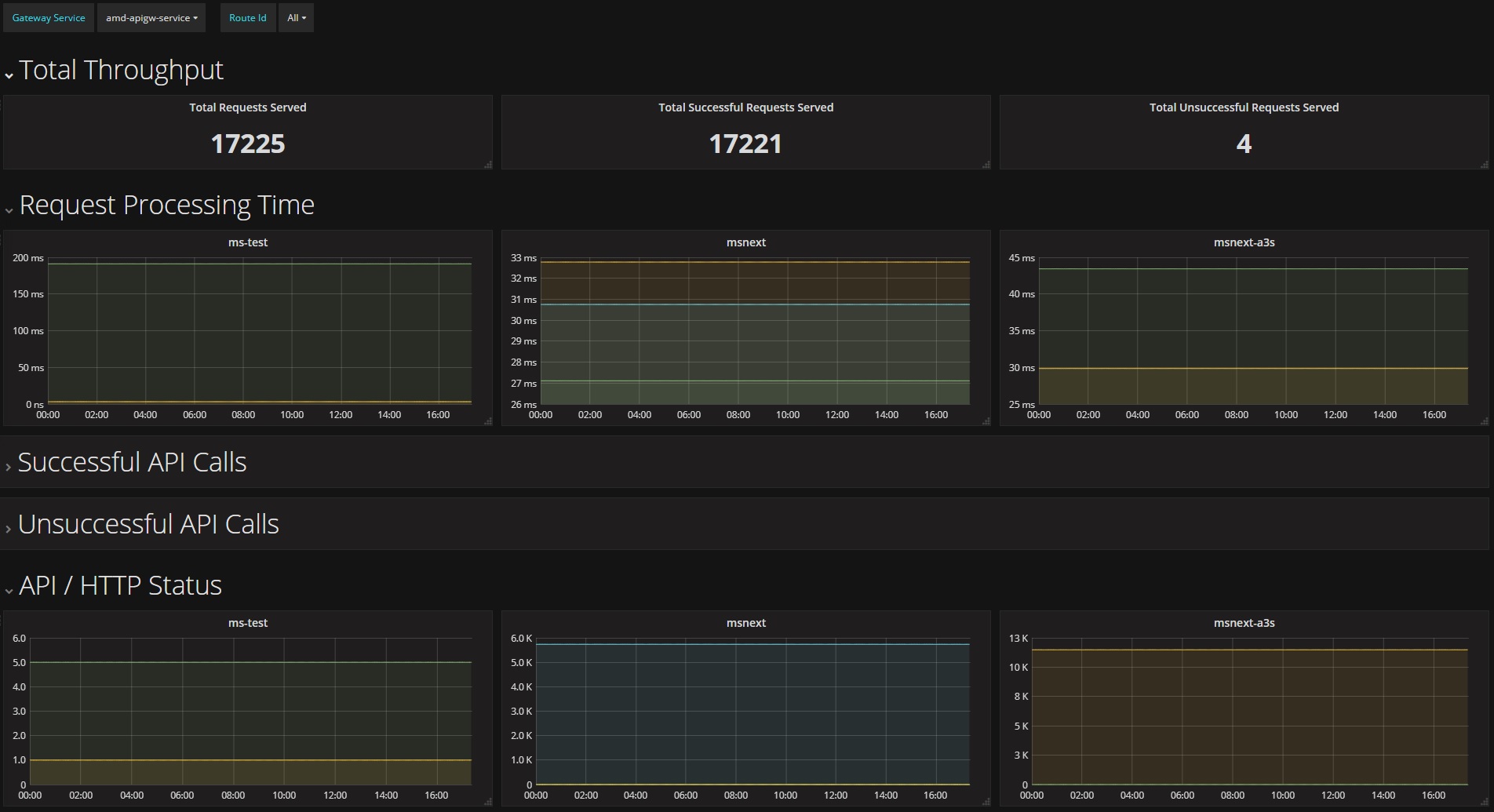
/actuator/metrics/gateway.requests中获取,可以很容易地与Prometheus集成以创建Grafana dashboard.7.10 Marking An Exchange As Routed
网关路由经过
ServerWebExchange之后,它将通过向exchange属性添加gatewayAlreadyRouted,将该exchange标记为“routed”。一旦一个请求被标记为“routed”,其他路由过滤器将不会再次处理该请求,将跳过该过滤器。有一些方便的方法可以用来将exchange标记为“routed”,或者检查exchange是否已经“routed”。ServerWebExchangeUtils.isAlreadyRouted有一个ServerWebExchange对象,并检查它是否已被标记为"routed"。ServerWebExchangeUtils.setAlreadyRouted有一个ServerWebExchange对象,并将其标记为"routed"。
8. HttpHeadersFilters
HttpHeadersFilters应用在向下游发送请求之前,例如在NettyRoutingFilter中。8.1 Forwarded Headers Filter
Forwarded Headers Filter创建一个Forwarded请求头,发送到下游服务中。它将会把当前请求的Host、scheme和端口添加到Forwarded请求头上。8.2 RemoveHopByHop Headers Filter
RemoveHopByHop Headers Filter可以删除转发请求的请求头。默认删除的标头列表来自IETF,默认删除的请求如下:
- Connection
- Keep-Alive
- Proxy-Authenticate
- Proxy-Authorization
- TE
- Trailer
- Transfer-Encoding
- Upgrade
如果需要修改它,可以通过配置
spring.cloud.gateway.filter.remove-non-proxy-headers.headers来设置需要删除的请求头名称。8.3 XForwarded Headers Filter
XForwarded Headers Filter会创建多个类似X-Forwarded-*请求头,发送到下游服务中。它会使用当前请求的Host、scheme、端口和路径来创建各种请求头。可以通过以下布尔类型属性(默认为true)来控制单个标题的创建:
spring.cloud.gateway.x-forwarded.for-enabledspring.cloud.gateway.x-forwarded.host-enabledspring.cloud.gateway.x-forwarded.port-enabledspring.cloud.gateway.x-forwarded.proto-enabledspring.cloud.gateway.x-forwarded.prefix-enabled
可以通过以下布尔类型属性(默认为true)来控制多个标题的添加:
spring.cloud.gateway.x-forwarded.for-appendspring.cloud.gateway.x-forwarded.host-appendspring.cloud.gateway.x-forwarded.port-appendspring.cloud.gateway.x-forwarded.proto-appendspring.cloud.gateway.x-forwarded.prefix-append
9. TLS 和 SSL
网关可以通过常规的 Spring server configuration 来监听HTTPS上的请求。
application.yml
server: ssl: enabled: true key-alias: scg key-store-password: scg1234 key-store: classpath:scg-keystore.p12 key-store-type: PKCS12- 1
- 2
- 3
- 4
- 5
- 6
- 7
网关路由可以转发到HTTP和HTTPS后端,如果转发到HTTPS后端,则可以将网关配置为信任所有具有证书的下游服务。
application.yml
spring: cloud: gateway: httpclient: ssl: useInsecureTrustManager: true- 1
- 2
- 3
- 4
- 5
- 6
不建议在生产环境使用不安全的信任管理器。对于生产部署,可以使用一组已知证书配置网关,这些证书可以通过以下方式进行配置。
application.yml
spring: cloud: gateway: httpclient: ssl: trustedX509Certificates: - cert1.pem - cert2.pem- 1
- 2
- 3
- 4
- 5
- 6
- 7
- 8
如果Spring Cloud Gateway未配置受信任证书,则使用默认信任库(可以使用系统属性
javax.net.ssl.trustStore覆盖)。9.1 TLS Handshake
网关维护一个用于转发到后端的客户端池。当通过HTTPS通信是,客户端会启用TLS握手。这一握手过程会有一些超时。您可以按以下方式配置这些超时(默认值如下所示):
application.yml
spring: cloud: gateway: httpclient: ssl: handshake-timeout-millis: 10000 close-notify-flush-timeout-millis: 3000 close-notify-read-timeout-millis: 0- 1
- 2
- 3
- 4
- 5
- 6
- 7
- 8
10. 配置(Configuration)
Spring Cloud Gateway的配置由RouteDefinitionLocator的集合驱动。RouteDefinitionLocator.java
public interface RouteDefinitionLocator { Flux<RouteDefinition> getRouteDefinitions(); }- 1
- 2
- 3
默认情况下,
PropertiesRouteDefinitionLocator使用Spring Boot的@ConfigurationProperties机制加载属性。application.yml
spring: cloud: gateway: routes: - id: setstatus_route uri: https://example.org filters: - name: SetStatus args: status: 401 - id: setstatusshortcut_route uri: https://example.org filters: - SetStatus=401- 1
- 2
- 3
- 4
- 5
- 6
- 7
- 8
- 9
- 10
- 11
- 12
- 13
- 14
对于网关的大部分用法,配置文件的方式已经足够了,但是一些生产实例更建议从外部源(如数据库)中来加载配置。未来的里程碑版本将有基于
Spring Data Repositories(如Redis、MongoDB和Cassandra)的RouteDefinitionLocator实现。11. 路由元数据配置(Route Metadata Configuration)
可以使用Metadata为每个路由配置以下附加参数:
application.yml
spring: cloud: gateway: routes: - id: route_with_metadata uri: https://example.org metadata: optionName: "OptionValue" compositeObject: name: "value" iAmNumber: 1- 1
- 2
- 3
- 4
- 5
- 6
- 7
- 8
- 9
- 10
- 11
可以从exchange中获取所有的Metadata属性,如下所示:
Route route = exchange.getAttribute(GATEWAY_ROUTE_ATTR); // get all metadata properties route.getMetadata(); // get a single metadata property route.getMetadata(someKey);- 1
- 2
- 3
- 4
- 5
12. Http超时配置(Http timeouts configuration)
可以为所有路由配置Http超时时间(包括响应和连接),也可以为每个特定路由设置超时时间。
12.1 全局Http超时时间(Global timeouts)
如何配置全局Http超时时间:
connect-timeout指定单位为毫秒milliseconds。
response-timeout指定单位为java.time.Duration。全局 http 超时时间示例
spring: cloud: gateway: httpclient: connect-timeout: 1000 response-timeout: 5s- 1
- 2
- 3
- 4
- 5
- 6
12.2 特定路由Http超时时间(Per-route timeouts)
如何配置每个路由的Http超时时间:
connect-timeout指定单位为毫秒milliseconds。
response-timeout指定单位为毫秒milliseconds。通过配置对每个路由的 http 超时时间进行配置
- id: per_route_timeouts uri: https://example.org predicates: - name: Path args: pattern: /delay/{timeout} metadata: response-timeout: 200 connect-timeout: 200- 1
- 2
- 3
- 4
- 5
- 6
- 7
- 8
- 9
通过Java DSL对每个路由的 http 超时时间进行配置
import static org.springframework.cloud.gateway.support.RouteMetadataUtils.CONNECT_TIMEOUT_ATTR; import static org.springframework.cloud.gateway.support.RouteMetadataUtils.RESPONSE_TIMEOUT_ATTR; @Bean public RouteLocator customRouteLocator(RouteLocatorBuilder routeBuilder){ return routeBuilder.routes() .route("test1", r -> { return r.host("*.somehost.org").and().path("/somepath") .filters(f -> f.addRequestHeader("header1", "header-value-1")) .uri("http://someuri") .metadata(RESPONSE_TIMEOUT_ATTR, 200) .metadata(CONNECT_TIMEOUT_ATTR, 200); }) .build(); }- 1
- 2
- 3
- 4
- 5
- 6
- 7
- 8
- 9
- 10
- 11
- 12
- 13
- 14
- 15
12.3 Fluent Java Routes API
为了可以更简单在Java中配置,在
RouteLocatorBuilderbean中定义了一个fluent API。下列示例展示如何使用:GatewaySampleApplication.java
// static imports from GatewayFilters and RoutePredicates @Bean public RouteLocator customRouteLocator(RouteLocatorBuilder builder, ThrottleGatewayFilterFactory throttle) { return builder.routes() .route(r -> r.host("**.abc.org").and().path("/image/png") .filters(f -> f.addResponseHeader("X-TestHeader", "foobar")) .uri("http://httpbin.org:80") ) .route(r -> r.path("/image/webp") .filters(f -> f.addResponseHeader("X-AnotherHeader", "baz")) .uri("http://httpbin.org:80") .metadata("key", "value") ) .route(r -> r.order(-1) .host("**.throttle.org").and().path("/get") .filters(f -> f.filter(throttle.apply(1, 1, 10, TimeUnit.SECONDS))) .uri("http://httpbin.org:80") .metadata("key", "value") ) .build(); }- 1
- 2
- 3
- 4
- 5
- 6
- 7
- 8
- 9
- 10
- 11
- 12
- 13
- 14
- 15
- 16
- 17
- 18
- 19
- 20
- 21
- 22
- 23
- 24
- 25
- 26
该写法还允许使用更多的自定义断言。使用
RouteDefinitionLocatorBean定义的and方法进行组合。通过使用fluent Java API,可以使用and()、or()和negate()方法对Predicate类进行组合。12.4 The DiscoveryClient(注册中心) Route Definition Locator
可以将网关配置为基于注册中心
DiscoveryClient注册的服务来创建路由。如需启用此功能,需要设置
spring.cloud.gateway.discovery.locator.enabled=true,并确保DiscoveryClient实现位于classpath上并已启用(如netflix eureka、consul或zookeeper)。12.4.1 在注册中心的路由上配置断言和过滤器(Configuring Predicates and Filters For DiscoveryClient Routes)
默认情况下,网关会在注册中心
DiscoveryClient上创建路由,并定义一个断言和过滤器。默认断言是以
/serviceId/**为模板定义的Path断言,其中serviceId是DiscoveryClient中的服务 ID。默认过滤器是使用正则表达式
/serviceId/(?和替换正则表达式.*) /${remaining}的路径过滤器rewrite path filter,在请求被转发到下游之前从路径中截取serviceId。可以通过配置
spring.cloud.gateway.discovery.locator.predicates[x]和spring.cloud.gateway.discovery.locator.filters[y],在DiscoveryClient定义的路由使用自定义断言或过滤器。当这样做时,如果需要保留该功能,则需要确保包括上面的默认断言和过滤器。下面的示例展示了这种情况:application.properties
spring.cloud.gateway.discovery.locator.predicates[0].name: Path spring.cloud.gateway.discovery.locator.predicates[0].args[pattern]: "'/'+serviceId+'/**'" spring.cloud.gateway.discovery.locator.predicates[1].name: Host spring.cloud.gateway.discovery.locator.predicates[1].args[pattern]: "'**.foo.com'" spring.cloud.gateway.discovery.locator.filters[0].name: CircuitBreaker spring.cloud.gateway.discovery.locator.filters[0].args[name]: serviceId spring.cloud.gateway.discovery.locator.filters[1].name: RewritePath spring.cloud.gateway.discovery.locator.filters[1].args[regexp]: "'/' + serviceId + '/(?.*)'" spring.cloud.gateway.discovery.locator.filters[1].args[replacement]: "'/${remaining}'" - 1
- 2
- 3
- 4
- 5
- 6
- 7
- 8
- 9
13. Reactor Netty Access Logs
设置
-Dreactor.netty.http.server.accessLogEnabled=true来开启Reactor Netty access logs。::: danger 警告
注意:必须是Java System Property而不是Spring Boot property。
:::logging 模块也可以通过配置单独输出一个access log文件,下面是logback的配置例子:
logback.xml
<appender name="accessLog" class="ch.qos.logback.core.FileAppender"> <file>access_log.logfile> <encoder> <pattern>%msg%npattern> encoder> appender> <appender name="async" class="ch.qos.logback.classic.AsyncAppender"> <appender-ref ref="accessLog"/> appender> <logger name="reactor.netty.http.server.AccessLog" level="INFO" additivity="false"> <appender-ref ref="async"/> logger>- 1
- 2
- 3
- 4
- 5
- 6
- 7
- 8
- 9
- 10
- 11
- 12
- 13
- 14
14. CORS配置(CORS Configuration)
可以通过配置网关来控制CORS,全局CORS配置是 Spring Framework
CorsConfiguration模式的URL patterns map。下列示例展示CORS配置:application.yml
spring: cloud: gateway: globalcors: cors-configurations: '[/**]': allowedOrigins: "https://docs.spring.io" allowedMethods: - GET- 1
- 2
- 3
- 4
- 5
- 6
- 7
- 8
- 9
在上述示例中,允许来自
docs.spring.io的全部GET请求进行CORS。如果要为未由网关路由断言处理的请求提供相同的CORS配置,可以设置
spring.cloud.gateway.globalcors.add-to-simple-url-handler-mapping=true。15. Actuator API
/gateway的actuator端点允许监视Spring Cloud Gateway应用程序并与之交互。要进行远程访问,必须在应用程序属性中启动和暴露HTTP或JMX 端口。application.properties
management.endpoint.gateway.enabled=true # default value management.endpoints.web.exposure.include=gateway- 1
- 2
15.1 Verbose Actuator Format
Spring Cloud Gateway添加了更为详细的配置。它为每个路径添加了更多细节,可以查看与每个路由相关的断言和过滤器,以及任何可用配置。以下示例配置了
/actuator/gateway/routes:[ { "predicate": "(Hosts: [**.addrequestheader.org] && Paths: [/headers], match trailing slash: true)", "route_id": "add_request_header_test", "filters": [ "[[AddResponseHeader X-Response-Default-Foo = 'Default-Bar'], order = 1]", "[[AddRequestHeader X-Request-Foo = 'Bar'], order = 1]", "[[PrefixPath prefix = '/httpbin'], order = 2]" ], "uri": "lb://testservice", "order": 0 } ]- 1
- 2
- 3
- 4
- 5
- 6
- 7
- 8
- 9
- 10
- 11
- 12
- 13
该配置功能默认启动,如果想要禁用它,可以按如下配置:
application.properties
spring.cloud.gateway.actuator.verbose.enabled=false- 1
15.2 路由检索过滤器(Retrieving Route Filters)
15.2.1 全局过滤器(Global Filters)
要检索应用在所有路由上的
Global Filters,可以直接向/actuator/gateway/globalfilters发起GET请求。请求响应结果类似以下内容:{ "org.springframework.cloud.gateway.filter.LoadBalancerClientFilter@77856cc5": 10100, "org.springframework.cloud.gateway.filter.RouteToRequestUrlFilter@4f6fd101": 10000, "org.springframework.cloud.gateway.filter.NettyWriteResponseFilter@32d22650": -1, "org.springframework.cloud.gateway.filter.ForwardRoutingFilter@106459d9": 2147483647, "org.springframework.cloud.gateway.filter.NettyRoutingFilter@1fbd5e0": 2147483647, "org.springframework.cloud.gateway.filter.ForwardPathFilter@33a71d23": 0, "org.springframework.cloud.gateway.filter.AdaptCachedBodyGlobalFilter@135064ea": 2147483637, "org.springframework.cloud.gateway.filter.WebsocketRoutingFilter@23c05889": 2147483646 }- 1
- 2
- 3
- 4
- 5
- 6
- 7
- 8
- 9
- 10
请求响应结果包含已设置的
Global Filters的详细信息。每个Global Filters都有一个表示对象的字符串(例如org.springframework.cloud.gateway.filter.LoadBalancerClientFilter@77856cc5)以及在过滤器链中的相应顺序。15.2.2 路由过滤器(Route Filters)
要检索应用在路由上的
GatewayFilter,可以直接向/actuator/gateway/routefilters发起GET请求。请求响应结果类似以下内容:{ "[AddRequestHeaderGatewayFilterFactory@570ed9c configClass = AbstractNameValueGatewayFilterFactory.NameValueConfig]": null, "[SecureHeadersGatewayFilterFactory@fceab5d configClass = Object]": null, "[SaveSessionGatewayFilterFactory@4449b273 configClass = Object]": null }- 1
- 2
- 3
- 4
- 5
请求响应结果包含应用于任何路由的
GatewayFilter的详细信息。每个GatewayFilter都有一个表示对象的字符串(例如,[SecureHeadersGatewayFilterFactory@fceab5d configClass = Object])。注意,
null值是由于endpoint controller实现不完整造成的,因为它尝试在filter chain中设置对象的顺序,这不适用于GatewayFilter工厂对象。15.3 清除路由缓存(Refreshing the Route Cache)
如果要清除路由的缓存,使用POST请求
/actuator/gateway/refresh。该请求的响应结果没有body的,响应码200。15.4 检索网关定义的路由(Retrieving the Routes Defined in the Gateway)
要检索网关中定义的路由,发送GET请求
/actuator/gateway/routes。返回结果如下所示:[ { "route_id": "first_route", "route_object": { "predicate": "org.springframework.cloud.gateway.handler.predicate.PathRoutePredicateFactory$$Lambda$432/1736826640@1e9d7e7d", "filters": [ "OrderedGatewayFilter{delegate=org.springframework.cloud.gateway.filter.factory.PreserveHostHeaderGatewayFilterFactory$$Lambda$436/674480275@6631ef72, order=0}" ] }, "order": 0 }, { "route_id": "second_route", "route_object": { "predicate": "org.springframework.cloud.gateway.handler.predicate.PathRoutePredicateFactory$$Lambda$432/1736826640@cd8d298", "filters": [] }, "order": 0 } ]- 1
- 2
- 3
- 4
- 5
- 6
- 7
- 8
- 9
- 10
- 11
- 12
- 13
- 14
- 15
- 16
- 17
- 18
- 19
- 20
请求返回结果包含网关中所有定义的路由信息,下面表格描述了返回结果信息
Path Type Description route_idString 路由ID route_object.predicateObject 路由断言 route_object.filtersArray 应用在路由上的 GatewayFilterfactoriesorderNumber 路由排序 15.5 检索特定路由的信息(Retrieving Information about a Particular Route)
要检索某一个路由的详细信息,发送GET请求
/actuator/gateway/routes/{id}(例如,/actuator/gateway/routes/first_route)。返回结果如下所示:{ "id": "first_route", "predicates": [ { "name": "Path", "args": { "_genkey_0": "/first" } } ], "filters": [], "uri": "https://www.uri-destination.org", "order": 0 }- 1
- 2
- 3
- 4
- 5
- 6
- 7
- 8
- 9
- 10
- 11
- 12
- 13
- 14
下面表格中描述了返回结果信息:
Path Type Description idString 路由ID。 predicatesArray 应用在路由上的断言集合,每个断言元素都定义name和args参数。 filtersArray 应用在路由上的过滤器集合。 uriString 路由的目标 URI。 orderNumber 路由排序。 15.6 创建和删除一个特定路由(Creating and Deleting a Particular Route)
要创建一个路由,发送POST请求
/gateway/routes/{id_route_to_create},请求体为JSON结构(参考15.5 检索特定路由的信息(Retrieving Information about a Particular Route))要删除一个路由,发送
DELETE请求/gateway/routes/{id_route_to_delete}。15.7 总结:所有请求列表(Recap: The List of All endpoints)
下表总结了全部Spring Cloud Gateway actuator endpoints(注意,每个endpoint都是
/actuator/gateway作为基本路径)。ID HTTP Method Description globalfiltersGET 展示应用在路由上的 Global Filter列表。routefiltersGET 展示应用在路由上的 GatewayFilterfactories列表。refreshPOST 清除路由缓存。 routesGET 展示定义在网关的全部路由列表。 routes/{id}GET 展示特定路由的详细信息。 routes/{id}POST 为网关添加一下新路由。 routes/{id}DELETE 删除网关中已存在的路由。 16. 故障排除(Troubleshooting)
本节介绍使用 Spring Cloud Gateway 时可能出现的常见问题。
16.1 日志级别(Log Levels)
以下loggers可能包含有价值的
DEBUG和TRACE级别的日志,用于故障排除:org.springframework.cloud.gatewayorg.springframework.http.server.reactiveorg.springframework.web.reactiveorg.springframework.boot.autoconfigure.webreactor.nettyredisratelimiter
16.2 监听(Wiretap)
Reactor Netty
HttpClient和HttpServer可以启用监听功能。如果将reactor.netty的日志级别设置为DEBUG或TRACE, 就可以开启信息记录,比如监听网络收发的请求头和 请求头。要启动监听功能,分别为HttpServer和HttpClient设置spring.cloud.gateway.httpserver.wiretap=true或spring.cloud.gateway.httpclient.wiretap=true。17. 开发指南(Developer Guide)
本节是编写网关自定义组件的基本指南。
17.1 编写自定义路由断言(Writing Custom Route Predicate Factories)
要编写自定义路由断言,需要实现
RoutePredicateFactory接口。还可以直接继承AbstractRoutePredicateFactory抽象类。MyRoutePredicateFactory.java
public class MyRoutePredicateFactory extends AbstractRoutePredicateFactory<HeaderRoutePredicateFactory.Config> { public MyRoutePredicateFactory() { super(Config.class); } @Override public Predicate<ServerWebExchange> apply(Config config) { // grab configuration from Config object return exchange -> { //grab the request ServerHttpRequest request = exchange.getRequest(); //take information from the request to see if it //matches configuration. return matches(config, request); }; } public static class Config { //Put the configuration properties for your filter here } }- 1
- 2
- 3
- 4
- 5
- 6
- 7
- 8
- 9
- 10
- 11
- 12
- 13
- 14
- 15
- 16
- 17
- 18
- 19
- 20
- 21
- 22
- 23
17.2 编写自定义GatewayFilter(Writing Custom GatewayFilter Factories)
要编写自定义
GatewayFilter,需要实现GatewayFilterFactory接口。还可以直接继承AbstractGatewayFilterFactory抽象类。PreGatewayFilterFactory.java
public class PreGatewayFilterFactory extends AbstractGatewayFilterFactory<PreGatewayFilterFactory.Config> { public PreGatewayFilterFactory() { super(Config.class); } @Override public GatewayFilter apply(Config config) { // grab configuration from Config object return (exchange, chain) -> { //If you want to build a "pre" filter you need to manipulate the //request before calling chain.filter ServerHttpRequest.Builder builder = exchange.getRequest().mutate(); //use builder to manipulate the request return chain.filter(exchange.mutate().request(builder.build()).build()); }; } public static class Config { //Put the configuration properties for your filter here } }- 1
- 2
- 3
- 4
- 5
- 6
- 7
- 8
- 9
- 10
- 11
- 12
- 13
- 14
- 15
- 16
- 17
- 18
- 19
- 20
- 21
- 22
- 23
PostGatewayFilterFactory.java
public class PostGatewayFilterFactory extends AbstractGatewayFilterFactory<PostGatewayFilterFactory.Config> { public PostGatewayFilterFactory() { super(Config.class); } @Override public GatewayFilter apply(Config config) { // grab configuration from Config object return (exchange, chain) -> { return chain.filter(exchange).then(Mono.fromRunnable(() -> { ServerHttpResponse response = exchange.getResponse(); //Manipulate the response in some way })); }; } public static class Config { //Put the configuration properties for your filter here } }- 1
- 2
- 3
- 4
- 5
- 6
- 7
- 8
- 9
- 10
- 11
- 12
- 13
- 14
- 15
- 16
- 17
- 18
- 19
- 20
- 21
- 22
17.2.1 自定义过滤器命名以及在配置中引用(Naming Custom Filters And References In Configuration)
自定义过滤器类名应以
GatewayFilterFactory结尾。例如,要在配置文件中引用名为
Something的过滤器,该过滤器命名为SomethingGatewayFilterFactory。::: warning 警告
可以创建一个不带
GatewayFilterFactory后缀的网关过滤器,如class AnotherThing。该过滤器可以直接在配置文件使用AnotherThing引用。这不是提倡的命名约定,未来版本可能会删除这种语法。请将过滤器名称修改为符合命名约定的名称。:::
17.3 编写自定义Global Filter(Writing Custom Global Filters)
要编写自定义
Global Filter,需要实现GlobalFilter接口。它会应用到全部路由上。下面这个示例展示如何设置一个全局的前置和后置过滤器,如下:
@Bean public GlobalFilter customGlobalFilter() { return (exchange, chain) -> exchange.getPrincipal() .map(Principal::getName) .defaultIfEmpty("Default User") .map(userName -> { //adds header to proxied request exchange.getRequest().mutate().header("CUSTOM-REQUEST-HEADER", userName).build(); return exchange; }) .flatMap(chain::filter); } @Bean public GlobalFilter customGlobalPostFilter() { return (exchange, chain) -> chain.filter(exchange) .then(Mono.just(exchange)) .map(serverWebExchange -> { //adds header to response serverWebExchange.getResponse().getHeaders().set("CUSTOM-RESPONSE-HEADER", HttpStatus.OK.equals(serverWebExchange.getResponse().getStatusCode()) ? "It worked": "It did not work"); return serverWebExchange; }) .then(); }- 1
- 2
- 3
- 4
- 5
- 6
- 7
- 8
- 9
- 10
- 11
- 12
- 13
- 14
- 15
- 16
- 17
- 18
- 19
- 20
- 21
- 22
- 23
- 24
- 25
18. 使用Spring MVC或Webflux构建一个简单的网关(Building a Simple Gateway by Using Spring MVC or Webflux)
::: warning 警告
下面介绍的是另一种样式网关。之前的文档都不适用于下面的内容。
:::
Spring Cloud Gateway 提供了
ProxyExchange对象。你可以将其作为方法参数在常规Spring Web处理程序中使用。通过mirror the HTTP verbs的方法支持基本的下游 HTTP exchanges。在 MVC 中,它还支持通过forward()方法转发到本地处理程序。要使用ProxyExchange,需要将正确的模块包含在类路径中(eitherspring-cloud-gateway-mvc或spring-cloud-gateway-webflux)。下面的 MVC 示例将
/test请求代理到下游的远程服务器:@RestController @SpringBootApplication public class GatewaySampleApplication { @Value("${remote.home}") private URI home; @GetMapping("/test") public ResponseEntity<?> proxy(ProxyExchange<byte[]> proxy) throws Exception { return proxy.uri(home.toString() + "/image/png").get(); } }- 1
- 2
- 3
- 4
- 5
- 6
- 7
- 8
- 9
- 10
- 11
- 12
- 13
下面示例是使用Webflux实现相同的方法:
@RestController @SpringBootApplication public class GatewaySampleApplication { @Value("${remote.home}") private URI home; @GetMapping("/test") public Mono<ResponseEntity<?>> proxy(ProxyExchange<byte[]> proxy) throws Exception { return proxy.uri(home.toString() + "/image/png").get(); } }- 1
- 2
- 3
- 4
- 5
- 6
- 7
- 8
- 9
- 10
- 11
- 12
- 13
ProxyExchange提供的便捷方法可以使得处理程序发现并增强传入请求的URI路径。例如,你可以提取路径的尾部元素,并将其传递到下游:@GetMapping("/proxy/path/**") public ResponseEntity<?> proxyPath(ProxyExchange<byte[]> proxy) throws Exception { String path = proxy.path("/proxy/path/"); return proxy.uri(home.toString() + "/foos/" + path).get(); }- 1
- 2
- 3
- 4
- 5
网关处理程序方法可以使用Spring MVC 和 Webflux 的所有功能。因此,你可以注入请求头和查询参数,还可以通过声明mapping系列注解来限制传入的请求。有关这些功能的更多详情,请参阅Spring MVC中的
@RequestMapping。你可以使用
ProxyExchange上的header()方法为下游响应添加头部信息。你可以使用
get()方法(以及其它方法)通过添加 mapper 来操作响应头(以及响应中的其它任何内容)。mapper 是一个Function,它接受一个传入的ResponseEntity并将其转换并传出。对于“敏感” headers (默认情况下,
cookie和authorization)和 “代理” (x-forwarded-*)headers 提供一流的支持,前者不会向下传递。19. 配置属性(Configuration properties)
要查看所有
Spring Cloud Gateway相关配置属性的列表,参阅附录。附录 A: 公共应用配置
可以在
application.properties文件、application.yml文件或者命令行开关中指定各种属性。本附录提供了常见 Spring Cloud Gateway 属性列表以及使用这些属性底层类的引用。::: tip 提示
属性列表可能来着于类路径上的其它jar文件,因此你不应该任务这是一个详尽的列表,您还可以自定义自己的属性。
:::
Name Default Description spring.cloud.gateway.default-filters List of filter definitions that are applied to every route. spring.cloud.gateway.discovery.locator.enabled false Flag that enables DiscoveryClient gateway integration. spring.cloud.gateway.discovery.locator.filters spring.cloud.gateway.discovery.locator.include-expression true SpEL expression that will evaluate whether to include a service in gateway integration or not, defaults to: true. spring.cloud.gateway.discovery.locator.lower-case-service-id false Option to lower case serviceId in predicates and filters, defaults to false. Useful with eureka when it automatically uppercases serviceId. so MYSERIVCE, would match /myservice/** spring.cloud.gateway.discovery.locator.predicates spring.cloud.gateway.discovery.locator.route-id-prefix The prefix for the routeId, defaults to discoveryClient.getClass().getSimpleName() + “_”. Service Id will be appended to create the routeId. spring.cloud.gateway.discovery.locator.url-expression ‘lb://’+serviceId SpEL expression that create the uri for each route, defaults to: ‘lb://’+serviceId. spring.cloud.gateway.enabled true Enables gateway functionality. spring.cloud.gateway.fail-on-route-definition-error true Option to fail on route definition errors, defaults to true. Otherwise, a warning is logged. spring.cloud.gateway.filter.remove-hop-by-hop.headers spring.cloud.gateway.filter.remove-hop-by-hop.order spring.cloud.gateway.filter.request-rate-limiter.deny-empty-key true Switch to deny requests if the Key Resolver returns an empty key, defaults to true. spring.cloud.gateway.filter.request-rate-limiter.empty-key-status-code HttpStatus to return when denyEmptyKey is true, defaults to FORBIDDEN. spring.cloud.gateway.filter.secure-headers.content-security-policy default-src ‘self’ https:; font-src ‘self’ https: data:; img-src ‘self’ https: data:; object-src ‘none’; script-src https:; style-src ‘self’ https: ‘unsafe-inline’ spring.cloud.gateway.filter.secure-headers.content-type-options nosniff spring.cloud.gateway.filter.secure-headers.disable spring.cloud.gateway.filter.secure-headers.download-options noopen spring.cloud.gateway.filter.secure-headers.frame-options DENY spring.cloud.gateway.filter.secure-headers.permitted-cross-domain-policies none spring.cloud.gateway.filter.secure-headers.referrer-policy no-referrer spring.cloud.gateway.filter.secure-headers.strict-transport-security max-age=631138519 spring.cloud.gateway.filter.secure-headers.xss-protection-header 1 ; mode=block spring.cloud.gateway.forwarded.enabled true Enables the ForwardedHeadersFilter. spring.cloud.gateway.globalcors.add-to-simple-url-handler-mapping false If global CORS config should be added to the URL handler. spring.cloud.gateway.globalcors.cors-configurations spring.cloud.gateway.httpclient.connect-timeout The connect timeout in millis, the default is 45s. spring.cloud.gateway.httpclient.max-header-size The max response header size. spring.cloud.gateway.httpclient.max-initial-line-length The max initial line length. spring.cloud.gateway.httpclient.pool.acquire-timeout Only for type FIXED, the maximum time in millis to wait for aquiring. spring.cloud.gateway.httpclient.pool.max-connections Only for type FIXED, the maximum number of connections before starting pending acquisition on existing ones. spring.cloud.gateway.httpclient.pool.max-idle-time Time in millis after which the channel will be closed. If NULL, there is no max idle time. spring.cloud.gateway.httpclient.pool.max-life-time Duration after which the channel will be closed. If NULL, there is no max life time. spring.cloud.gateway.httpclient.pool.name proxy The channel pool map name, defaults to proxy. spring.cloud.gateway.httpclient.pool.type Type of pool for HttpClient to use, defaults to ELASTIC. spring.cloud.gateway.httpclient.proxy.host Hostname for proxy configuration of Netty HttpClient. spring.cloud.gateway.httpclient.proxy.non-proxy-hosts-pattern Regular expression (Java) for a configured list of hosts. that should be reached directly, bypassing the proxy spring.cloud.gateway.httpclient.proxy.password Password for proxy configuration of Netty HttpClient. spring.cloud.gateway.httpclient.proxy.port Port for proxy configuration of Netty HttpClient. spring.cloud.gateway.httpclient.proxy.username Username for proxy configuration of Netty HttpClient. spring.cloud.gateway.httpclient.response-timeout The response timeout. spring.cloud.gateway.httpclient.ssl.close-notify-flush-timeout 3000ms SSL close_notify flush timeout. Default to 3000 ms. spring.cloud.gateway.httpclient.ssl.close-notify-read-timeout SSL close_notify read timeout. Default to 0 ms. spring.cloud.gateway.httpclient.ssl.default-configuration-type The default ssl configuration type. Defaults to TCP. spring.cloud.gateway.httpclient.ssl.handshake-timeout 10000ms SSL handshake timeout. Default to 10000 ms spring.cloud.gateway.httpclient.ssl.key-password Key password, default is same as keyStorePassword. spring.cloud.gateway.httpclient.ssl.key-store Keystore path for Netty HttpClient. spring.cloud.gateway.httpclient.ssl.key-store-password Keystore password. spring.cloud.gateway.httpclient.ssl.key-store-provider Keystore provider for Netty HttpClient, optional field. spring.cloud.gateway.httpclient.ssl.key-store-type JKS Keystore type for Netty HttpClient, default is JKS. spring.cloud.gateway.httpclient.ssl.trusted-x509-certificates Trusted certificates for verifying the remote endpoint’s certificate. spring.cloud.gateway.httpclient.ssl.use-insecure-trust-manager false Installs the netty InsecureTrustManagerFactory. This is insecure and not suitable for production. spring.cloud.gateway.httpclient.websocket.max-frame-payload-length Max frame payload length. spring.cloud.gateway.httpclient.websocket.proxy-ping true Proxy ping frames to downstream services, defaults to true. spring.cloud.gateway.httpclient.wiretap false Enables wiretap debugging for Netty HttpClient. spring.cloud.gateway.httpserver.wiretap false Enables wiretap debugging for Netty HttpServer. spring.cloud.gateway.loadbalancer.use404 false spring.cloud.gateway.metrics.enabled true Enables the collection of metrics data. spring.cloud.gateway.metrics.tags Tags map that added to metrics. spring.cloud.gateway.redis-rate-limiter.burst-capacity-header X-RateLimit-Burst-Capacity The name of the header that returns the burst capacity configuration. spring.cloud.gateway.redis-rate-limiter.config spring.cloud.gateway.redis-rate-limiter.include-headers true Whether or not to include headers containing rate limiter information, defaults to true. spring.cloud.gateway.redis-rate-limiter.remaining-header X-RateLimit-Remaining The name of the header that returns number of remaining requests during the current second. spring.cloud.gateway.redis-rate-limiter.replenish-rate-header X-RateLimit-Replenish-Rate The name of the header that returns the replenish rate configuration. spring.cloud.gateway.redis-rate-limiter.requested-tokens-header X-RateLimit-Requested-Tokens The name of the header that returns the requested tokens configuration. spring.cloud.gateway.routes List of Routes. spring.cloud.gateway.set-status.original-status-header-name The name of the header which contains http code of the proxied request. spring.cloud.gateway.streaming-media-types spring.cloud.gateway.x-forwarded.enabled true If the XForwardedHeadersFilter is enabled. spring.cloud.gateway.x-forwarded.for-append true If appending X-Forwarded-For as a list is enabled. spring.cloud.gateway.x-forwarded.for-enabled true If X-Forwarded-For is enabled. spring.cloud.gateway.x-forwarded.host-append true If appending X-Forwarded-Host as a list is enabled. spring.cloud.gateway.x-forwarded.host-enabled true If X-Forwarded-Host is enabled. spring.cloud.gateway.x-forwarded.order 0 The order of the XForwardedHeadersFilter. spring.cloud.gateway.x-forwarded.port-append true If appending X-Forwarded-Port as a list is enabled. spring.cloud.gateway.x-forwarded.port-enabled true If X-Forwarded-Port is enabled. spring.cloud.gateway.x-forwarded.prefix-append true If appending X-Forwarded-Prefix as a list is enabled. spring.cloud.gateway.x-forwarded.prefix-enabled true If X-Forwarded-Prefix is enabled. spring.cloud.gateway.x-forwarded.proto-append true If appending X-Forwarded-Proto as a list is enabled. spring.cloud.gateway.x-forwarded.proto-enabled true If X-Forwarded-Proto is enabled. d true If appending X-Forwarded-Port as a list is enabled. spring.cloud.gateway.x-forwarded.port-enabled true If X-Forwarded-Port is enabled. spring.cloud.gateway.x-forwarded.prefix-append true If appending X-Forwarded-Prefix as a list is enabled. spring.cloud.gateway.x-forwarded.prefix-enabled true If X-Forwarded-Prefix is enabled. spring.cloud.gateway.x-forwarded.proto-append true If appending X-Forwarded-Proto as a list is enabled. spring.cloud.gateway.x-forwarded.proto-enabled true If X-Forwarded-Proto is enabled. -
相关阅读:
以字符串mark作为分隔符,对字符串s进行分割
如何通过 Java 代码隐藏 Word 文档中的指定段落
项目质量管理
【coocs creator】Objective-C 执行 JS 代码,传递json数据
React 学习笔记目录
Django(3)模型
基于RBF神经网络的非线性系统识别(Matlab代码实现)
运营干货:虾皮店铺装修怎么做?
java毕业设计财务信息管理mybatis+源码+调试部署+系统+数据库+lw
Azure Machine Learning - 什么是 Azure AI 搜索?
- 原文地址:https://blog.csdn.net/mxw_133/article/details/136183023