-
tamarin运行
首先我们找到安装tamarin的文件位置,找到以后进入该文件夹下
ubuntu@ubuntu:~$ sudo find / -name tamarin-prover /home/linuxbrew/.linuxbrew/var/homebrew/linked/tamarin-prover /home/linuxbrew/.linuxbrew/Cellar/tamarin-prover /home/linuxbrew/.linuxbrew/Cellar/tamarin-prover/1.6.1/bin/tamarin-prover /home/linuxbrew/.linuxbrew/opt/tamarin-prover /home/linuxbrew/.linuxbrew/bin/tamarin-prover /home/linuxbrew/.linuxbrew/Homebrew/Library/Taps/tamarin-prover find: ‘/run/user/1000/doc’: Permission denied find: ‘/run/user/1000/gvfs’: Permission denied ubuntu@ubuntu:~$ cd /home/linuxbrew/.linuxbrew/bin ubuntu@ubuntu:/home/linuxbrew/.linuxbrew/bin$ ls- 1
- 2
- 3
- 4
- 5
- 6
- 7
- 8
- 9
- 10
- 11
- 12
接下来运行
ubuntu@ubuntu:/home/linuxbrew/.linuxbrew/bin$ tamarin-prover interactive /home/ubuntu/TamarinCode/code/FirstExample.spthy GraphViz tool: 'dot' checking version: dot - graphviz version 7.0.4 (20221203.1631). OK. checking PNG support: OK. maude tool: 'maude' checking version: 2.7.1. OK. checking installation: OK. The server is starting up on port 3001. Browse to http://127.0.0.1:3001 once the server is ready. Loading the security protocol theories '/home/ubuntu/TamarinCode/code/*.spthy' ... ------------------------------------------------------------------------------ Unable to load theory file `/home/ubuntu/TamarinCode/code/userdata-leak.spthy' ------------------------------------------------------------------------------ "/home/ubuntu/TamarinCode/code/userdata-leak.spthy" (line 47, column 6): unexpected "l" process not defined: test CallStack (from HasCallStack): error, called at src/Theory/Text/Parser/Token.hs:156:21 in tamarin-prover-theory-1.6.1-K6bPtlytRzk2uwYGKnIGQc:Theory.Text.Parser.Token Finished loading theories ... server ready at http://127.0.0.1:3001- 1
- 2
- 3
- 4
- 5
- 6
- 7
- 8
- 9
- 10
- 11
- 12
- 13
- 14
- 15
- 16
- 17
- 18
- 19
- 20
- 21
- 22
- 23
- 24
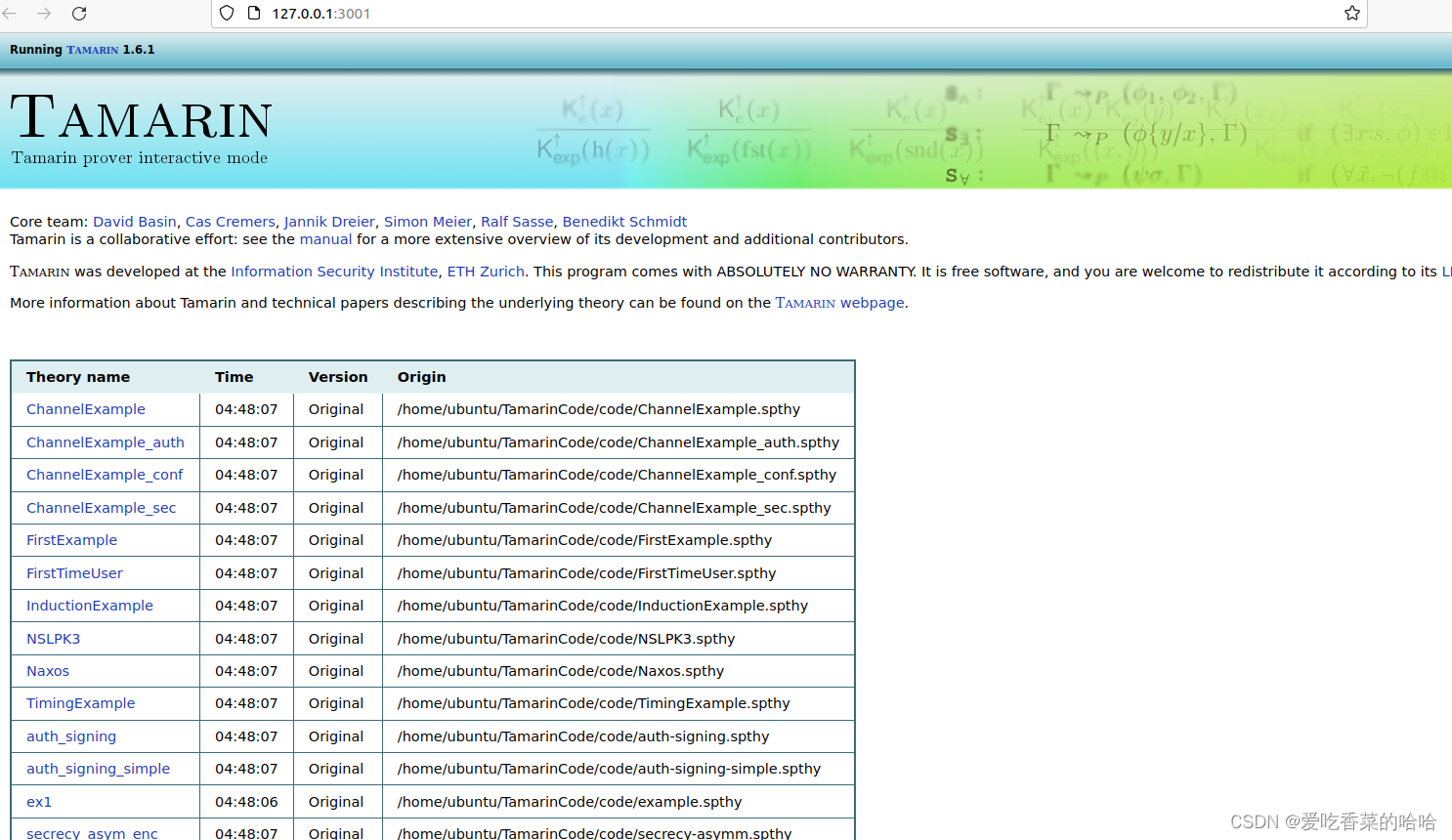
点击
http://127.0.0.1:3001
进入浏览器页面
在这个文件夹下的所有tamarin写的代码都被运行出来,可以点击每一个选项进行查看
结束!!!
相互学习指正 -
相关阅读:
十四、内置模块path、邂逅Webpack和打包过程、css-loader
7.3 服务端漏洞:密码找回逻辑漏洞检测和重现
【并发编程】锁机制
上周热点回顾(10.24-10.30)
查看linux的路由
游戏合作伙伴专题:BreederDAO 与 Ambrus 携手,勇敢面对变暖的世界
(rabbitmq的高级特性)MQ集群
elementUI——el-table自带排序使用问题
golang pprof 监控系列(1) —— go trace 统计原理与使用
R 语言中的 pnorm 方法与 Python scipy 的 norm.cdf、norm.sf 等价
- 原文地址:https://blog.csdn.net/qq_43799246/article/details/134489217
