-
多测师肖sir_高级金牌讲师_python+pymyql数据库
pyhton+pymysql
python操作数据库
一、下载安装pymysql
方法1: pip install pymysql
方法2:在pycharm 中搜索pymysql下载方法1案如图:
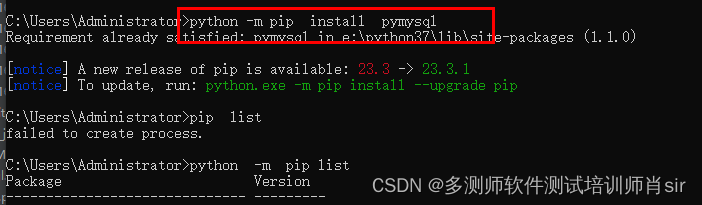
方法2:如下图
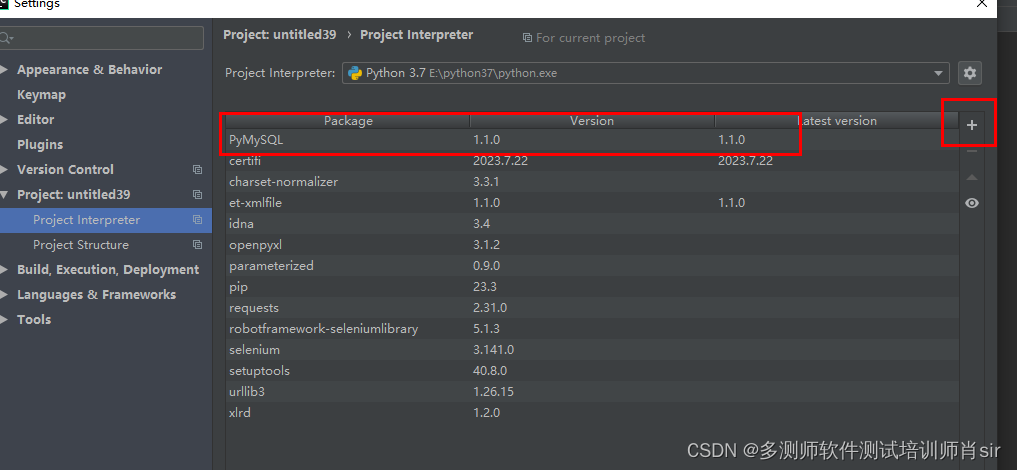
二、pymysql的使用
(1)导入pymysql(import pymysql)
(2)就是打开虚拟机,开启数据库,获取连接数据(3)连接数据库
import pymysql
db=pymysql.Connection(host=“192.168.157.136”,user=“root”,password=“123456”,
database=“aa”,port=3306)host:主机名
user:用户
password或passwd :数据库密码
database :数据库
port:端口号
charset:utf-8
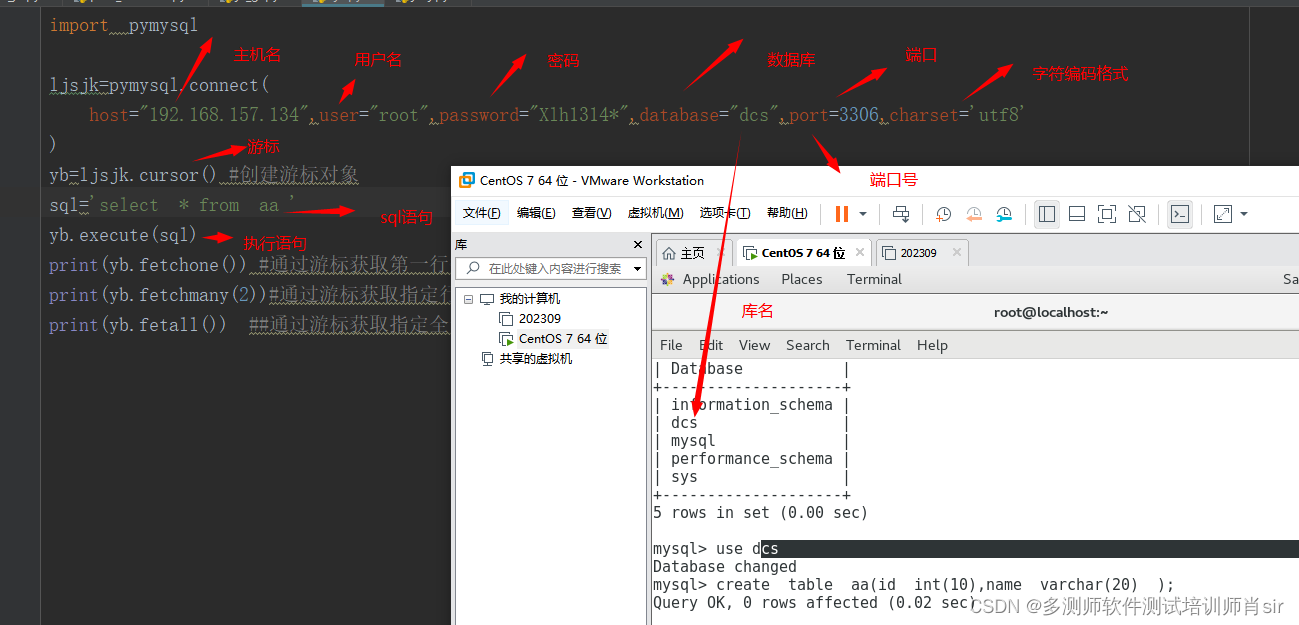
(4)创建一个游标cursor()
案例1:fetchone 游标获取第一行数据
import pymysql
db=pymysql.Connection(host=“192.168.157.136”,user=“root”,password=“123456”,
database=“aa”,port=3306,charset=“utf8”)
yb=db.cursor()#创建一个游标
sql=“select * from dept”
yb.execute(sql)
one=yb.fetchone() #fetchone()游标获取第一行数据,
print(one)案例2:通过游标获取所有的数据
import pymysql
db=pymysql.Connection(host=“192.168.157.136”,user=“root”,password=“123456”,
database=“aa”,port=3306,charset=“utf8”)
yb=db.cursor()#创建一个游标
sql=“select * from dept”
yb.execute(sql)
all=yb.fetchall() #fetchall# ()游标获取所有数据,
print(all)案例3:fetchmany 获取部分数据 size 是数量
import pymysql
db=pymysql.Connection(host=“192.168.157.136”,user=“root”,password=“123456”,
database=“aa”,port=3306,charset=“utf8”)
yb=db.cursor()#创建一个游标
sql=“select * from dept”
yb.execute(sql)
many=yb.fetchmany(size=3) #fetchmany# ()游标获取所有数据,
print(many)===================================================
数据库中:
查:
import pymysql
db=pymysql.Connection(host=“192.168.157.136”,user=“root”,password=“123456”,
database=“aa”,port=3306,charset=“utf8”)
yb=db.cursor()#创建一个游标
sql=“select * from dept”
yb.execute(sql)
many=yb.fetchmany(size=3) #fetchmany# ()游标获取所有数据,
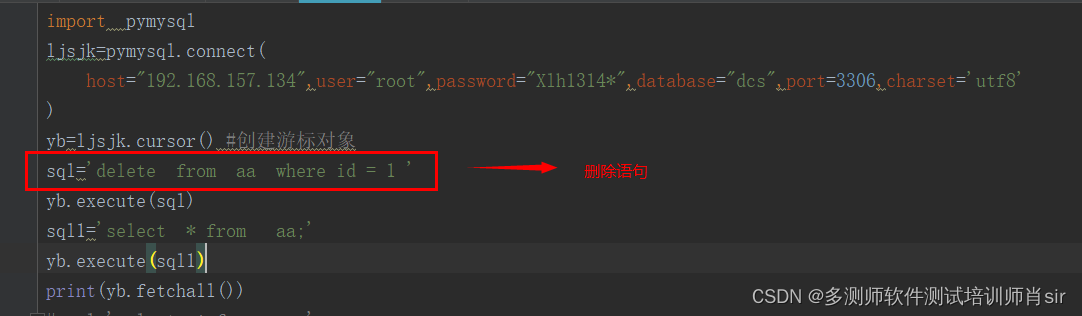
print(many)删:
import pymysql
db=pymysql.Connection(host=“192.168.157.136”,user=“root”,password=“123456”,
database=“aa”,port=3306,charset=“utf8”)
yb=db.cursor()#创建一个游标
sql="delete from dept where dept1=104 "
yb.execute(sql)
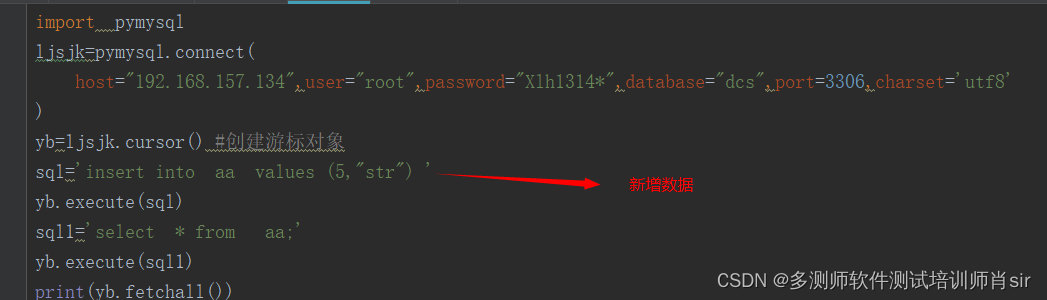
增:
import pymysql
db=pymysql.Connection(host=“192.168.157.136”,user=“root”,password=“123456”,
database=“aa”,port=3306,charset=“utf8”)
yb=db.cursor()#创建一个游标
sql="insert into dept values (‘104’,‘dcs’) "
yb.execute(sql)
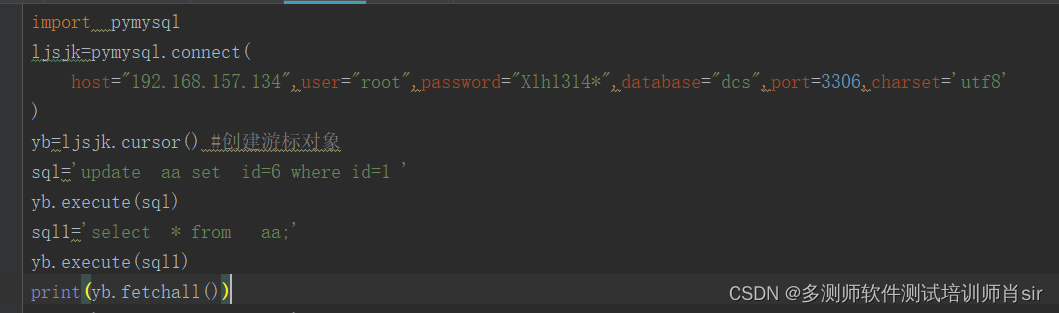
改:
import pymysql
db=pymysql.Connection(host=“192.168.157.136”,user=“root”,password=“123456”,
database=“aa”,port=3306,charset=“utf8”)
yb=db.cursor()#创建一个游标
sql=“update dept set dept_name=‘hz’ where dept1=‘104’”
yb.execute(sql)
for 循环的查看方式:
import pymysql
db=pymysql.Connection(host=“192.168.157.136”,user=“root”,password=“123456”,
database=“aa”,port=3306,charset=“utf8”)
yb=db.cursor()#创建一个游标
sql=“select * from dept”
yb.execute(sql)
all=yb.fetchall() #fetchall# ()游标获取所有数据,
for i in all:
print(i)====================================
封装pymysql:# import pymysql # class Db(object): # def __init__(self,host,user,password,database, port): # self.host=host # self.user=user # self.password=password # self.database=database # self.port=port # def lj(self): # ljsjk=pymysql.connect( # host=self.host,user=self.user,password=self.password,database=self.database,port=self.port,charset='utf8' ) # return ljsjk # def one(self,sql): # bl=self.lj() # yb=bl.cursor() # yb.execute(sql) # print(yb.fetchone()) # def many(self,sql,x): # bl = self.lj() # yb = bl.cursor() # yb.execute(sql) # print(yb.fetchmany(x)) # def all(self, sql): # bl = self.lj() # yb = bl.cursor() # yb.execute(sql) # print(yb.fetchall()) # if __name__ == '__main__': # dx=Db(host="192.168.157.134",user="root",password="Xlh1314*",database="dcs",port=3306) # # dx.one("select * from aa") # # dx.many("select * from aa",3) # dx.all("select * from dept")- 1
- 2
- 3
- 4
- 5
- 6
- 7
- 8
- 9
- 10
- 11
- 12
- 13
- 14
- 15
- 16
- 17
- 18
- 19
- 20
- 21
- 22
- 23
- 24
- 25
- 26
- 27
- 28
- 29
- 30
- 31
- 32
-
相关阅读:
微信小程序连接数据库与WXS的使用
git log
线性代数-Python-03:矩阵的变换 - 手写Matrix Transformation及numpy中的用法
Redis---第二篇
华为OD机考-C卷
HTML5+CSS3小实例:脉冲波纹催眠动画特效
Could not update Flowable database schema: unknown version from database:
USB device ‘FTDI Dual RS232-HS‘ with UUID
2023-09-29 LeetCode每日一题(种花问题)
自然语言处理从零到入门 Transformer
- 原文地址:https://blog.csdn.net/m0_47403059/article/details/134090880
