-
搭建nexus私服部署项目
目录
1、前言
前文主要讲述了maven私服nexus的搭建:maven私服nexus搭建+mybatisplus使用-CSDN博客
本文将继续讲述搭建nexus私服有关的项目部署。
首先,需要查看nexus是否启动

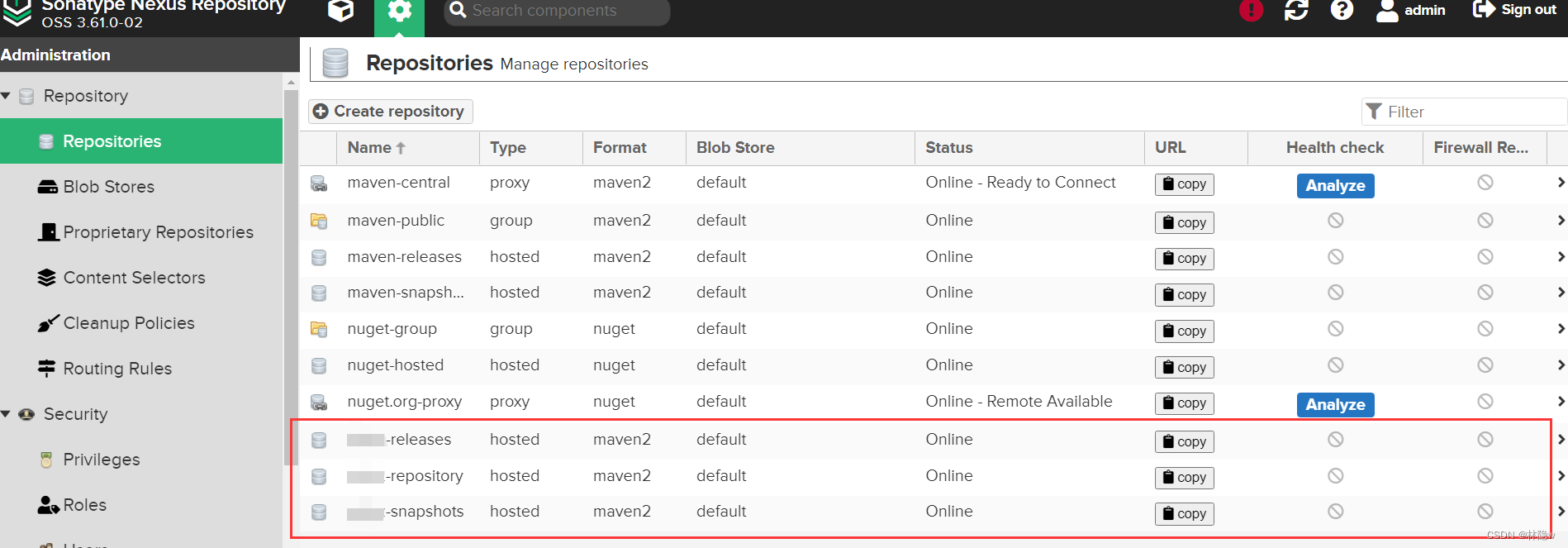
2、添加release和snapshot版本库
参照链接1中的 "7.7 配置私有仓库" 的方式完成release和snapshot版本库的添加,并添加到maven-public成员中。
3、配置idea中的Maven设置

4、配置maven的settings.xml文件
自定义本地仓库位置
D:\Java_env\maven\resp server
注意:
id: 名字不能重复,和pom引入名称相同
username/password: nexus的登录用户名密码
****-repository
admin
123
****-releases
admin
123
****-snapshots
admin
123
mirror
注意:url:是nexus的maven-public
aliyunmaven
*
阿里云公共仓库
https://maven.aliyun.com/repository/public
****maven
*
****-repository
https://192.168.***.***:8081/repository/maven-public/
profile
规范jdk版本(略)
nexus仓库配置
nexus
nexus
http://192.168.***.***:8081/repository/maven-public/
true
true
public
Public Repositories
http://192.168.***.***:8081/repository/maven-public/
true
true
activeprofile
nexus
5、项目中使用maven部署
配置pom文件
- <distributionManagement>
- <snapshotRepository>
- <id>****-snapshotsid>
- <url>http://192.168.***.***:8081/repository/****-snapshots/url>
- snapshotRepository>
- <repository>
- <id>****-releasesid>
- <url>http://192.168.***.***:8081/repository/****-releases/url>
- repository>
- distributionManagement>
- <repositories>
- <repository>
- <id>nexusid>
- <url>http://192.168.***.***:8081/repository/maven-public/url>
- <releases>
- <enabled>trueenabled>
- releases>
- <snapshots>
- <enabled>trueenabled>
- snapshots>
- repository>
- repositories>
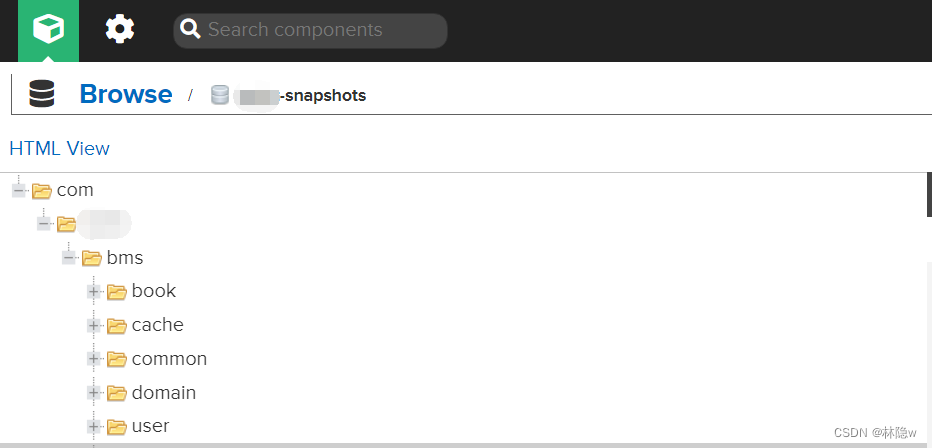
maven部署deploy测试结果
控制台:"BUILD SUCCESS"
nexus私服网址打开查看
感谢阅读,码字不易,多谢点赞!如有不当之处,欢迎反馈指出,感谢!

-
相关阅读:
涨工资不是程序员跳槽的理由
浅析 Vue3 响应式原理
13.3 GAS与属性
蜂蜜配送销售商城小程序的作用是什么
随机过程理论知识(五)
<list>——《C++初阶》
二、【常用的几种抠图方式一】
Selenium自动化测试框架工作原理你明白了吗?
C++ WINDOWS XP系统 读写锁
Redis 基础—Redis Desktop Manager(Redis可视化工具)安装及使用教程
- 原文地址:https://blog.csdn.net/m0_62006803/article/details/133996801
