-
前端JavaScript入门到精通,javascript核心进阶ES6语法、API、js高级等基础知识和实战 —— JS进阶(三)
思维导图

1.编程思想
1.1 面向过程编程

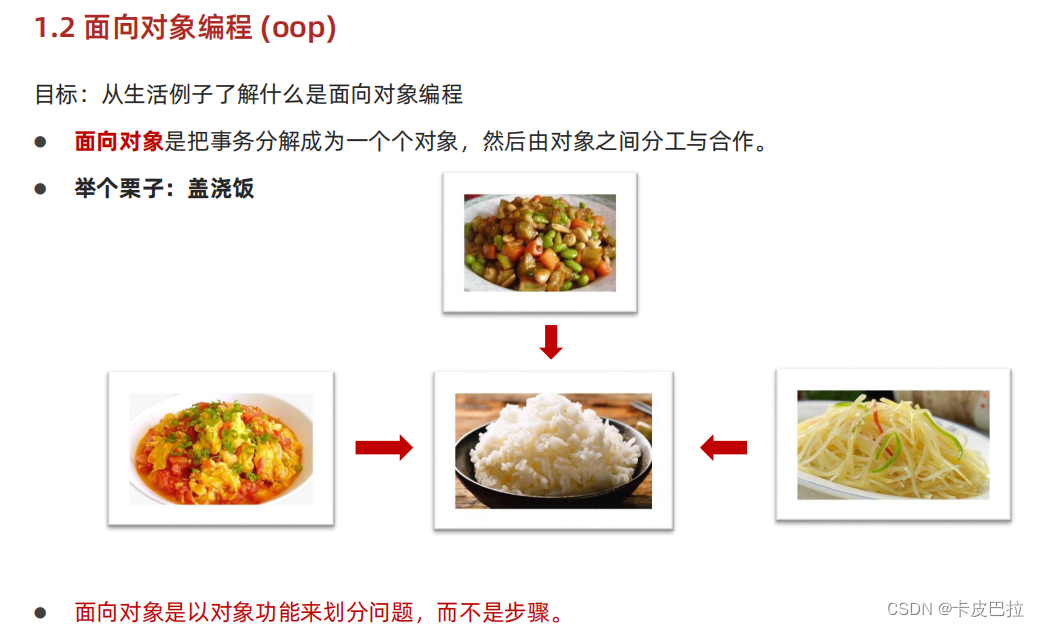
1.2 面向对象编程 (oop)


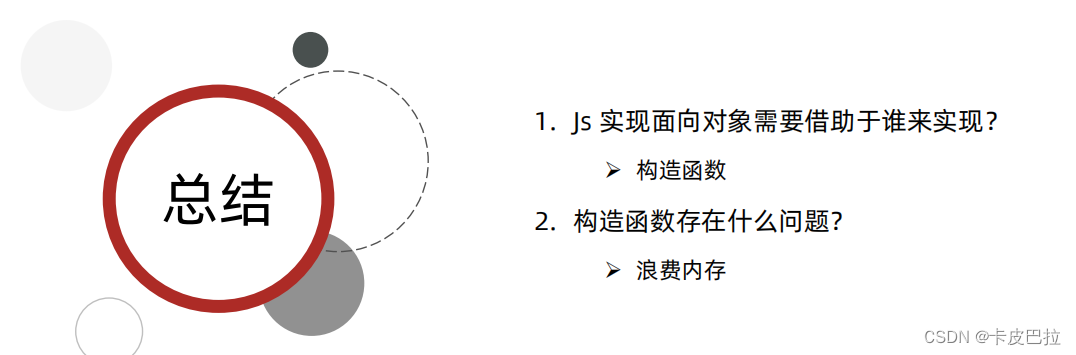
2. 构造函数



3. 原型
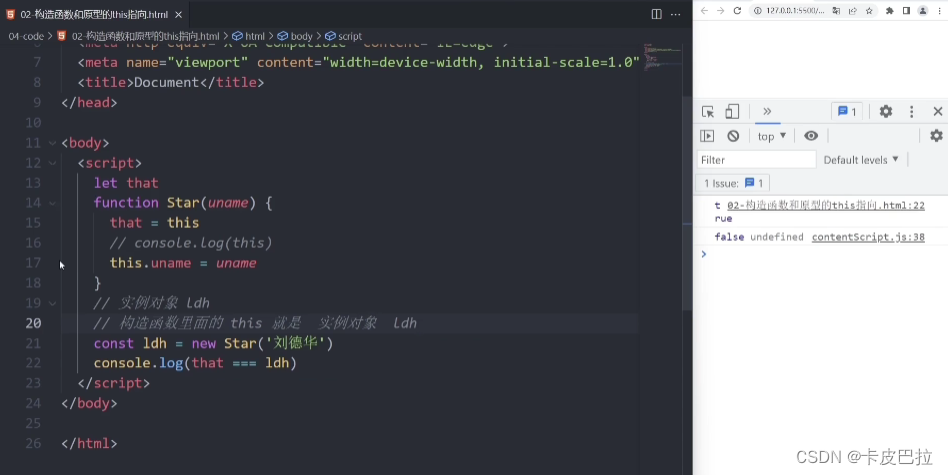
3.1 原型




- html>
- <html lang="en">
- <head>
- <meta charset="UTF-8">
- <meta http-equiv="X-UA-Compatible" content="IE=edge">
- <meta name="viewport" content="width=device-width, initial-scale=1.0">
- <title>Documenttitle>
- head>
- <body>
- <script>
- // 自己定义 数组扩展方法 求和 和 最大值
- // 1. 我们定义的这个方法,任何一个数组实例对象都可以使用
- // 2. 自定义的方法写到 数组.prototype 身上
- // 1. 最大值
- const arr = [1, 2, 3]
- Array.prototype.max = function () {
- // 展开运算符
- return Math.max(...this)
- // 原型函数里面的this 指向谁? 实例对象 arr
- }
- // 2. 最小值
- Array.prototype.min = function () {
- // 展开运算符
- return Math.min(...this)
- // 原型函数里面的this 指向谁? 实例对象 arr
- }
- console.log(arr.max())
- console.log([2, 5, 9].max())
- console.log(arr.min())
- // const arr = new Array(1, 2)
- // console.log(arr)
- // 3. 求和 方法
- Array.prototype.sum = function () {
- return this.reduce((prev, item) => prev + item, 0)
- }
- console.log([1, 2, 3].sum())
- console.log([11, 21, 31].sum())
- script>
- body>
- html>
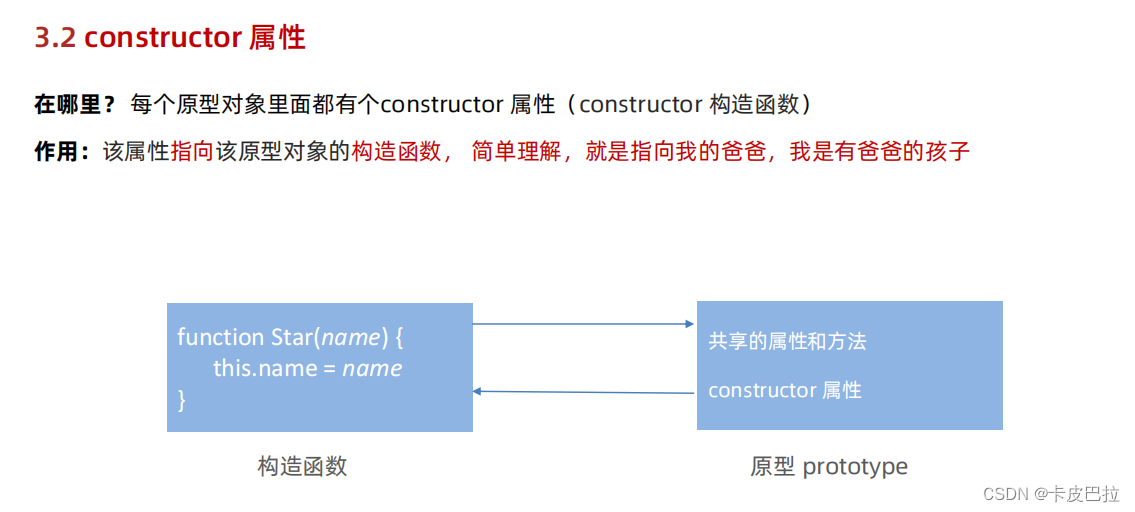
3.2 constructor 属性
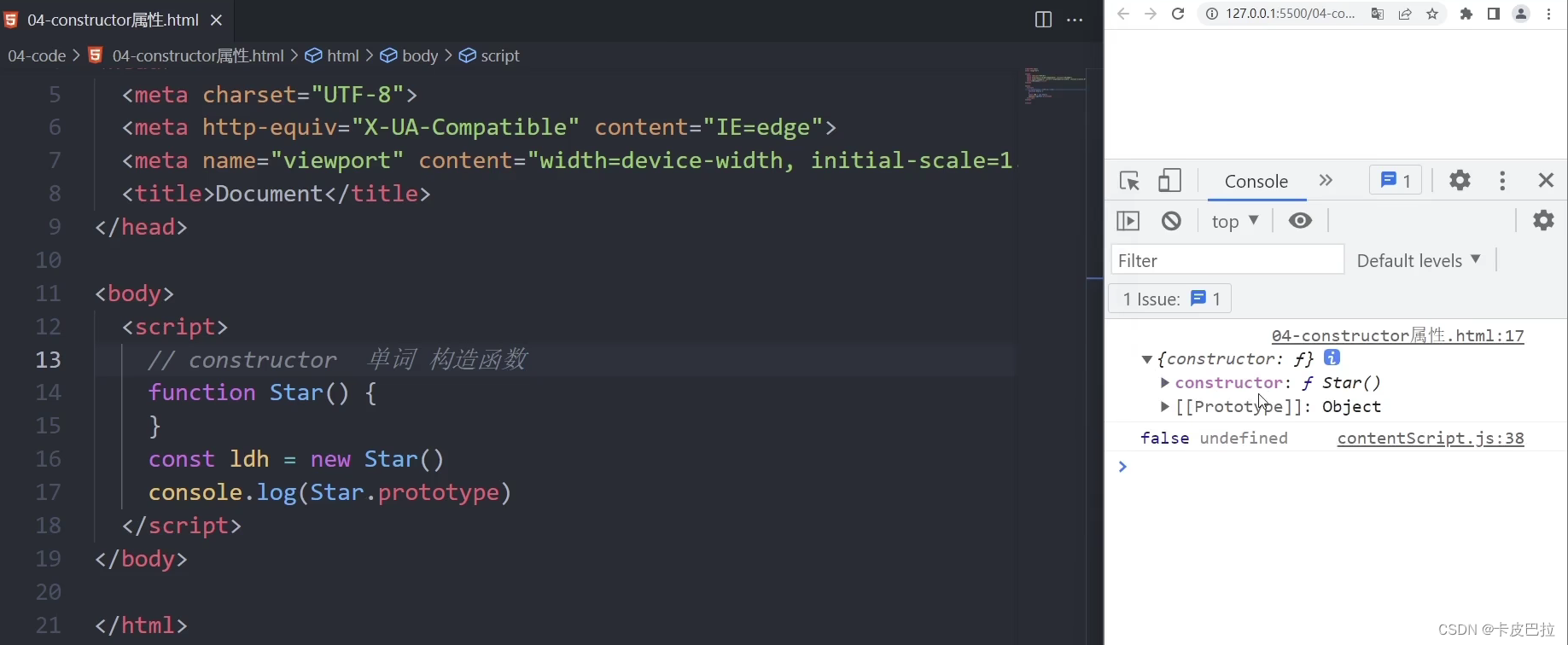


- html>
- <html lang="en">
- <head>
- <meta charset="UTF-8">
- <meta http-equiv="X-UA-Compatible" content="IE=edge">
- <meta name="viewport" content="width=device-width, initial-scale=1.0">
- <title>Documenttitle>
- head>
- <body>
- <script>
- // constructor 单词 构造函数
- // Star.prototype.sing = function () {
- // console.log('唱歌')
- // }
- // Star.prototype.dance = function () {
- // console.log('跳舞')
- // }
- function Star() {
- }
- // console.log(Star.prototype)
- Star.prototype = {
- // 从新指回创造这个原型对象的 构造函数
- constructor: Star,
- sing: function () {
- console.log('唱歌')
- },
- dance: function () {
- console.log('跳舞')
- },
- }
- console.log(Star.prototype)
- // console.log(Star.prototype.constructor)
- // const ldh = new Star()
- // console.log(Star.prototype.constructor === Star)
- script>
- body>
- html>

3.3 对象原型

注意区别:对象原型 与 原型(对象)


- html>
- <html lang="en">
- <head>
- <meta charset="UTF-8">
- <meta http-equiv="X-UA-Compatible" content="IE=edge">
- <meta name="viewport" content="width=device-width, initial-scale=1.0">
- <title>Documenttitle>
- head>
- <body>
- <script>
- function Star() {
- }
- const ldh = new Star()
- // 对象原型__proto__ 指向 改构造函数的原型对象
- console.log(ldh.__proto__)
- // console.log(ldh.__proto__ === Star.prototype)
- // 对象原型里面有constructor 指向 构造函数 Star
- console.log(ldh.__proto__.constructor === Star)
- script>
- body>
- html>


3.4 原型继承


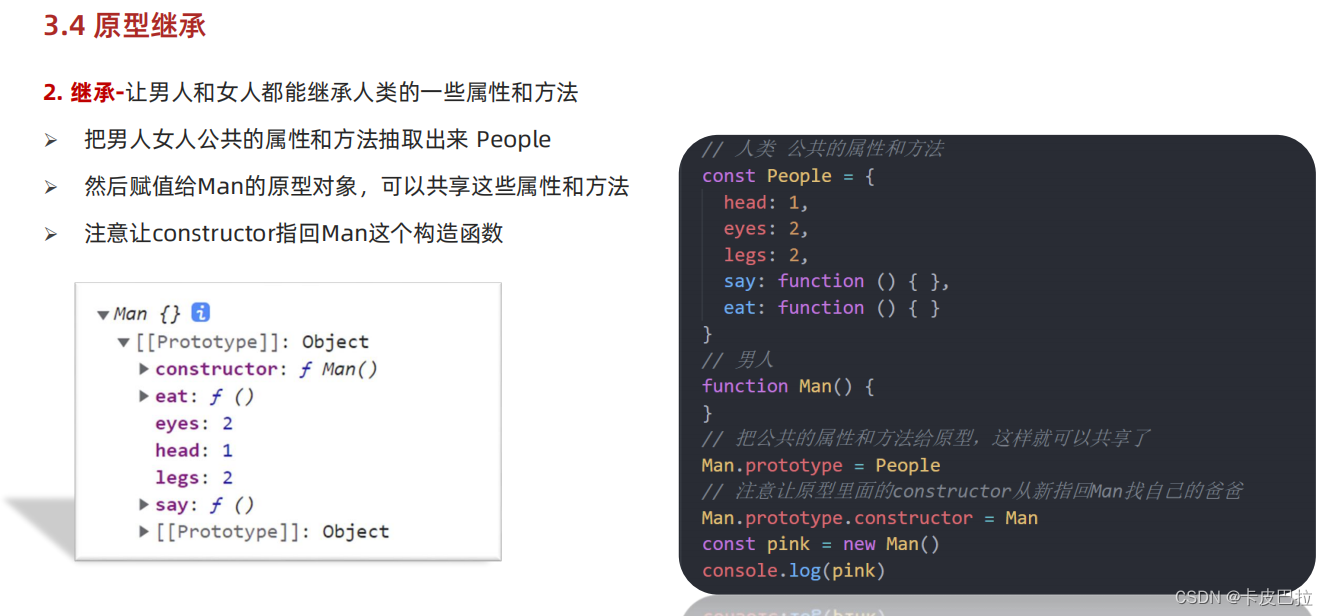


3.5 原型链


实例对象 instanceof 构造函数

4.综合案例


- html>
- <html lang="en">
- <head>
- <meta charset="UTF-8" />
- <meta http-equiv="X-UA-Compatible" content="IE=edge" />
- <meta name="viewport" content="width=device-width, initial-scale=1.0" />
- <title>面向对象封装消息提示title>
- <style>
- .modal {
- width: 300px;
- min-height: 100px;
- box-shadow: 0 0 10px rgba(0, 0, 0, 0.2);
- border-radius: 4px;
- position: fixed;
- z-index: 999;
- left: 50%;
- top: 50%;
- transform: translate3d(-50%, -50%, 0);
- background-color: #fff;
- }
- .modal .header {
- line-height: 40px;
- padding: 0 10px;
- position: relative;
- font-size: 20px;
- }
- .modal .header i {
- font-style: normal;
- color: #999;
- position: absolute;
- right: 15px;
- top: -2px;
- cursor: pointer;
- }
- .modal .body {
- text-align: center;
- padding: 10px;
- }
- .modal .footer {
- display: flex;
- justify-content: flex-end;
- padding: 10px;
- }
- .modal .footer a {
- padding: 3px 8px;
- background: #ccc;
- text-decoration: none;
- color: #fff;
- border-radius: 2px;
- margin-right: 10px;
- font-size: 14px;
- }
- .modal .footer a.submit {
- background-color: #369;
- }
- style>
- head>
- <body>
- <button id="delete">删除button>
- <button id="login">登录button>
- <script>
- // 1. 模态框的构造函数
- function Modal(title = '', message = '') {
- // 公共的属性部分
- this.title = title
- this.message = message
- // 因为盒子是公共的
- // 1. 创建 一定不要忘了加 this
- this.modalBox = document.createElement('div')
- // 2. 添加类名
- this.modalBox.className = 'modal'
- // 3. 填充内容 更换数据
- this.modalBox.innerHTML = `
- ${this.title} x
- ${this.message}
- `
- // console.log(this.modalBox)
- }
- // 2. 打开方法 挂载 到 模态框的构造函数原型身上
- Modal.prototype.open = function () {
- if (!document.querySelector('.modal')) {
- // 把刚才创建的盒子 modalBox 渲染到 页面中 父元素.appendChild(子元素)
- document.body.appendChild(this.modalBox)
- // 获取 x 调用关闭方法
- this.modalBox.querySelector('i').addEventListener('click', () => {
- // 箭头函数没有this 上一级作用域的this
- // 这个this 指向 m
- this.close()
- })
- }
- }
- // 3. 关闭方法 挂载 到 模态框的构造函数原型身上
- Modal.prototype.close = function () {
- document.body.removeChild(this.modalBox)
- }
- // 4. 按钮点击
- document.querySelector('#delete').addEventListener('click', () => {
- const m = new Modal('温馨提示', '您没有权限删除')
- // 调用 打开方法
- m.open()
- })
- // 5. 按钮点击
- document.querySelector('#login').addEventListener('click', () => {
- const m = new Modal('友情提示', '您还么有注册账号')
- // 调用 打开方法
- m.open()
- })
- script>
- body>
- html>
多次点击生成多个盒子bug解决方法②:

-
相关阅读:
Day22
MySQL 保姆级教程(六):用通配符进行过滤
Mac中隐私安全性设置-打开任何来源
常用的C语法:指针和数组名的区别
Spring复习——day16_SpringMVC_异常处理器
MD5 加密安全吗?
受众分析与卸载分析全面升级,HMS Core分析服务6.6.0版本上新
23种设计模式之代理模式(动态代理)
SpringBoot+ MDC实现全链路调用日志跟踪
UNIX网络编程卷一 学习笔记 第二章 传输层:TCP、UDP和SCTP
- 原文地址:https://blog.csdn.net/upgrade_bro/article/details/133772424
