-
【python海洋专题十七】读取几十年的OHC数据,画四季图
本期内容
读取多年数据,画四季图
Part01.
多年数据处理
图片
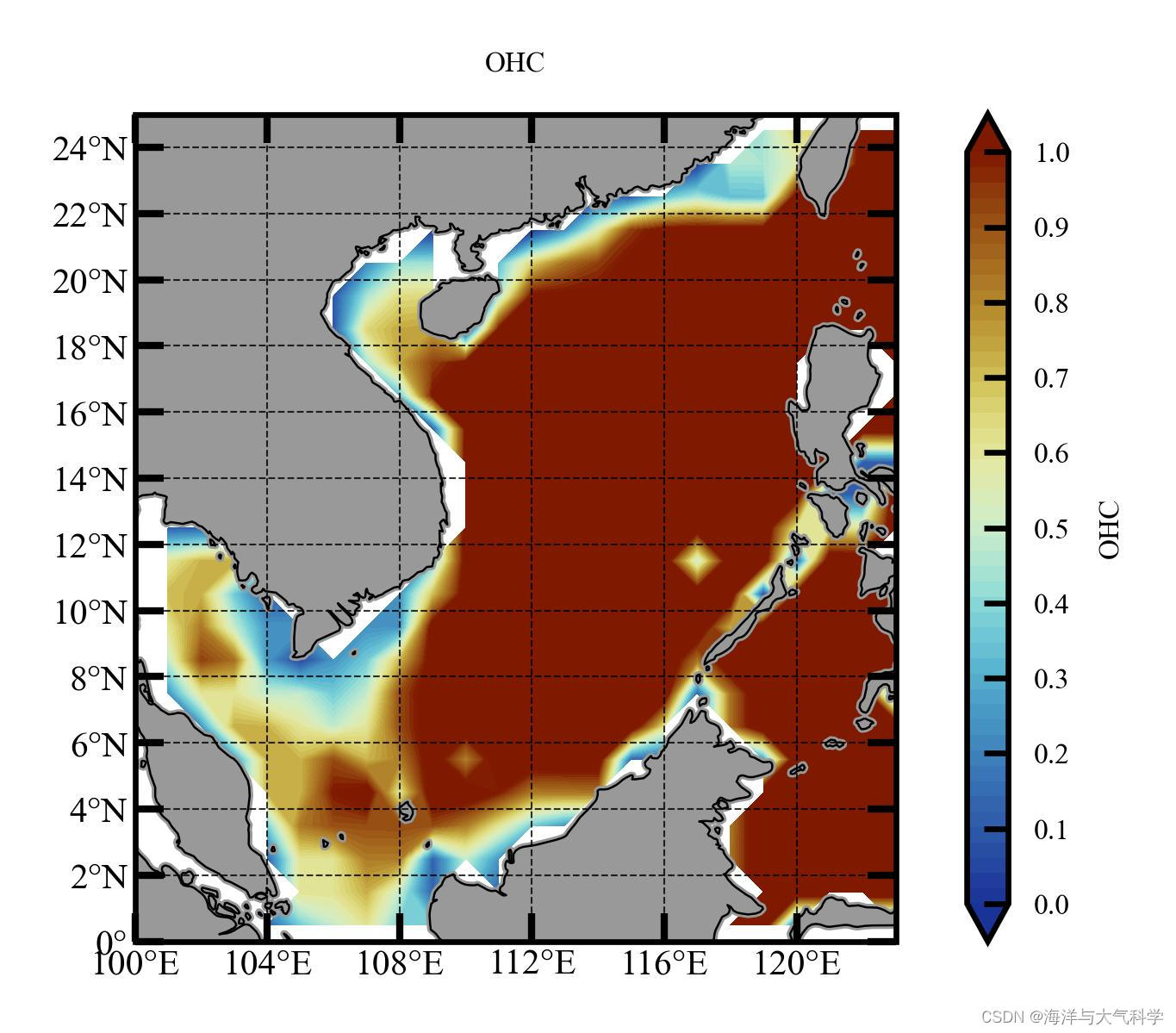
多年年平均的OHC分布图片
春夏秋冬:ohc_all_new = np.reshape(ohc_new, (12, 80, 29, 27), order=‘C’)
ohc_all_season_mean = np.mean(ohc_all_new, axis=1)
ohc_season = np.reshape(ohc_all_season_mean, (3, 4, 29, 27), ‘C’)
ohc_season_mean = np.mean(ohc_season, axis=0)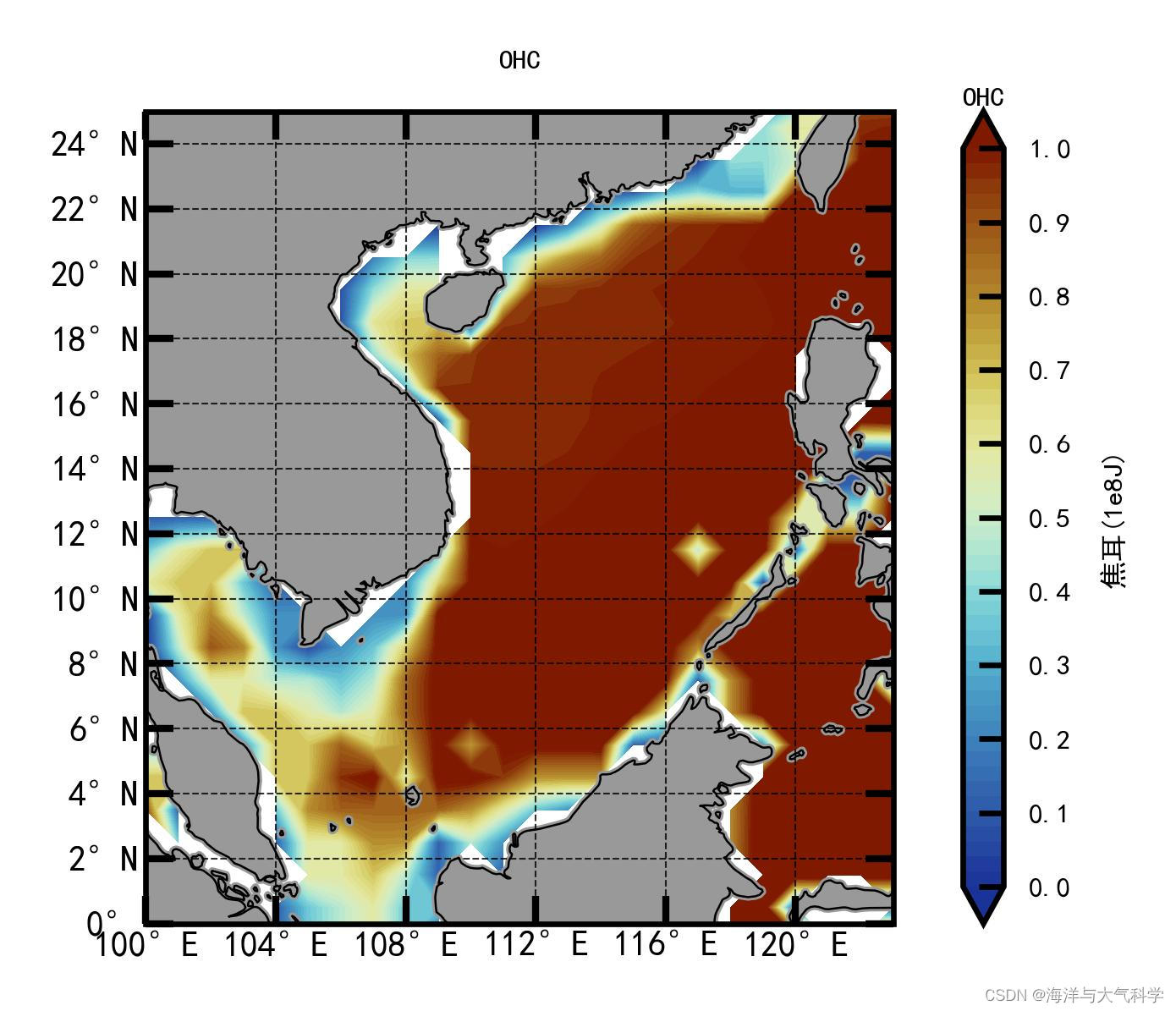


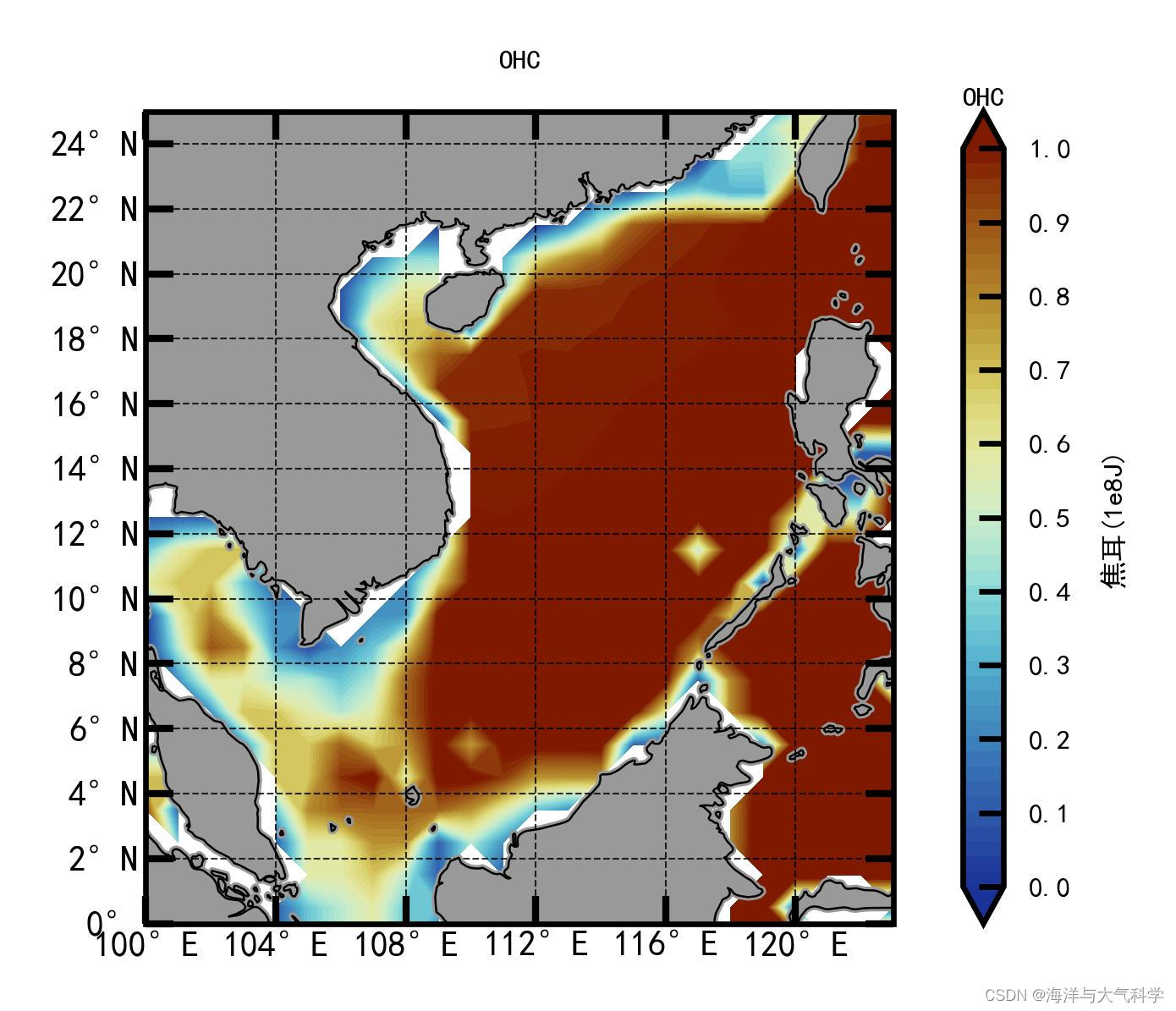
我看变化不大啊!不会数据处理问题吧!
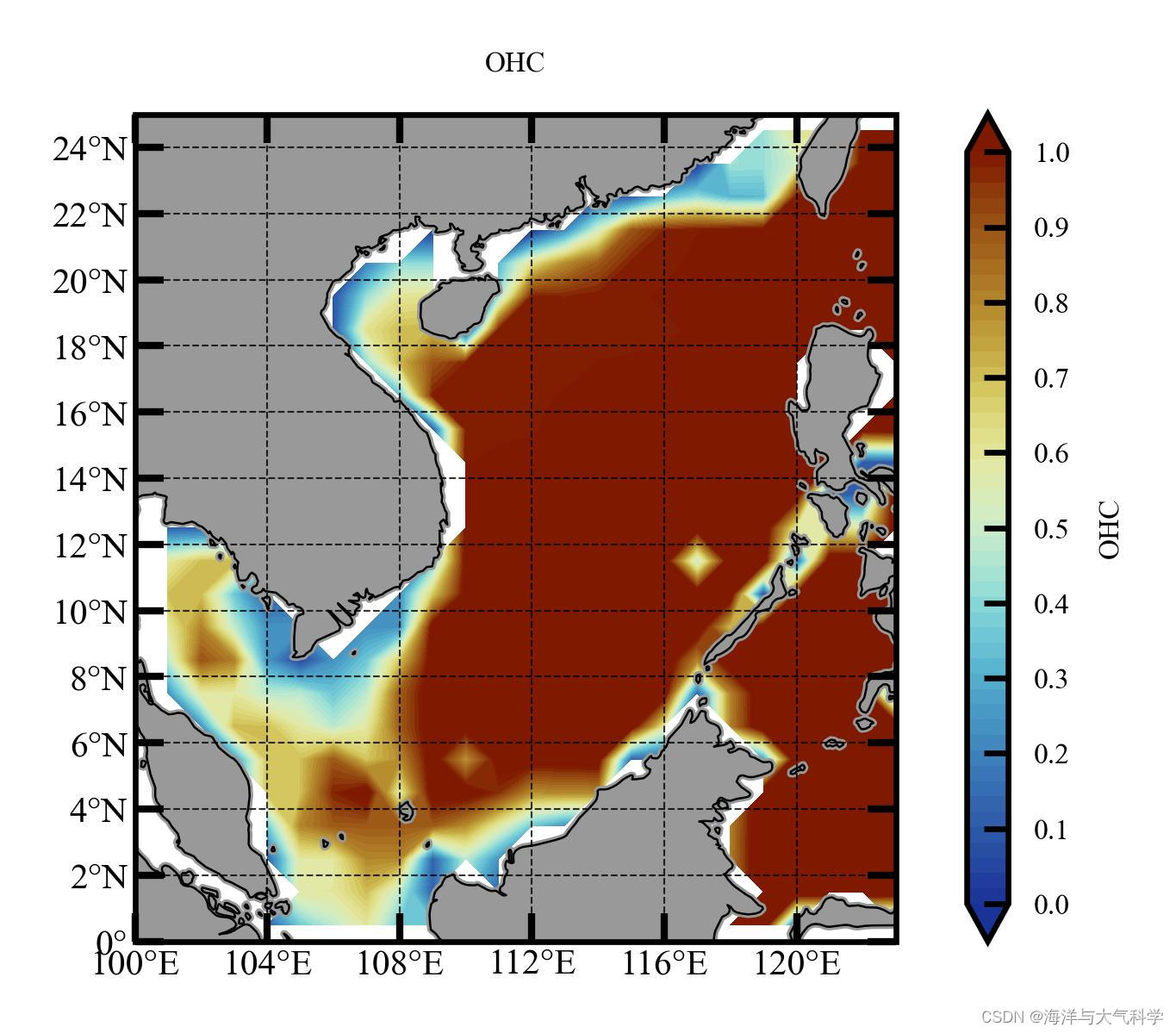
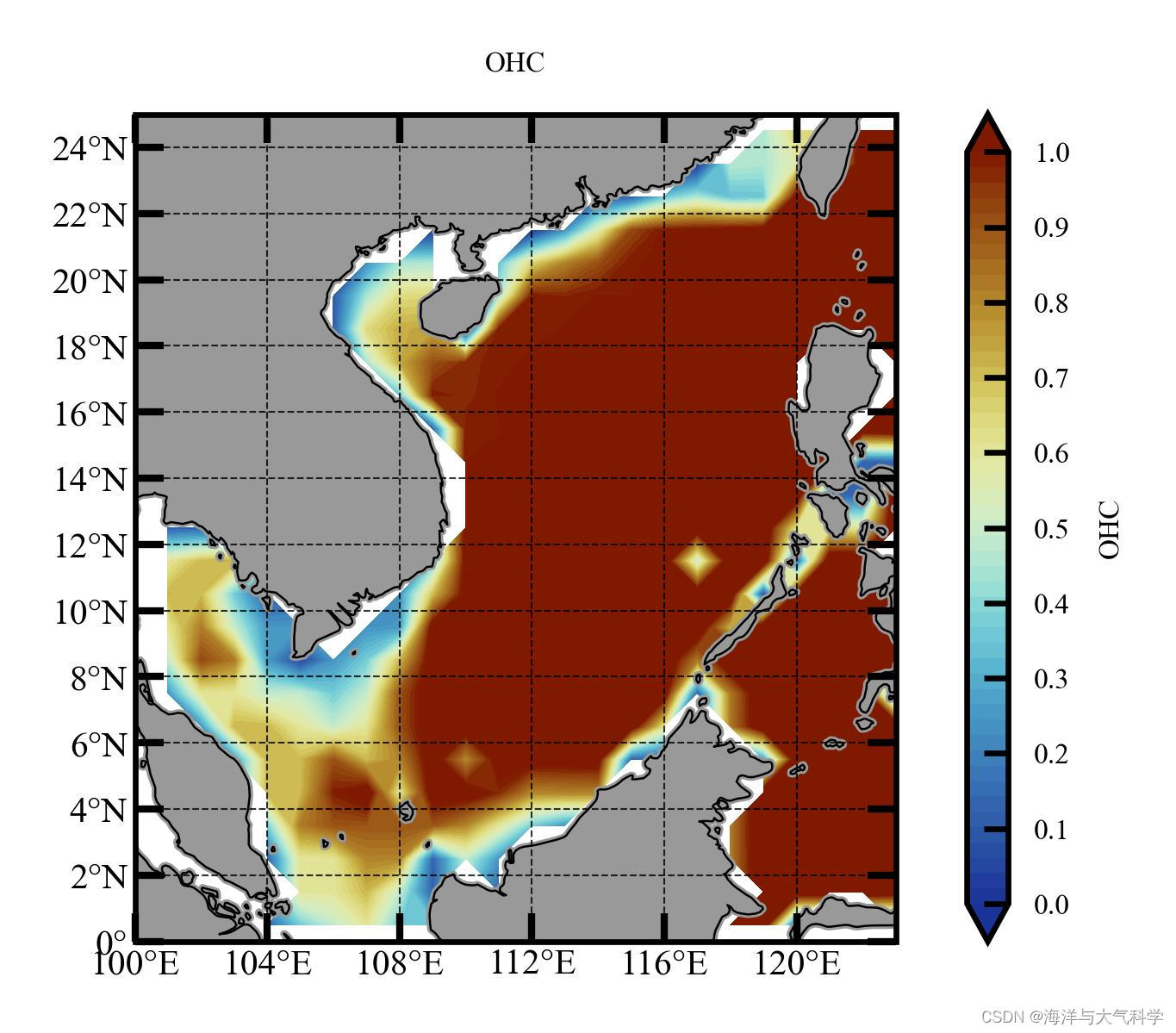
于是又画了一年的四季:
一年的平均:

tem_spr = (tem_all[2,:,:]+tem_all[3,:,:]+tem_all[4,:,:])/3
3:sum季6-7-8
tem_sum = (tem_all[5,:,:]+tem_all[6,:,:]+tem_all[7,:,:])/3
4:aut季9-10-11
tem_aut = (tem_all[8,:,:]+tem_all[9,:,:]+tem_all[10,:,:])/3
5:win季12-1-2
tem_win = (tem_all[0,:,:]+tem_all[1,:,:]+tem_all[11,:,:])/3
一年的四季变化也不是很大。
说明热含量一年四季变化就是不大哈!
全文代码
图片
多年的四季:一年的四季:以前更新过了哈!# -*- coding: utf-8 -*- # %% # Importing related function packages import matplotlib.pyplot as plt import cartopy.crs as ccrs import cartopy.feature as feature import numpy as np import matplotlib.ticker as ticker from cartopy import mpl from cartopy.mpl.ticker import LongitudeFormatter, LatitudeFormatter from cartopy.mpl.gridliner import LONGITUDE_FORMATTER, LATITUDE_FORMATTER from matplotlib.font_manager import FontProperties from netCDF4 import Dataset from pylab import * import seaborn as sns from matplotlib import cm from pathlib import Path import xarray as xr import palettable from palettable.cmocean.diverging import Delta_4 from palettable.colorbrewer.sequential import GnBu_9 from palettable.colorbrewer.sequential import Blues_9 from palettable.scientific.diverging import Roma_20 from palettable.cmocean.diverging import Delta_20 from palettable.scientific.diverging import Roma_20 from palettable.cmocean.diverging import Balance_20 from matplotlib.colors import ListedColormap import pickle # ----define reverse_colourmap---- def reverse_colourmap(cmap, name='my_cmap_r'): reverse = [] k = [] for key in cmap._segmentdata: k.append(key) channel = cmap._segmentdata[key] data = [] for t in channel: data.append((1 - t[0], t[2], t[1])) reverse.append(sorted(data)) LinearL = dict(zip(k, reverse)) my_cmap_r = mpl.colors.LinearSegmentedColormap(name, LinearL) return my_cmap_r # ---colormap---- cmap01 = Balance_20.mpl_colormap cmap0 = Blues_9.mpl_colormap cmap_r = reverse_colourmap(cmap0) cmap1 = GnBu_9.mpl_colormap cmap_r1 = reverse_colourmap(cmap1) cmap2 = Roma_20.mpl_colormap cmap_r2 = reverse_colourmap(cmap2) # -------------# 指定文件路径,实现批量读取满足条件的文件------------ filepath = Path('E:\data\IAP\IAP_ocean_heat_content_data\IAP_Ocean_heat_content_0_2000m\\') filelist = list(filepath.glob('*.nc')) print(filelist) # -------------读取其中一个文件的经纬度数据,制作经纬度网格(这样就不需要重复读取)------------------------- a = Dataset(filelist[1]) print(a) # 随便读取一个文件(一般默认需要循环读取的文件格式一致) f1 = xr.open_dataset(filelist[1]) print(f1) # 提取经纬度(这样就不需要重复读取) lat = f1['lat'].data lon = f1['lon'].data # -------- find scs 's temp----------- print(np.where(lon >= 100)) # 99 print(np.where(lon >= 123)) # 122 print(np.where(lat >= 0)) # 90 print(np.where(lat >= 25)) # 115 # # 画图网格 lon1 = lon[98:125] lat1 = lat[88:117] X, Y = np.meshgrid(lon1, lat1) # ----------4.for循环读取文件+数据处理------------------ ohc_all = [] for file in filelist: with xr.open_dataset(file) as f: ohc = f['OHC100'].data ohc_mon = ohc[88:117, 98:125] ohc_all.append(ohc_mon) ohc_all = np.array(ohc_all) type(ohc_all) print(type(ohc_all)) print(ohc_all.shape) ohc_new = ohc_all[2:962, :, :] print(ohc_new.shape) ohc_all_new = np.reshape(ohc_new, (12, 80, 29, 27), order='C') print(ohc_all_new.shape) ohc_all_season_mean = np.mean(ohc_all_new, axis=1) print(ohc_all_season_mean.shape) ohc_season = np.reshape(ohc_all_season_mean, (3, 4, 29, 27), 'C') ohc_season_mean = np.mean(ohc_season, axis=0) print(ohc_season_mean) ohc_all_mean = np.mean(ohc_season_mean, axis=0) # -------------# plot ------------ scale = '50m' plt.rcParams['font.sans-serif'] = ['Times New Roman'] # 设置整体的字体为Times New Roman # 设置显示中文字体 mpl.rcParams["font.sans-serif"] = ["SimHei"] fig = plt.figure(dpi=300, figsize=(3, 2), facecolor='w', edgecolor='blue') # 设置一个画板,将其返还给fig ax = fig.add_axes([0.05, 0.08, 0.92, 0.8], projection=ccrs.PlateCarree(central_longitude=180)) ax.set_extent([100, 123, 0, 25], crs=ccrs.PlateCarree()) # 设置显示范围 land = feature.NaturalEarthFeature('physical', 'land', scale, edgecolor='face', facecolor=feature.COLORS['land']) ax.add_feature(land, facecolor='0.6') ax.add_feature(feature.COASTLINE.with_scale('50m'), lw=0.3) # 添加海岸线:关键字lw设置线宽; lifestyle设置线型 cs = ax.contourf(X, Y, ohc_all_mean/1e10, levels=np.linspace(0, 1, 50), extend='both', cmap=cmap_r2, transform=ccrs.PlateCarree()) # ------color-bar设置------------ cb = plt.colorbar(cs, ax=ax, extend='both', orientation='vertical', ticks=np.linspace(0, 1, 11)) cb.set_label('焦耳(1e8J)', fontsize=4, color='k') # 设置color-bar的标签字体及其大小 cb.ax.set_title('OHC', fontsize=4, color='k') cb.ax.tick_params(labelsize=4, direction='in') # 设置color-bar刻度字体大小。 # cf = ax.contour(x, y, skt1[:, :], levels=np.linspace(16, 30, 5), colors='gray', linestyles='-', # linewidths=0.2, transform=ccrs.PlateCarree()) # --------------图片 添加标题---------------- ax.set_title('OHC', fontsize=4) # ------------------利用Formatter格式化刻度标签----------------- ax.set_xticks(np.arange(100, 123, 4), crs=ccrs.PlateCarree()) # 添加经纬度 ax.set_xticklabels(np.arange(100, 123, 4), fontsize=4) ax.set_yticks(np.arange(0, 25, 2), crs=ccrs.PlateCarree()) ax.set_yticklabels(np.arange(0, 25, 2), fontsize=4) ax.xaxis.set_major_formatter(LongitudeFormatter()) ax.yaxis.set_major_formatter(LatitudeFormatter()) ax.tick_params(axis='x', top=True, which='major', direction='in', length=4, width=1, labelsize=5, pad=1, color='k') # 刻度样式 ax.tick_params(axis='y', right=True, which='major', direction='in', length=4, width=1, labelsize=5, pad=1, color='k') # 更改刻度指向为朝内,颜色设置为蓝色 gl = ax.gridlines(crs=ccrs.PlateCarree(), draw_labels=False, xlocs=np.arange(100, 123, 4), ylocs=np.arange(0, 25, 2), linewidth=0.25, linestyle='--', color='k', alpha=0.8) # 添加网格线 gl.top_labels, gl.bottom_labels, gl.right_labels, gl.left_labels = False, False, False, False plt.savefig('ohc_multi_year_mean.jpg', dpi=600, bbox_inches='tight', pad_inches=0.1) # 输出地图,并设置边框空白紧密 plt.show() # -plot---- # -------------# plot ------------ scale = '50m' plt.rcParams['font.sans-serif'] = ['Times New Roman'] # 设置整体的字体为Times New Roman # 设置显示中文字体 mpl.rcParams["font.sans-serif"] = ["SimHei"] fig = plt.figure(dpi=300, figsize=(3, 2), facecolor='w', edgecolor='blue') # 设置一个画板,将其返还给fig ax = fig.add_axes([0.05, 0.08, 0.92, 0.8], projection=ccrs.PlateCarree(central_longitude=180)) ax.set_extent([100, 123, 0, 25], crs=ccrs.PlateCarree()) # 设置显示范围 land = feature.NaturalEarthFeature('physical', 'land', scale, edgecolor='face', facecolor=feature.COLORS['land']) ax.add_feature(land, facecolor='0.6') ax.add_feature(feature.COASTLINE.with_scale('50m'), lw=0.3) # 添加海岸线:关键字lw设置线宽; lifestyle设置线型 cs = ax.contourf(X, Y, ohc_season_mean[0,:,:]/1e10, levels=np.linspace(0, 1, 50), extend='both', cmap=cmap_r2, transform=ccrs.PlateCarree()) # ------color-bar设置------------ cb = plt.colorbar(cs, ax=ax, extend='both', orientation='vertical', ticks=np.linspace(0, 1, 11)) cb.set_label('焦耳(1e8J)', fontsize=4, color='k') # 设置color-bar的标签字体及其大小 cb.ax.set_title('OHC', fontsize=4, color='k') cb.ax.tick_params(labelsize=4, direction='in') # 设置color-bar刻度字体大小。 # cf = ax.contour(x, y, skt1[:, :], levels=np.linspace(16, 30, 5), colors='gray', linestyles='-', # linewidths=0.2, transform=ccrs.PlateCarree()) # --------------图片 添加标题---------------- ax.set_title('OHC', fontsize=4) # ------------------利用Formatter格式化刻度标签----------------- ax.set_xticks(np.arange(100, 123, 4), crs=ccrs.PlateCarree()) # 添加经纬度 ax.set_xticklabels(np.arange(100, 123, 4), fontsize=4) ax.set_yticks(np.arange(0, 25, 2), crs=ccrs.PlateCarree()) ax.set_yticklabels(np.arange(0, 25, 2), fontsize=4) ax.xaxis.set_major_formatter(LongitudeFormatter()) ax.yaxis.set_major_formatter(LatitudeFormatter()) ax.tick_params(axis='x', top=True, which='major', direction='in', length=4, width=1, labelsize=5, pad=1, color='k') # 刻度样式 ax.tick_params(axis='y', right=True, which='major', direction='in', length=4, width=1, labelsize=5, pad=1, color='k') # 更改刻度指向为朝内,颜色设置为蓝色 gl = ax.gridlines(crs=ccrs.PlateCarree(), draw_labels=False, xlocs=np.arange(100, 123, 4), ylocs=np.arange(0, 25, 2), linewidth=0.25, linestyle='--', color='k', alpha=0.8) # 添加网格线 gl.top_labels, gl.bottom_labels, gl.right_labels, gl.left_labels = False, False, False, False plt.savefig('ohc_multi_year_spr.jpg', dpi=600, bbox_inches='tight', pad_inches=0.1) # 输出地图,并设置边框空白紧密 plt.show() 图片 E N D- 1
- 2
- 3
- 4
- 5
- 6
- 7
- 8
- 9
- 10
- 11
- 12
- 13
- 14
- 15
- 16
- 17
- 18
- 19
- 20
- 21
- 22
- 23
- 24
- 25
- 26
- 27
- 28
- 29
- 30
- 31
- 32
- 33
- 34
- 35
- 36
- 37
- 38
- 39
- 40
- 41
- 42
- 43
- 44
- 45
- 46
- 47
- 48
- 49
- 50
- 51
- 52
- 53
- 54
- 55
- 56
- 57
- 58
- 59
- 60
- 61
- 62
- 63
- 64
- 65
- 66
- 67
- 68
- 69
- 70
- 71
- 72
- 73
- 74
- 75
- 76
- 77
- 78
- 79
- 80
- 81
- 82
- 83
- 84
- 85
- 86
- 87
- 88
- 89
- 90
- 91
- 92
- 93
- 94
- 95
- 96
- 97
- 98
- 99
- 100
- 101
- 102
- 103
- 104
- 105
- 106
- 107
- 108
- 109
- 110
- 111
- 112
- 113
- 114
- 115
- 116
- 117
- 118
- 119
- 120
- 121
- 122
- 123
- 124
- 125
- 126
- 127
- 128
- 129
- 130
- 131
- 132
- 133
- 134
- 135
- 136
- 137
- 138
- 139
- 140
- 141
- 142
- 143
- 144
- 145
- 146
- 147
- 148
- 149
- 150
- 151
- 152
- 153
- 154
- 155
- 156
- 157
- 158
- 159
- 160
- 161
- 162
- 163
- 164
- 165
- 166
- 167
- 168
- 169
- 170
- 171
- 172
- 173
- 174
- 175
- 176
- 177
- 178
- 179
- 180
- 181
- 182
-
相关阅读:
Spring事务失效原因
python+pytest接口自动化(5)-requests发送post请求
2023.11.09 homework
微擎模块 抽奖天天乐1.3.3小程序开源未加密版 前端+后端
突发,OpenAI 深夜变天,Sam Altman 被踢出局,原 CTO 暂代临时 CEO
掌握pandas cut函数,一键实现数据分类
python加载shellcode免杀
芯片公司名称
基于 Text-CNN 的情感分析(文本分类)----概念与应用
【牛客网-公司真题-前端入门篇】——百度2021校招Web前端研发工程师笔试卷(第二批)
- 原文地址:https://blog.csdn.net/miaobo0/article/details/133779837