-
(Java高级教程)第三章Java网络编程-第八节:博客系统搭建(前后端分离)
在(Java高级教程)第四章必备前端知识-最终节:博客系统搭建(页面设计部分)中我们实现了一个博客系统的前端页面。这一节我们会结合Servlet和之前的前端页面搭建一个完整的博客系统。该博客系统十分简单,虽然只包含下面最基础的功能,但足以对我们之前学习内容进行串联
- 博客列表页展示
- 博客详情页展示
- 博客登录页用户登录
- 在用户未登录并访问其他页面时强制要求登录
- 显示用户信息(作者信息)
- 注销登录
- 发布博客
- 删除博客
本文完整代码见Gihub仓库:点击跳转
一:前端页面回顾
博客登录页:
BlogLoginPage.html

博客列表页:
BlogListPage.html
博客详情页:
BlogDetailPage.html
博客编辑页:
BlogEditPage.html
二:博客功能展示
博客登录和列表页展示:
- 如果用户名或密码错误,则会弹出提示框
- 如果用户名和密码正确,则登录成功并跳转至博客列表页

在用户未登录并访问其他页面时强制要求登录:

博客列表页用户信息和博客详情页作者信息展示:
- 某用户登录后在博客列表中要显示该登录用户的信息。他可以查看到所有博客内容(部分博客是自己写的,部分博客是别人写的)
- 当点击进入一篇具体的博客的详情后,要展示该博客的作者信息

注销账户:
- 当用户点击“注销账户”后就会退出登录并跳转至博客登录页

发布博客:
- 当用户点击“开始创作”就会跳转至博客编辑页
- 待用户写好博客标题和内容并点击标题右侧的“发布文章”后,就会将该博客插入到数据库中
- 发布成功后自动跳转至博客列表页

删除博客:
- 当用户点击“删除文章”时就会将该博客删除,然后跳转至博客列表页
- 用户不能将别人的博客删除

三:数据库表设计
(1)表设计
博客数据,用户数据都是存储在数据库中的,因此数据库表设计在很大程度上决定或影响了整个程序的编写。为此,我们需要创建以下两张表
- 博客表:blog:
blogId:博客Idtitle:博客标题content:博客内容postTime:博客插入数据库的时间(发布时间)userId:用户Id
- 用户表:user:
userId:用户Idusername:用户名password:用户密码
SQL语句如下,你可以在IDEA中创建一个后缀名为
.sql的文件,然后在这里面编写,之后将所有SQL语句复制到终端即可-- 创建数据库 create database if not exists BlogSystem2; -- 使用数据库 use BlogSystem2; drop table if exists blog; -- 创建博客表blog create table blog ( blogId int primary key auto_increment, title varchar(256), content text, postTime datetime, userId int ); -- 创建用户表user drop table if exists user; create table user ( userId int primary key auto_increment, userName varchar(50) unique, passWord varchar(50) ); -- 插入数据测试 insert into blog values(null, "第一篇博客", "今天我们介绍博客系统的实现", now(), 1); insert into blog values(null, "第二篇博客", "今天我们再次介绍博客系统的实现", now(), 2); insert into blog values(null, "第三篇博客", "今天我们第三次次介绍博客系统的实现", now(), 1); insert into blog values(null, "第四篇博客", "### 第一:任务内容 - asd1", now(), 2); insert into user values(1, "张三", "123"); insert into user values(2, "李四", "123");- 1
- 2
- 3
- 4
- 5
- 6
- 7
- 8
- 9
- 10
- 11
- 12
- 13
- 14
- 15
- 16
- 17
- 18
- 19
- 20
- 21
- 22
- 23
- 24
- 25
- 26
- 27
- 28
- 29
- 30
- 31
- 32
- 33
- 34
效果如下


(2)封装DataSource
在进行数据插入、删除等操作时会频繁设计如“获取数据源”、“建立连接”、“释放资源”等等重复操作,所以我们可以将它们封装在一个
DBUtil中。它要符合单例模式的设计结构import com.mysql.jdbc.jdbc2.optional.MysqlDataSource; import javax.sql.DataSource; import java.sql.Connection; import java.sql.PreparedStatement; import java.sql.ResultSet; import java.sql.SQLException; public class DBUtil { private static volatile DataSource dataSource = null; // 获取数据源 private static DataSource getDataSource() { if (dataSource == null) { synchronized (DBUtil.class) { if (dataSource == null) { dataSource = new MysqlDataSource(); ((MysqlDataSource)dataSource).setUrl("jdbc:mysql://127.0.0.1:3306/blogsystem2?characterEncoding=utf8&allowPublicKeyRetrieval=true&useSSL=false&serverTimezone=UTC"); ((MysqlDataSource)dataSource).setUser("root"); ((MysqlDataSource)dataSource).setPassword("123456"); } } } return dataSource; } private DBUtil() {}; // 建立连接 public static Connection getConnection() throws SQLException { return getDataSource().getConnection(); } // 释放资源 public static void close(Connection connection, PreparedStatement statement, ResultSet resultSet) throws SQLException { if (resultSet != null) { try { resultSet.close(); } catch (SQLException e) { e.printStackTrace(); } } if (statement != null) { try { statement.close(); } catch (SQLException e) { e.printStackTrace(); } } if (connection != null) { try { statement.close(); } catch (SQLException e) { e.printStackTrace(); } } } }- 1
- 2
- 3
- 4
- 5
- 6
- 7
- 8
- 9
- 10
- 11
- 12
- 13
- 14
- 15
- 16
- 17
- 18
- 19
- 20
- 21
- 22
- 23
- 24
- 25
- 26
- 27
- 28
- 29
- 30
- 31
- 32
- 33
- 34
- 35
- 36
- 37
- 38
- 39
- 40
- 41
- 42
- 43
- 44
- 45
- 46
- 47
- 48
- 49
- 50
- 51
- 52
- 53
- 54
- 55
- 56
- 57
- 58
- 59
- 60
- 61

四:实体类和数据访问对象
(1)实体类
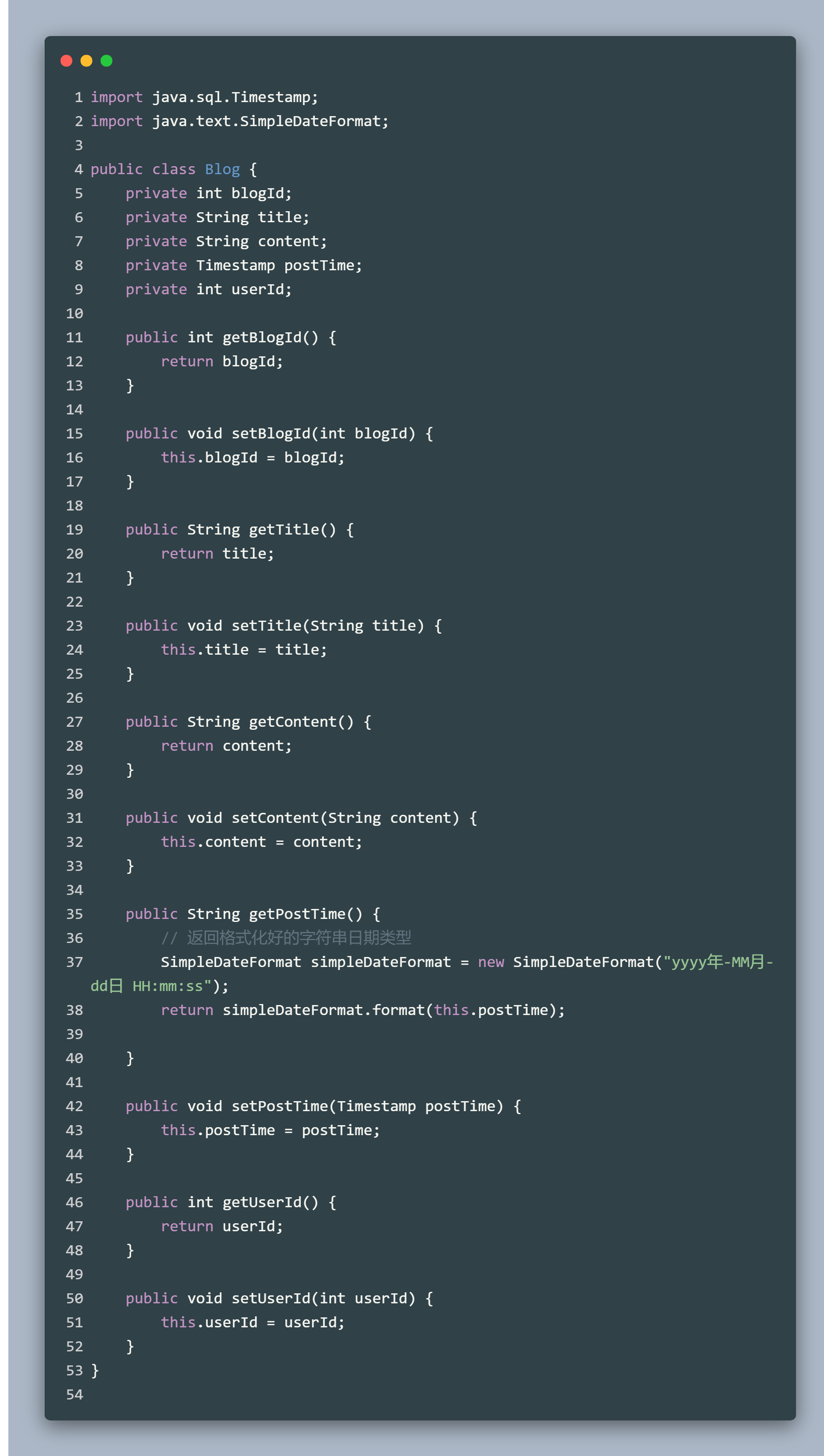
数据库中有什么样的表,程序中就必须有对应的实体类。因此创建User类和Blog类,并设置对应的
get和set方法- 注意:Blog类中的
postTime类型为时间戳(Timestamp),在获取时需要转换为对应的“年月日”等格式,这里借助了SimpleDateFormat
Blog类:
import java.sql.Timestamp; import java.text.SimpleDateFormat; public class Blog { private int blogId; private String title; private String content; private Timestamp postTime; private int userId; public int getBlogId() { return blogId; } public void setBlogId(int blogId) { this.blogId = blogId; } public String getTitle() { return title; } public void setTitle(String title) { this.title = title; } public String getContent() { return content; } public void setContent(String content) { this.content = content; } public String getPostTime() { // 返回格式化好的字符串日期类型 SimpleDateFormat simpleDateFormat = new SimpleDateFormat("yyyy年-MM月-dd日 HH:mm:ss"); return simpleDateFormat.format(this.postTime); } public void setPostTime(Timestamp postTime) { this.postTime = postTime; } public int getUserId() { return userId; } public void setUserId(int userId) { this.userId = userId; } }- 1
- 2
- 3
- 4
- 5
- 6
- 7
- 8
- 9
- 10
- 11
- 12
- 13
- 14
- 15
- 16
- 17
- 18
- 19
- 20
- 21
- 22
- 23
- 24
- 25
- 26
- 27
- 28
- 29
- 30
- 31
- 32
- 33
- 34
- 35
- 36
- 37
- 38
- 39
- 40
- 41
- 42
- 43
- 44
- 45
- 46
- 47
- 48
- 49
- 50
- 51
- 52
- 53
User类:
public class User { private int userId; private String userName; private String passWord; public int getUserId() { return userId; } public void setUserId(int userId) { this.userId = userId; } public String getUserName() { return userName; } public void setUserName(String userName) { this.userName = userName; } public String getPassWord() { return passWord; } public void setPassWord(String passWord) { this.passWord = passWord; } }- 1
- 2
- 3
- 4
- 5
- 6
- 7
- 8
- 9
- 10
- 11
- 12
- 13
- 14
- 15
- 16
- 17
- 18
- 19
- 20
- 21
- 22
- 23
- 24
- 25
- 26
- 27
- 28
- 29

(2)数据访问对象
针对实体类肯定有各种各样的增删改查操作,十分繁琐,所以我们需要创建对应的数据访问对象(Data Access Object, DAO)。BlogDAO对应Blog类,UserDAO对应User类
BlogDAO:
import java.beans.PropertyEditorSupport; import java.sql.Connection; import java.sql.PreparedStatement; import java.sql.ResultSet; import java.sql.SQLException; import java.util.ArrayList; import java.util.List; // 针对博客表的一些操作 public class BlogDAO { // 插入博客到数据库中 public void insert(Blog blog) throws SQLException { Connection connection = null; PreparedStatement statement = null; try { // 获取数据源并连接 connection = DBUtil.getConnection(); // 构造SQL String sql = "insert into blog values(null, ?, ?, now(), ?)"; statement = connection.prepareStatement(sql); statement.setString(1, blog.getTitle()); statement.setString(2, blog.getContent()); statement.setInt(3, blog.getUserId()); // 执行SQL int ret = statement.executeUpdate(); if (ret != 1) { System.out.println("插入失败!"); } else { System.out.println("插入成功"); } } catch (SQLException e) { e.printStackTrace(); } finally { // 释放资源 DBUtil.close(connection, statement, null); } } // 根据blogId查询指定博客 public Blog selectById(int blogId) throws SQLException { Connection connection = null; PreparedStatement statement = null; ResultSet resultSet = null; try { connection = DBUtil.getConnection(); String sql = "select * from blog where blogId = ?"; statement = connection.prepareStatement(sql); statement.setInt(1, blogId); resultSet = statement.executeQuery(); // 遍历结果,如果有查询结果则返回 if (resultSet.next()) { Blog blog = new Blog(); blog.setBlogId(resultSet.getInt("blogId")); blog.setTitle(resultSet.getString("title")); blog.setContent(resultSet.getString("content")); blog.setPostTime(resultSet.getTimestamp("postTime")); blog.setUserId(resultSet.getInt("userId")); return blog; } } catch (SQLException e) { e.printStackTrace(); } finally { DBUtil.close(connection, statement, resultSet); } return null; } // 查询所有博客 public List<Blog> selectAll() throws SQLException { List<Blog> blogs = new ArrayList<>(); Connection connection = null; PreparedStatement statement = null; ResultSet resultSet = null; try { connection = DBUtil.getConnection(); // 注意发布时间要降序排序 String sql = "select * from blog order by postTime desc"; statement = connection.prepareStatement(sql); resultSet = statement.executeQuery(); // 遍历结果,如果有查询结果则返回 while (resultSet.next()) { Blog blog = new Blog(); blog.setBlogId(resultSet.getInt("blogId")); blog.setTitle(resultSet.getString("title")); // 注意:为了避免因博客content太多而导致博客列表页博客摘要显示过长 // 规定当content长度大于100时只显示部分内容,用户如果想要查看完整内容则需要点击按钮 String content = resultSet.getString("content"); if (content.length() > 100) { content = content.substring(0, 100) + "......"; } blog.setContent(content); blog.setPostTime(resultSet.getTimestamp("postTime")); blog.setUserId(resultSet.getInt("userId")); blogs.add(blog); } } catch (SQLException e) { e.printStackTrace(); } finally { DBUtil.close(connection, statement, resultSet); } return blogs; } // 根据blogId删除博客 (删除博客) public void delete (int blogId) throws SQLException { Connection connection = null; PreparedStatement statement = null; try { connection = DBUtil.getConnection(); String sql = "delete from blog where blogId = ?"; statement = connection.prepareStatement(sql); statement.setInt(1, blogId); int ret = statement.executeUpdate(); if (ret != 1) { System.out.println("删除失败!"); } else { System.out.println("删除成功!"); } } catch (SQLException e) { e.printStackTrace(); } finally { DBUtil.close(connection, statement, null); } } }- 1
- 2
- 3
- 4
- 5
- 6
- 7
- 8
- 9
- 10
- 11
- 12
- 13
- 14
- 15
- 16
- 17
- 18
- 19
- 20
- 21
- 22
- 23
- 24
- 25
- 26
- 27
- 28
- 29
- 30
- 31
- 32
- 33
- 34
- 35
- 36
- 37
- 38
- 39
- 40
- 41
- 42
- 43
- 44
- 45
- 46
- 47
- 48
- 49
- 50
- 51
- 52
- 53
- 54
- 55
- 56
- 57
- 58
- 59
- 60
- 61
- 62
- 63
- 64
- 65
- 66
- 67
- 68
- 69
- 70
- 71
- 72
- 73
- 74
- 75
- 76
- 77
- 78
- 79
- 80
- 81
- 82
- 83
- 84
- 85
- 86
- 87
- 88
- 89
- 90
- 91
- 92
- 93
- 94
- 95
- 96
- 97
- 98
- 99
- 100
- 101
- 102
- 103
- 104
- 105
- 106
- 107
- 108
- 109
- 110
- 111
- 112
- 113
- 114
- 115
- 116
- 117
- 118
- 119
- 120
- 121
- 122
- 123
- 124
- 125
- 126
- 127
- 128
- 129
- 130
- 131
- 132

UserDAO:
import java.sql.Connection; import java.sql.PreparedStatement; import java.sql.ResultSet; import java.sql.SQLException; // 针对用户表相关操作 public class UserDAO { // 根据用户名查询用户 public User selectByUserName(String userName) throws SQLException { Connection connection = null; PreparedStatement statement = null; ResultSet resultSet = null; try { connection = DBUtil.getConnection(); String sql = "Select * from user where userName = ?"; statement = connection.prepareStatement(sql); statement.setString(1, userName); resultSet = statement.executeQuery(); if (resultSet.next()) { User user = new User(); user.setUserId(resultSet.getInt("userId")); user.setUserName(resultSet.getString("userName")); user.setPassWord(resultSet.getString("passWord")); return user; } } catch (SQLException e) { e.printStackTrace(); } finally { DBUtil.close(connection, statement, resultSet); } return null; } // 根据userId查询用户 public User selectByUserId(int userId) throws SQLException { Connection connection = null; PreparedStatement statement = null; ResultSet resultSet = null; try { connection = DBUtil.getConnection(); String sql = "Select * from user where userId = ?"; statement = connection.prepareStatement(sql); statement.setInt(1, userId); resultSet = statement.executeQuery(); if (resultSet.next()) { User user = new User(); user.setUserId(resultSet.getInt("userId")); user.setUserName(resultSet.getString("userName")); user.setPassWord(resultSet.getString("passWord")); return user; } } catch (SQLException e) { e.printStackTrace(); } finally { DBUtil.close(connection, statement, resultSet); } return null; } }- 1
- 2
- 3
- 4
- 5
- 6
- 7
- 8
- 9
- 10
- 11
- 12
- 13
- 14
- 15
- 16
- 17
- 18
- 19
- 20
- 21
- 22
- 23
- 24
- 25
- 26
- 27
- 28
- 29
- 30
- 31
- 32
- 33
- 34
- 35
- 36
- 37
- 38
- 39
- 40
- 41
- 42
- 43
- 44
- 45
- 46
- 47
- 48
- 49
- 50
- 51
- 52
- 53
- 54
- 55
- 56
- 57
- 58
- 59
- 60
- 61
- 62
- 63
- 64
- 65
- 66
- 67

五:各功能实现
这里是博客系统实现最复杂的地方,要搭建一个完整的博客系统,就要处理后前后端交互的逻辑。也即页面发起HTTP请求,然后服务器返回HTTP响应。我们只需要约定后请求和响应分别是什么样的,然后按照需求分别编写前端页面和后端服务即可
(1)登录功能
处理逻辑:当用户输入用户名和密码并点击登录后,就会发送请求给服务器,服务器负责验证。如果验证成功,则让页面跳转至博客列表页,否则弹出提示让其重新登录
- 请求
- POST/login
- Content-Type:application/x-www-form-urlencoded
- 响应
- HTTP/1.1 302
- Location:博客列表页
前端页面:
BlogLoginPage.htmlDOCTYPE html> <html lang="en"> <head> <meta charset="UTF-8"> <title>登录页title> <link rel="stylesheet" href="css/Common.css"> <link rel="stylesheet" href="css/Blog_login.css"> head> <body> <div class="nav"> <img src="image/电子书.png" alt=""> <span class="title">博客之家·文行天下span> div> <div class="container"> <form action="login" method="post"> <div class="dialog"> <h3>登录你的账户h3> <div class="row"> <span>用户名span> <input type="text" required name="username"> div> <div class="row"> <span>密 码span> <input type="password" required name="password"> div> <div class="row"> <button id="login">登录button> div> div> form> div> <script src="http://libs.baidu.com/jquery/2.0.0/jquery.min.js">script> <script> $(document).ready(function() { $("#login").click(function(event) { event.preventDefault(); // 阻止表单默认提交行为 var username = $('input[name="username"]').val(); var password = $('input[name="password"]').val(); $.ajax({ url: "login", type: "post", data: { username: username, password: password }, success: function(body) { alert("登录成功!"); // 重定向到博客列表页 location.assign("/BlogSystem2/BlogListPage.html"); }, error: function(body) { alert("用户名或密码为空,请重新输入!"); } }); }); }); script> body> html>- 1
- 2
- 3
- 4
- 5
- 6
- 7
- 8
- 9
- 10
- 11
- 12
- 13
- 14
- 15
- 16
- 17
- 18
- 19
- 20
- 21
- 22
- 23
- 24
- 25
- 26
- 27
- 28
- 29
- 30
- 31
- 32
- 33
- 34
- 35
- 36
- 37
- 38
- 39
- 40
- 41
- 42
- 43
- 44
- 45
- 46
- 47
- 48
- 49
- 50
- 51
- 52
- 53
- 54
- 55
- 56
- 57
- 58
- 59
- 60
- 61
- 62
- 63
- 64
- 65
- 66
- 67
- 68
- 69
- 70
- 71
- 72
- 73
- 74
- 75

后端:
LoginServlet.javaimport com.fasterxml.jackson.databind.ObjectMapper; import javax.servlet.ServletException; import javax.servlet.annotation.WebServlet; import javax.servlet.http.HttpServlet; import javax.servlet.http.HttpServletRequest; import javax.servlet.http.HttpServletResponse; import javax.servlet.http.HttpSession; import java.io.IOException; import java.sql.SQLException; import java.util.HashMap; import java.util.Map; @WebServlet("/login") public class LoginServlet extends HttpServlet { @Override // 登录功能 protected void doPost(HttpServletRequest req, HttpServletResponse resp) throws ServletException, IOException { // 获取用户名和密码 req.setCharacterEncoding("utf-8"); String username = req.getParameter("username"); String password = req.getParameter("password"); if (username == null || "".equals(username) || password == null || "".equals(password)) { resp.setContentType("text/html; charset=utf-8"); resp.getWriter().write("登录失败!用户名或密码为空"); resp.setStatus(403); return; } // 查询数据库,验证用户名和密码是否正确 UserDAO userDAO = new UserDAO(); User user = null; try { user = userDAO.selectByUserName(username); if (user == null || !user.getPassWord().equals(password)) { resp.setContentType("text/html; charset=utf-8"); resp.getWriter().write("登录失败!用户名或密码错误"); resp.setStatus(401); return; } } catch (SQLException e) { e.printStackTrace(); } // 如果正确则创建一个会话对象,保证在访问其他页面时可以直接判定是哪个用户在访问 HttpSession session = req.getSession(true); session.setAttribute("user", user); } }- 1
- 2
- 3
- 4
- 5
- 6
- 7
- 8
- 9
- 10
- 11
- 12
- 13
- 14
- 15
- 16
- 17
- 18
- 19
- 20
- 21
- 22
- 23
- 24
- 25
- 26
- 27
- 28
- 29
- 30
- 31
- 32
- 33
- 34
- 35
- 36
- 37
- 38
- 39
- 40
- 41
- 42
- 43
- 44
- 45
- 46
- 47
- 48
- 49
- 50

(2)强制登录
处理逻辑:在博客列表页、详情页和编辑页加载后,会发起一个ajax请求,从服务器获取登录状态,如果是未登录状态则提示并重定向到登录页面,如果已经登录则不做任何改变
- 请求
- GET/login
- 响应
- 如果已经登录:HTTP/1.1 200 OK
- 如果未登录:HTTP/1.1 403
前端页面:
BlogDetailPage.html、BlogEditPage.html、BlogListPage.html需要使用下面的js函数function getLoginStatus() { $.ajax({ type: 'get', url: 'login', success: function (body) { // 已经在登录状态,不处理 }, error: function () { // 非登录或其他状态,则强行跳转 alert("未登录!请登录后再访问") location.assign('BlogLoginPage.html') } }); }- 1
- 2
- 3
- 4
- 5
- 6
- 7
- 8
- 9
- 10
- 11
- 12
- 13
- 14
后端:
LoginServlet.javaimport com.fasterxml.jackson.databind.ObjectMapper; import javax.servlet.ServletException; import javax.servlet.annotation.WebServlet; import javax.servlet.http.HttpServlet; import javax.servlet.http.HttpServletRequest; import javax.servlet.http.HttpServletResponse; import javax.servlet.http.HttpSession; import java.io.IOException; import java.sql.SQLException; import java.util.HashMap; import java.util.Map; @WebServlet("/login") public class LoginServlet extends HttpServlet { @Override // 登录功能 protected void doPost(HttpServletRequest req, HttpServletResponse resp) throws ServletException, IOException { // 获取用户名和密码 req.setCharacterEncoding("utf-8"); String username = req.getParameter("username"); String password = req.getParameter("password"); if (username == null || "".equals(username) || password == null || "".equals(password)) { resp.setContentType("text/html; charset=utf-8"); resp.getWriter().write("登录失败!用户名或密码为空"); resp.setStatus(403); return; } // 查询数据库,验证用户名和密码是否正确 UserDAO userDAO = new UserDAO(); User user = null; try { user = userDAO.selectByUserName(username); if (user == null || !user.getPassWord().equals(password)) { resp.setContentType("text/html; charset=utf-8"); resp.getWriter().write("登录失败!用户名或密码错误"); resp.setStatus(401); return; } } catch (SQLException e) { e.printStackTrace(); } // 如果正确则创建一个会话对象,保证在访问其他页面时可以直接判定是哪个用户在访问 HttpSession session = req.getSession(true); session.setAttribute("user", user); } @Override // 防止未登录直接访问 protected void doGet(HttpServletRequest req, HttpServletResponse resp) throws ServletException, IOException { // 获取会话 HttpSession session = req.getSession(false); // 没有会话则为未登录 if (session == null) { resp.setStatus(403); return; } // 如果有会话则已经登录,获取用户 User user = (User)session.getAttribute("user"); // 这里是为了结合注销逻辑,注销时会直接删除user if (user == null) { resp.setStatus(403); return; } // 返回200 resp.setStatus(200); } }- 1
- 2
- 3
- 4
- 5
- 6
- 7
- 8
- 9
- 10
- 11
- 12
- 13
- 14
- 15
- 16
- 17
- 18
- 19
- 20
- 21
- 22
- 23
- 24
- 25
- 26
- 27
- 28
- 29
- 30
- 31
- 32
- 33
- 34
- 35
- 36
- 37
- 38
- 39
- 40
- 41
- 42
- 43
- 44
- 45
- 46
- 47
- 48
- 49
- 50
- 51
- 52
- 53
- 54
- 55
- 56
- 57
- 58
- 59
- 60
- 61
- 62
- 63
- 64
- 65
- 66
- 67
- 68
- 69
- 70
- 71
- 72
- 73
- 74

(3)博客列表页
处理逻辑:当博客列表页加载时就发起请求,从数据库中获取博客数据,然后展示
- 请求
- GET/blog
- 响应
- HTTP/1/1 200ok
- Content-Type:application
前端页面:
BlogListPage.html<!DOCTYPE html> <html lang="en"> <head> <meta charset="UTF-8"> <title>博客列表</title> <link rel="stylesheet" href="css/Common.css"> <link rel="stylesheet" href="css/Blog_list.css"> </head> <body> <!--导航栏--> <div class="nav"> <img src="image/电子书.png" alt=""> <span class="title">博客之家·文行天下</span> <!-- 用于占位 --> <div class="space"></div> <a href="BlogListPage.html">博客主页</a> <a href="logout">注销账户</a> <div class="creating"><a href="BlogEditPage.html">开始创作</a></div> </div> <!--版心区域--> <div class="container"> <!-- 用户信息 --> <div class = "left"> <div class="card"> <!-- 用户头像 --> <img src="image/头像.png" alt=""> <!-- 用户名字 --> <h3></h3> <!-- Github地址 --> <a href="#">进入Github主页</a> <div class="counter"> <span>文章</span> <span>分类</span> </div> <div class="counter"> <span>2</span> <span>1</span> </div> </div> </div> <!-- 博文列表 --> <div class = right> <!-- 每个blog是一篇博文 --> <!-- <div class="blog"> <div class="title">我的第一篇博客</div> <div class="date">2023-03-13 06:00:00</div> <div class="desc"> 在这个充满机遇和挑战的时代,我们需要不断地学习和成长。 只有不断地提升自己的能力才能够适应未来社会的发展趋势, 并且取得更好的成就。无论是在工作中还是生活中, 都需要具备一定的技能和知识储备,以便更好地解决问题并迎接新挑战 </div> <div class="click"><a href="BlogDetailPage.html">查看全文</a></div> </div>--> </div> </div> <script src="http://libs.baidu.com/jquery/2.0.0/jquery.min.js"></script> <script src="js/app.js"></script> <script> // 利用ajax发送请求从服务器获取博文数据 function getBlogs() { $.ajax({ type: 'get', url: 'blog', success: function(body) { // 如果成功,那么body就是一个json对象数组,每个元素为一个博客 let container = document.querySelector('.right') for (let blog of body) { // blogDiv let blogDiv = document.createElement('div'); blogDiv.className = 'blog'; // 博客标题 let titleDiv = document.createElement('div'); titleDiv.className = 'title'; titleDiv.innerHTML = blog.title; // 博客日期 let dateDiv = document.createElement('div'); dateDiv.className = 'title'; dateDiv.innerHTML = blog.postTime; // 博客摘要 let descDiv = document.createElement('div'); descDiv.className = 'desc'; descDiv.innerHTML = blog.content; // 查看全文按钮 let a = document.createElement('a'); a.href = 'BlogDetailPage.html?blogId=' + blog.blogId; a.innerHTML = '查看全文'; // 点击按钮 let clickdiv = document.createElement('div'); clickdiv.className = 'click'; // 拼接 blogDiv.appendChild(titleDiv); blogDiv.appendChild(dateDiv); blogDiv.appendChild(descDiv); clickdiv.appendChild(a); blogDiv.appendChild(clickdiv); container.appendChild(blogDiv); } } }); } getBlogs(); // 获取登录状态判断是否登录 getLoginStatus(); </script> </body> </html>- 1
- 2
- 3
- 4
- 5
- 6
- 7
- 8
- 9
- 10
- 11
- 12
- 13
- 14
- 15
- 16
- 17
- 18
- 19
- 20
- 21
- 22
- 23
- 24
- 25
- 26
- 27
- 28
- 29
- 30
- 31
- 32
- 33
- 34
- 35
- 36
- 37
- 38
- 39
- 40
- 41
- 42
- 43
- 44
- 45
- 46
- 47
- 48
- 49
- 50
- 51
- 52
- 53
- 54
- 55
- 56
- 57
- 58
- 59
- 60
- 61
- 62
- 63
- 64
- 65
- 66
- 67
- 68
- 69
- 70
- 71
- 72
- 73
- 74
- 75
- 76
- 77
- 78
- 79
- 80
- 81
- 82
- 83
- 84
- 85
- 86
- 87
- 88
- 89
- 90
- 91
- 92
- 93
- 94
- 95
- 96
- 97
- 98
- 99
- 100
- 101
- 102
- 103
- 104
- 105
- 106
- 107
- 108
- 109
- 110
- 111
- 112
- 113
- 114
- 115
- 116
- 117
- 118
- 119

后端:
BlogServlet.javaimport com.fasterxml.jackson.databind.ObjectMapper; import javax.servlet.ServletException; import javax.servlet.annotation.WebServlet; import javax.servlet.http.HttpServlet; import javax.servlet.http.HttpServletRequest; import javax.servlet.http.HttpServletResponse; import javax.servlet.http.HttpSession; import java.io.IOException; import java.sql.SQLException; import java.util.List; // 博客列表页和博客详情页请求处理 @WebServlet("/blog") public class BlogServlet extends HttpServlet { private ObjectMapper objectMapper = new ObjectMapper(); @Override protected void doGet(HttpServletRequest req, HttpServletResponse resp) throws ServletException, IOException { // 按照约定的接口格式返回数据 resp.setContentType("application/json; charset=utf-8"); BlogDAO blogDAO = new BlogDAO(); String blogId = req.getParameter("blogId"); try { List<Blog> blogs = blogDAO.selectAll(); resp.getWriter().write(objectMapper.writeValueAsString(blogs)); } catch (SQLException e) { e.printStackTrace(); } } }- 1
- 2
- 3
- 4
- 5
- 6
- 7
- 8
- 9
- 10
- 11
- 12
- 13
- 14
- 15
- 16
- 17
- 18
- 19
- 20
- 21
- 22
- 23
- 24
- 25
- 26
- 27
- 28
- 29
- 30
- 31
- 32
- 33
- 34
- 35

(4)博客详情页
处理逻辑:当在博客列表页中点击“查看全文”时就会跳转至该博客对应的详情页。在请求对应详情页面时,需要在请求的
url处加上query_string,例如http://localhost:8080/BlogSystem2/BlogDetailPage.html?blogId=2就表示请求的是blogId=2的详情页- 请求
- GET/blogId=1
- 响应
- HTTP/1.1 200 OK
- Content-Type:applocation/json
需要注意的是,在博客列表页中,我们已经使用了
BlogServlet.doGet方法了,如果博客列表页也想要使用的话就要作出区分。具体来说,如果请求带有queryString,有blogId这个参数,就认为这是博客详情页的请求,否则则认为是博客列表页的请求前端页面:
BlogDetailPage.htmlDOCTYPE html> <html lang="en"> <head> <meta charset="UTF-8"> <title>博客详情title> <link rel="stylesheet" href="css/Common.css"> <link rel="stylesheet" href="css/Blog_detail.css"> <link rel="stylesheet" href="editor.md/css/editormd.min.css" /> <script src="https://apps.bdimg.com/libs/jquery/2.1.4/jquery.min.js">script> <script src="editor.md/lib/marked.min.js">script> <script src="editor.md/lib/prettify.min.js">script> <script src="editor.md/editormd.js">script> head> <body> <div class="nav"> <img src="image/电子书.png" alt=""> <span class="title">博客之家·文行天下span> <div class="space">div> <a href="BlogListPage.html">博客主页a> <a href="logout">注销账户a> <div class="creating"><a href="BlogEditPage.html">开始创作a>div> <div class="deleting"><a href="blog_delete" id="delete-btn">删除文章a>div> div> <div class="container"> <div class = "left"> <div class="card"> <img src="image/头像.png" alt=""> <h3>h3> <a href="#">进入Github主页a> <div class="counter"> <span>文章span> <span>分类span> div> <div class="counter"> <span>2span> <span>1span> div> div> div> <div class = "right"> <div class="blog_detail"> <h3>h3> <div class="date">div> <div id="content" style="background-color: transparent"> div> div> div> <script src="https://cdnjs.cloudflare.com/ajax/libs/jquery/3.6.0/jquery.min.js">script> <script src="js/app.js">script> <script> <!-- 利用ajax服务器获取该博客数据--> function getBlog() { $.ajax({ type: 'get', // location.search可以返回query-string url : 'blog' + location.search, success: function (body) { let h3 = document.querySelector('.blog_detail h3'); h3.innerHTML = body.title; let dateDiv = document.querySelector('.date'); dateDiv.innerHTML = body.postTime; // 此处应该使用editor.md对markdown内容进行渲染 editormd.markdownToHTML('content', {markdown: body.content}); } }); } getBlog(); getLoginStatus(); script> body> html>- 1
- 2
- 3
- 4
- 5
- 6
- 7
- 8
- 9
- 10
- 11
- 12
- 13
- 14
- 15
- 16
- 17
- 18
- 19
- 20
- 21
- 22
- 23
- 24
- 25
- 26
- 27
- 28
- 29
- 30
- 31
- 32
- 33
- 34
- 35
- 36
- 37
- 38
- 39
- 40
- 41
- 42
- 43
- 44
- 45
- 46
- 47
- 48
- 49
- 50
- 51
- 52
- 53
- 54
- 55
- 56
- 57
- 58
- 59
- 60
- 61
- 62
- 63
- 64
- 65
- 66
- 67
- 68
- 69
- 70
- 71
- 72
- 73
- 74
- 75
- 76
- 77
- 78
- 79
- 80
- 81
- 82
- 83
- 84
- 85
- 86
- 87
- 88
- 89
- 90
- 91
- 92

后端:
BlogServlet.javaimport com.fasterxml.jackson.databind.ObjectMapper; import javax.servlet.ServletException; import javax.servlet.annotation.WebServlet; import javax.servlet.http.HttpServlet; import javax.servlet.http.HttpServletRequest; import javax.servlet.http.HttpServletResponse; import javax.servlet.http.HttpSession; import java.io.IOException; import java.sql.SQLException; import java.util.List; // 博客列表页和博客详情页请求处理 @WebServlet("/blog") public class BlogServlet extends HttpServlet { private ObjectMapper objectMapper = new ObjectMapper(); @Override protected void doGet(HttpServletRequest req, HttpServletResponse resp) throws ServletException, IOException { // 按照约定的接口格式返回数据 resp.setContentType("application/json; charset=utf-8"); BlogDAO blogDAO = new BlogDAO(); String blogId = req.getParameter("blogId"); if (blogId == null) { // 这是博客列表页请求 try { List<Blog> blogs = blogDAO.selectAll(); resp.getWriter().write(objectMapper.writeValueAsString(blogs)); } catch (SQLException e) { e.printStackTrace(); } } else { // 这是博客详情页请求 try { Blog blog = blogDAO.selectById(Integer.parseInt(blogId)); resp.getWriter().write(objectMapper.writeValueAsString(blog)); } catch (SQLException e) { e.printStackTrace(); } } } }- 1
- 2
- 3
- 4
- 5
- 6
- 7
- 8
- 9
- 10
- 11
- 12
- 13
- 14
- 15
- 16
- 17
- 18
- 19
- 20
- 21
- 22
- 23
- 24
- 25
- 26
- 27
- 28
- 29
- 30
- 31
- 32
- 33
- 34
- 35
- 36
- 37
- 38
- 39
- 40
- 41
- 42
- 43
- 44
- 45
- 46
- 47

(5)显示用户信息和作者信息
处理逻辑:
- 在博客列表页加载时,从服务器获取当前登录的用户信息,然后将信息展现在页面之上
- 请求
- GET/userinfo
- 响应
- HTTP/1.1 200OK
- content-Type:application/json
- 请求
- 在博客详情页加载时,从服务器获取博客的作者信息,然后展现在页面智商
- 请求
- GET/userinfo?blogId=1
- 响应
- Content-Type:application/json
- 请求
前端页面:
BlogListPage.html和BlogDetailPage.htmlDOCTYPE html> <html lang="en"> <head> <meta charset="UTF-8"> <title>博客列表title> <link rel="stylesheet" href="css/Common.css"> <link rel="stylesheet" href="css/Blog_list.css"> head> <body> <div class="nav"> <img src="image/电子书.png" alt=""> <span class="title">博客之家·文行天下span> <div class="space">div> <a href="BlogListPage.html">博客主页a> <a href="logout">注销账户a> <div class="creating"><a href="BlogEditPage.html">开始创作a>div> div> <div class="container"> <div class = "left"> <div class="card"> <img src="image/头像.png" alt=""> <h3>h3> <a href="#">进入Github主页a> <div class="counter"> <span>文章span> <span>分类span> div> <div class="counter"> <span>2span> <span>1span> div> div> div> <div class = right> div> div> <script src="http://libs.baidu.com/jquery/2.0.0/jquery.min.js">script> <script src="js/app.js">script> <script> // 利用ajax发送请求从服务器获取博文数据 function getBlogs() { .... .... ... } getBlogs(); // 获取登录状态判断是否登录 getLoginStatus(); // 针对博客列表页获取当前用户的登录信息 function getUserInfo() { $.ajax({ type: 'get', url: 'userInfo', success: function(body) { let h3 = document.querySelector('.left>.card>h3'); h3.innerHTML = body.userName; } }); } getUserInfo(); script> body> html>- 1
- 2
- 3
- 4
- 5
- 6
- 7
- 8
- 9
- 10
- 11
- 12
- 13
- 14
- 15
- 16
- 17
- 18
- 19
- 20
- 21
- 22
- 23
- 24
- 25
- 26
- 27
- 28
- 29
- 30
- 31
- 32
- 33
- 34
- 35
- 36
- 37
- 38
- 39
- 40
- 41
- 42
- 43
- 44
- 45
- 46
- 47
- 48
- 49
- 50
- 51
- 52
- 53
- 54
- 55
- 56
- 57
- 58
- 59
- 60
- 61
- 62
- 63
- 64
- 65
- 66
- 67
- 68
- 69
- 70
- 71
- 72
- 73
- 74
- 75
- 76
- 77
- 78
- 79
- 80
- 81
- 82
- 83
- 84
- 85
- 86
- 87
- 88
- 89
- 90
- 91
- 92
- 93
- 94
- 95
- 96
- 97

DOCTYPE html> <html lang="en"> <head> <meta charset="UTF-8"> <title>博客详情title> <link rel="stylesheet" href="css/Common.css"> <link rel="stylesheet" href="css/Blog_detail.css"> <link rel="stylesheet" href="editor.md/css/editormd.min.css" /> <script src="https://apps.bdimg.com/libs/jquery/2.1.4/jquery.min.js">script> <script src="editor.md/lib/marked.min.js">script> <script src="editor.md/lib/prettify.min.js">script> <script src="editor.md/editormd.js">script> head> <body> <div class="nav"> <img src="image/电子书.png" alt=""> <span class="title">博客之家·文行天下span> <div class="space">div> <a href="BlogListPage.html">博客主页a> <a href="logout">注销账户a> <div class="creating"><a href="BlogEditPage.html">开始创作a>div> <div class="deleting"><a href="blog_delete" id="delete-btn">删除文章a>div> div> <div class="container"> <div class = "left"> <div class="card"> <img src="image/头像.png" alt=""> <h3>h3> <a href="#">进入Github主页a> <div class="counter"> <span>文章span> <span>分类span> div> <div class="counter"> <span>2span> <span>1span> div> div> div> <div class = "right"> <div class="blog_detail"> <h3>h3> <div class="date">div> <div id="content" style="background-color: transparent"> div> div> div> <script src="https://cdnjs.cloudflare.com/ajax/libs/jquery/3.6.0/jquery.min.js">script> <script src="js/app.js">script> <script> <!-- 利用ajax服务器获取该博客数据--> function getBlog() { ... ... ... } getBlog(); getLoginStatus(); // 针对博客详情页获取当前用户信息 function getUserInfo() { $.ajax({ type: 'get', url: 'userInfo' + location.search, success: function(body) { let h3 = document.querySelector('.left>.card>h3'); h3.innerHTML = body.userName; } }); } getUserInfo(); // 博文删除,为其赋上blogId function updateDeleteURL() { let DeleteBtn = document.querySelector('#delete-btn'); DeleteBtn.href = 'blog_delete' + location.search; } updateDeleteURL(); script> body> html>- 1
- 2
- 3
- 4
- 5
- 6
- 7
- 8
- 9
- 10
- 11
- 12
- 13
- 14
- 15
- 16
- 17
- 18
- 19
- 20
- 21
- 22
- 23
- 24
- 25
- 26
- 27
- 28
- 29
- 30
- 31
- 32
- 33
- 34
- 35
- 36
- 37
- 38
- 39
- 40
- 41
- 42
- 43
- 44
- 45
- 46
- 47
- 48
- 49
- 50
- 51
- 52
- 53
- 54
- 55
- 56
- 57
- 58
- 59
- 60
- 61
- 62
- 63
- 64
- 65
- 66
- 67
- 68
- 69
- 70
- 71
- 72
- 73
- 74
- 75
- 76
- 77
- 78
- 79
- 80
- 81
- 82
- 83
- 84
- 85
- 86
- 87
- 88
- 89
- 90
- 91
- 92
- 93
- 94
- 95
- 96
- 97
- 98
- 99
- 100
- 101

后端:
UserInfoServlet.javaimport com.fasterxml.jackson.databind.ObjectMapper; import javax.servlet.ServletException; import javax.servlet.annotation.WebServlet; import javax.servlet.http.HttpServlet; import javax.servlet.http.HttpServletRequest; import javax.servlet.http.HttpServletResponse; import javax.servlet.http.HttpSession; import java.io.IOException; import java.sql.SQLException; @WebServlet("/userInfo") public class UserInfoServlet extends HttpServlet { private ObjectMapper objectMapper = new ObjectMapper(); @Override protected void doGet(HttpServletRequest req, HttpServletResponse resp) throws ServletException, IOException { String blogId = req.getParameter("blogId"); if (blogId == null) { // 这是列表页在请求,直接从session中获取即可 getUserInfoFromSession(req, resp); } else { // 这是详情页在请求,查询数据库 try { getUserInfoFromDB(req, resp, Integer.parseInt(blogId)); } catch (SQLException e) { throw new RuntimeException(e); } } } private void getUserInfoFromDB(HttpServletRequest req, HttpServletResponse resp, int blogId) throws SQLException, IOException { // 根据blogId查询Blog对象,获取userId BlogDAO blogDAO = new BlogDAO(); Blog blog = blogDAO.selectById(blogId); if (blog == null) { // 未找到这样的blog resp.setStatus(404); resp.setContentType("text/html; charset=utf-8"); resp.getWriter().write("blogId不存在"); return; } // 根据userId查询对应的User对象 UserDAO userDAO = new UserDAO(); User user = userDAO.selectByUserId(blog.getUserId()); if (user == null) { resp.setStatus(404); resp.setContentType("text/html; charset=utf-8"); resp.getWriter().write("userId不存在"); return; } // 将user对象返回 user.setPassWord(""); resp.setContentType("application/json; charset=utf-8"); resp.getWriter().write(objectMapper.writeValueAsString(user)); } private void getUserInfoFromSession(HttpServletRequest req, HttpServletResponse resp) throws IOException { HttpSession session = req.getSession(false); if (session == null) { resp.setStatus(403); resp.setContentType("text/html;charset=utf-8"); resp.getWriter().write("当前未登录"); return; } User user = (User)session.getAttribute("user"); if (user == null) { resp.setStatus(403); resp.setContentType("text/html;charset=utf-8"); resp.getWriter().write("当前未登录"); return; } // 移除password,避免返回密码 user.setPassWord(""); resp.setContentType("application/json;charset=utf-8"); resp.getWriter().write(objectMapper.writeValueAsString(user)); } }- 1
- 2
- 3
- 4
- 5
- 6
- 7
- 8
- 9
- 10
- 11
- 12
- 13
- 14
- 15
- 16
- 17
- 18
- 19
- 20
- 21
- 22
- 23
- 24
- 25
- 26
- 27
- 28
- 29
- 30
- 31
- 32
- 33
- 34
- 35
- 36
- 37
- 38
- 39
- 40
- 41
- 42
- 43
- 44
- 45
- 46
- 47
- 48
- 49
- 50
- 51
- 52
- 53
- 54
- 55
- 56
- 57
- 58
- 59
- 60
- 61
- 62
- 63
- 64
- 65
- 66
- 67
- 68
- 69
- 70
- 71
- 72
- 73
- 74
- 75
- 76
- 77
- 78
- 79
- 80
- 81
- 82
- 83
- 84

(6)注销
处理逻辑:点击博客列表页、博客详情页和博客编辑页导航栏中的注销按钮后,会向服务器发送一个HTTP请求(不是ajax请求),告诉服务器准备退出登录,然后服务器会把会话中的user对象删除,同时重定向的登录页。需要注意的是这里删除的user对象而不是session对象,因为HttpSession没有一个直接用于删除的方法
- 请求
- GET/logout
- 响应
- HTTP/1.1 302
- Location:login.html
前端页面:
BlogDetailPage.html、BlogEditPage.html、BlogListPage.html,只需要再路径处填入logout即可<div class="nav"> <img src="image/电子书.png" alt=""> <span class="title">博客之家·文行天下span> <div class="space">div> <a href="BlogListPage.html">博客主页a> <a href="logout">注销账户a> <div class="creating"><a href="BlogEditPage.html">开始创作a>div> <div class="deleting"><a href="blog_delete" id="delete-btn">删除文章a>div> div>- 1
- 2
- 3
- 4
- 5
- 6
- 7
- 8
- 9
- 10
- 11
- 12

后端:
LogOutServlet.javaimport javax.servlet.ServletException; import javax.servlet.annotation.WebServlet; import javax.servlet.http.HttpServlet; import javax.servlet.http.HttpServletRequest; import javax.servlet.http.HttpServletResponse; import javax.servlet.http.HttpSession; import java.io.IOException; // 注销逻辑 @WebServlet("/logout") public class LogOutServlet extends HttpServlet { @Override protected void doGet(HttpServletRequest req, HttpServletResponse resp) throws ServletException, IOException { // 获取当前会话 HttpSession session = req.getSession(false); if (session == null) { // 没有会话,当前是未登录状态 resp.setStatus(403); return; } // 由于在判定是否登录的逻辑中要求会话和user必须同时存在,所以在这里我们可以直接删除user即可 session.removeAttribute("user"); // 重定向到登录页面 resp.sendRedirect("BlogLoginPage.html"); } }- 1
- 2
- 3
- 4
- 5
- 6
- 7
- 8
- 9
- 10
- 11
- 12
- 13
- 14
- 15
- 16
- 17
- 18
- 19
- 20
- 21
- 22
- 23
- 24
- 25
- 26
- 27

(7)发布博客
处理逻辑:用户在博客编辑页中填写标题和内容后点击”发布文章“按钮,此时会发起一个HTTP请求。当服务器收到这些数据后,会构造一个blog对象,然后插入数据库。 发布成功后跳转至列表页
- 请求
- post/blog
- Content-Type:application.x-www-from-urlencoded
- 响应
- HTTP/1.1 032
- Location:blog_list.html
前端页面:
BlogEditPage.htmlDOCTYPE html> <html lang="en"> <head> <meta charset="UTF-8"> <title>编辑博客title> <link rel="stylesheet" href="css/Common.css"> <link rel="stylesheet" href="css/Blog_edit.css"> <link rel="stylesheet" href="editor.md/css/editormd.min.css" /> <script src="https://apps.bdimg.com/libs/jquery/2.1.4/jquery.min.js">script> <script src="editor.md/lib/marked.min.js">script> <script src="editor.md/lib/prettify.min.js">script> <script src="editor.md/editormd.js">script> head> <body> <div class="nav"> <img src="image/电子书.png" alt=""> <span class="title">博客之家·文行天下span> <div class="space">div> <a href="BlogListPage.html">博客主页a> <a href="logout">注销账户a> <div class="creating"><a href="BlogEditPage.html">开始创作a>div> div> <div class="container"> <div class="title"> <input type="text" id="title-input" placeholder="在这里输入博客标题(100字以内)"> <button id="title-submit">发布文章button> div> <div id="editor"> div> div> <script src="js/app.js">script> <script> // 初始化编辑器, 代码也是截取自 官方文档 . var editor = editormd("editor", { // 这里的尺寸必须在这里设置. 设置样式会被 editormd 自动覆盖掉. width: "100%", // 设定编辑器高度 height: "calc(100% - 50px)", // 编辑器中的初始内容 markdown: "## hello world", // 指定 editor.md 依赖的插件路径 path: "editor.md/lib/", // 发布文章 // saveHTMLToTextarea: true, }); getLoginStatus(); // 发布博客 $(document).ready(function() { // 当点击发布文章按钮时执行 $("#title-submit").click(function() { // 获取博客标题和内容 let title = $("#title-input").val(); let content = editor.getMarkdown(); // 假设你已经初始化了editor.md并赋给了变量editor console.log(content); // 创建一个包含标题和内容的对象 let postData = { title: title, content: content }; // 发送POST请求 $.ajax({ type: "POST", url: "blog", // 替换成你的服务器端处理请求的URL data: JSON.stringify(postData), // 将数据转换为JSON格式 contentType: "application/json", success: function(response) { // 请求成功处理 location.assign("/BlogSystem2/BlogListPage.html"); }, error: function(error) { // 请求失败处理 console.error("文章发布失败", error); } }); }); }); script> body> html>- 1
- 2
- 3
- 4
- 5
- 6
- 7
- 8
- 9
- 10
- 11
- 12
- 13
- 14
- 15
- 16
- 17
- 18
- 19
- 20
- 21
- 22
- 23
- 24
- 25
- 26
- 27
- 28
- 29
- 30
- 31
- 32
- 33
- 34
- 35
- 36
- 37
- 38
- 39
- 40
- 41
- 42
- 43
- 44
- 45
- 46
- 47
- 48
- 49
- 50
- 51
- 52
- 53
- 54
- 55
- 56
- 57
- 58
- 59
- 60
- 61
- 62
- 63
- 64
- 65
- 66
- 67
- 68
- 69
- 70
- 71
- 72
- 73
- 74
- 75
- 76
- 77
- 78
- 79
- 80
- 81
- 82
- 83
- 84
- 85
- 86
- 87
- 88
- 89
- 90
- 91
- 92
- 93
- 94
- 95
- 96
- 97
- 98
- 99
- 100
- 101
- 102

后端:
BlogServlet.javaimport com.fasterxml.jackson.databind.ObjectMapper; import javax.servlet.ServletException; import javax.servlet.annotation.WebServlet; import javax.servlet.http.HttpServlet; import javax.servlet.http.HttpServletRequest; import javax.servlet.http.HttpServletResponse; import javax.servlet.http.HttpSession; import java.io.IOException; import java.sql.SQLException; import java.util.List; // 博客列表页和博客详情页请求处理 @WebServlet("/blog") public class BlogServlet extends HttpServlet { private ObjectMapper objectMapper = new ObjectMapper(); @Override protected void doGet(HttpServletRequest req, HttpServletResponse resp) throws ServletException, IOException { // 按照约定的接口格式返回数据 .... .... .... } //提交新博客 @Override protected void doPost(HttpServletRequest req, HttpServletResponse resp) throws ServletException, IOException { // 获取会话和用户信息 /* 按照道理来说,这里不需要在判定登录了。因为既然能发起Post请求说明已经登录了 但是有人可能会利用postman等工具收到发起Post请求 同时要构造博客对象,必须知道现在谁在登录,才能知道文章作者是谁 */ HttpSession session = req.getSession(false); if (session == null) { resp.setStatus(403); resp.setContentType("text/html; charset=utf-8"); resp.getWriter().write("未登录,请登录后再访问"); return; } User user = (User)session.getAttribute("user"); if (user == null) { resp.setStatus(403); resp.setContentType("text/html; charset=utf-8"); resp.getWriter().write("未登录,请登录后再访问"); return; } // 获取博客标题和正文 req.setCharacterEncoding("utf-8"); // 从请求体中获取JSON数据并解析为Blog对象 ObjectMapper objectMapper = new ObjectMapper(); Blog blog = objectMapper.readValue(req.getReader(), Blog.class); // 设置博客的用户ID为当前用户的ID blog.setUserId(user.getUserId()); // 构造Blog对象并插入到数据库中 BlogDAO blogDAO = new BlogDAO(); try { blogDAO.insert(blog); } catch (SQLException e) { throw new RuntimeException(e); } // 发布成功后重定向到列表页 resp.sendRedirect("BlogListPage.html"); } }- 1
- 2
- 3
- 4
- 5
- 6
- 7
- 8
- 9
- 10
- 11
- 12
- 13
- 14
- 15
- 16
- 17
- 18
- 19
- 20
- 21
- 22
- 23
- 24
- 25
- 26
- 27
- 28
- 29
- 30
- 31
- 32
- 33
- 34
- 35
- 36
- 37
- 38
- 39
- 40
- 41
- 42
- 43
- 44
- 45
- 46
- 47
- 48
- 49
- 50
- 51
- 52
- 53
- 54
- 55
- 56
- 57
- 58
- 59
- 60
- 61
- 62
- 63
- 64
- 65
- 66
- 67
- 68
- 69
- 70
- 71
- 72
- 73
- 74
- 75

(8)删除博客
处理逻辑:当点击博客详情页上的“删除文章”后,服务器会做出一个判定,如果当前登录的用户就是文章的作者,才能真正删除
- 请求
- GET/bloh_delete?blogId=1
- 响应
- 删除成功
- HTTP/1.1 302
- Location:blog_list.html
- 删除失败
- HTTP/1.1 302
- 没有删除权限
- 删除成功
前端页面:
BlogDetailPage.htmlDOCTYPE html> <html lang="en"> <head> <meta charset="UTF-8"> <title>博客详情title> <link rel="stylesheet" href="css/Common.css"> <link rel="stylesheet" href="css/Blog_detail.css"> <link rel="stylesheet" href="editor.md/css/editormd.min.css" /> <script src="https://apps.bdimg.com/libs/jquery/2.1.4/jquery.min.js">script> <script src="editor.md/lib/marked.min.js">script> <script src="editor.md/lib/prettify.min.js">script> <script src="editor.md/editormd.js">script> head> <body> <div class="nav"> <img src="image/电子书.png" alt=""> <span class="title">博客之家·文行天下span> <div class="space">div> <a href="BlogListPage.html">博客主页a> <a href="logout">注销账户a> <div class="creating"><a href="BlogEditPage.html">开始创作a>div> <div class="deleting"><a href="blog_delete" id="delete-btn">删除文章a>div> div> <div class="container"> <div class = "left"> <div class="card"> <img src="image/头像.png" alt=""> <h3>h3> <a href="#">进入Github主页a> <div class="counter"> <span>文章span> <span>分类span> div> <div class="counter"> <span>2span> <span>1span> div> div> div> <div class = "right"> <div class="blog_detail"> <h3>h3> <div class="date">div> <div id="content" style="background-color: transparent"> div> div> div> <script src="https://cdnjs.cloudflare.com/ajax/libs/jquery/3.6.0/jquery.min.js">script> <script src="js/app.js">script> <script> <!-- 利用ajax服务器获取该博客数据--> function getBlog() { ... ... } getBlog(); getLoginStatus(); // 针对博客详情页获取当前用户信息 function getUserInfo() { ... ... } getUserInfo(); // 博文删除,为其赋上blogId function updateDeleteURL() { let DeleteBtn = document.querySelector('#delete-btn'); DeleteBtn.href = 'blog_delete' + location.search; } updateDeleteURL(); script> body> html>- 1
- 2
- 3
- 4
- 5
- 6
- 7
- 8
- 9
- 10
- 11
- 12
- 13
- 14
- 15
- 16
- 17
- 18
- 19
- 20
- 21
- 22
- 23
- 24
- 25
- 26
- 27
- 28
- 29
- 30
- 31
- 32
- 33
- 34
- 35
- 36
- 37
- 38
- 39
- 40
- 41
- 42
- 43
- 44
- 45
- 46
- 47
- 48
- 49
- 50
- 51
- 52
- 53
- 54
- 55
- 56
- 57
- 58
- 59
- 60
- 61
- 62
- 63
- 64
- 65
- 66
- 67
- 68
- 69
- 70
- 71
- 72
- 73
- 74
- 75
- 76
- 77
- 78
- 79
- 80
- 81
- 82
- 83
- 84
- 85
- 86
- 87
- 88
- 89
- 90
- 91
- 92
- 93

后端:
BlogServlet.javaimport javax.servlet.ServletException; import javax.servlet.annotation.WebServlet; import javax.servlet.http.HttpServlet; import javax.servlet.http.HttpServletRequest; import javax.servlet.http.HttpServletResponse; import javax.servlet.http.HttpSession; import java.io.IOException; import java.sql.SQLException; @WebServlet("/blog_delete") public class BlogDeleteServlet extends HttpServlet { @Override protected void doGet(HttpServletRequest req, HttpServletResponse resp) throws ServletException, IOException { // 判定用户登录状态 HttpSession session = req.getSession(false); if (session == null) { resp.setStatus(403); resp.setContentType("text/html; charset=utf-8"); resp.getWriter().write("未登录,请登录后再访问"); return; } User user = (User)session.getAttribute("user"); if (user == null) { resp.setStatus(403); resp.setContentType("text/html; charset=utf-8"); resp.getWriter().write("未登录,请登录后再访问"); return; } // 获取blogId String blogId = req.getParameter("blogId"); if (user == null) { // 没有这样的blogId resp.setStatus(404); resp.setContentType("text/html; charset=utf-8"); resp.getWriter().write("blogId有误"); return; } // 获取对应Blog BlogDAO blogDAO = new BlogDAO(); Blog blog = null; try { blog = blogDAO.selectById(Integer.parseInt(blogId)); if (blog == null) { // 没有这样的blog resp.setStatus(404); resp.setContentType("text/html; charset=utf-8"); resp.getWriter().write("当前删除的博客不存在"); return; } } catch (SQLException e) { throw new RuntimeException(e); } // 判断登录用户是否就是文章作者 if (blog.getUserId() != user.getUserId()) { // 不能删除别人的博客 resp.setStatus(404); resp.setContentType("text/html; charset=utf-8"); resp.getWriter().write("禁止删除他人博客"); return; } // 实际删除 try { blogDAO.delete(Integer.parseInt(blogId)); } catch (SQLException e) { throw new RuntimeException(e); } // 重定向 resp.sendRedirect("BlogListPage.html"); } }- 1
- 2
- 3
- 4
- 5
- 6
- 7
- 8
- 9
- 10
- 11
- 12
- 13
- 14
- 15
- 16
- 17
- 18
- 19
- 20
- 21
- 22
- 23
- 24
- 25
- 26
- 27
- 28
- 29
- 30
- 31
- 32
- 33
- 34
- 35
- 36
- 37
- 38
- 39
- 40
- 41
- 42
- 43
- 44
- 45
- 46
- 47
- 48
- 49
- 50
- 51
- 52
- 53
- 54
- 55
- 56
- 57
- 58
- 59
- 60
- 61
- 62
- 63
- 64
- 65
- 66
- 67
- 68
- 69
- 70
- 71
- 72
- 73
- 74
- 75
- 76

-
相关阅读:
语法基础(判断语句)
Django框架
【Java从入门到精通 08】:面向对象编程(进阶部分)
java毕业设计木材产销系统的生产管理模块mybatis+源码+调试部署+系统+数据库+lw
Java项目基于Docker打包发布
安卓高通机型的基带移植 修改 编译的相关 增加信号 支持5G等
sqli-labs/Less-57
数据结构与算法 | 第一章:概论
修改WPF程序集名称报错
hadoop集群中存在配置较低的数据节点应用如何应对磁盘数据溢满的问题之rebalance
- 原文地址:https://blog.csdn.net/qq_39183034/article/details/133467793
