-
助力工业物联网,工业大数据之服务域:node_exporter插件【三十七】
前言
项目所需工具:
链接:https://pan.baidu.com/s/1sIa8nninf2Fz6YqE3vUpqQ?pwd=5wr3
提取码:5wr3
–来自百度网盘超级会员V4的分享06:node_exporter插件
-
目标:实现node_exporter插件的安装监控Linux指标
-
实施
-
上传安装
cd ~ rz tar zxvf node_exporter-1.1.2.linux-amd64.tar.gz -C /opt/prometheus-2.26/ mv /opt/prometheus-2.26/node_exporter-1.1.2.linux-amd64 /opt/prometheus-2.26/node_exporter- 1
- 2
- 3
- 4
-
注册
# 创建并编辑文件 vim /etc/systemd/system/node_exporter.service- 1
- 2
[Unit] Description=node_exporter Documentation=Prometheus node_exporter plugin [Service] ExecStart=/opt/prometheus-2.26/node_exporter/node_exporter Restart=on-failure [Install] WantedBy=multi-user.target- 1
- 2
- 3
- 4
- 5
- 6
- 7
- 8
- 9
-
启动
# 设置开机自启动 systemctl enable node_exporter # 启动服务 systemctl start node_exporter # 查看服务状态 systemctl status node_exporter- 1
- 2
- 3
- 4
- 5
- 6
-
配置Prometheus
vim /opt/prometheus-2.26/prometheus.yml- 1
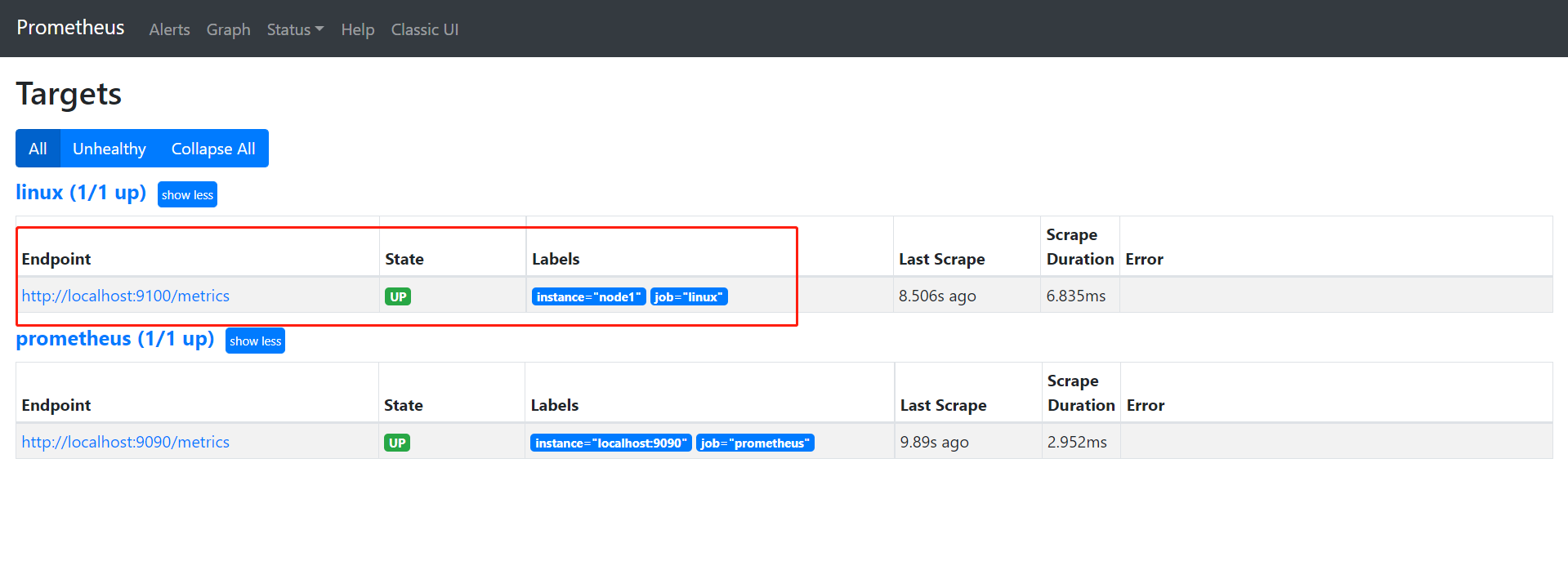
scrape_configs: - job_name: 'prometheus' static_configs: - targets: ['localhost:9090'] # 增加以下内容 - job_name: 'linux' static_configs: - targets: ['localhost:9100'] labels: instance: node1- 1
- 2
- 3
- 4
- 5
- 6
- 7
- 8
- 9
- 10
- 11
-
重启prometheus
systemctl restart prometheus.service- 1
-
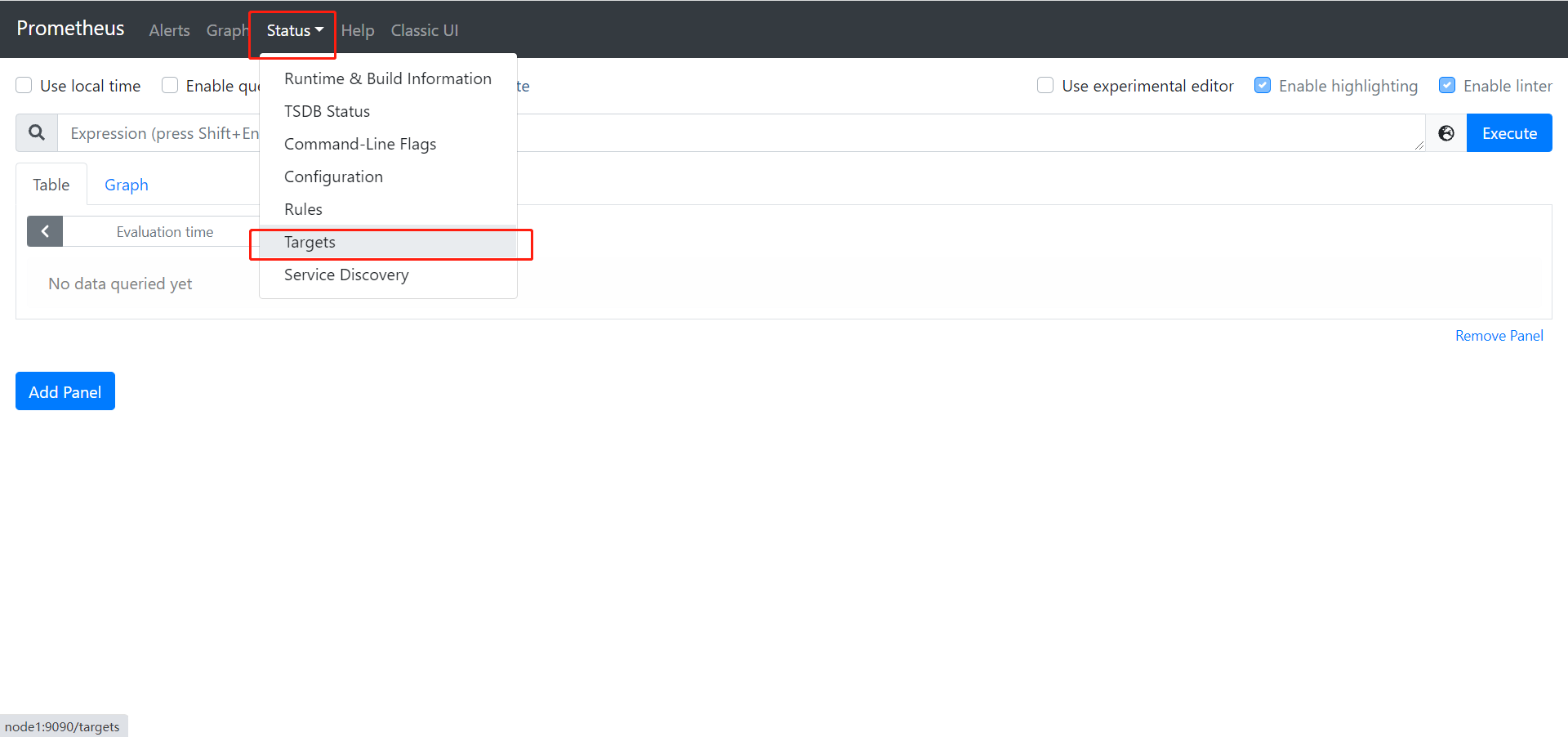
验证:http://node1:9090
-
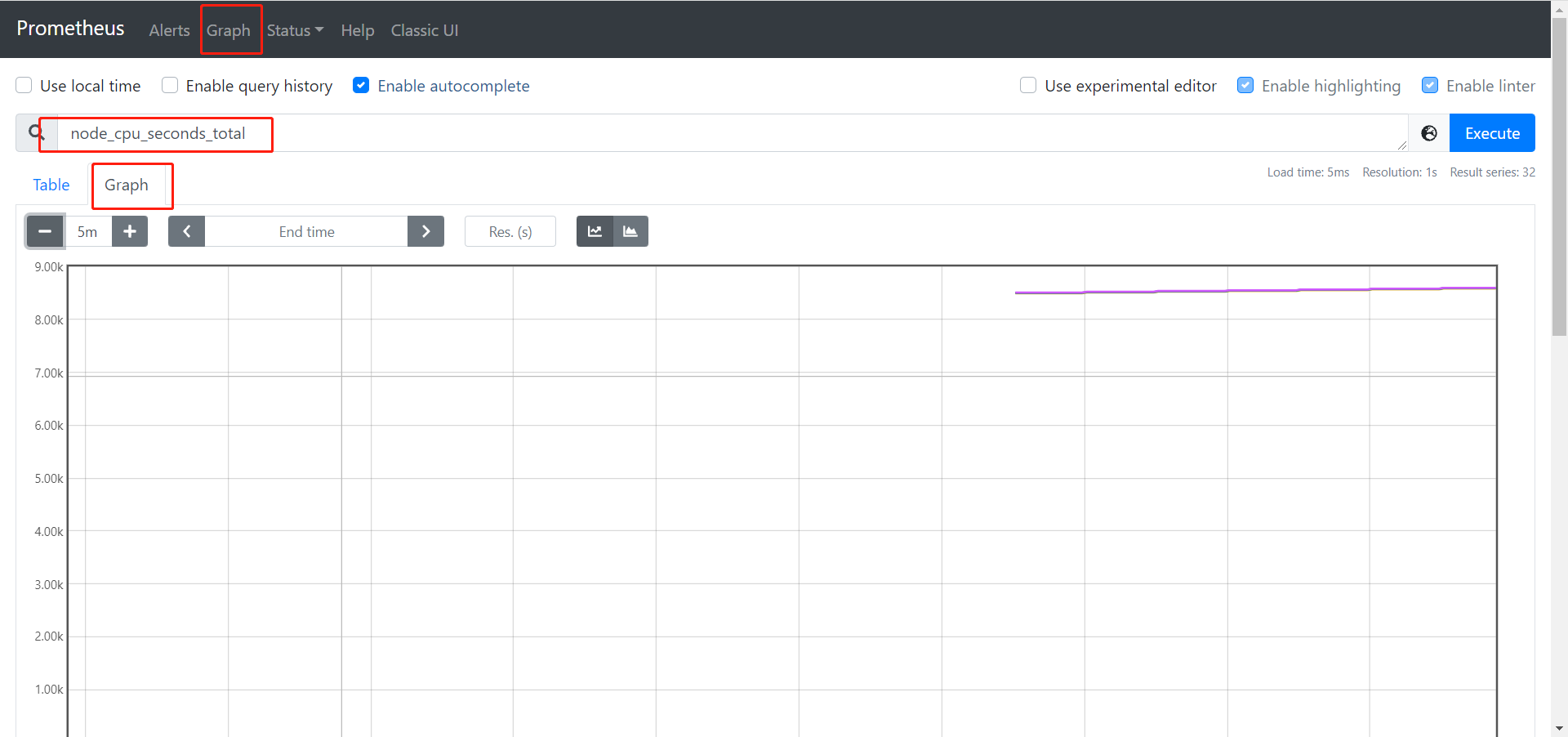
查看当前主机的CPU使用情况:node_cpu_seconds_total
-
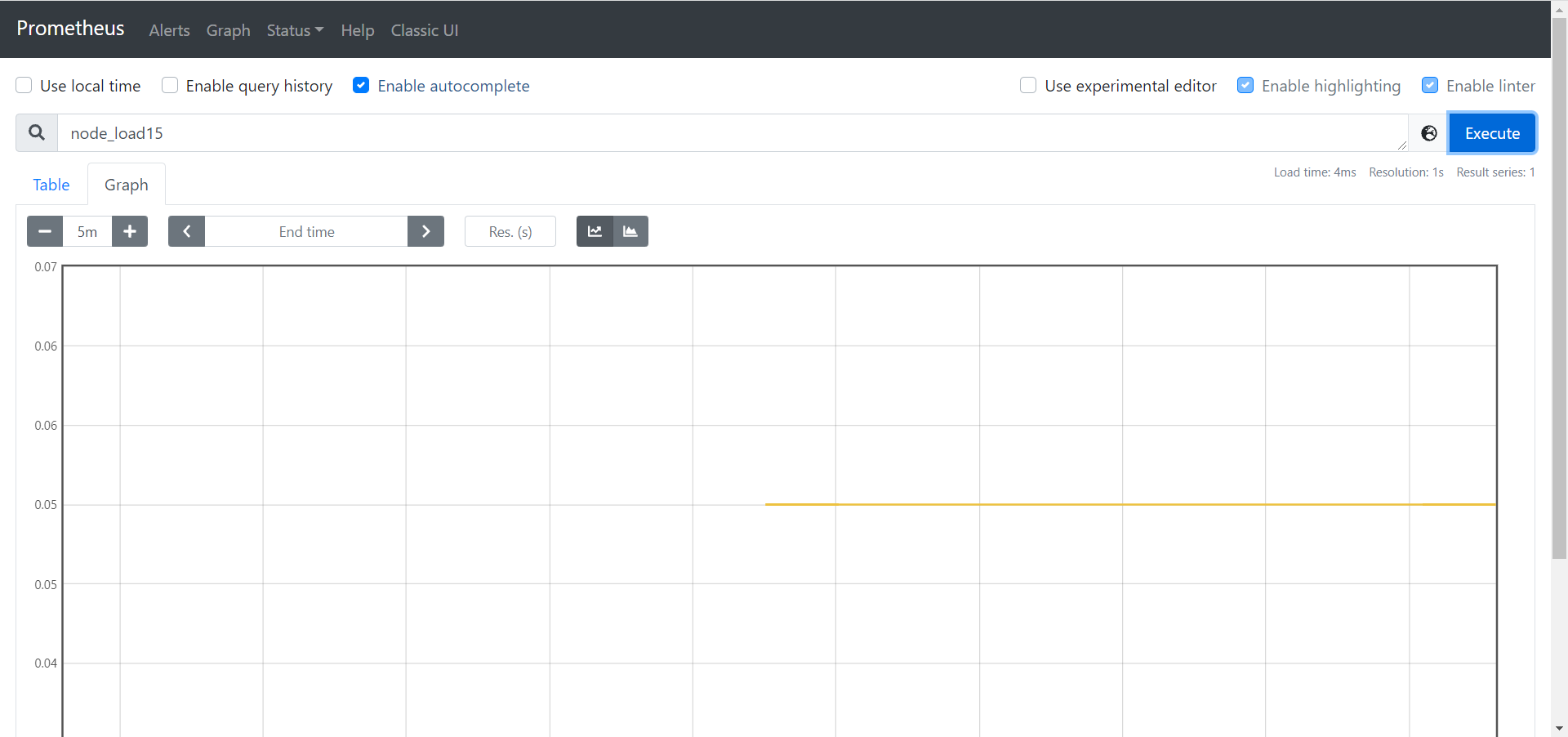
查看当前主机的CPU负载情况 :node_load15
-
-
-
小结
- 实现node_exporter插件的安装监控Linux指标
07:mysqld_exportor插件
-
目标:实现mysqld_exportor插件的安装监控MySQL指标
-
实施
-
上传安装
cd ~ rz tar zxvf mysqld_exporter-0.13.0-rc.0.linux-amd64.tar.gz -C /opt/prometheus-2.26/ mv /opt/prometheus-2.26/mysqld_exporter-0.13.0-rc.0.linux-amd64/ /opt/prometheus-2.26/mysqld_exporter/- 1
- 2
- 3
- 4
-
配置MySQL用户授权
mysql -uroot -p SHOW VARIABLES LIKE 'validate_password%'; set global validate_password_policy=LOW; set global validate_password_length=6; # 授权 GRANT PROCESS, REPLICATION CLIENT, SELECT ON *.* TO 'mysql_exporter'@'localhost' IDENTIFIED BY '123456' WITH MAX_USER_CONNECTIONS 3; flush privileges;- 1
- 2
- 3
- 4
- 5
- 6
- 7
- DDL:数据定义语言:建库建表
- DML:数据操作语言:增删改
- DQL:数据查询语言:查询
- DCL:grant、revoke
-
注册服务
vim /etc/systemd/system/mysqld_exporter.service- 1
[Unit] Description=mysqld_exporter Documentation=Prometheus mysql exporter plugin [Service] Type=simple User=mysql Environment=DATA_SOURCE_NAME=mysql_exporter:123456@(localhost:3306)/ ExecStart=/opt/prometheus-2.26/mysqld_exporter/mysqld_exporter --config.my-cnf /etc/my.cnf \ --collect.slave_status \ --collect.slave_hosts \ --log.level=error \ --collect.info_schema.processlist \ --collect.info_schema.innodb_metrics \ --collect.info_schema.innodb_tablespaces \ --collect.info_schema.innodb_cmp \ --collect.info_schema.innodb_cmpmem Restart=on-failure [Install] WantedBy=multi-user.target- 1
- 2
- 3
- 4
- 5
- 6
- 7
- 8
- 9
- 10
- 11
- 12
- 13
- 14
- 15
- 16
- 17
- 18
- 19
- 20
-
启动服务
# 设置开机自启动 systemctl enable mysqld_exporter # 启动服务 systemctl start mysqld_exporter # 查看服务状态 systemctl status mysqld_exporter- 1
- 2
- 3
- 4
- 5
- 6
-
配置Prometheus
vim /opt/prometheus-2.26/prometheus.yml- 1
scrape_configs: # 增加以下内容 - job_name: 'mysql' scrape_interval: 1s static_configs: - targets: ['localhost:9104'] labels: instance: 'mysqld_exporter'- 1
- 2
- 3
- 4
- 5
- 6
- 7
- 8
-
重启prometheus
systemctl restart prometheus.service- 1
-
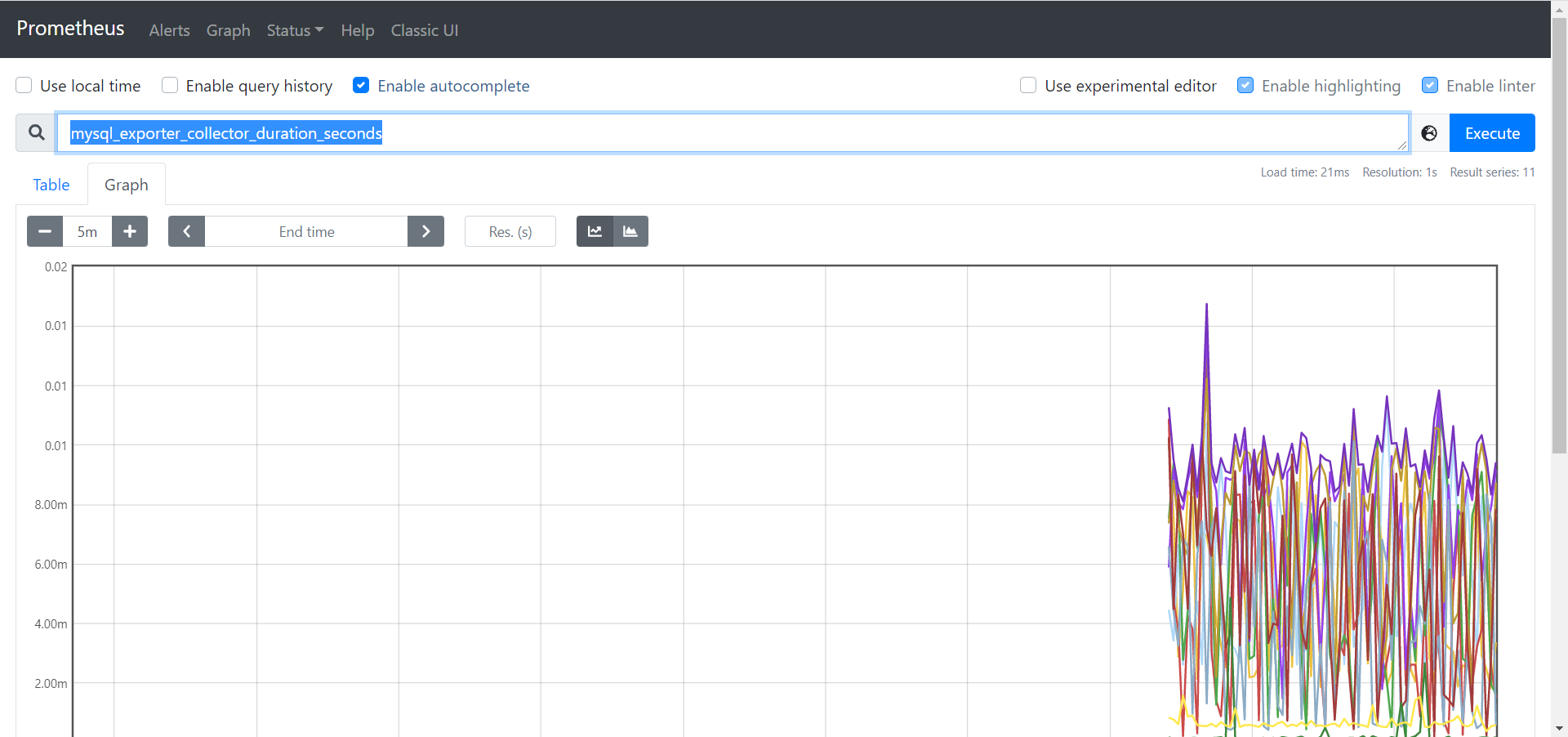
验证
-
mysql_exporter_collector_duration_seconds
-
-
-
小结
- 实现mysqld_exportor插件的安装监控MySQL指标
-
-
相关阅读:
【2023,学点儿新Java-16】编程语言的学习方法总结 | 编程的本质和架构 | 如何深度理解编程知识和技能 | 如何成为优秀的软件开发工程师 | 附:Java初学者的困惑!
【附源码】Python计算机毕业设计网络考试系统设计
【历史上的今天】8 月 3 日:微软研究院的创始人诞生;陌陌正式上线;苹果发布 Newton OS
计算机毕业设计(附源码)python重庆工商大学失物招领系统
Kubernetes (K8s) 底层原理
Linux8-fork父子进程逻辑地址相同、进程的逻辑地址与物理地址、fork相关例题、僵死进程
LeetCode100122. Separate Black and White Balls
艾美捷逆转录病毒定量试剂盒标准曲线的制备&结果示例
(十三)【Jmeter】线程(Threads(Users))之tearDown 线程组
jenkins打开html不显示样式问题(包含mac安装启动jenkins)
- 原文地址:https://blog.csdn.net/xianyu120/article/details/132326851
