-
linux杀毒软件clamav安装
clamav 简介
ClamAV is an open source (GPLv2) anti-virus toolkit, designed especially for e-mail scanning on mail gateways. It provides a number of utilities including a flexible and scalable multi-threaded daemon, a command line scanner and advanced tool for automatic database updates. The core of the package is an anti-virus engine available in a form of shared library.
yum 安装
yum install epel-release -y yum -y install clamav clamav-update- 1
- 2
病毒相关操作
更新病毒库
freshclam- 1
扫描并处理
clamscan –ri / -l clamscan.log –remove- 1
源码安装
安装相关组件
先决条件

yum install -y \ `# install tools` \ gcc gcc-c++ make valgrind \ `# install clamav dependencies` \ bzip2-devel check-devel json-c-devel libcurl-devel libxml2-devel \ ncurses-devel openssl-devel pcre2-devel sendmail-devel zlib-devel- 1
- 2
- 3
- 4
- 5
- 6

下载并解压
Download the source from the clamav.net downloads page.
tar xzf clamav-[ver].tar.gz cd clamav-[ver]- 1
- 2
添加用户
If installing to the system, and if you intend to run freshclam or clamd as as service, you should create a service account before compiling and installing ClamAV.
groupadd clamav && useradd -g clamav clamav && id clamav- 1
配置安装目录
日志目录
mkdir -p /usr/local/clamav/logs touch /usr/local/clamav/logs/clamd.log touch /usr/local/clamav/logs/freshclam.log chown clamav.clamav /usr/local/clamav/logs/clamd.log chown clamav.clamav /usr/local/clamav/logs/freshclam.log- 1
- 2
- 3
- 4
- 5
病毒存放目录
mkdir -p /usr/local/clamav/updata chown -R root.clamav /usr/local/clamav/ chown -R clamav.clamav /usr/local/clamav/updata/- 1
- 2
- 3
编译安装
./configure --prefix=/usr/local/clamav --with-pcre make && make install- 1
- 2
配置clamav
修改clamd.conf文件
cd /usr/local/clamav/etc cp clamd.conf.sample clamd.conf vim clamd.conf #Example 注释掉这一行. 添加下面三行: LogFile /usr/local/clamav/logs/clamd.log PidFile /usr/local/clamav/updata/clamd.pid DatabaseDirectory /usr/local/clamav/updata- 1
- 2
- 3
- 4
- 5
- 6
- 7
- 8

修改freshclam.conf文件
cp freshclam.conf.sample freshclam.conf vim freshclam.conf #Example 注释掉这一行. 添加下面三行 DatabaseDirectory /usr/local/clamav/updata UpdateLogFile /usr/local/clamav/logs/freshclam.log PidFile /usr/local/clamav/updata/freshclam.pid- 1
- 2
- 3
- 4
- 5
- 6
- 7

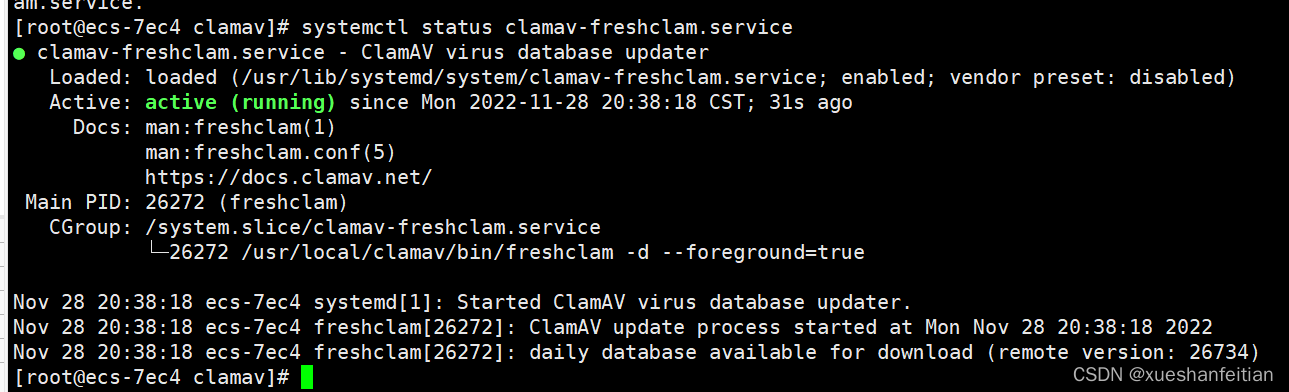
启动
chown -R clamav.clamav /usr/local/clamav/ systemctl start clamav-freshclam.service systemctl enable clamav-freshclam.service systemctl status clamav-freshclam.service- 1
- 2
- 3
- 4
更新病毒库
先停止防护服务
systemctl stop clamav-freshclam.service- 1
更新
/usr/local/clamav/bin/freshclam (根据网络质量确定更新时长) 或者 cd /usr/local/clamav/share/clamav wget http://database.clamav.net/main.cvd wget http://database.clamav.net/daily.cvd wget http://database.clamav.net/bytecode.cvd- 1
- 2
- 3
- 4
- 5
- 6

重启
systemctl start clamav-freshclam.service systemctl status clamav-freshclam.service- 1
- 2

扫描
clamd
clamd is a multi-threaded daemon that uses libclamav to scan files for viruses. Scanning behavior can be fully configured to fit most needs by modifying clamd.conf.
As clamd requires a virus signature database to run, we recommend setting up ClamAV’s official signatures before running clamd using freshclam.
The daemon works by listening for commands on the sockets specified in clamd.conf. Listening is supported over both unix local sockets and TCP sockets.
IMPORTANT: clamd does not currently protect or authenticate traffic coming over the TCP socket, meaning it will accept any and all of the following commands listed from any source. Thus, we strongly recommend following best networking practices when setting up your clamd instance. I.e. don’t expose your TCP socket to the Internet.clamscan
clamscan is a command line tool which uses libclamav to scan files and/or directories for viruses. Unlike clamdscan, clamscan does not require a running clamd instance to function. Instead, clamscan will create a new engine and load in the virus database each time it is run. It will then scan the files and/or directories specified at the command line, create a scan report, and exit.
By default, when loading databases, clamscan will check the location to which freshclam installed the virus database signatures. This behavior, along with a myriad of other scanning and engine controls, can be modified by providing flags and other options at the command line.
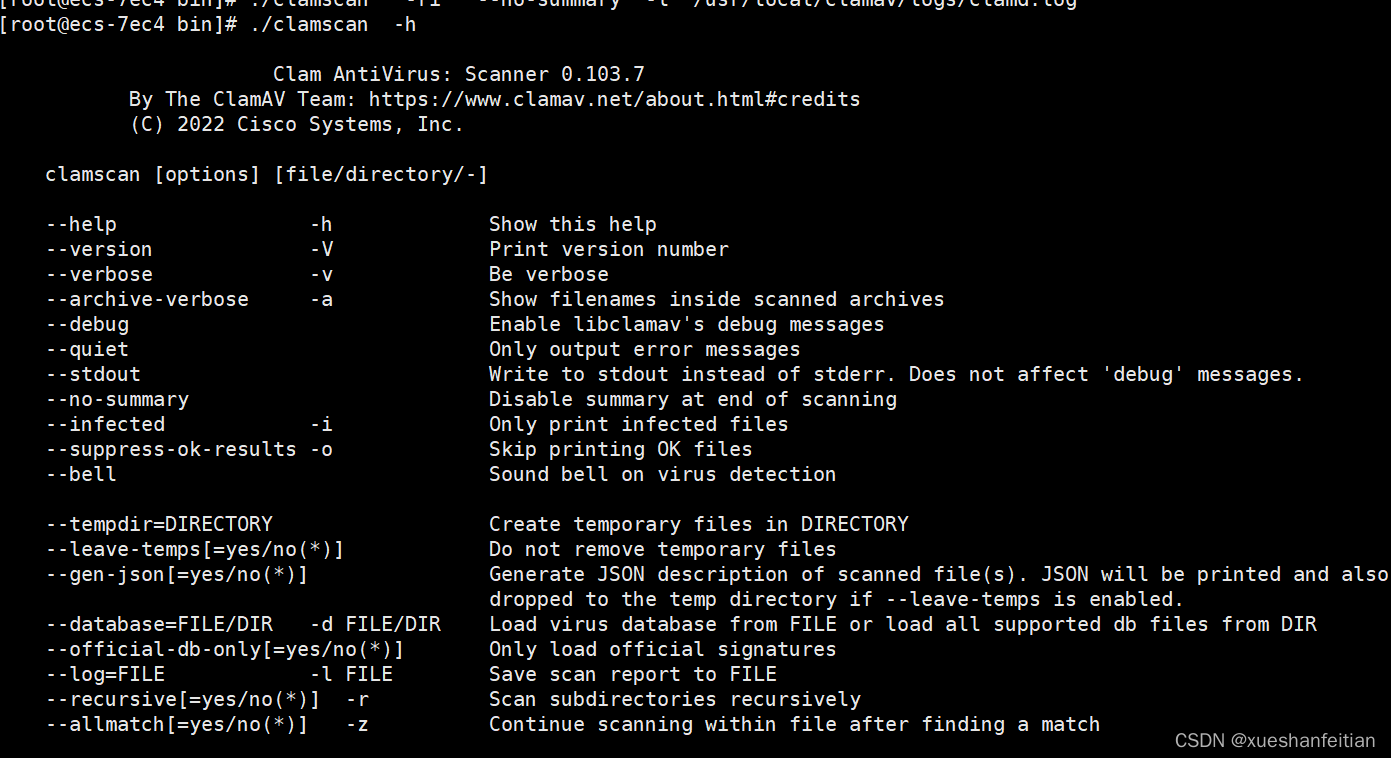
查看命令
/usr/local/clamav/bin ./clamscan -h- 1
- 2
建立软连接
ln -s /usr/local/clamav/bin/clamscan /usr/local/sbin/clamscan- 1
扫描示例
clamscan -ri --no-summary /usr/local/bin/ -l /usr/local/clamav/logs/clamscan.log #或者 clamscan -ri /usr/local/bin/ -l /usr/local/clamav/logs/clamscan.log- 1
- 2
- 3
直接扫描,可能比clamdscan慢一些。

clamdscan
clamdscan is a clamd client, which greatly simplifies the task of scanning files with clamd. It sends commands to the clamd daemon across the socket specified in clamd.conf and generates a scan report after all requested scanning has been completed by the daemon.
Thus, to run clamdscan, you must have an instance of clamd already running as well.
Please keep in mind, that as a simple scanning client, clamdscan cannot change scanning and engine configurations. These are tied to the clamd instance and the configuration you set up in clamd.conf. Therefore, while clamdscan will accept many of the same commands as its sister tool clamscan, it will simply ignore most of them as (by design) no mechanism exists to make ClamAV engine configuration changes over the clamd socket.clamdscan使用
clamdscan 需要与clamd服务配合使用,没有clamd,那就无法进行clamdscan 扫描。
建立clamdscan 软连接
ln -s /usr/local/clamav/bin/clamdscan /usr/local/sbin/clamdscan- 1
查看命令

配置clamd

以上配置如果出问题,可能会报如下错误ERROR: Please define server type (local and/or TCP)- 1
如果是用yum安装的,则直接修改/etc/clamd.d/文件夹下的scan.conf文件,修改方式与clamd.conf类似。
启动clamd并验证
/usr/local/clamav/sbin/clamd- 1

验证基本没问题。扫描
clamdscan -i /usr/local/bin/ -l /usr/local/clamav/logs/clamdscan.log- 1

从开始时间和结束时间上对比来看,clamdscan 比clamscan 执行的速度要快的多。定时扫毒
直接在系统中定时
vim /etc/crontab- 1
定时任务结构说明

设定定时杀毒任务
#凌晨2:01 开始更新病毒库 #凌晨2:20 杀毒并处理 1 2 * * * /usr/local/clamav/bin/freshclam --quiet 20 2 * * * /usr/local/clamav/bin/clamscan -r /home --remove -l /var/log/clamscan.log- 1
- 2
- 3
- 4
立即生效
crontab /etc/crontab- 1
至此,小猿就完成linux 系统中的病毒软件安装完成。
参考网址
1、clamav 官网 https://docs.clamav.net/Introduction.html
2、ClamAV安装使用教程 https://blog.csdn.net/weixin_46011077/article/details/121735970 -
相关阅读:
再获两家头部车企量产定点,本土HUD新玩家拼了!
华为机试真题实战应用【赛题代码篇】-数组组成的最小数字(附Java和Python代码)
前端工作小结33-确定需求报告
聊聊工作中,如何提升自己的编程能力?
[机器学习笔记]K-means聚类——进行广告效果分析
Pandas将两个Excel表格找出不同之处-对比两个文件-merge合并查询
Elasticsearch 在地理信息空间索引的探索和演进
vue源码分析(一)——源码目录说明
iqoo的“牛皮”还能吹多大?
如何使用VScode软件测试接口
- 原文地址:https://blog.csdn.net/xueshanfeitian/article/details/128084230