-
k8s编程operator——client-go中的informer
k8s编程operator系列:
k8s编程operator——(1) client-go基础部分
k8s编程operator——(2) client-go中的informer
k8s编程operator——(3) 自定义资源CRD
k8s编程operator——(4) kubebuilder & controller-runtime
k8s编程operator实战之云编码平台——①架构设计
k8s编程operator实战之云编码平台——②controller初步实现
k8s编程operator实战之云编码平台——③Code-Server Pod访问实现
k8s编程operator实战之云编码平台——④web后端实现
k8s编程operator实战之云编码平台——⑤项目完成、部署
在上一章我们讲解了client-go的几种可以与ApiServer进行交互的客户端。使用client-set可以很容易地对ApiServer中的数据进行增删改查。但是,如果每次都从ApiServer获取数据,特别是执行List操作时,ApiServer会查询并传输大量的数据,将会对其产生很大的压力。如果能将数据缓存到本地,并在数据变化时进行更新,获取数据时从本地获取,那么将会大大减轻ApiServer的压力。因此,本章将会对client-go中的informer进行一个探究,通过Infomer,我们可以实现将数据缓存到本地,并且当资源对象发生变化时,我们能获取到相应的变化,并进行处理。
1、介绍
1.1 简单使用
首先,先看这些组件怎么使用:
package main import ( "fmt" v1 "k8s.io/api/core/v1" "k8s.io/client-go/informers" "k8s.io/client-go/kubernetes" "k8s.io/client-go/tools/cache" "k8s.io/client-go/tools/clientcmd" ) func main() { // 1、创建config config, err := clientcmd.BuildConfigFromFlags("", "./conf/config") if err != nil { panic(err) } // 2、创建clientset clientSet, err := kubernetes.NewForConfig(config) if err != nil { panic(err) } // 3、创建sharedInformerFactory,第二个参数为同步周期,也就是多久从APIServer List一次,并更新到本地缓存 sharedInformerFactory := informers.NewSharedInformerFactory(clientSet, 0) // 4、创建PodInformer podInformer := sharedInformerFactory.Core().V1().Pods() // 5、获取informer informer := podInformer.Informer() // 6、注册资源事件处理方法 informer.AddEventHandler(cache.ResourceEventHandlerFuncs{ AddFunc: func(obj interface{}) { pod := obj.(*v1.Pod) fmt.Printf("[Add Event] pod name:%s\n", pod.Name) }, UpdateFunc: func(oldObj, newObj interface{}) { pod := newObj.(*v1.Pod) fmt.Printf("[Update Event] new pod name:%s\n", pod.Name) }, DeleteFunc: func(obj interface{}) { pod := obj.(*v1.Pod) fmt.Printf("[Delete Event] pod name:%s\n", pod.Name) }, }) // 7、启动 stopCh := make(chan struct{}) sharedInformerFactory.Start(stopCh) <-stopCh }- 1
- 2
- 3
- 4
- 5
- 6
- 7
- 8
- 9
- 10
- 11
- 12
- 13
- 14
- 15
- 16
- 17
- 18
- 19
- 20
- 21
- 22
- 23
- 24
- 25
- 26
- 27
- 28
- 29
- 30
- 31
- 32
- 33
- 34
- 35
- 36
- 37
- 38
- 39
- 40
- 41
- 42
- 43
- 44
- 45
- 46
- 47
- 48
- 49
- 50
- 51
- 52
- 53
- 54
- 55
运行结果如下:

使用步骤如下:
- 通过.kube/config文件来创建config
- 创建clientset,informer需要使用可以从apiServer获取数据的对象
- 创建sharedIndexInformerFactory,这个工厂对象中包含了创建所有资源对象的informer的方法
- 使用工厂创建informer,比如在上面的代码中创建了一个pod的informer。
- 然后注册事件资源处理方法,有三种事件,Add事件、Update事件、Delete事件,在事件处理方法中对发生的事件进行处理
- 最后,使用factory对象来启动informer
在第4步中,获取的PodInformer是一个接口:
type PodInformer interface { Informer() cache.SharedIndexInformer Lister() v1.PodLister }- 1
- 2
- 3
- 4
其包含了两个方法,第一个用来获取SharedIndexInfomer,我们可以用它来注册当我们要监控的资源对象发生变化时的处理函数。第二个方法用来获取Lister,可以使用Lister来List以及Get Pod。
使用工厂来创建informer的好处就是,工厂中有一个map可以保存我们创建过的特定资源的informer。比如当我们创建了PodInformer后,再次调用sharedInformerFactory.Core().V1().Pods()就是直接从map中获取了,而不是多次创建。如果对于一个资源有多个informer,那么多个informer将都会从apiserver查询数据,增加其压力,而且是没有意义的。如下所示,工厂中包含了一个key为特定资源对象的Type,value为SharedIndexInformer的map。sharedInformers用来指明对应资源类型的informer是否创建了,如果创建了,调用工厂的Start方法时,就会启动这些informer。
type sharedInformerFactory struct { ... informers map[reflect.Type]cache.SharedIndexInformer startedInformers map[reflect.Type]bool }- 1
- 2
- 3
- 4
- 5
- 6
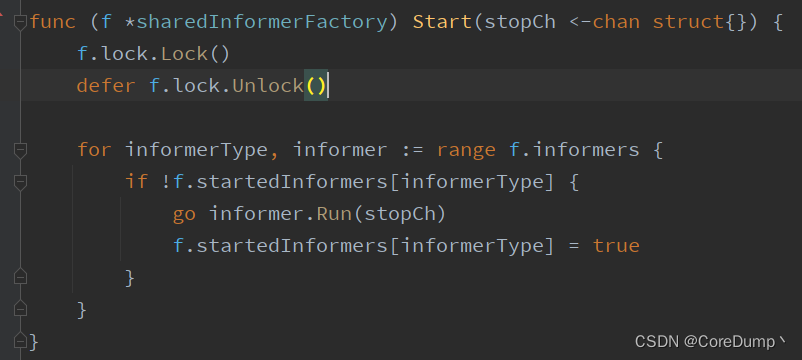
在第7个步骤中,我们调用了工厂的Start方法:
func (f *sharedInformerFactory) Start(stopCh <-chan struct{}) { f.lock.Lock() defer f.lock.Unlock() for informerType, informer := range f.informers { if !f.startedInformers[informerType] { go informer.Run(stopCh) f.startedInformers[informerType] = true } } }- 1
- 2
- 3
- 4
- 5
- 6
- 7
- 8
- 9
- 10
- 11
在Start中,会将所有创建的infomer进行启动,informer启动后会使用List操作从apiServer获取数据的全量更新,最终会调用我们注册的事件资源处理方法。然后,会使用Watch操作从apiServer监视Pod资源的变化情况。如果我们在创建factory时指定了数据同步周期,那么informer将会定时进行List操作。
示例:启动刚才的程序,然后使用kubectl来新创建一个nginx的pod,然后将pod删除,来看我们的程序是否收到了资源变化的状态:# 1、先启动程序 # 2、创建一个pod kubectl run nginx-test --image=nginx- 1
- 2
- 3
程序输出:

可以看到,首先收到了pod新增的通知,然后收到了pod更新的通知。因为pod在创建的过程中,其状态是会发生变化的,所以收到了多次的update的状态。
# 删除pod kubectl delete pod nginx-test- 1
- 2
程序输出:

可以看到,删除pod后,会收到多次update通知,最后当pod被删除后,得到了delete的通知。
1.2 List & Watch
List就是列出的意思,get all,相当于使用kubectl get pods -n,使用List操作可以从apiServer获取某个namespace或所有namespace下的某个资源类型的全部对象: 示例代码:获取所有namespace下的pod对象
package main import ( "context" "fmt" v1 "k8s.io/api/core/v1" coptions "k8s.io/apimachinery/pkg/apis/meta/v1" "k8s.io/client-go/kubernetes" "k8s.io/client-go/tools/clientcmd" "log" ) func main() { // 1、创建config config, err := clientcmd.BuildConfigFromFlags("", "./conf/config") if err != nil { panic(err) } // 2、创建clientset clientSet, err := kubernetes.NewForConfig(config) if err != nil { panic(err) } // 3、List操作 podList, err := clientSet.CoreV1().Pods(v1.NamespaceAll).List(context.Background(), coptions.ListOptions{}) if err != nil { log.Panicln("get pods error:", err) } for _, pod := range podList.Items { fmt.Printf("namespace:%s\tpod name:%s\n", pod.Namespace, pod.Name) } }- 1
- 2
- 3
- 4
- 5
- 6
- 7
- 8
- 9
- 10
- 11
- 12
- 13
- 14
- 15
- 16
- 17
- 18
- 19
- 20
- 21
- 22
- 23
- 24
- 25
- 26
- 27
- 28
- 29
- 30
- 31
- 32
- 33
运行结果:

Watch则是监视的意思,监视某个资源的变化,当我们监视的资源发生变化时,apiServer就会通知我们哪个资源发生了什么样的变化,相当于kubectl get pod -n-w 实例代码:监视default命名空间下的pod 的变化:
package main import ( "context" "fmt" v1 "k8s.io/api/core/v1" coptions "k8s.io/apimachinery/pkg/apis/meta/v1" "k8s.io/client-go/kubernetes" "k8s.io/client-go/tools/clientcmd" "log" ) func main() { // 1、创建config config, err := clientcmd.BuildConfigFromFlags("", "./conf/config") if err != nil { panic(err) } // 2、创建clientset clientSet, err := kubernetes.NewForConfig(config) if err != nil { panic(err) } // 3、Watch操作 watch, err := clientSet.CoreV1().Pods(v1.NamespaceDefault).Watch(context.Background(), coptions.ListOptions{}) if err != nil { log.Panicln("watch error:", err) } defer watch.Stop() for { item := <-watch.ResultChan() pod := item.Object.(*v1.Pod) fmt.Printf("Event Type:%s pod name:%s\n", item.Type, pod.Name) } }- 1
- 2
- 3
- 4
- 5
- 6
- 7
- 8
- 9
- 10
- 11
- 12
- 13
- 14
- 15
- 16
- 17
- 18
- 19
- 20
- 21
- 22
- 23
- 24
- 25
- 26
- 27
- 28
- 29
- 30
- 31
- 32
- 33
- 34
- 35
- 36
- 37
运行结果:

1.3 informer简介
随着controller越来越多,如果每个controller都频繁地直接从apiServer获取数据,那么将会给其带来巨大的压力,于是在这样的情况下就产生了informer。
informer以及用户自定义controller的架构图如下:

首先对其中的组件进行一个介绍:
Reflertor:reflector会执行List和Watch操作从apiServer中获取资源对象以及监视变化的对象,然后将对象以及发生的事件放入DeltaFifo中。DeltaFifo:deltaFifo是一个增量队列,是一个生产者-消费者模式的队列,reflector是一个生产者,执行Pop操作的是一个消费者。Informer:informer会执行deltaFifo的Pop操作,获取对象,然后将最新的数据存储到线程安全的一个存储中以及调用资源事件处理器中的回调函数来通知controller进行处理。Indexer:indexer就是存储 + 索引的组合,indexer中包含了线程安全的存储,同时对存储创建了索引,通过该索引,可以加快数据的检索速度。workQueue:工作队列,client-go提供了多种工作队列可供我们使用。由于事件产生的速度与我们进行处理的速度是不一致的,因此我们需要使用workQueue来进行缓冲。- ResourceEventHandler:资源事件处理器,是一个接口,里面定义了三个方法,OnAdd、OnUpdate和OnDelete。
informer运行的流程如下:
首先,reflector会通过
List和Watch从apiServer中获取对应的资源对象实例,然后将这些实例添加到deltaFifo中。infomer从deltafifo中取出实例,根据实例发生的事件来对缓存中的数据进行更新,然后调用用户注册的资源事件处理器,对发生的事件进行处理。但是在一个事件被处理完成之前其它事件必须排队等待,而且由于事件产生的速度往往是要快于我们处理事件的速度的。因此,我们可以使用workQueue来进行缓冲,并且可以启动多个worker来从workqueque中消费事件。这样的话,我们就需要在资源事件处理器中将发生事件的对象的key放入工作队列中,由worker从中取出进行处理,取出key后,可以从indexer中获取对象。如果取得对象,那么就说明发生的事件为add或者update,如果没有获取到,那么就说明发生的事件为delete。2、store
在infomer中,会将数据缓存到本地,tools/cache下的store包实现了多种存储:
2.1 ThreadSafeMap
Store:type Store interface { Add(obj interface{}) error Update(obj interface{}) error Delete(obj interface{}) error List() []interface{} ListKeys() []string Get(obj interface{}) (item interface{}, exists bool, err error) GetByKey(key string) (item interface{}, exists bool, err error) Replace([]interface{}, string) error Resync() error }- 1
- 2
- 3
- 4
- 5
- 6
- 7
- 8
- 9
- 10
- 11
Store是一个通用的对象存储和处理的接口。使用Store可以实现对象的存储、更新获取等操作。可以看到,在添加、更新、删除等操作的参数都是interface{},没有key值,是因为在这些方法中会使用一个KeyFunc的函数来获取对象的key值,然后再根据键值对进行存储。keyFunc如下:使用keyFunc可以获取相应的资源对象的key值。
type KeyFunc func(obj interface{}) (string, error)- 1
最常用的keyFunc为MetaNamespaceKeyFunc, 该keyFunc
返回的key值为,/ 如果没有namespace,那么就只有func MetaNamespaceKeyFunc(obj interface{}) (string, error) { if key, ok := obj.(ExplicitKey); ok { return string(key), nil } meta, err := meta.Accessor(obj) if err != nil { return "", fmt.Errorf("object has no meta: %v", err) } if len(meta.GetNamespace()) > 0 { return meta.GetNamespace() + "/" + meta.GetName(), nil } return meta.GetName(), nil }- 1
- 2
- 3
- 4
- 5
- 6
- 7
- 8
- 9
- 10
- 11
- 12
- 13
ThreadSafeStore:type ThreadSafeStore interface { Add(key string, obj interface{}) Update(key string, obj interface{}) Delete(key string) Get(key string) (item interface{}, exists bool) List() []interface{} ListKeys() []string Replace(map[string]interface{}, string) Index(indexName string, obj interface{}) ([]interface{}, error) IndexKeys(indexName, indexedValue string) ([]string, error) ListIndexFuncValues(name string) []string ByIndex(indexName, indexedValue string) ([]interface{}, error) GetIndexers() Indexers AddIndexers(newIndexers Indexers) error Resync() error }- 1
- 2
- 3
- 4
- 5
- 6
- 7
- 8
- 9
- 10
- 11
- 12
- 13
- 14
- 15
- 16
ThreadSafeStore是一个
线程安全的存储的接口声明。ThreadSafeMap:type threadSafeMap struct { lock sync.RWMutex items map[string]interface{} // indexers maps a name to an IndexFunc indexers Indexers // indices maps a name to an Index indices Indices } type String map[string]Empty // Index maps the indexed value to a set of keys in the store that match on that value type Index map[string]sets.String type IndexFunc func(obj interface{}) ([]string, error) // Indexers maps a name to an IndexFunc type Indexers map[string]IndexFunc // Indices maps a name to an Index type Indices map[string]Index- 1
- 2
- 3
- 4
- 5
- 6
- 7
- 8
- 9
- 10
- 11
- 12
- 13
- 14
- 15
- 16
- 17
- 18
- 19
- 20
ThreadSafeMap实现了ThreadSafeStore接口。在这个结构体中保存了一个map[string]interface类型的items,这个itme是用来存储相关资源对象的,lock用来实现线程安全。indexers和indices用来创建索引,实现加快搜索。没有索引的情况下:在items中保存的键是
/ 类型的,假如我们要获取default命名空间下的所有pod,那么我们就需要遍历整个map来进行查询了,因为我们不知道default命名空间下有哪些pod。 建立索引:
如下图所示,indices是一个双层的索引,可以根据多个
索引名来创建索引,比如根据namespace来创建索引,抑或是根据pod所在的节点的nodename创建索引。然后则是对应的索引名下的索引,比如根据namespace建立的索引。在namespace索引下根据命名空间名称建立了索引,不同命名空间下保存了一个set,其中包含该命名空间下的所有pod的key,通过这些key就可以从items中进行查询了。
索引函数:索引函数用来获取索引的key,比如我们可以根据namespace进行索引的创建。或者,根据nodename来创建索引,也就是根据节点名字来创建索引。但是在clinet-go中只使用到了namespace的索引。默认的indeFunc为根据namespace的索引:
type IndexFunc func(obj interface{}) ([]string, error) func MetaNamespaceIndexFunc(obj interface{}) ([]string, error) { meta, err := meta.Accessor(obj) if err != nil { return []string{""}, fmt.Errorf("object has no meta: %v", err) } return []string{meta.GetNamespace()}, nil }- 1
- 2
- 3
- 4
- 5
- 6
- 7
- 8
- 9
索引搜索步骤如下:

上图为使用Index()方法来进行namespace的搜索,ObjectMeta中的namespace为真正的命名空间名称,
比如default。首先,我们使用
indexName也就是"namespace"从indexer中查询indexFunc,查询到了MetaNamespaceIndexFunc这个函数。然后调用indexFunc可以获取到obj中要查询的namespace的名字,也就是"default"
然后
使用indexName从indices中查询该索引名字下的map,接着根据命名空间的名字也就是”default“从该map中查询,获取到一个string类型的set。该set中包含了default命名空间下的所有pod的key。
最后,
遍历set,从items中获取。
threadSafeMap源码分析:
Add、Update、Delete操作:// 添加元素 func (c *threadSafeMap) Add(key string, obj interface{}) { c.Update(key, obj) } // 更新元素 func (c *threadSafeMap) Update(key string, obj interface{}) { c.lock.Lock() defer c.lock.Unlock() // 添加或替换items中key值对应的value oldObject := c.items[key] c.items[key] = obj // 更新索引 c.updateIndices(oldObject, obj, key) } // 删除元素 func (c *threadSafeMap) Delete(key string) { c.lock.Lock() defer c.lock.Unlock() // 如果key在items中存在,就更新索引,然后从items中删除 if obj, exists := c.items[key]; exists { // 更新索引 c.updateIndices(obj, nil, key) delete(c.items, key) } }- 1
- 2
- 3
- 4
- 5
- 6
- 7
- 8
- 9
- 10
- 11
- 12
- 13
- 14
- 15
- 16
- 17
- 18
- 19
- 20
- 21
- 22
- 23
- 24
- 25
- 26
- 27
在add、update和delete中都是对item的增删改,同时还要更新索引
更新索引的操作如下:/* create和delete操作:只需传入oldObj updat操作:需要传入oldObj和newObj */ func (c *threadSafeMap) updateIndices(oldObj interface{}, newObj interface{}, key string) { var oldIndexValues, indexValues []string var err error // 获取indexFunc,正常情况下indexers中只有一个namespace的indexFunc,也就是MetaNamespaceIndexFunc for name, indexFunc := range c.indexers { // 调用indexFunc获取旧的对象的namespace if oldObj != nil { oldIndexValues, err = indexFunc(oldObj) } else { oldIndexValues = oldIndexValues[:0] } if err != nil { panic(fmt.Errorf("unable to calculate an index entry for key %q on index %q: %v", key, name, err)) } // 调用indexFunc获取新的对象的namespace if newObj != nil { indexValues, err = indexFunc(newObj) } else { indexValues = indexValues[:0] } if err != nil { panic(fmt.Errorf("unable to calculate an index entry for key %q on index %q: %v", key, name, err)) } // 获取namespace下的索引 index := c.indices[name] // 如果此时还没有索引,就新建一个索引,并添加到indices if index == nil { index = Index{} c.indices[name] = index } // 如果newObj == oldObj,也就是obj没有发生改变的情况下,就没必要更新索引了 if len(indexValues) == 1 && len(oldIndexValues) == 1 && indexValues[0] == oldIndexValues[0] { // We optimize for the most common case where indexFunc returns a single value which has not been changed continue } // 从索引中删除旧的 for _, value := range oldIndexValues { c.deleteKeyFromIndex(key, value, index) } // 向索引中添加新的 for _, value := range indexValues { c.addKeyToIndex(key, value, index) } } } func (c *threadSafeMap) addKeyToIndex(key, indexValue string, index Index) { set := index[indexValue] if set == nil { set = sets.String{} index[indexValue] = set } set.Insert(key) } func (c *threadSafeMap) deleteKeyFromIndex(key, indexValue string, index Index) { set := index[indexValue] if set == nil { return } set.Delete(key). if len(set) == 0 { delete(index, indexValue) } }- 1
- 2
- 3
- 4
- 5
- 6
- 7
- 8
- 9
- 10
- 11
- 12
- 13
- 14
- 15
- 16
- 17
- 18
- 19
- 20
- 21
- 22
- 23
- 24
- 25
- 26
- 27
- 28
- 29
- 30
- 31
- 32
- 33
- 34
- 35
- 36
- 37
- 38
- 39
- 40
- 41
- 42
- 43
- 44
- 45
- 46
- 47
- 48
- 49
- 50
- 51
- 52
- 53
- 54
- 55
- 56
- 57
- 58
- 59
- 60
- 61
- 62
- 63
- 64
- 65
- 66
- 67
- 68
- 69
- 70
- 71
- 72
Get、List操作:Get和List操作并不会影响索引,因此,只需从items中获取即可
func (c *threadSafeMap) Get(key string) (item interface{}, exists bool) { c.lock.RLock() defer c.lock.RUnlock() // 从items中查询 item, exists = c.items[key] return item, exists } func (c *threadSafeMap) List() []interface{} { c.lock.RLock() defer c.lock.RUnlock() // 获取items中所有内容 list := make([]interface{}, 0, len(c.items)) for _, item := range c.items { list = append(list, item) } return list }- 1
- 2
- 3
- 4
- 5
- 6
- 7
- 8
- 9
- 10
- 11
- 12
- 13
- 14
- 15
- 16
- 17
- 18
Index操作:从map中索引数据的代码如下:
// 调用处: items, err := Index("namespace", &metav1.ObjectMeta{Namespace: "default"})- 1
- 2
// 下面的代码根据上面的调用来讲解 func (c *threadSafeMap) Index(indexName string, obj interface{}) ([]interface{}, error) { c.lock.RLock() defer c.lock.RUnlock() // 查询索引函数 indexFunc := c.indexers[indexName] if indexFunc == nil { return nil, fmt.Errorf("Index with name %s does not exist", indexName) } // 调用索引函数获取可以获取到要索引的命名空间,也就是defalut indexedValues, err := indexFunc(obj) if err != nil { return nil, err } // 获取索引 index := c.indices[indexName] var storeKeySet sets.String if len(indexedValues) == 1 { // 在大多数情况下,只有一个值匹配 // 获取default命名空间下所有pod的key值 storeKeySet = index[indexedValues[0]] } else { storeKeySet = sets.String{} for _, indexedValue := range indexedValues { for key := range index[indexedValue] { storeKeySet.Insert(key) } } } // 使用set从itmes中查询 list := make([]interface{}, 0, storeKeySet.Len()) for storeKey := range storeKeySet { list = append(list, c.items[storeKey]) } return list, nil }- 1
- 2
- 3
- 4
- 5
- 6
- 7
- 8
- 9
- 10
- 11
- 12
- 13
- 14
- 15
- 16
- 17
- 18
- 19
- 20
- 21
- 22
- 23
- 24
- 25
- 26
- 27
- 28
- 29
- 30
- 31
- 32
- 33
- 34
- 35
- 36
- 37
- 38
- 39
- 40
索引操作的步骤主要有两个,首先从索引中获取key set。然后遍历key set从items中获取数据。
2.2 Indexer
Indexer:indexer使用多个索引扩展了Store。
Indexer不仅是索引器还是一个cache,数据可以保存到Indexer中,而且可以对数据进行索引获取。
type Indexer interface { Store Index(indexName string, obj interface{}) ([]interface{}, error) IndexKeys(indexName, indexedValue string) ([]string, error) ListIndexFuncValues(indexName string) []string ByIndex(indexName, indexedValue string) ([]interface{}, error) GetIndexers() Indexers AddIndexers(newIndexers Indexers) error }- 1
- 2
- 3
- 4
- 5
- 6
- 7
- 8
- 9
- 10
- 11
- 12
- 13
- 14
- 15
cache:cache实现了Indexer接口,其本质是对ThreadSafeMap的一个包装。在informer中存储数据将会使用cache。
cache的代码还是比较简单的,大部分的逻辑都是
使用KeyFunc来获取obj的key值,然后调用cacheStorage的各个方法来进行增删改查或者是索引数据。type cache struct { cacheStorage ThreadSafeStore keyFunc KeyFunc }- 1
- 2
- 3
- 4
- 5
2.3 DeltaFIFO
Queue:Queue是一个队列,而且Queue也实现了Store接口。
type Queue interface { Store Pop(PopProcessFunc) (interface{}, error) AddIfNotPresent(interface{}) error HasSynced() bool Close() }- 1
- 2
- 3
- 4
- 5
- 6
- 7
- 8
- 9
- 10
- 11
DeltaFIFO是一个增量队列,其实现了Queue接口以及Store接口
type DeltaFIFO struct { lock sync.RWMutex // 保护items的queue字段 cond sync.Cond items map[string]Deltas // 用来保存deltas,也就是保存事件类型的增量 queue []string // 切片用来实现队列顺序特性,quque中保存了key,通过key可以从items中查询,quque中的key不会重复 // populated is true if the first batch of items inserted by Replace() has been populated // or Delete/Add/Update/AddIfNotPresent was called first. populated bool // initialPopulationCount is the number of items inserted by the first call of Replace() initialPopulationCount int keyFunc KeyFunc // 用来获取obj的key的函数 knownObjects KeyListerGetter // 可以获取已知的键,在使用时是一个Stroe closed bool // 是否关闭 emitDeltaTypeReplaced bool } // Delta中保存了事件类型和发生事件的对象 type Delta struct { Type DeltaType Object interface{} } // Deltas是一个delta的切片 type Deltas []Delta type DeltaType string const ( Added DeltaType = "Added" Updated DeltaType = "Updated" Deleted DeltaType = "Deleted" Replaced DeltaType = "Replaced" Sync DeltaType = "Sync" )- 1
- 2
- 3
- 4
- 5
- 6
- 7
- 8
- 9
- 10
- 11
- 12
- 13
- 14
- 15
- 16
- 17
- 18
- 19
- 20
- 21
- 22
- 23
- 24
- 25
- 26
- 27
- 28
- 29
- 30
- 31
- 32
- 33
- 34
- 35
- 36
- 37
- 38
- 39
- 40
- 41
如下图所示,Delta是一个包含资源对象以及其状态变化的结构。Deltas则是一个切片,其中保存了同一个资源对象发生的变化的增量。items是一个map,用来存储资源对象发生的事件增量。queue是一个队列,用来实现队列的特性,queue中只保存了key值,queue和items可以保证queue中的key不会重复,以防止一个资源对象同时被多个worker处理。

源码分析:
构造函数:func NewDeltaFIFOWithOptions(opts DeltaFIFOOptions) *DeltaFIFO { if opts.KeyFunction == nil { opts.KeyFunction = MetaNamespaceKeyFunc } f := &DeltaFIFO{ items: map[string]Deltas{}, queue: []string{}, keyFunc: opts.KeyFunction, knownObjects: opts.KnownObjects, emitDeltaTypeReplaced: opts.EmitDeltaTypeReplaced, } f.cond.L = &f.lock return f }- 1
- 2
- 3
- 4
- 5
- 6
- 7
- 8
- 9
- 10
- 11
- 12
- 13
- 14
- 15
- 16
这个构造函数在创建informer时被调用,创建了一个deltaFIFO,其中的KnowObjects被设置为clientState,这个clientState其实就是一个Store接口的缓存,一般为2.1节中的cache

Add、Update、Delete:Add、Update、Delete这三个方法表示的是向queue中添加发生Added、Updated、Deleted事件的资源对象,本质都是向queue中添加资源对象。而不是从队列中添加、更新、删除元素。由于本质都是添加对象,因此最终调用了queueActionLocked来添加不同事件类型的对象。
// 添加发生Added事件的资源对象 func (f *DeltaFIFO) Add(obj interface{}) error { f.lock.Lock() defer f.lock.Unlock() f.populated = true return f.queueActionLocked(Added, obj) } // 添加发生Updated事件的资源对象 func (f *DeltaFIFO) Update(obj interface{}) error { f.lock.Lock() defer f.lock.Unlock() f.populated = true return f.queueActionLocked(Updated, obj) } // 添加发生Deleted事件的资源对象 func (f *DeltaFIFO) Delete(obj interface{}) error { // 获取对象key id, err := f.KeyOf(obj) if err != nil { return KeyError{obj, err} } f.lock.Lock() defer f.lock.Unlock() f.populated = true // knownObjects一般为一个Store // 下面两种情况为 knownObjects == nil,或者该对象不存在于缓存以及items中的情况,就不添加 if f.knownObjects == nil { if _, exists := f.items[id]; !exists { return nil } } else { _, exists, err := f.knownObjects.GetByKey(id) _, itemsExist := f.items[id] if err == nil && !exists && !itemsExist { return nil } } // obj存在于缓存以及items中 return f.queueActionLocked(Deleted, obj) }- 1
- 2
- 3
- 4
- 5
- 6
- 7
- 8
- 9
- 10
- 11
- 12
- 13
- 14
- 15
- 16
- 17
- 18
- 19
- 20
- 21
- 22
- 23
- 24
- 25
- 26
- 27
- 28
- 29
- 30
- 31
- 32
- 33
- 34
- 35
- 36
- 37
- 38
- 39
- 40
- 41
- 42
- 43
- 44
queueActionLocked如下:
queueActionLocked就是将资源对象添加到items和queue中。
// queueActionLocked将对象添加到增量列表中 func (f *DeltaFIFO) queueActionLocked(actionType DeltaType, obj interface{}) error { // 获取key值 id, err := f.KeyOf(obj) if err != nil { return KeyError{obj, err} } // 从items中获取deltas oldDeltas := f.items[id] // 将当前对象添加到deltas中 newDeltas := append(oldDeltas, Delta{actionType, obj}) // 对deltas中的对象进行去重 newDeltas = dedupDeltas(newDeltas) if len(newDeltas) > 0 { // 如果obj在items中不存在,说明它不存在于queue中,将其key值入队 if _, exists := f.items[id]; !exists { f.queue = append(f.queue, id) } // 修改原理items中key对应的val f.items[id] = newDeltas // 唤醒其它调用Pop的协程 f.cond.Broadcast() } else { ... // error handle } return nil }- 1
- 2
- 3
- 4
- 5
- 6
- 7
- 8
- 9
- 10
- 11
- 12
- 13
- 14
- 15
- 16
- 17
- 18
- 19
- 20
- 21
- 22
- 23
- 24
- 25
- 26
- 27
- 28
- 29
Pop:Pop方法用于从队列中取出deltas,然后交给PopProcessFunc来进行处理。
func (f *DeltaFIFO) Pop(process PopProcessFunc) (interface{}, error) { f.lock.Lock() defer f.lock.Unlock() for { // 如果队列为空,就挂起当前协程 for len(f.queue) == 0 { if f.closed { return nil, ErrFIFOClosed } f.cond.Wait() } // 从队列中取出一个Deltas的key id := f.queue[0] f.queue = f.queue[1:] depth := len(f.queue) if f.initialPopulationCount > 0 { f.initialPopulationCount-- } // 根据key从items中取出Deltas item, ok := f.items[id] if !ok { klog.Errorf("Inconceivable! %q was in f.queue but not f.items; ignoring.", id) continue } // 从items中删除 delete(f.items, id) ... // 调用process进行处理 err := process(item) // 如果发生错误,而且错误为ErrRequeue,就将Deltas重新添加到队列中 if e, ok := err.(ErrRequeue); ok { f.addIfNotPresent(id, item) err = e.Err } return item, err } }- 1
- 2
- 3
- 4
- 5
- 6
- 7
- 8
- 9
- 10
- 11
- 12
- 13
- 14
- 15
- 16
- 17
- 18
- 19
- 20
- 21
- 22
- 23
- 24
- 25
- 26
- 27
- 28
- 29
- 30
- 31
- 32
- 33
- 34
- 35
- 36
- 37
- 38
- 39
- 40
Replace:Replace方法用于同步或者替换quque中的数据,一般使用list从apiServer获取新的数据后,会使用Replace进行同步
func (f *DeltaFIFO) Replace(list []interface{}, _ string) error { f.lock.Lock() defer f.lock.Unlock() keys := make(sets.String, len(list)) // keep backwards compat for old clients action := Sync if f.emitDeltaTypeReplaced { action = Replaced } // 获取list中的对象的key值,保存在set中并添加到队列中 for _, item := range list { key, err := f.KeyOf(item) if err != nil { return KeyError{item, err} } keys.Insert(key) // 添加到队列中 if err := f.queueActionLocked(action, item); err != nil { return fmt.Errorf("couldn't enqueue object: %v", err) } } if f.knownObjects == nil { // 通过list来检测删除事件 queuedDeletions := 0 for k, oldItem := range f.items { if keys.Has(k) { continue } // 删除不在新列表中的已存在项。如果与apiserver断开连接时错过了删除事件,就会发生这种情况 var deletedObj interface{} if n := oldItem.Newest(); n != nil { deletedObj = n.Object } queuedDeletions++ if err := f.queueActionLocked(Deleted, DeletedFinalStateUnknown{k, deletedObj}); err != nil { return err } } ... return nil } // 检测队列中不存在的删除事件 // 如果在缓存中的对象不存在于传入的list中,那么说明该对象被删除了,因此要向队列中添加删除事件 // 获取缓存中的所有key knownKeys := f.knownObjects.ListKeys() queuedDeletions := 0 // 遍历keys for _, k := range knownKeys { if keys.Has(k) { continue } // 下面为不存在于list中的情况 deletedObj, exists, err := f.knownObjects.GetByKey(k) if err != nil { deletedObj = nil klog.Errorf("Unexpected error %v during lookup of key %v, placing DeleteFinalStateUnknown marker without object", err, k) } else if !exists { deletedObj = nil klog.Infof("Key %v does not exist in known objects store, placing DeleteFinalStateUnknown marker without object", k) } queuedDeletions++ // 向队列中添加对象被删除的事件,但是被删除后的对象的信息是不知道的,因此传入的obj为DeletedFinalStateUnknown if err := f.queueActionLocked(Deleted, DeletedFinalStateUnknown{k, deletedObj}); err != nil { return err } } ... return nil }- 1
- 2
- 3
- 4
- 5
- 6
- 7
- 8
- 9
- 10
- 11
- 12
- 13
- 14
- 15
- 16
- 17
- 18
- 19
- 20
- 21
- 22
- 23
- 24
- 25
- 26
- 27
- 28
- 29
- 30
- 31
- 32
- 33
- 34
- 35
- 36
- 37
- 38
- 39
- 40
- 41
- 42
- 43
- 44
- 45
- 46
- 47
- 48
- 49
- 50
- 51
- 52
- 53
- 54
- 55
- 56
- 57
- 58
- 59
- 60
- 61
- 62
- 63
- 64
- 65
- 66
- 67
- 68
- 69
- 70
- 71
- 72
- 73
- 74
- 75
- 76
- 77
- 78
- 79
- 80
3、reflector
Reflector用来监视指定的资源,当资源发生变化时,它会将这些变化反映到给定的存储中。
3.1 Reflector的定义
Reflector定义如下:
type Reflector struct { // reflector的名字,默认是file:line name string // 期望监视的类型的名字 expectedTypeName string // 期望监视的类型,比如Pod,那么可以从reflect.TypeOf(*v1.Pod{})的来 expectedType reflect.Type // 期望放在存储中的对象的GVK expectedGVK *schema.GroupVersionKind // 存储,一般是一个DeltaFIFO store Store // listerWatcher是一个接口,定义了List和Watch方法 // 用于执行List和Watch,可以是clientset listerWatcher ListerWatcher // 用于管理ListWatch操作 backoffManager wait.BackoffManager // initConnBackoffManager manages backoff the initial connection with the Watch call of ListAndWatch. initConnBackoffManager wait.BackoffManager // MaxInternalErrorRetryDuration defines how long we should retry internal errors returned by watch. MaxInternalErrorRetryDuration time.Duration // 同步周期,也就是多久从ApiServer同步一次 resyncPeriod time.Duration ShouldResync func() bool clock clock.Clock // 分页相关 paginatedResult bool ... }- 1
- 2
- 3
- 4
- 5
- 6
- 7
- 8
- 9
- 10
- 11
- 12
- 13
- 14
- 15
- 16
- 17
- 18
- 19
- 20
- 21
- 22
- 23
- 24
- 25
- 26
- 27
- 28
- 29
- 30
- 31
- 32
- 33
- 34
接下来我们探究一下reflector的创建以及调用流程。
3.2 Reflector的创建
首先从factory的Start方法开始:

可以看到在SharedIndexInformerFactory的Start中依次调用了
创建的informer的Run方法,进入这个Run方法:func (s *sharedIndexInformer) Run(stopCh <-chan struct{}) { defer utilruntime.HandleCrash() if s.HasStarted() { klog.Warningf("The sharedIndexInformer has started, run more than once is not allowed") return } // 创建DeltaFifo,knownObject为s.indexer,也就是本地缓存cache fifo := NewDeltaFIFOWithOptions(DeltaFIFOOptions{ KnownObjects: s.indexer, EmitDeltaTypeReplaced: true, }) // 创建Config cfg := &Config{ Queue: fifo, // config中保存了deltaFifo ListerWatcher: s.listerWatcher, // 可以从ApiServer进行List和Watch操作的对象 ObjectType: s.objectType, // 关心的资源对象的类型 FullResyncPeriod: s.resyncCheckPeriod, // 同步周期 RetryOnError: false, ShouldResync: s.processor.shouldResync, Process: s.HandleDeltas, WatchErrorHandler: s.watchErrorHandler, } func() { s.startedLock.Lock() defer s.startedLock.Unlock() // 使用Config创建controller s.controller = New(cfg) s.controller.(*controller).clock = s.clock s.started = true }() ... // 启动controller s.controller.Run(stopCh) }- 1
- 2
- 3
- 4
- 5
- 6
- 7
- 8
- 9
- 10
- 11
- 12
- 13
- 14
- 15
- 16
- 17
- 18
- 19
- 20
- 21
- 22
- 23
- 24
- 25
- 26
- 27
- 28
- 29
- 30
- 31
- 32
- 33
- 34
- 35
- 36
- 37
- 38
- 39
- 40
可以看到,在
SharedIndexInformer中创建了一个controller,然后启动了controller,controller的结构如下:
type controller struct { config Config reflector *Reflector reflectorMutex sync.RWMutex clock clock.Clock } func New(c *Config) Controller { ctlr := &controller{ config: *c, clock: &clock.RealClock{}, } return ctlr }- 1
- 2
- 3
- 4
- 5
- 6
- 7
- 8
- 9
- 10
- 11
- 12
- 13
- 14
可以看到,
controller持有Reflector和刚刚创建的config,而config中有一个DeltaFifo。进入controller的Run方法查看:
func (c *controller) Run(stopCh <-chan struct{}) { defer utilruntime.HandleCrash() go func() { <-stopCh c.config.Queue.Close() }() // 创建Reflector,将config的Queue也就是DeltaFifo传递给了Reflector的store,因此reflector中的store是一个DeltaFifo r := NewReflector( c.config.ListerWatcher, c.config.ObjectType, c.config.Queue, c.config.FullResyncPeriod, ) ... // 使用新的goroutine启动了reflector的Run方法 wg.StartWithChannel(stopCh, r.Run) wait.Until(c.processLoop, time.Second, stopCh) wg.Wait() }- 1
- 2
- 3
- 4
- 5
- 6
- 7
- 8
- 9
- 10
- 11
- 12
- 13
- 14
- 15
- 16
- 17
- 18
- 19
- 20
- 21
- 22
- 23
在controller的Run方法中
创建了Reflector,然后启动了Reflector的Run,这个Run方法就是Reflector的循环处理逻辑了。通过上面的调用我们发现了,调用工厂的Start方法,在Start中,将会依次启动我们使用工厂创建的informer。在infomer的Run中又会创建出一个controller,并且
在controller的Run中创建了Reflector并启动,Reflector中的Store为DeltaFifo。
3.3 Reflector的循环执行
Reflector.Runfunc (r *Reflector) Run(stopCh <-chan struct{}) { klog.V(3).Infof("Starting reflector %s (%s) from %s", r.expectedTypeName, r.resyncPeriod, r.name) // BackOffUntil中是一个循环,将会定时执行传入的函数 wait.BackoffUntil(func() { if err := r.ListAndWatch(stopCh); err != nil { r.watchErrorHandler(r, err) } }, r.backoffManager, true, stopCh) klog.V(3).Infof("Stopping reflector %s (%s) from %s", r.expectedTypeName, r.resyncPeriod, r.name) }- 1
- 2
- 3
- 4
- 5
- 6
- 7
- 8
- 9
- 10
Reflector的主要逻辑在ListAndWatch方法中。
3.4 List操作
第一部分,List操作func (r *Reflector) ListAndWatch(stopCh <-chan struct{}) error { // 调用list从apiServer获取数据 err := r.list(stopCh) if err != nil { return err } ... }- 1
- 2
- 3
- 4
- 5
- 6
- 7
- 8
func (r *Reflector) list(stopCh <-chan struct{}) error { ... var list runtime.Object ... go func() { defer func() { if r := recover(); r != nil { panicCh <- r } }() // 分页,减少数据量,传入了一个匿名函数,在该函数中调用了listerWtcher的List方法,该方法正是从ApiServer获取数据的接口 // 在下面将会调用到这个方法 pager := pager.New(pager.SimplePageFunc(func(opts metav1.ListOptions) (runtime.Object, error) { return r.listerWatcher.List(opts) })) switch { case r.WatchListPageSize != 0: pager.PageSize = r.WatchListPageSize case r.paginatedResult: case options.ResourceVersion != "" && options.ResourceVersion != "0": pager.PageSize = 0 } // 调用List从ApiServer获取数据 list, paginatedResult, err = pager.List(context.Background(), options) if isExpiredError(err) || isTooLargeResourceVersionError(err) { r.setIsLastSyncResourceVersionUnavailable(true) // 发生错误,重试 list, paginatedResult, err = pager.List(context.Background(), metav1.ListOptions{ResourceVersion: r.relistResourceVersion()}) } close(listCh) }() ... listMetaInterface, err := meta.ListAccessor(list) if err != nil { return fmt.Errorf("unable to understand list result %#v: %v", list, err) } resourceVersion = listMetaInterface.GetResourceVersion() initTrace.Step("Resource version extracted") // 将list中的数据切片取出 items, err := meta.ExtractList(list) if err != nil { return fmt.Errorf("unable to understand list result %#v (%v)", list, err) } initTrace.Step("Objects extracted") // 使用SyncWith来同步数据 if err := r.syncWith(items, resourceVersion); err != nil { return fmt.Errorf("unable to sync list result: %v", err) } initTrace.Step("SyncWith done") r.setLastSyncResourceVersion(resourceVersion) initTrace.Step("Resource version updated") return nil }- 1
- 2
- 3
- 4
- 5
- 6
- 7
- 8
- 9
- 10
- 11
- 12
- 13
- 14
- 15
- 16
- 17
- 18
- 19
- 20
- 21
- 22
- 23
- 24
- 25
- 26
- 27
- 28
- 29
- 30
- 31
- 32
- 33
- 34
- 35
- 36
- 37
- 38
- 39
- 40
- 41
- 42
- 43
- 44
- 45
- 46
- 47
- 48
- 49
- 50
- 51
- 52
- 53
- 54
- 55
- 56
func (r *Reflector) syncWith(items []runtime.Object, resourceVersion string) error { found := make([]interface{}, 0, len(items)) for _, item := range items { found = append(found, item) } // 使用Replace来同步数据 return r.store.Replace(found, resourceVersion) }- 1
- 2
- 3
- 4
- 5
- 6
- 7
- 8
在Reflector的List操作中,首先从ApiServer获取数据,然后将数据同步到store中,而这个store正是DeltaFifo。

3.5 Watch操作
ListAndWatch方法的第二部分是Watch操作:func (r *Reflector) ListAndWatch(stopCh <-chan struct{}) error { ... retry := NewRetryWithDeadline(r.MaxInternalErrorRetryDuration, time.Minute, apierrors.IsInternalError, r.clock) for { ... // Watch操作获取Watch.Interface w, err := r.listerWatcher.Watch(options) if err != nil { if utilnet.IsConnectionRefused(err) || apierrors.IsTooManyRequests(err) { <-r.initConnBackoffManager.Backoff().C() continue } return err } // 真正执行Watch的地方 err = watchHandler(start, w, r.store, r.expectedType, r.expectedGVK, r.name, r.expectedTypeName, r.setLastSyncResourceVersion, r.clock, resyncerrc, stopCh) retry.After(err) ... return nil } } }- 1
- 2
- 3
- 4
- 5
- 6
- 7
- 8
- 9
- 10
- 11
- 12
- 13
- 14
- 15
- 16
- 17
- 18
- 19
- 20
- 21
- 22
- 23
- 24
- 25
- 26
- 27
func watchHandler(start time.Time, w watch.Interface, store Store, expectedType reflect.Type, expectedGVK *schema.GroupVersionKind, name string, expectedTypeName string, setLastSyncResourceVersion func(string), clock clock.Clock, errc chan error, stopCh <-chan struct{}, ) error { eventCount := 0 defer w.Stop() loop: for { select { case <-stopCh: return errorStopRequested case err := <-errc: return err // watch,当资源发生变化时,就会收到ResultChan的通知 case event, ok := <-w.ResultChan(): if !ok { break loop } ... // 获取meta中的obj meta, err := meta.Accessor(event.Object) ... // 根据event的type将发生变化的资源对象放入store中,也就是DeltaFifo中 switch event.Type { case watch.Added: err := store.Add(event.Object) ... case watch.Modified: err := store.Update(event.Object) ... case watch.Deleted: err := store.Delete(event.Object) ... case watch.Bookmark: // A `Bookmark` means watch has synced here, just update the resourceVersion default: utilruntime.HandleError(fmt.Errorf("%s: unable to understand watch event %#v", name, event)) } setLastSyncResourceVersion(resourceVersion) if rvu, ok := store.(ResourceVersionUpdater); ok { rvu.UpdateResourceVersion(resourceVersion) } eventCount++ } } ... return nil }- 1
- 2
- 3
- 4
- 5
- 6
- 7
- 8
- 9
- 10
- 11
- 12
- 13
- 14
- 15
- 16
- 17
- 18
- 19
- 20
- 21
- 22
- 23
- 24
- 25
- 26
- 27
- 28
- 29
- 30
- 31
- 32
- 33
- 34
- 35
- 36
- 37
- 38
- 39
- 40
- 41
- 42
- 43
- 44
- 45
- 46
- 47
- 48
- 49
- 50
- 51
- 52
- 53
- 54
- 55
- 56
- 57
- 58
- 59
- 60
- 61
在Reflector的Watch操作中,持续监听ApiServer中相应的资源变化,当监听的资源发生变化时,ApiServer将会把数据推送过来,然后根据资源对象发生的事件来调用Delta的相应方法。

总结:Reflector的作用就是执行List和Watch操作,List操作用于从ApiServer获取相应资源的全量数据,然后将数据更新到DeltaFifo中;Watch操作用于监听资源的变化,并将数据更新到DeltaFifo中。
4、informer
SharedInfomer的作用:- 缓存我们关注的资源对象的最新状态的数据。
- 根据资源对象的变化事件来通知我们注册的事件处理方法
SharedInformer的创建:有三种方法NewSharedIndexInformer:创建Informer的基本方法NewPodInformer:创建内建资源对象对应的方法,内部通过调用NewSharedIndexInformer实现。NewSharedInformerFactory:工厂方法,内部有一个map存放我们创建过的Informer。达到共享Informer的目的,避免重复创建,浪费资源。
对于
每一种资源都有一个对应的Informer,对于Pod来说是PodInfomer,对于Deployment来说是DeploymentInformer,在client-go/infomers文件夹下有各种内建资源的Informer实现:
1、NewSharedIndexInformer:创建SharedIndexInformer的方法如下:
func NewSharedIndexInformer(lw ListerWatcher, exampleObject runtime.Object, defaultEventHandlerResyncPeriod time.Duration, indexers Indexers) SharedIndexInformer { realClock := &clock.RealClock{} sharedIndexInformer := &sharedIndexInformer{ processor: &sharedProcessor{clock: realClock}, // 处理器,用来分发处理资源事件处理器 indexer: NewIndexer(DeletionHandlingMetaNamespaceKeyFunc, indexers), // 缓存,将会创建2.1中的cache listerWatcher: lw, // 可以从ApiServe获取资源的LiserWatcher objectType: exampleObject, // 关系的资源对象的一个示例对象 resyncCheckPeriod: defaultEventHandlerResyncPeriod, defaultEventHandlerResyncPeriod: defaultEventHandlerResyncPeriod, cacheMutationDetector: NewCacheMutationDetector(fmt.Sprintf("%T", exampleObject)), clock: realClock, } return sharedIndexInformer }- 1
- 2
- 3
- 4
- 5
- 6
- 7
- 8
- 9
- 10
- 11
- 12
- 13
- 14
下面以PodInformer为例:
type PodInformer interface { Informer() cache.SharedIndexInformer Lister() v1.PodLister } type podInformer struct { factory internalinterfaces.SharedInformerFactory tweakListOptions internalinterfaces.TweakListOptionsFunc namespace string }- 1
- 2
- 3
- 4
- 5
- 6
- 7
- 8
- 9
- 10
PodInformer的
Informer()方法可以获取SharedIndexInformer,SharedIndexInformer维护每个相关资源对象状态的本地缓存。PodInformer的
Lister()方法可以获取一个lister,使用lister可以从本地缓存中查询数据。4.1 SharedIndexInformer和Lister的创建/获取
上面三种创建方式,最常用的方式就是使用工厂来创建,使用工厂创建PodInformer代码如下:
// 创建SharedInformer工厂,第二个参数为从apiServer同步数据的周期 factory := informers.NewSharedInformerFactory(clientSet, 0) // 使用工厂创建PodInformer podInformer := factory.Core().V1().Pods() // 获取sharedIndexInformer sharedInformer := podInformer.Informer() // 获取lister podLister := podInformer.Lister()- 1
- 2
- 3
- 4
- 5
- 6
- 7
- 8
从PodInformer中获取SharedIndexInformer:PodInformer的
Informer方法可以用来获取SharedIndexInformer,可以看到其调用了工厂的InformerFor,并传入了我们关系的资源对象的一个示例,也就是Pod。func (f *podInformer) Informer() cache.SharedIndexInformer { return f.factory.InformerFor(&corev1.Pod{}, f.defaultInformer) }- 1
- 2
- 3
第二个参数
defaultInfomer是一个用来创建informer的方法:func (f *podInformer) defaultInformer(client kubernetes.Interface, resyncPeriod time.Duration) cache.SharedIndexInformer { // 使用NewFilteredPodInformer来创建Informer return NewFilteredPodInformer(client, f.namespace, resyncPeriod, cache.Indexers{cache.NamespaceIndex: cache.MetaNamespaceIndexFunc}, f.tweakListOptions) } func NewFilteredPodInformer(client kubernetes.Interface, namespace string, resyncPeriod time.Duration, indexers cache.Indexers, tweakListOptions internalinterfaces.TweakListOptionsFunc) cache.SharedIndexInformer { // ListWach是一个结构体,里面包含了List和Watch函数 // 可以看到,在List和Wach函数中调用了clientset的List和Watch方法从ApiServer获取Pod数据 return cache.NewSharedIndexInformer( &cache.ListWatch{ ListFunc: func(options metav1.ListOptions) (runtime.Object, error) { if tweakListOptions != nil { tweakListOptions(&options) } return client.CoreV1().Pods(namespace).List(context.TODO(), options) }, WatchFunc: func(options metav1.ListOptions) (watch.Interface, error) { if tweakListOptions != nil { tweakListOptions(&options) } return client.CoreV1().Pods(namespace).Watch(context.TODO(), options) }, }, &corev1.Pod{}, // 关心的资源对象示例 resyncPeriod, // 同步周期 indexers, // 索引器 ) }- 1
- 2
- 3
- 4
- 5
- 6
- 7
- 8
- 9
- 10
- 11
- 12
- 13
- 14
- 15
- 16
- 17
- 18
- 19
- 20
- 21
- 22
- 23
- 24
- 25
- 26
- 27
- 28
接下来看factory的
InformerFor方法,该方法用来获取特定资源类型的Informerfunc (f *sharedInformerFactory) InformerFor(obj runtime.Object, newFunc internalinterfaces.NewInformerFunc) cache.SharedIndexInformer { f.lock.Lock() defer f.lock.Unlock() informerType := reflect.TypeOf(obj) // 从map中查询 informer, exists := f.informers[informerType] // 如果已经存在,直接返回 if exists { return informer } resyncPeriod, exists := f.customResync[informerType] if !exists { resyncPeriod = f.defaultResync } // 如果不存在,创建出一个informer,并保存到map中,newFunc正是传入的defaultInformer方法, // 在defaultInformer中又会调用NewFilteredPodInformer方法来创建 informer = newFunc(f.client, resyncPeriod) f.informers[informerType] = informer return informer }- 1
- 2
- 3
- 4
- 5
- 6
- 7
- 8
- 9
- 10
- 11
- 12
- 13
- 14
- 15
- 16
- 17
- 18
- 19
- 20
- 21
- 22
- 23
- 24
通过上面的分析,可以看到,使用PodInformer的Informer可以创建/获取一个informer。创建/获取的步骤如下:首先
从工厂的map中查询该资源类型的Informer是否已经创建,如果已经创建,就直接返回之前创建的。否则,就会调用传入的创建Informer的方法来进行创建。上面是以PodInformer为例,其它资源类型的Informer也是同样的逻辑。下面看Lister的获取:Lister方法用于获取一个Lister,使用Lister可以用本地缓存中获取数据。func (f *podInformer) Lister() v1.PodLister { return v1.NewPodLister(f.Informer().GetIndexer()) }- 1
- 2
- 3
PodLister的定义如下:
type PodLister interface { // 从本地缓存中批量查询 List(selector labels.Selector) (ret []*v1.Pod, err error) // 返回一个可以从特定namespace下list和get Pod的对象 Pods(namespace string) PodNamespaceLister PodListerExpansion } type podLister struct { indexer cache.Indexer } type PodNamespaceLister interface { // 从本地缓存中获取一个namespace下的数据 List(selector labels.Selector) (ret []*v1.Pod, err error) Get(name string) (*v1.Pod, error) PodNamespaceListerExpansion // 是一个空接口,目前里面没有内容 } type podNamespaceLister struct { indexer cache.Indexer namespace string }- 1
- 2
- 3
- 4
- 5
- 6
- 7
- 8
- 9
- 10
- 11
- 12
- 13
- 14
- 15
- 16
- 17
- 18
- 19
- 20
- 21
- 22
- 23
- 24
- 25
PodLister接口定义了List方法
用来获取所有的Pod,以及特定namespace的PodNamespaceLister。PodListerExpansion是一个空接口。podLister实现了PodLister接口,其中包含了索引器的引用,使用索引器可以从本地缓存中索引数据。
PodNamespaceLister是一个特定namespace的Lister,可以用来列出该namespace下的所有pod,以及获取指定的pod。而podNamespaceLister实现了这个接口。
4.2 SharedIndexInformer的处理流程
sharedIndexInformer的
Run方法用来启动informer,使用工厂的Start方法,将会启动我们创建的所有的informer。Run方法如下:
func (s *sharedIndexInformer) Run(stopCh <-chan struct{}) { ... cfg := &Config{ Queue: fifo, ListerWatcher: s.listerWatcher, ObjectType: s.objectType, FullResyncPeriod: s.resyncCheckPeriod, RetryOnError: false, ShouldResync: s.processor.shouldResync, Process: s.HandleDeltas, // 注意:这里的Process方法为HandleDeltas WatchErrorHandler: s.watchErrorHandler, } ... // 调用controller的Run s.controller.Run(stopCh) } func (c *controller) Run(stopCh <-chan struct{}) { ... // 启动了新的goroutine执行processLoop wait.Until(c.processLoop, time.Second, stopCh) ... }- 1
- 2
- 3
- 4
- 5
- 6
- 7
- 8
- 9
- 10
- 11
- 12
- 13
- 14
- 15
- 16
- 17
- 18
- 19
- 20
- 21
- 22
- 23
- 24
- 25
- 26
processLoop为informer的主要处理循环,在这个方法中,循环从DeltaFIFO中取出元素并使用HandleDeltas这个方法来进行处理。代码如下:// processLoop的循环逻辑就是不断从DeltaFifo中Pop,然后使用HandleDeltas这个方法来处理Pop的数据 func (c *controller) processLoop() { for { // 从deltaFifo中Pop并执行c.config.Process方法也就是HandleDeltas这个方法 obj, err := c.config.Queue.Pop(PopProcessFunc(c.config.Process)) if err != nil { if err == ErrFIFOClosed { return } // 如果发生错误而且可以重试,就重新放入deltaFifo中 if c.config.RetryOnError { // 将obj重新放入队列中 c.config.Queue.AddIfNotPresent(obj) } } } }- 1
- 2
- 3
- 4
- 5
- 6
- 7
- 8
- 9
- 10
- 11
- 12
- 13
- 14
- 15
- 16
- 17
HandleDelta:
func (s *sharedIndexInformer) HandleDeltas(obj interface{}) error { s.blockDeltas.Lock() defer s.blockDeltas.Unlock() if deltas, ok := obj.(Deltas); ok { // 调用proceeDeltas进行处理 return processDeltas(s, s.indexer, s.transform, deltas) } return errors.New("object given as Process argument is not Deltas") } func processDeltas( handler ResourceEventHandler, clientState Store, transformer TransformFunc, deltas Deltas, ) error { // 循环遍历delta for _, d := range deltas { obj := d.Object if transformer != nil { var err error obj, err = transformer(obj) if err != nil { return err } } // 根据obj发生的事件类型进行两个操作: // 1、更新缓存 // 2、调用资源事件处理器来进行处理 switch d.Type { case Sync, Replaced, Added, Updated: // 如果store中存在该对象,就更新 // 更新本地缓存 if old, exists, err := clientState.Get(obj); err == nil && exists { if err := clientState.Update(obj); err != nil { return err } // 进行处理 handler.OnUpdate(old, obj) } else { // 不存在该对象,添加 if err := clientState.Add(obj); err != nil { return err } handler.OnAdd(obj) } // 删除对象 case Deleted: if err := clientState.Delete(obj); err != nil { return err } handler.OnDelete(obj) } } return nil }- 1
- 2
- 3
- 4
- 5
- 6
- 7
- 8
- 9
- 10
- 11
- 12
- 13
- 14
- 15
- 16
- 17
- 18
- 19
- 20
- 21
- 22
- 23
- 24
- 25
- 26
- 27
- 28
- 29
- 30
- 31
- 32
- 33
- 34
- 35
- 36
- 37
- 38
- 39
- 40
- 41
- 42
- 43
- 44
- 45
- 46
- 47
- 48
- 49
- 50
- 51
- 52
- 53
- 54
- 55
- 56
- 57
- 58
在processDeltas函数中的主要逻辑为遍历deltas,根据资源事件的类型做两件事:1、
更新缓存2、调用OnAdd、OnUpdate、OnDelete方法来处理。注意:这里的OnAdd、OnUpdate、OnDelete不是我们传入的资源事件处理器的方法,而是SharedIndexInformer的方法,在这些方法中会使用处理器来进行处理。这几个方法如下:
func (s *sharedIndexInformer) OnAdd(obj interface{}) { s.cacheMutationDetector.AddObject(obj) // 调用processor的distribute进行分发 s.processor.distribute(addNotification{newObj: obj}, false) } func (s *sharedIndexInformer) OnUpdate(old, new interface{}) { isSync := false if accessor, err := meta.Accessor(new); err == nil { if oldAccessor, err := meta.Accessor(old); err == nil { isSync = accessor.GetResourceVersion() == oldAccessor.GetResourceVersion() } } s.cacheMutationDetector.AddObject(new) //调用processor的distribute进行分发 s.processor.distribute(updateNotification{oldObj: old, newObj: new}, isSync) } func (s *sharedIndexInformer) OnDelete(old interface{}) { // 调用processor的distribute进行分发 s.processor.distribute(deleteNotification{oldObj: old}, false) }- 1
- 2
- 3
- 4
- 5
- 6
- 7
- 8
- 9
- 10
- 11
- 12
- 13
- 14
- 15
- 16
- 17
- 18
- 19
- 20
- 21
- 22
- 23
- 24
在上面三个方法中都
调用了processor的distribute方法来进行分发。Processor是一个资源事件处理器,processor的定义如下:
type sharedProcessor struct { listenersStarted bool listenersLock sync.RWMutex listeners []*processorListener // 包含了多个processListener,可以注册多个资源事件处理方法 syncingListeners []*processorListener clock clock.Clock wg wait.Group } // 创建SharedIndexInformer时,创建了sharedProcessor func NewSharedIndexInformer(lw ListerWatcher, exampleObject runtime.Object, defaultEventHandlerResyncPeriod time.Duration, indexers Indexers) SharedIndexInformer { realClock := &clock.RealClock{} sharedIndexInformer := &sharedIndexInformer{ processor: &sharedProcessor{clock: realClock}, ... } return sharedIndexInformer } // 同时在SharedIndexInformer的Run方法中启动了process func (s *sharedIndexInformer) Run(stopCh <-chan struct{}) { ... wg.StartWithChannel(processorStopCh, s.processor.run) }- 1
- 2
- 3
- 4
- 5
- 6
- 7
- 8
- 9
- 10
- 11
- 12
- 13
- 14
- 15
- 16
- 17
- 18
- 19
- 20
- 21
- 22
- 23
- 24
sharedProcessor负责管理多个processorListener
代码如下:
添加listener// 将传入的processListener存入listeners和syncingListeners切片中 // 如果sharedProcessor已经启动,就会启动传入的listener func (p *sharedProcessor) addListener(listener *processorListener) { p.listenersLock.Lock() defer p.listenersLock.Unlock() p.addListenerLocked(listener) if p.listenersStarted { p.wg.Start(listener.run) p.wg.Start(listener.pop) } } func (p *sharedProcessor) addListenerLocked(listener *processorListener) { p.listeners = append(p.listeners, listener) p.syncingListeners = append(p.syncingListeners, listener) }- 1
- 2
- 3
- 4
- 5
- 6
- 7
- 8
- 9
- 10
- 11
- 12
- 13
- 14
- 15
- 16
- 17
在使用sharedIndexInformer的AddEventHandler中其实就是创建了一个listener,然后使用addListener添加到了sharedProcessor中:

func (s *sharedIndexInformer) AddEventHandler(handler ResourceEventHandler) { s.AddEventHandlerWithResyncPeriod(handler, s.defaultEventHandlerResyncPeriod) } func (s *sharedIndexInformer) AddEventHandlerWithResyncPeriod(handler ResourceEventHandler, resyncPeriod time.Duration) { ... // 创建processListener listener := newProcessListener(handler, resyncPeriod, determineResyncPeriod(resyncPeriod, s.resyncCheckPeriod), s.clock.Now(), initialBufferSize) // 如果还没有启动,直接添加到processor中 if !s.started { s.processor.addListener(listener) return } s.blockDeltas.Lock() defer s.blockDeltas.Unlock() // 如果已经启动,添加到processor中,并且将缓存中的对象都添加到listener中,由listener进行处理 s.processor.addListener(listener) for _, item := range s.indexer.List() { listener.add(addNotification{newObj: item}) } }- 1
- 2
- 3
- 4
- 5
- 6
- 7
- 8
- 9
- 10
- 11
- 12
- 13
- 14
- 15
- 16
- 17
- 18
- 19
- 20
- 21
- 22
- 23
- 24
- 25
sharedProcessor的run方法:在run方法中,其实就是
遍历保存的listeners,然后创建新的goroutine来运行listener的run方法和pop方法。func (p *sharedProcessor) run(stopCh <-chan struct{}) { func() { p.listenersLock.RLock() defer p.listenersLock.RUnlock() for _, listener := range p.listeners { // 启动goroutine来调用listener.run和listener.pop p.wg.Start(listener.run) p.wg.Start(listener.pop) } p.listenersStarted = true }() <-stopCh p.listenersLock.RLock() defer p.listenersLock.RUnlock() for _, listener := range p.listeners { close(listener.addCh) // Tell .pop() to stop. .pop() will tell .run() to stop } p.wg.Wait() // Wait for all .pop() and .run() to stop }- 1
- 2
- 3
- 4
- 5
- 6
- 7
- 8
- 9
- 10
- 11
- 12
- 13
- 14
- 15
- 16
- 17
- 18
- 19
接下来来看processListener:
结构如下:
在processListener中保存了我们的资源事件处理器。
type processorListener struct { nextCh chan interface{} addCh chan interface{} handler ResourceEventHandler // 保存我们的资源事件处理器 pendingNotifications buffer.RingGrowing requestedResyncPeriod time.Duration resyncPeriod time.Duration // nextResync is the earliest time the listener should get a full resync nextResync time.Time // resyncLock guards access to resyncPeriod and nextResync resyncLock sync.Mutex }- 1
- 2
- 3
- 4
- 5
- 6
- 7
- 8
- 9
- 10
- 11
- 12
- 13
- 14
- 15
- 16
相关方法:
add方法其实就是
向addCh中写数据。在sharedProcessor中会启动新的goroutine来运行listener的run方法和pop方法。其中pop goroutine从addCh中读数据,然后通过nextCh将数据发生出去,而run goroutine从nextCh中读出数据,然后调用我们的资源事件处理器来进行处理。// 写数据到addCh func (p *processorListener) add(notification interface{}) { p.addCh <- notification } func (p *processorListener) pop() { defer utilruntime.HandleCrash() defer close(p.nextCh) // Tell .run() to stop var nextCh chan<- interface{} var notification interface{} // 不断从addChan中读取数据,然后写入nextCh中 for { select { case nextCh <- notification: // Notification dispatched var ok bool notification, ok = p.pendingNotifications.ReadOne() if !ok { // Nothing to pop nextCh = nil // Disable this select case } case notificationToAdd, ok := <-p.addCh: if !ok { return } if notification == nil { // No notification to pop (and pendingNotifications is empty) // Optimize the case - skip adding to pendingNotifications notification = notificationToAdd nextCh = p.nextCh } else { // There is already a notification waiting to be dispatched p.pendingNotifications.WriteOne(notificationToAdd) } } } } // 从nextCh中读取数据,根据传入的数据的类型,来调我们传入的资源事件处理器中的方法 func (p *processorListener) run() { stopCh := make(chan struct{}) wait.Until(func() { for next := range p.nextCh { switch notification := next.(type) { case updateNotification: p.handler.OnUpdate(notification.oldObj, notification.newObj) case addNotification: p.handler.OnAdd(notification.newObj) case deleteNotification: p.handler.OnDelete(notification.oldObj) default: utilruntime.HandleError(fmt.Errorf("unrecognized notification: %T", next)) } } close(stopCh) }, 1*time.Second, stopCh) }- 1
- 2
- 3
- 4
- 5
- 6
- 7
- 8
- 9
- 10
- 11
- 12
- 13
- 14
- 15
- 16
- 17
- 18
- 19
- 20
- 21
- 22
- 23
- 24
- 25
- 26
- 27
- 28
- 29
- 30
- 31
- 32
- 33
- 34
- 35
- 36
- 37
- 38
- 39
- 40
- 41
- 42
- 43
- 44
- 45
- 46
- 47
- 48
- 49
- 50
- 51
- 52
- 53
- 54
- 55
sharedIndexInformer的处理循环如下:
sharedIndexInformer在启动后会
进入processLopp的循环中,不断从DeltaFifo中Pop数据。然后调用processDeltas函数来进行处理,在processDeltas函数根据资源对象发生的事件类型进行处理。首先根据发生的事件类型调用不同的方法来更新本地缓存store,然后调用OnAdd、OnUpdate以及OnDelete来交给processor处理,在这几个方法中都会调用processor的distribute(分发)来将资源对象分发给processlistener,processListener最终会调用我们注册的资源事件处理器来进行处理。
5、workeQueue
由于
资源事件的产生速度与我们处理的速度是不一致的,因此如果直接在资源事件处理器中处理可以就会导致大量的未处理事件堆积,显然是不太合适的,我们需要一个队列来进行缓冲,启动多个goroutine从队列中取出对象进行处理。这个队列并不需要我们自己实现,client-go中已经帮我们实现了几种队列,主要有以下三种队列:通用队列延迟队列限速队列
代码在client-go/uitl/workqueue下
5.1 通用队列
接口定义如下:
type Interface interface { Add(item interface{}) // 添加一个元素 Len() int // 队列元素个数 Get() (item interface{}, shutdown bool) // 获取一个元素 Done(item interface{}) // 标记一个元素已经处理完 ShutDown() // 关闭队列 ShutDownWithDrain() // 当队列中所有元素都被处理完毕后,才会关闭,期间会忽略新添加的,并且阻塞 ShuttingDown() bool // 是否正在关闭 }- 1
- 2
- 3
- 4
- 5
- 6
- 7
- 8
- 9
通用队列的一个实现是Type结构体:
在Type中定义了一个名为queue的切片,这个切片主要用来保证队列的顺序性。dirty这个set用来保存所有需要被处理的元素,而且可以保证元素不会被重复添加。processing用来保存正在处理的元素,而且可以保证同一时间只有一个goroutine处理同一个元素。
type Type struct { queue []t // 用来保证顺序性 dirty set // dirty定义了所有需要被处理的元素 // 当前正在处理的元素都在处理集中。这些元素可能同时存在于脏集合中。 // 当我们完成处理某个元素并从这个集合中删除它时,我们将检查它是否在脏集合中,如果是,将它添加到队列中 processing set cond *sync.Cond shuttingDown bool // 是否正在被关闭 drain bool metrics queueMetrics unfinishedWorkUpdatePeriod time.Duration clock clock.WithTicker } type t interface{}- 1
- 2
- 3
- 4
- 5
- 6
- 7
- 8
- 9
- 10
- 11
- 12
- 13
- 14
- 15
- 16
- 17
- 18
- 19
- 20
- 21
- 22
set是用map实现的一个集合,有下面几个方法:
type empty struct{} type set map[t]empty // 判断是否在set中 func (s set) has(item t) bool { _, exists := s[item] return exists } // 插入set中 func (s set) insert(item t) { s[item] = empty{} } // 从set删除 func (s set) delete(item t) { delete(s, item) } // 获取set长度 func (s set) len() int { return len(s) }- 1
- 2
- 3
- 4
- 5
- 6
- 7
- 8
- 9
- 10
- 11
- 12
- 13
- 14
- 15
- 16
- 17
- 18
- 19
- 20
通用队列的主要方法实现如下:
Add:func (q *Type) Add(item interface{}) { q.cond.L.Lock() defer q.cond.L.Unlock() // 如果队列已经关闭,直接返回 if q.shuttingDown { return } // 判断在dirty中是否存在,防止重复添加 if q.dirty.has(item) { return } q.metrics.add(item) // 将元素插入到dirty中 q.dirty.insert(item) // 如果在processing中,直接返回,防止被多个goroutine同时处理 if q.processing.has(item) { return } // 添加到quque中 q.queue = append(q.queue, item) // 唤醒等待的协程 q.cond.Signal() }- 1
- 2
- 3
- 4
- 5
- 6
- 7
- 8
- 9
- 10
- 11
- 12
- 13
- 14
- 15
- 16
- 17
- 18
- 19
- 20
- 21
- 22
- 23
- 24
- 25
- 26
Get:func (q *Type) Get() (item interface{}, shutdown bool) { q.cond.L.Lock() defer q.cond.L.Unlock() // 如果queue的长度为0而且队列没有关闭,就阻塞当前goroutine for len(q.queue) == 0 && !q.shuttingDown { q.cond.Wait() } // 走到这,queue的长度为0,说明队列被关闭了 if len(q.queue) == 0 { return nil, true } // 取队列首元素 item = q.queue[0] // 将首元素位置置为nil,如果不这样做,quque仍然会引用当前元素,导致垃圾收集器不能收集它 q.queue[0] = nil // 相当于弹出首元素 q.queue = q.queue[1:] q.metrics.get(item) // 添加到processing集合中 q.processing.insert(item) // 从dirty集合中删除 q.dirty.delete(item) return item, false }- 1
- 2
- 3
- 4
- 5
- 6
- 7
- 8
- 9
- 10
- 11
- 12
- 13
- 14
- 15
- 16
- 17
- 18
- 19
- 20
- 21
- 22
- 23
- 24
- 25
- 26
- 27
- 28
- 29
Done:// Done将项目标记为已完成处理,如果在处理过程中再次将其标记为dirty,则将其重新添加到队列中进行重新处理。 func (q *Type) Done(item interface{}) { q.cond.L.Lock() defer q.cond.L.Unlock() q.metrics.done(item) // 从processing集合中删除 q.processing.delete(item) if q.dirty.has(item) { q.queue = append(q.queue, item) q.cond.Signal() } else if q.processing.len() == 0 { q.cond.Signal() } }- 1
- 2
- 3
- 4
- 5
- 6
- 7
- 8
- 9
- 10
- 11
- 12
- 13
- 14
- 15
- 16
- 17
5.2 延迟队列
接口定义如下:
延迟队列比通用队列多了一个AddAfter方法,也就是在指定时间之后才添加到队列中
type DelayingInterface interface { Interface // 等指定时间过去之后item才会被添加到队列中 AddAfter(item interface{}, duration time.Duration) }- 1
- 2
- 3
- 4
- 5
延迟队列的实现如下:
可以看到,延迟队列中包含了我们的通用队列,并添加了多个新的字段。
type delayingType struct { Interface // 定时器 clock clock.Clock // 通知goroutine退出 stopCh chan struct{} // stopOnce guarantees we only signal shutdown a single time stopOnce sync.Once // heartbeat ensures we wait no more than maxWait before firing heartbeat clock.Ticker // waitingForAddCh is a buffered channel that feeds waitingForAdd waitingForAddCh chan *waitFor // metrics counts the number of retries metrics retryMetrics }- 1
- 2
- 3
- 4
- 5
- 6
- 7
- 8
- 9
- 10
- 11
- 12
- 13
- 14
- 15
- 16
- 17
- 18
- 19
- 20
延迟队列中的AddAfter的实现方式是使用
最小堆来实现的,启动一个goroutine维护一个最小堆,当我们调用AddAfter函数之后,实际上是通过waitingForAddCh将我们要添加的item和延迟的时间发生给了我们创建的goroutine。这个goroutine在收到数据后首先判断是否已经过期了,如果已经过期了,直接将其添加到通用队列中;如果还没有到过期时间,就将其插入到最小堆中`。取出堆顶的元素,该元素为堆中需要等待的时间最短的元素,然后设置这个最小的等待时长的定时器。当定时器触发时,说明已经有元素过期了,将过期的元素添加到通用队列中即可。代码如下:
func (q *delayingType) AddAfter(item interface{}, duration time.Duration) { if q.ShuttingDown() { return } q.metrics.retry() // 如果duration小于等于0,直接添加到通用队列中 if duration <= 0 { q.Add(item) return } select { case <-q.stopCh: // 将其通过waitingForAddCh发生给负责处理延迟添加的goroutine case q.waitingForAddCh <- &waitFor{data: item, readyAt: q.clock.Now().Add(duration)}: } }- 1
- 2
- 3
- 4
- 5
- 6
- 7
- 8
- 9
- 10
- 11
- 12
- 13
- 14
- 15
- 16
- 17
- 18
- 19
- 20
在延迟队列的构造函数中启动了一个goroutine,用来处理延迟添加:
func newDelayingQueue(clock clock.WithTicker, q Interface, name string) *delayingType { ret := &delayingType{ Interface: q, clock: clock, heartbeat: clock.NewTicker(maxWait), stopCh: make(chan struct{}), waitingForAddCh: make(chan *waitFor, 1000), metrics: newRetryMetrics(name), } // 负责处理延迟添加 go ret.waitingLoop() return ret }- 1
- 2
- 3
- 4
- 5
- 6
- 7
- 8
- 9
- 10
- 11
- 12
- 13
- 14
waitingLoop代码:
func (q *delayingType) waitingLoop() { defer utilruntime.HandleCrash() // Make a placeholder channel to use when there are no items in our list never := make(<-chan time.Time) // Make a timer that expires when the item at the head of the waiting queue is ready var nextReadyAtTimer clock.Timer // 一个切片,当作最小堆来使用 // type waitForPriorityQueue []*waitFor // waitForPriorityQueue实现了标准库中的heap.Interface waitingForQueue := &waitForPriorityQueue{} // 初始化最小堆 heap.Init(waitingForQueue) waitingEntryByData := map[t]*waitFor{} for { if q.Interface.ShuttingDown() { return } now := q.clock.Now() // 从最小堆中取出一个,判断是否过期,如果过期直接添加对通用队列中 for waitingForQueue.Len() > 0 { // 获取堆顶元素 entry := waitingForQueue.Peek().(*waitFor) // 判断是否过期 if entry.readyAt.After(now) { break } // 过期了,从堆中删除,添加到通用队列 entry = heap.Pop(waitingForQueue).(*waitFor) q.Add(entry.data) delete(waitingEntryByData, entry.data) } // 根据堆中最小过期时间来设置定时器 nextReadyAt := never if waitingForQueue.Len() > 0 { if nextReadyAtTimer != nil { nextReadyAtTimer.Stop() } entry := waitingForQueue.Peek().(*waitFor) // 设置定时器 nextReadyAtTimer = q.clock.NewTimer(entry.readyAt.Sub(now)) nextReadyAt = nextReadyAtTimer.C() } select { case <-q.stopCh: // 通知goroutine退出的chan return case <-q.heartbeat.C(): // continue the loop, which will add ready items case <-nextReadyAt: // 定时器 // 从waitingForAddCh中取出元素,如果过期直接添加到通用队列,否则添加到最小堆 case waitEntry := <-q.waitingForAddCh: if waitEntry.readyAt.After(q.clock.Now()) { insert(waitingForQueue, waitingEntryByData, waitEntry) } else { q.Add(waitEntry.data) } drained := false for !drained { select { case waitEntry := <-q.waitingForAddCh: if waitEntry.readyAt.After(q.clock.Now()) { insert(waitingForQueue, waitingEntryByData, waitEntry) } else { q.Add(waitEntry.data) } default: drained = true } } } } }- 1
- 2
- 3
- 4
- 5
- 6
- 7
- 8
- 9
- 10
- 11
- 12
- 13
- 14
- 15
- 16
- 17
- 18
- 19
- 20
- 21
- 22
- 23
- 24
- 25
- 26
- 27
- 28
- 29
- 30
- 31
- 32
- 33
- 34
- 35
- 36
- 37
- 38
- 39
- 40
- 41
- 42
- 43
- 44
- 45
- 46
- 47
- 48
- 49
- 50
- 51
- 52
- 53
- 54
- 55
- 56
- 57
- 58
- 59
- 60
- 61
- 62
- 63
- 64
- 65
- 66
- 67
- 68
- 69
- 70
- 71
- 72
- 73
- 74
- 75
- 76
- 77
- 78
- 79
- 80
- 81
- 82
- 83
- 84
- 85
5.3 限速队列
接口定义如下:
可以看到,限速队列中包含了一个延迟队列以及另外三个方法。
type RateLimitingInterface interface { DelayingInterface // 当调用限速器并且OK的时候将元素添加到队列中 AddRateLimited(item interface{}) // 停止元素重试 // 表示一个元素已完成重试,主要用于阻止限速器继续跟踪这个元素,之后清除rateLimiter,仍然需要使用Done方法 Forget(item interface{}) // 记录这个元素重试多少次了 NumRequeues(item interface{}) int }- 1
- 2
- 3
- 4
- 5
- 6
- 7
- 8
- 9
- 10
- 11
- 12
- 13
实现如下:
type rateLimitingType struct { DelayingInterface rateLimiter RateLimiter // 限速器 } func (q *rateLimitingType) AddRateLimited(item interface{}) { q.DelayingInterface.AddAfter(item, q.rateLimiter.When(item)) } func (q *rateLimitingType) NumRequeues(item interface{}) int { return q.rateLimiter.NumRequeues(item) } func (q *rateLimitingType) Forget(item interface{}) { q.rateLimiter.Forget(item) }- 1
- 2
- 3
- 4
- 5
- 6
- 7
- 8
- 9
- 10
- 11
- 12
- 13
- 14
- 15
- 16
- 17
限速队列中包含了一个限速器的接口,其它三个方法则是通过限速器来实现的:
限速器接口如下:
type RateLimiter interface { // When 获取一个元素,并决定该item应该等待多长时间 When(item interface{}) time.Duration // Forget表示一个元素已完成重试。不管是失败还是成功,我们都会停止追踪 Forget(item interface{}) // 记录这个元素重试多少次了 NumRequeues(item interface{}) int }- 1
- 2
- 3
- 4
- 5
- 6
- 7
- 8
- 9
限速器的实现有多种:

BucketRateLimiterBucketRateLimiter限速器的实现使用到了golang标准库的rate,rate是golang.org/x/time/rate下的一个限流器的实现,实现方案是令牌桶。
关于rate的实现可以参考我之前的一篇博客:Golang标准库限流器rate使用type BucketRateLimiter struct { *rate.Limiter } var _ RateLimiter = &BucketRateLimiter{} func (r *BucketRateLimiter) When(item interface{}) time.Duration { return r.Limiter.Reserve().Delay() } func (r *BucketRateLimiter) NumRequeues(item interface{}) int { return 0 } func (r *BucketRateLimiter) Forget(item interface{}) { }- 1
- 2
- 3
- 4
- 5
- 6
- 7
- 8
- 9
- 10
- 11
- 12
- 13
- 14
- 15
- 16
ItemExponentialFailureRateLimiterItemExponentialFailureRateLimiter
基于一个baseDelay和maxDelay,baseDelay是最小的等待时间,maxDelay是最大的等待时间,而item的等待时间为 baseDelay * 2 ^ failurenum,也就是一个item的等待时间为最小等待时间乘以2的失败数量次方。ItemExponentialFailureRateLimiter的实现还是比较简单的:
failures用来保存item的失败次数
type ItemExponentialFailureRateLimiter struct { failuresLock sync.Mutex failures map[interface{}]int baseDelay time.Duration maxDelay time.Duration } // 计算一个item需要等待的时间 func (r *ItemExponentialFailureRateLimiter) When(item interface{}) time.Duration { r.failuresLock.Lock() defer r.failuresLock.Unlock() // 首先获取这个item的失败次数 exp := r.failures[item] r.failures[item] = r.failures[item] + 1 // 计算等待时间 backoff := float64(r.baseDelay.Nanoseconds()) * math.Pow(2, float64(exp)) if backoff > math.MaxInt64 { return r.maxDelay } calculated := time.Duration(backoff) // 等待的时间不能超过maxDelay if calculated > r.maxDelay { return r.maxDelay } return calculated } // 返回一个item失败的次数 func (r *ItemExponentialFailureRateLimiter) NumRequeues(item interface{}) int { r.failuresLock.Lock() defer r.failuresLock.Unlock() return r.failures[item] } // 从failures这个map中删除 func (r *ItemExponentialFailureRateLimiter) Forget(item interface{}) { r.failuresLock.Lock() defer r.failuresLock.Unlock() delete(r.failures, item) }- 1
- 2
- 3
- 4
- 5
- 6
- 7
- 8
- 9
- 10
- 11
- 12
- 13
- 14
- 15
- 16
- 17
- 18
- 19
- 20
- 21
- 22
- 23
- 24
- 25
- 26
- 27
- 28
- 29
- 30
- 31
- 32
- 33
- 34
- 35
- 36
- 37
- 38
- 39
- 40
- 41
- 42
- 43
- 44
- 45
- 46
ItemFastSlowRateLimiterItemFastSlowRateLimiter
对一定数量的失败进行快速重试,当失败数量达到阈值后,就缓慢的进行重试。fastDelay为快速尝试的延迟时间,slowDelay为慢速尝试的延迟时间,maxFastAttempts为快速尝试的最大阈值,超过之后就会进行慢速尝试func NewItemFastSlowRateLimiter(fastDelay, slowDelay time.Duration, maxFastAttempts int) RateLimiter { return &ItemFastSlowRateLimiter{ failures: map[interface{}]int{}, fastDelay: fastDelay, slowDelay: slowDelay, maxFastAttempts: maxFastAttempts, } }- 1
- 2
- 3
- 4
- 5
- 6
- 7
- 8
WithMaxWaitRateLimiterWithMaxWaitRateLimiter可以
组合其它限速器,并指定一个最大等待时间,防止等待过长时间。func NewWithMaxWaitRateLimiter(limiter RateLimiter, maxDelay time.Duration) RateLimiter { return &WithMaxWaitRateLimiter{limiter: limiter, maxDelay: maxDelay} }- 1
- 2
- 3
MaxOfRateLimiterMaxOfRateLimiter
组合了多个限速器,它会遍历这些限速器,并返回最长的等待时间。func NewMaxOfRateLimiter(limiters ...RateLimiter) RateLimiter { return &MaxOfRateLimiter{limiters: limiters} }- 1
- 2
- 3
在平常,我们可以使用下面的方法来获取限速器,它是两个限速器的组合:
func DefaultControllerRateLimiter() RateLimiter { return NewMaxOfRateLimiter( NewItemExponentialFailureRateLimiter(5*time.Millisecond, 1000*time.Second), // 10 qps, 100 bucket size. This is only for retry speed and its only the overall factor (not per item) &BucketRateLimiter{Limiter: rate.NewLimiter(rate.Limit(10), 100)}, ) }- 1
- 2
- 3
- 4
- 5
- 6
- 7
6、实战案例
接下来我们将通过一个案例来实践client-go。
我们将在这节使用client-go来
实现一个controller,该controller的工作逻辑如下:- controller监听我们的service和ingress。
- 当我们
给一个service添加ingress/http的annotation后,我们的controller就会创建出一个同名的ingress(如果不存在关联的ingress)。 - 当我们
将该注解从service上删除后,对应的ingress也将被删除。 - 如果我们
删除了带有注解的service关联的ingress,我们的controller将会重建ingress。 - 当我们
删除service,controller也会将关联的ingress删除。
6.1 代码
main.go:package main import ( "code/client_go_demo/controller" "flag" "k8s.io/client-go/informers" "k8s.io/client-go/kubernetes" "k8s.io/client-go/rest" "k8s.io/client-go/tools/clientcmd" "k8s.io/client-go/util/homedir" "k8s.io/klog/v2" "os" "os/signal" "path/filepath" "syscall" ) func main() { var kubeconfig *string if home := homedir.HomeDir(); home != "" { kubeconfig = flag.String("kubeconfig", filepath.Join(home, ".kube", "config"), "(optional) absolute path to the kubeconfig file") } else { kubeconfig = flag.String("kubeconfig", "", "absolute path to the kubeconfig file") } flag.Parse() // 创建config var ( config *rest.Config err error ) config, err = clientcmd.BuildConfigFromFlags("", *kubeconfig) if err != nil { klog.Infof("get kubeconfig error, err:%v", err) // 如果我们的程序运行在K8S的Pod中,那么就需要下面的方式来获取config config, err = rest.InClusterConfig() if err != nil { klog.Errorf("get incluster config error:%v", err) panic(err) } } // 创建clientset clientSet, err := kubernetes.NewForConfig(config) if err != nil { panic(err) } factory := informers.NewSharedInformerFactory(clientSet, 0) // 创建ServiceInformer serviceInformer := factory.Core().V1().Services() // 创建IngressInformer ingressInformer := factory.Networking().V1().Ingresses() // 创建controller ctrl := controller.NewController(clientSet, serviceInformer, ingressInformer, controller.WithWorkerNum(8)) stopCh := make(chan struct{}) dealSignal(stopCh, ctrl) factory.Start(stopCh) factory.WaitForCacheSync(stopCh) klog.Infof("start success") ctrl.Run() } func dealSignal(stopCh chan struct{}, ctrl *controller.Controller) { sigCh := make(chan os.Signal, 1) signal.Notify(sigCh, syscall.SIGINT, syscall.SIGTERM, syscall.SIGQUIT) go func() { <- sigCh klog.Info("program shutdown...") close(stopCh) ctrl.ShutDown() }() }- 1
- 2
- 3
- 4
- 5
- 6
- 7
- 8
- 9
- 10
- 11
- 12
- 13
- 14
- 15
- 16
- 17
- 18
- 19
- 20
- 21
- 22
- 23
- 24
- 25
- 26
- 27
- 28
- 29
- 30
- 31
- 32
- 33
- 34
- 35
- 36
- 37
- 38
- 39
- 40
- 41
- 42
- 43
- 44
- 45
- 46
- 47
- 48
- 49
- 50
- 51
- 52
- 53
- 54
- 55
- 56
- 57
- 58
- 59
- 60
- 61
- 62
- 63
- 64
- 65
- 66
- 67
- 68
- 69
- 70
- 71
- 72
- 73
- 74
- 75
- 76
- 77
- 78
- 79
controller/controller.gopackage controller import ( "context" corev1 "k8s.io/api/core/v1" apinetv1 "k8s.io/api/networking/v1" "k8s.io/apimachinery/pkg/api/errors" metav1 "k8s.io/apimachinery/pkg/apis/meta/v1" "k8s.io/apimachinery/pkg/util/runtime" v1 "k8s.io/client-go/informers/core/v1" networkv1 "k8s.io/client-go/informers/networking/v1" "k8s.io/client-go/kubernetes" listercorev1 "k8s.io/client-go/listers/core/v1" listernetv1 "k8s.io/client-go/listers/networking/v1" "k8s.io/client-go/tools/cache" "k8s.io/client-go/util/workqueue" "k8s.io/klog/v2" "reflect" "sync" ) type Controller struct { client kubernetes.Interface serviceInformer v1.ServiceInformer ingressInformer networkv1.IngressInformer serviceLister listercorev1.ServiceLister ingressLister listernetv1.IngressLister workQue workqueue.RateLimitingInterface Config wg sync.WaitGroup } type Config struct { workerNum int maxRetry int } var defaultConfig = Config{5, 8} type OptionsFunc func(c *Config) func WithWorkerNum(num int) OptionsFunc { return func(c *Config) { c.workerNum = num } } func WithMaxRetry(maxRetry int) OptionsFunc { return func(c *Config) { c.maxRetry = maxRetry } } func NewController(client kubernetes.Interface, serviceInformer v1.ServiceInformer, ingressInformer networkv1.IngressInformer, opts ...OptionsFunc) *Controller { c := &Controller{ client: client, serviceInformer: serviceInformer, ingressInformer: ingressInformer, workQue: workqueue.NewNamedRateLimitingQueue(workqueue.DefaultControllerRateLimiter(), "ingressManager"), serviceLister: serviceInformer.Lister(), ingressLister: ingressInformer.Lister(), } c.serviceInformer.Informer().AddEventHandler(cache.ResourceEventHandlerFuncs{ AddFunc: c.addService, UpdateFunc: c.updateService, DeleteFunc: c.deleteService, }) c.ingressInformer.Informer().AddEventHandler(cache.ResourceEventHandlerFuncs{ DeleteFunc: c.deleteIngress, }) c.Config = defaultConfig for _, fn := range opts { fn(&c.Config) } return c } func (c *Controller) ShutDown() { c.workQue.ShutDown() } // 启动我们的worker来处理资源的变化事件 func (c *Controller) Run() { for i := 0; i < c.Config.workerNum; i++ { c.wg.Add(1) go c.worker() } c.wg.Wait() } func (c *Controller) worker() { defer c.wg.Done() for c.processNextItem() {} } func (c *Controller) processNextItem() bool { // 从workQueue中获取对象进行处理 item, shutdown := c.workQue.Get() if shutdown { return false } defer c.workQue.Done(item) key := item.(string) err := c.syncService(key) if err != nil { c.handleError(key, err) } return true } // syncService: 我们的controller的主要逻辑,根据service的annotation来同步ingress func (c *Controller) syncService(key string) error { namespace, name, err := cache.SplitMetaNamespaceKey(key) if err != nil { klog.Errorf("split meta namespace key error:%v", err) return err } // 查询service service, err := c.serviceLister.Services(namespace).Get(name) // 没有找到,说明service被删除了 if errors.IsNotFound(err) { ingress, err := c.ingressLister.Ingresses(namespace).Get(name) // 如果没有ingress或者ingress没有关联该service,就直接返回,否则就删除关联的ingress if err != nil { if errors.IsNotFound(err) { return nil } return err } ownerReference := metav1.GetControllerOf(ingress) if ownerReference == nil { return nil } // 删除关联的ingress if ownerReference.Kind == "Service" && ownerReference.Name == name { err = c.client.NetworkingV1().Ingresses(namespace).Delete(context.Background(), name, metav1.DeleteOptions{}) if err != nil { return err } klog.Infof("delete ingress, name:%s, namespace:%s", name, namespace) return nil } return nil } if err != nil { klog.Errorf("get service error, name:%s, namespace:%s, err:%v", name, namespace, err) return err } // 查询service中是否有"ingress/http"的注解 _, ok := service.GetAnnotations()["ingress/http"] // 查询与service同名的ingress ingress, err := c.ingressLister.Ingresses(namespace).Get(name) if err != nil && !errors.IsNotFound(err) { klog.Errorf("get ingress error, name:%s namespace:%s, err:%v", name, namespace, err) return err } // 如果service中存在"ingress/http"的annotation,而且不存在与service同名的ingress,就创建该ingress // 如果service中不存在"ingress/http"的annotation,但是存在该ingress,就删除ingress if ok && errors.IsNotFound(err) { klog.Infof("create ingress, name:%s, namespace:%s", name, namespace) // 创建ingress err := c.createIngress(service) if err != nil { klog.Errorf("create ingress error, name:%s, namespace:%s, err:%v", name, namespace, err) return err } } else if !ok && ingress != nil { klog.Infof("delete ingress, name:%s, namespace:%s", name, namespace) // 删除ingress err := c.client.NetworkingV1().Ingresses(namespace).Delete(context.Background(), name, metav1.DeleteOptions{}) if err != nil { klog.Errorf("delete ingress error, name:%s, namespace:%s, err:%v", name, namespace, err) return err } } return nil } // handleError: 错误处理 // 先重试,超出最大重试次数后就放弃 func (c *Controller) handleError(key string, err error) { // 错误处理,出错后进行重试,如果超出最大重试次数,就放弃 if c.workQue.NumRequeues(key) <= c.maxRetry { c.workQue.AddRateLimited(key) return } runtime.HandleError(err) c.workQue.Forget(key) } // addService: serviceInformer的资源事件处理器的OnAdd方法 // 添加service时,根据其是否有ingress/http的annotation来决定是否创建一个ingress func (c *Controller) addService(obj interface{}) { c.enqueue(obj) } // updateService: serviceInformer的资源事件处理器的OnUpdate方法 // 更新service时,更新关联的ingress func (c *Controller) updateService(oldObj interface{}, newObj interface{}) { // 比较新的obj和旧的obj是否相同,如果相同直接返回,否则放入workQueue中 if reflect.DeepEqual(oldObj, newObj) { return } c.enqueue(newObj) } // deleteService: serviceInformer的资源事件处理器的OnDelete方法 // 当删除service时,将关联的ingress也删除 func (c *Controller) deleteService(obj interface{}) { c.enqueue(obj) } // deleteIngress: ingressInformer的资源事件处理器的OnDelete方法 // 当ingress被删除时,查询其关联的service,如果有关联的service而且含有ingress/http的annotation时,会重建ingress func (c *Controller) deleteIngress(obj interface{}) { ingress := obj.(*apinetv1.Ingress) // 获取ingress相关联的控制器 ownerReference := metav1.GetControllerOf(ingress) if ownerReference == nil { return } if ownerReference.Kind != "Service" { return } // 添加到quque,service和ingress的namespace和name都是相同的 c.workQue.Add(ingress.Namespace + "/" + ingress.Name) } // enqueue: 获取key,将key放入workQueue中 func (c *Controller) enqueue(obj interface{}) { // 获取key值 key, err := cache.MetaNamespaceKeyFunc(obj) if err != nil { runtime.HandleError(err) } // 将key添加到队列中 c.workQue.Add(key) } // createIngress: 创建ingress func (c *Controller) createIngress(service *corev1.Service) error { ingress := apinetv1.Ingress{} // 将ingress关联到当前service ingress.ObjectMeta.OwnerReferences = []metav1.OwnerReference{ *metav1.NewControllerRef(service, metav1.SchemeGroupVersion.WithKind("Service")), } ingress.Name = service.Name ingress.Namespace = service.Namespace pathType := apinetv1.PathTypePrefix icn := "nginx" ingress.Spec = apinetv1.IngressSpec{ IngressClassName: &icn, Rules: []apinetv1.IngressRule{ { Host: "example.com", IngressRuleValue: apinetv1.IngressRuleValue{ HTTP: &apinetv1.HTTPIngressRuleValue{ Paths: []apinetv1.HTTPIngressPath{ { Path: "/", PathType: &pathType, Backend: apinetv1.IngressBackend{ Service: &apinetv1.IngressServiceBackend{ Name: service.Name, Port: apinetv1.ServiceBackendPort{ Number: 80, }, }, }, }, }, }, }, }, }, } _, err := c.client.NetworkingV1().Ingresses(service.Namespace).Create(context.Background(), &ingress, metav1.CreateOptions{}) return err }- 1
- 2
- 3
- 4
- 5
- 6
- 7
- 8
- 9
- 10
- 11
- 12
- 13
- 14
- 15
- 16
- 17
- 18
- 19
- 20
- 21
- 22
- 23
- 24
- 25
- 26
- 27
- 28
- 29
- 30
- 31
- 32
- 33
- 34
- 35
- 36
- 37
- 38
- 39
- 40
- 41
- 42
- 43
- 44
- 45
- 46
- 47
- 48
- 49
- 50
- 51
- 52
- 53
- 54
- 55
- 56
- 57
- 58
- 59
- 60
- 61
- 62
- 63
- 64
- 65
- 66
- 67
- 68
- 69
- 70
- 71
- 72
- 73
- 74
- 75
- 76
- 77
- 78
- 79
- 80
- 81
- 82
- 83
- 84
- 85
- 86
- 87
- 88
- 89
- 90
- 91
- 92
- 93
- 94
- 95
- 96
- 97
- 98
- 99
- 100
- 101
- 102
- 103
- 104
- 105
- 106
- 107
- 108
- 109
- 110
- 111
- 112
- 113
- 114
- 115
- 116
- 117
- 118
- 119
- 120
- 121
- 122
- 123
- 124
- 125
- 126
- 127
- 128
- 129
- 130
- 131
- 132
- 133
- 134
- 135
- 136
- 137
- 138
- 139
- 140
- 141
- 142
- 143
- 144
- 145
- 146
- 147
- 148
- 149
- 150
- 151
- 152
- 153
- 154
- 155
- 156
- 157
- 158
- 159
- 160
- 161
- 162
- 163
- 164
- 165
- 166
- 167
- 168
- 169
- 170
- 171
- 172
- 173
- 174
- 175
- 176
- 177
- 178
- 179
- 180
- 181
- 182
- 183
- 184
- 185
- 186
- 187
- 188
- 189
- 190
- 191
- 192
- 193
- 194
- 195
- 196
- 197
- 198
- 199
- 200
- 201
- 202
- 203
- 204
- 205
- 206
- 207
- 208
- 209
- 210
- 211
- 212
- 213
- 214
- 215
- 216
- 217
- 218
- 219
- 220
- 221
- 222
- 223
- 224
- 225
- 226
- 227
- 228
- 229
- 230
- 231
- 232
- 233
- 234
- 235
- 236
- 237
- 238
- 239
- 240
- 241
- 242
- 243
- 244
- 245
- 246
- 247
- 248
- 249
- 250
- 251
- 252
- 253
- 254
- 255
- 256
- 257
- 258
- 259
- 260
- 261
- 262
- 263
- 264
- 265
- 266
- 267
- 268
- 269
- 270
- 271
- 272
- 273
- 274
- 275
- 276
- 277
- 278
- 279
- 280
- 281
- 282
- 283
- 284
- 285
- 286
- 287
- 288
- 289
- 290
- 291
- 292
- 293
- 294
- 295
- 296
6.2 功能测试
测试:首先在K8S master节点上启动我们的Controller,然后进行测试。
创建一个Pod和Service:
# 创建pod kubectl run nginx-pod-demo --image=nginx --port=80 # 创建service kubectl expose pod nginx-pod-demo --port=80- 1
- 2
- 3
- 4
- 5
测试service添加ingress/http的注解后ingress的创建# 查看service [root@master ~]# kubectl get svc NAME TYPE CLUSTER-IP EXTERNAL-IP PORT(S) AGE nginx-pod-demo ClusterIP 10.108.158.233 <none> 80/TCP 94s # edit service添加ingress/http的annotation kubectl edit svc nginx-pod-demo- 1
- 2
- 3
- 4
- 5
- 6
- 7
给我们的service添加ingress/http的注解,value随便填,只要有这个注解就行

查看我们程序的输出以及使用kubectl查看ingress,可以看到,已经创建出了和service同名的ingress:


测试service的ingress/http的注解删除后ingress的删除# 重新edit service,将annotation删除 kubectl edit svc nginx-pod-demo- 1
- 2
可以看到,当我们将service上的ingress/http的注解删除后,ingress也被我们的控制器删除了


测试ingress被删除后ingress的重建# 把annotation添加上,添加上之后,控制器又会帮我们创建ingress kubectl edit svc nginx-pod-demo # 将ingress删除,查看我们的controller是否会帮我们重建 kubectl delete ingress nginx-pod-demo- 1
- 2
- 3
- 4
- 5
可以看到,当我们把ingress删除后,我们的controller已经帮我们重建了,AGE为2s。


测试service被删除后ingress的删除# 删除service kubectl delete svc nginx-pod-demo- 1
- 2
可以看到,当我们删除了service,关联的ingress也被删除了


6.3 部署到k8s中
经过上面的测试,功能大概是没有问题的,接下来将其部署到k8s集群中
1、构建docker镜像。
Dockerfile如下
FROM golang:1.18 AS builder WORKDIR /build COPY . . ENV CGO_ENABLED=0 \ GOOS=linux \ GOPROXY="https://goproxy.cn,direct" \ GO111MODULE=on RUN go mod download RUN go build -ldflags="-s -w" -o app main.go FROM alpine WORKDIR /app COPY --from=builder /build/app /app/ CMD ["./app"]- 1
- 2
- 3
- 4
- 5
- 6
- 7
- 8
- 9
- 10
- 11
- 12
- 13
- 14
- 15
- 16
- 17
- 18
- 19
- 20
- 21
# 构建docker镜像 docker build -t my-controller .- 1
- 2
2、我们的controller要想在Pod中访问到apiServer,就需要
创建一个serviceAccount,并赋予这个account一定的权限。创建serviceaccount、role、rolebinding的yaml文件
# 创建目录manifests/role mkdir -p manifests/role cd manifests/role- 1
- 2
- 3
创建serviceaccount.yamlkubectl create sa mycontroller-sa --dry-run=client -o yaml > sa.yaml- 1
sa.yaml内容如下:
apiVersion: v1 kind: ServiceAccount metadata: creationTimestamp: null name: mycontroller-sa- 1
- 2
- 3
- 4
- 5
创建role.yamlkubectl create clusterrole mycontroller-role --resource=service,ingress --verb=list,watch,get,delete,create --dry-run=client -o yaml > role.yaml- 1
修改role.yaml中的内容,最终内容如下:
我们并没有创建和删除service,因此去掉这两个权限
apiVersion: rbac.authorization.k8s.io/v1 kind: ClusterRole metadata: creationTimestamp: null name: mycontroller-role rules: - apiGroups: - "" resources: - services verbs: - list - watch - get - apiGroups: - networking.k8s.io resources: - ingresses verbs: - list - watch - get - delete - create- 1
- 2
- 3
- 4
- 5
- 6
- 7
- 8
- 9
- 10
- 11
- 12
- 13
- 14
- 15
- 16
- 17
- 18
- 19
- 20
- 21
- 22
- 23
- 24
创建rolebinding.yamlkubectl create clusterrolebinding mycontroller-rb --clusterrole=mycontroller-role --serviceaccount=default:mycontroller-sa --dry-run=client -o yaml > rolebinding.yaml- 1
rolebinding.yaml内容如下:
apiVersion: rbac.authorization.k8s.io/v1 kind: ClusterRoleBinding metadata: creationTimestamp: null name: mycontroller-rb roleRef: apiGroup: rbac.authorization.k8s.io kind: ClusterRole name: mycontroller-role subjects: - kind: ServiceAccount name: mycontroller-sa namespace: default- 1
- 2
- 3
- 4
- 5
- 6
- 7
- 8
- 9
- 10
- 11
- 12
- 13
3、部署我们的controller。
在manifests文件中创建deploy.yaml
cd .. kubectl create deploy mycontroller-deploy --replicas=1 --image=my-controller --dry-run=client -o yaml > deploy.yaml- 1
- 2
修改后内容如下:
apiVersion: apps/v1 kind: Deployment metadata: creationTimestamp: null labels: app: mycontroller-deploy name: mycontroller-deploy spec: replicas: 1 selector: matchLabels: app: mycontroller-deploy strategy: {} template: metadata: creationTimestamp: null labels: app: mycontroller-deploy spec: serviceAccountName: mycontroller-sa containers: - image: my-controller imagePullPolicy: Never name: my-controller resources: {} status: {}- 1
- 2
- 3
- 4
- 5
- 6
- 7
- 8
- 9
- 10
- 11
- 12
- 13
- 14
- 15
- 16
- 17
- 18
- 19
- 20
- 21
- 22
- 23
- 24
- 25
- 26
4、创建serviceaccount、role、rolebinding以及deployment
创建serviceaccount、role、rolebinding:
# 在manifests/role文件中执行命令 kubectl create -f .- 1
- 2

创建deployment:
# 进入manifests文件夹 kubectl create -f deploy.yaml- 1
- 2
查看deploy和pod
[root@master manifests]# kubectl get deploy,pod NAME READY UP-TO-DATE AVAILABLE AGE deployment.apps/mycontroller-deploy 1/1 1 1 37s NAME READY STATUS RESTARTS AGE pod/mycontroller-deploy-5cfb99cd67-czrq2 1/1 Running 0 37s- 1
- 2
- 3
- 4
- 5
- 6
查看pod的日志,可以看到已经启动成功:

接下来测试一下:
创建一个nginx的pod
kubectl run nginx-pod --image=nginx --port=80- 1
创建一个service:
kubectl expose pod nginx-pod --port=80- 1
编辑service添加annotation:
kubectl edit svc nginx-pod- 1

查看ingress:
可以看到创建了一个ingress,证明我们的controller工作正常。

-
相关阅读:
torch.argmax()使用
TensorFlow搭建LSTM实现多变量输入多变量输出时间序列预测(多任务学习)
SQL server 一次把一列的所有值都取出来保存到一个变量里
Pod探针(probe)
后端研发工程师面经——Spring
2022徐特立科学营&BIT机器人队电控课程讲义
learning vim
案例精选|聚铭日志审计+聚铭下一代防火墙共同防护常宁市永新能源科技有限公司内网安全
C/C++教程 从入门到精通《第二十三章》——Qt制作键盘记录器
PostgreSQL 入门教程
- 原文地址:https://blog.csdn.net/Peerless__/article/details/128002585
