-
大数据:Shell的操作(2)
一、移动目录或文件
-mv命令兼具移动与改名的双重功能- 将
/ied目录更名为/ied01 - 命令:
hdfs dfs -mv /ied /ied01

- 利用Hadoop WebUI查看是否更名成功
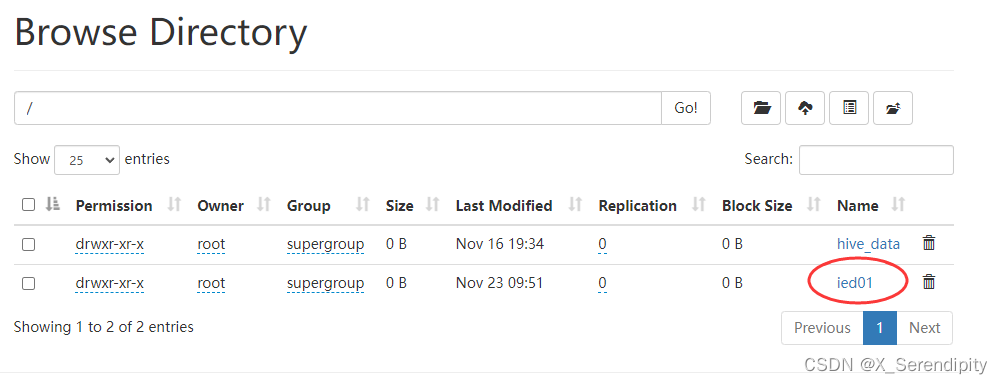
- 将
/ied01/exam.txt更名为/ied01/test.txt - 命令:
hdfs dfs -mv /ied01/exam.txt /ied01/test.txt

- 查看改名后的
test.txt文件内容

二、文件合并下载
- 现在
/ied01里有一个test.txt,创建sport.txt和music.txt并上传

- 合并
/ied01目录的文件下载到本地当前目录的merger.txt - 命令:
hdfs dfs -getmerge /ied01/* merger.txt

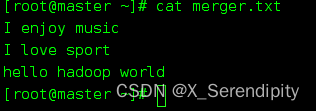
- 查看本地的
merger.txt,查看是不是三个文件合并后的内容 - 命令:
cat merger.txt
三、检查文件信息
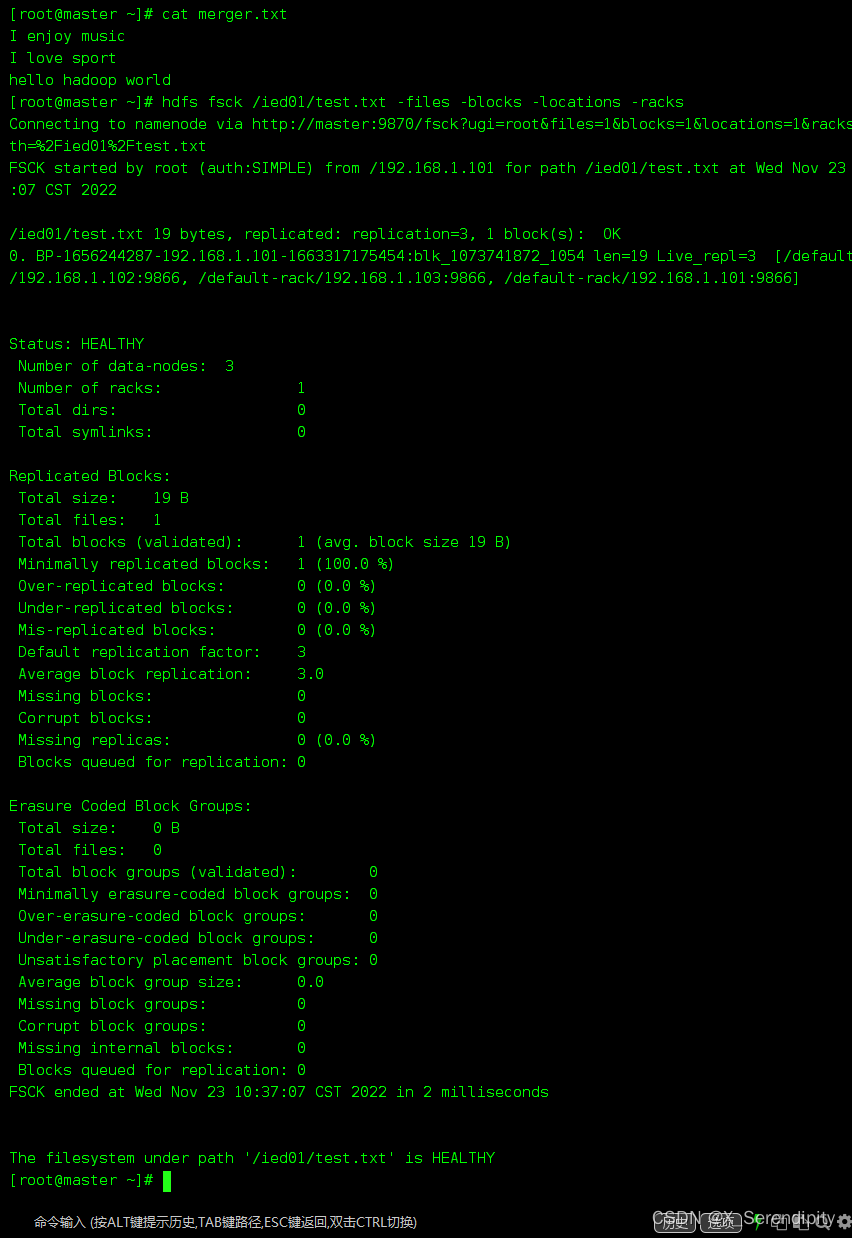
- 检查
test.txt文件 - 命令:
hdfs fsck /ied01/test.txt -files -block -locations -racks
四、创建时间戳文件
- 在
/ied01目录里创建一个文件sunshine.txt - 命令:
hdfs dfs -touchz /ied01/sunshine.txt

- 这种空文件,一般用作标识文件,也可叫做时间戳文件,再次在/ied01目录下创建sunshine.txt同名文件
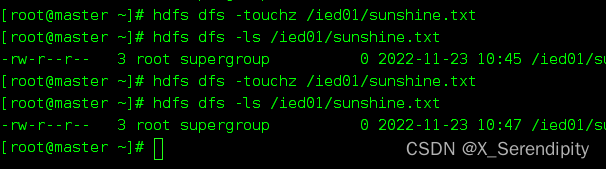
- 说明:如果touchz命令的路径指定的文件不存在,那就创建一个空文件;如果指定的文件存在,那就改变该文件的时间戳。
五、复制文件或目录
- 创建
/ied02 - 命令:
hdfs dfs -mkdir /ied02

1、同名复制文件
- 将
/ied01/music.txt复制到/ied02里 - 命令:
hdfs dfs -cp /ied01/music.txt /ied02

- 查看拷贝生成的文件

2、改名复制文件
- 将
/ied01/test.txt复制到/ied02目录,改名为hello.txt - 命令:
hdfs dfs -cp /ied01/exam.txt /ied02/hello.txt

- 查看拷贝后的文件内容

3、复制目录
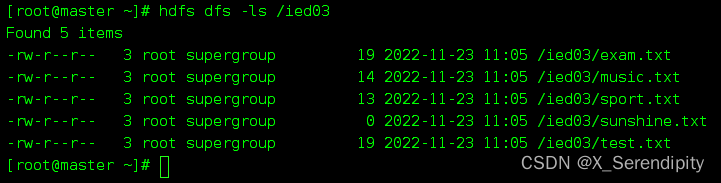
- 将/ied01目录复制到/ied03目录
- 命令:
hdfs dfs -cp /ied01 /ied03

- 查看拷贝后的目录
六、查看文件大小
- 命令:
hdfs dfs -du /ied01/test.txt
七、上传文件
copyFromLocal类似于-put- 命令:
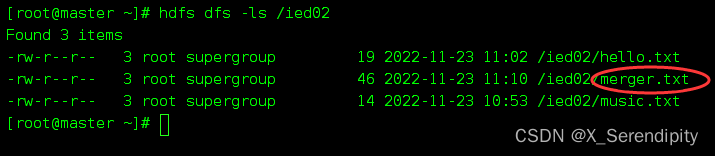
hdfs dfs -copyFromLocal merger.txt /ied02

- 查看是否上传成功
八、下载文件
copyToLocal类似于-get- 命令:
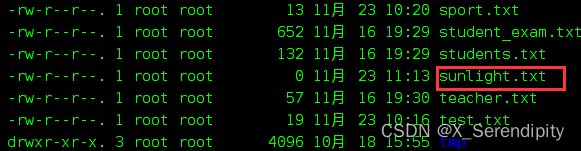
hdfs dfs -copyToLocal /ied01/sunshine.txt sunlight.txt

- 查看是否下载成功
九、查看某目录下文件个数
- 命令:
hdfs dfs -count /ied01

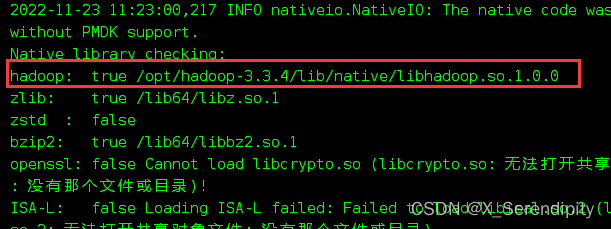
十、检查hadoop本地库
- 命令:
hadoop checknative -a
-
相关阅读:
计算机网络_互联网的标准化工作及相关组织
SiR-alkyne/azide 硅基罗丹明-炔基/叠氮 |SIR荧光染料
Spring学习|使用Spring实现AOP,三种方式:原生Spring API接口、自定义类、注解方式
[深入研究4G/5G/6G专题-45]: L3信令控制-1-软件功能和整体架构
python实现分词器
verilog实现分频(奇数分频,偶数分频,且50%占空比,通用版本)
自动驾驶入门必须要学会的ADAS(详解)
技术专家说 | 如何基于 Spark 和 Z-Order 实现企业级离线数仓降本提效?
Echarts 实现两两柱图重叠(背景和实际值柱图)
全网超细,自动化测试-数据管理/实施落地问题,跟着直接上高速...
- 原文地址:https://blog.csdn.net/X_Serendipity/article/details/127995042