-
使用vue-cli搭建SPA项目
目录
一、vue-cli构建SPA项目及SPA项目结构介绍
vue-cli是vue.js的脚手架,用于自动生成vue.js+webpack的项目模板,创建命令如下:
vue init webpack xxx
注:xxx 为自己创建项目的名称;必须先安装vue,vue-cli,webpack,node等一些必要的环境
1.1利用vue-cli构建SPA
安装vue-cli命令-npm install (-g、-s、-d)
-g:js依赖会下载到node_global中
-s:会被打包(安装到dependencies里面)
-d:只会在开发环境中被依赖
1.2spa的访问过程:
(1)访问index.html
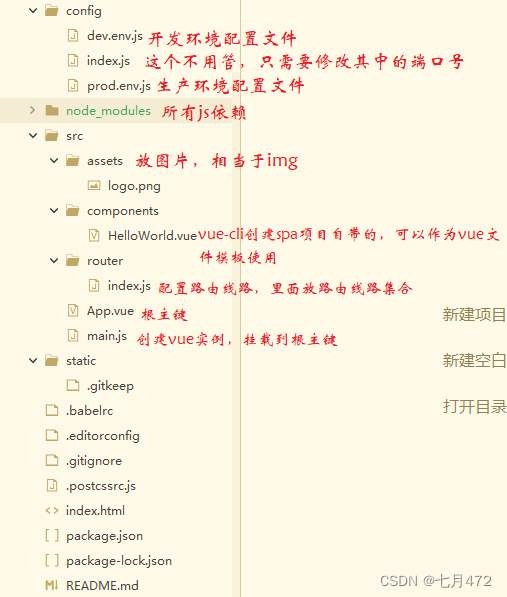
(2)index.html通过main.js中的vue实例管理#app边界,同时指定App.vue模板
(3)App.vue中包含了图片以及锚点,而锚点与组件的对应关系存在router/index.js中,所以就指向了一个组件
(4)最终App.vue中就显示了logo图片以及helloworld.vue的内容
1.3如何安装vue-cli命令
npm install -g vue-cli
该行命令在哪里的cmd窗口执行都可以(根目录、管理员窗口等)



npm install webpack -g
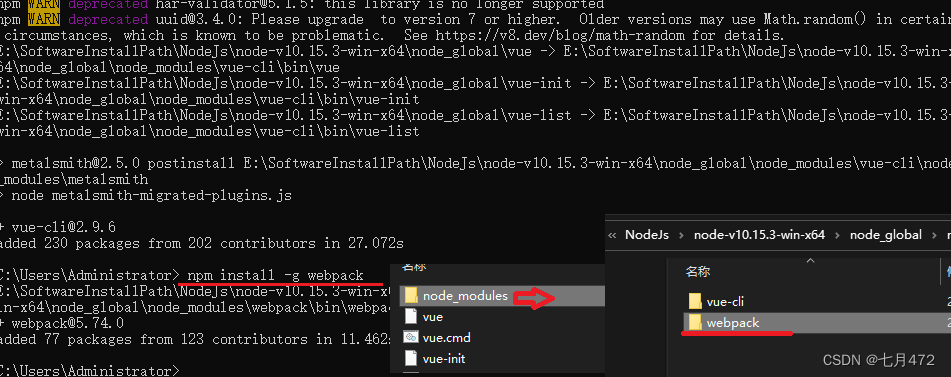
以上命令ok后,构建spa项目
vue init webpack xiaokun_spa 此命令用于创建SPA项目,它会在当前目录生成一个以“xiaokun_spa”命名的文件夹
注:xiaokun_spa文件夹则为项目名,项目名不能用中文或大写字母
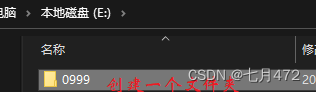
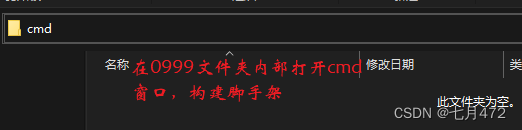


这样spa项目就创建好了,这边使用HBuilder X导入
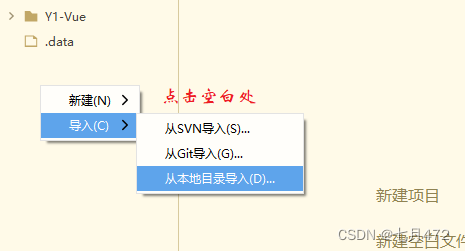
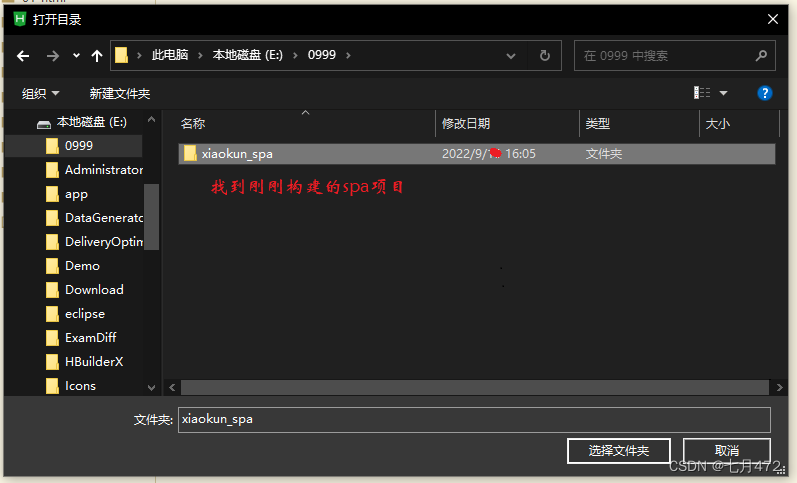
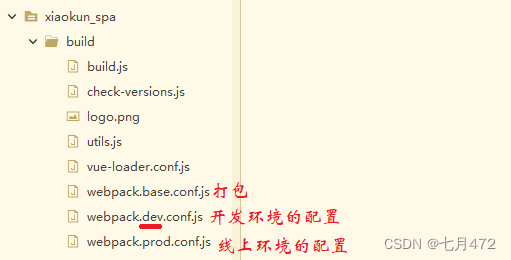
导入后,我们来认识一下,其中的类
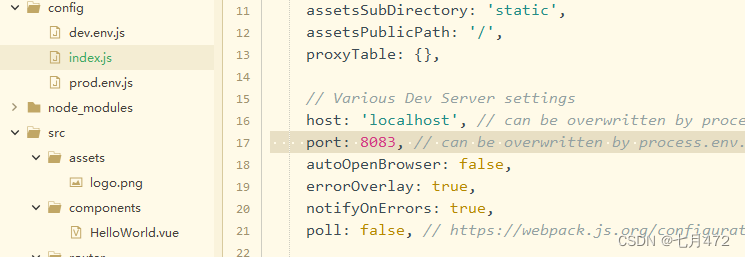
更改端口号8080——>8083:
spa访问过程:
1.访问index.html
2.index.html通过main.js中的vue实例管理#app边界,同时指定APP.vue模板
3. APP.vue中包含了logo图片以及锚点,而锚点与组件的对应关系存在router/index.js中,所有就指向了一个组件
4.最终APP.vue中就显示了logo图片以及helloworld.vue的内容
二、SPA完成路由的开发
步骤
1、引入路由js依赖:main.js中已经完成
2、定义组件:呈现形式是以.vue文件展示
template标签中定义组件内容
通过export default指定组件的名字
3、定义路由与组件之间的对应关系
router/index.js文件中进行定义
4、获取路由对象:main.js中已经完成
5、挂载Vue实例:main.js中已经完成
6、定义锚点:App.vue 使用 router-view
7、触发事件:App.vue 使用 router-link to
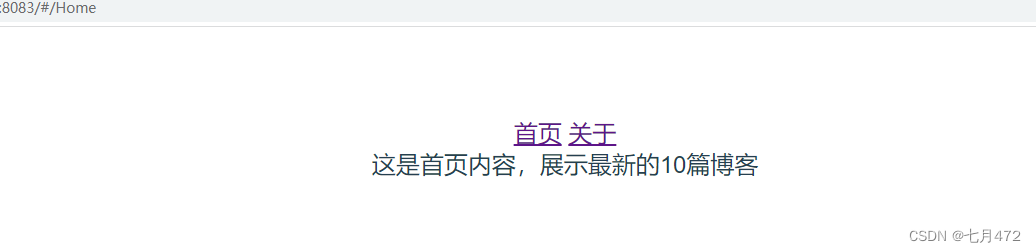
Home.vue:
- <template>
- <div>
- 这是首页内容,展示最新的10篇博客
- div>
- template>
- <script>
- export default {
- name: 'Home',
- data () {
- return {
- msg: 'Welcome to Your Vue.js App'
- }
- }
- }
- script>
- <style>
- style>
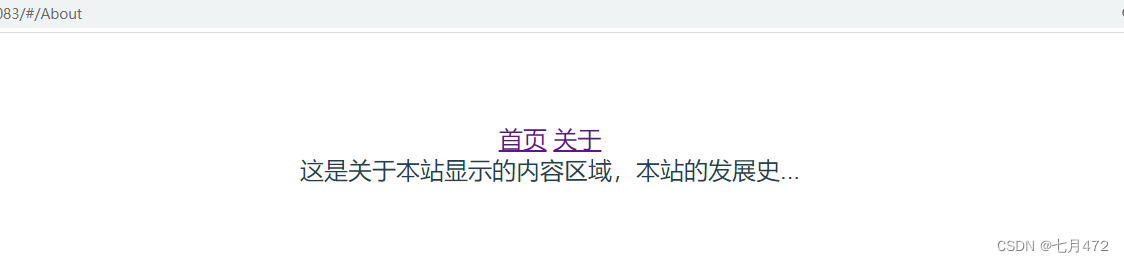
About.vue:
- <template>
- <div>
- 这是关于本站显示的内容区域,本站的发展史...
- div>
- template>
- <script>
- export default {
- name: 'About',
- data () {
- return {
- msg: 'Welcome to Your Vue.js App'
- }
- }
- }
- script>
- <style>
- style>
index.js:
- import Vue from 'vue'
- import Router from 'vue-router'
- import HelloWorld from '@/components/HelloWorld'
- import Home from '@/components/Home'
- import About from '@/components/About'
- Vue.use(Router)
- export default new Router({
- routes: [
- {
- path: '/',
- name: 'Home',
- component: Home
- },
- {
- path: '/Home',
- name: 'Home',
- component: Home
- },
- {
- path: '/About',
- name: 'About',
- component: About
- },
- ]
- })
App.vue:
- <template>
- <div id="app">
- <router-link to="/Home">首页router-link>
- <router-link to="/About">关于router-link>
- <router-view/>
- div>
- template>
- <script>
- export default {
- name: 'App'
- }
- script>
- <style>
- #app {
- font-family: 'Avenir', Helvetica, Arial, sans-serif;
- -webkit-font-smoothing: antialiased;
- -moz-osx-font-smoothing: grayscale;
- text-align: center;
- color: #2c3e50;
- margin-top: 60px;
- }
- style>
三、嵌套路由
children:[ ]
AboutMe.vue:
- <template>
- <div>站长div>
- template>
- <script>
- export default {
- name:'AboutMe',
- data() {
- return {
- };
- }
- }
- script>
- <style>
- style>
AboutWebSite.vue:
- <template>
- <div>本站div>
- template>
- <script>
- export default {
- name:'AboutWebSite',
- data() {
- return {
- };
- }
- }
- script>
- <style>
- style>
index.js:
- import Vue from 'vue'
- import Router from 'vue-router'
- // 3.定义路由与组件的对应关系
- import HelloWorld from '@/components/HelloWorld'
- import Home from '@/components/Home'
- import About from '@/components/About'
- import AboutMe from '@/components/AboutMe'
- import AboutWebSite from '@/components/AboutWebSite'
- Vue.use(Router)
- // 4.生成路由对象
- export default new Router({
- routes: [
- {
- path: '/',
- // 这个可要可不用
- name: 'Home',
- component: Home
- },
- {
- path: '/Home',
- name: 'Home',
- component: Home
- },
- {
- path: '/About',
- name: 'About',
- component: About
- },
- {
- path: '/AboutMe',
- name: 'AboutMe',
- component: AboutMe
- },
- {
- path: '/AboutWebSite',
- name: 'AboutWebSite',
- component: AboutWebSite
- }
- ]
- })
About.vue:
- <template>
- <div>
- <router-link to="/AboutMe">关于站长router-link>
- <router-link to="/AboutWebSite">关于本站router-link>
- <router-view>router-view>
- div>
- template>
- <script>
- export default {
- name:'About',
- data() {
- return {
- };
- }
- }
- script>
- <style>
- style>
-
相关阅读:
怎么测ASEMI整流桥KBPC3510W电压,KBPC3510W怎么判别好坏
论文精读:Stand-Alone Self-Attention in Vision Models
PTA题目 福到了
Mysql两道英文上机练习
小程序, 多选项
安全带佩戴识别高空作业
基于scipy的线性规划问题求解
【Node.js】http 模块
java中枚举类实现接口的方法可以每个枚举对象各自实现各自的
国家知识产权专利申请的主要流程是什么?
- 原文地址:https://blog.csdn.net/weixin_67450855/article/details/126796809
