-
Word控件Spire.Doc 【段落处理】教程(七):如如何通过在 C# 中附加 HTML 代码来设置 word 项目符号样式
在 Spire.Doc for .NET 的帮助下,开发人员可以通过调用 p.ListFormat.ApplyBulletStyle() 方法轻松为现有 Word 文档设置项目符号样式进行格式化。本文将向您展示如何将 HTML 列表转换为单词并在 C# 中为单词列表设置项目符号样式。
Spire.Doc for.NET 最新下载
 https://www.evget.com/product/3368/download
首先,请查看结果word文档的有效截图:
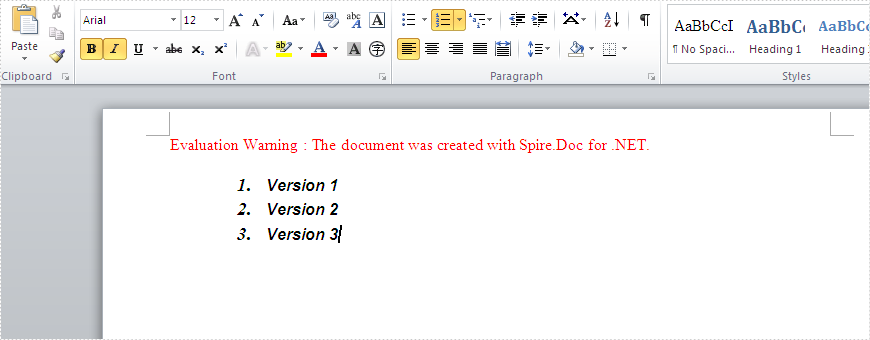
步骤如下:
第 1 步:创建一个新文档并在文档中添加一个部分。
Document document = new Document();
Section section=document.AddSection();
第 2 步:通过附加 HTML 将单词列表添加到段落中。
Paragraph paragraph = section.AddParagraph(); paragraph.AppendHTML("- Version 1
- Version 2
- Version 3
第 3 步:设置段落的项目符号样式。
foreach (Paragraph p in section.Paragraphs)
{
p.ApplyStyle(BuiltinStyle.Heading2);
p.ListFormat.CurrentListLevel.NumberPosition = 20;
p.ListFormat.CurrentListLevel.TextPosition = 30;
}
第 4 步:将文档保存到文件
document.SaveToFile("result.docx",FileFormat.Docx);完整代码:
using Spire.Doc; using Spire.Doc.Documents; namespace SetWordBullet { class Program { static void Main(string[] args) { Document document = new Document(); Section section = document.AddSection(); Paragraph paragraph = section.AddParagraph(); paragraph.AppendHTML("- Version 1
- Version 2
- Version 3
欢迎下载|体验更多E-iceblue产品
-
相关阅读:
【算法基础】基础算法(二)--(高精度、前缀和、差分)
这几本书看了之后在工作生活上都是有用的
Docker部署Canal监听MySQL binlog
【lwip】04-网络数据包流向
Leetcode81. Search in Rotated Sorted Array II
ChatGPT 制作转化率分析漏斗图的制作
TMS320F28335调用官方库进行FFT频谱分析
GB/T 20281-2020实施两周年,美创数据库防火墙的标准实践
git ssl证书问题无法获取安全证书
创意电子学-小知识:电压、电流、电阻和欧姆定律
- 原文地址:https://blog.csdn.net/m0_67129275/article/details/126498772
