-
Cesium快速上手2-Model图元使用讲解
1. Model示例讲解

scene.primitives.add增加一个图元
model = scene.primitives.add(Cesium.Model.fromGltf({ url : url, modelMatrix : modelMatrix, minimumPixelSize : 128 }));- 1
- 2
- 3
- 4
- 5
createModel具体使用讲解
- modelMatrix:
scene.primitives.removeAll(); // Remove previous model model = scene.primitives.add( Cesium.Model.fromGltf({ url: url, modelMatrix: modelMatrix, minimumPixelSize: 128, }) );- 1
- 2
- 3
- 4
- 5
- 6
- 7
- 8
modelMatrix:飞机在空间的姿态- Cesium.Transforms.headingPitchRollToFixedFrame:
const modelMatrix = Cesium.Transforms.headingPitchRollToFixedFrame( origin, hpr );- 1
- 2
- 3
- 4
origin:三维空间的位置const origin = Cesium.Cartesian3.fromDegrees( -123.0744619, 44.0503706, height );- 1
- 2
- 3
- 4
- 5
-123.0744619:西经
44.0503706:北纬
height:高度- model:
这里可以对模型进行一些设置(颜色、阴影 … )
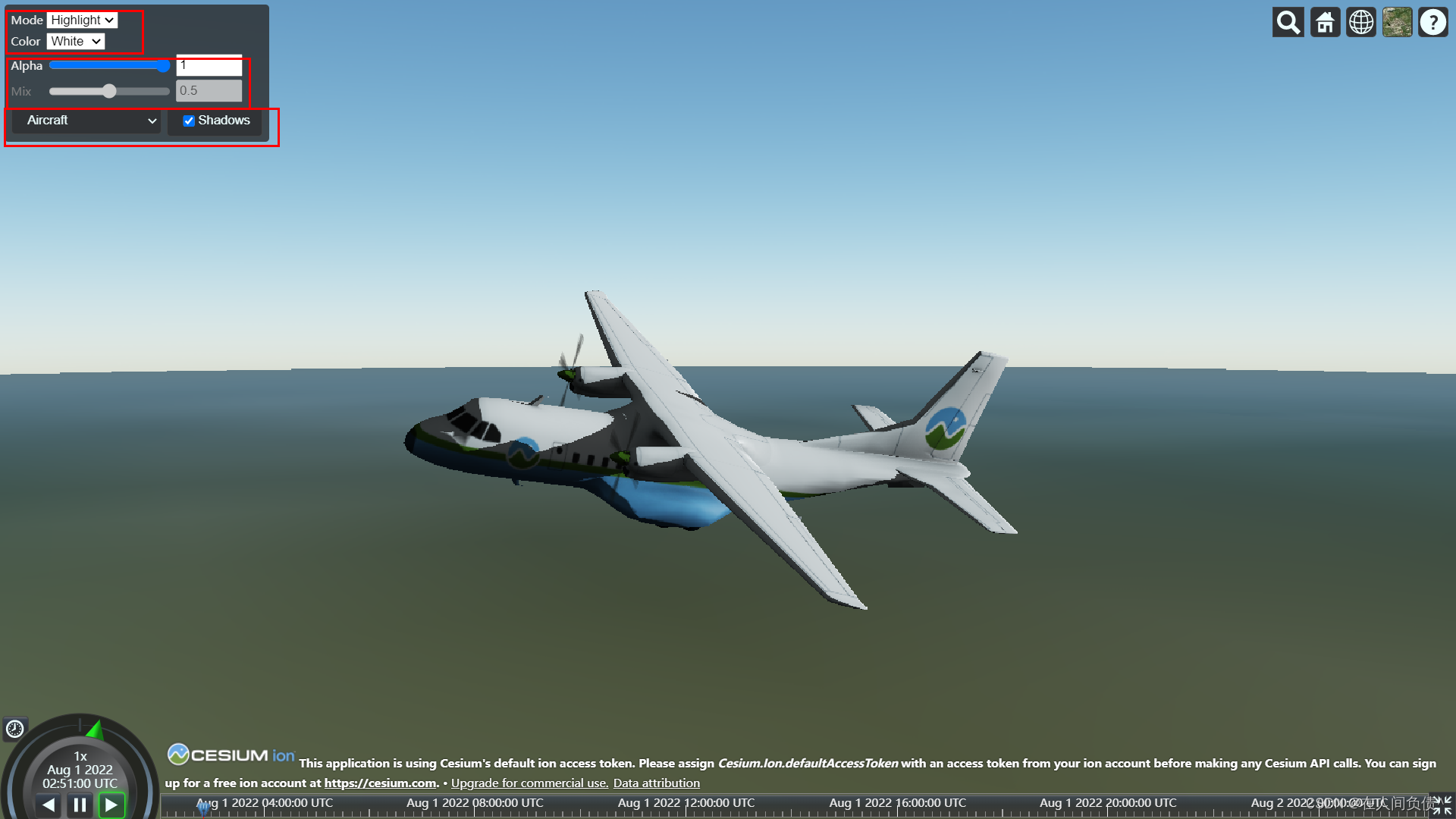
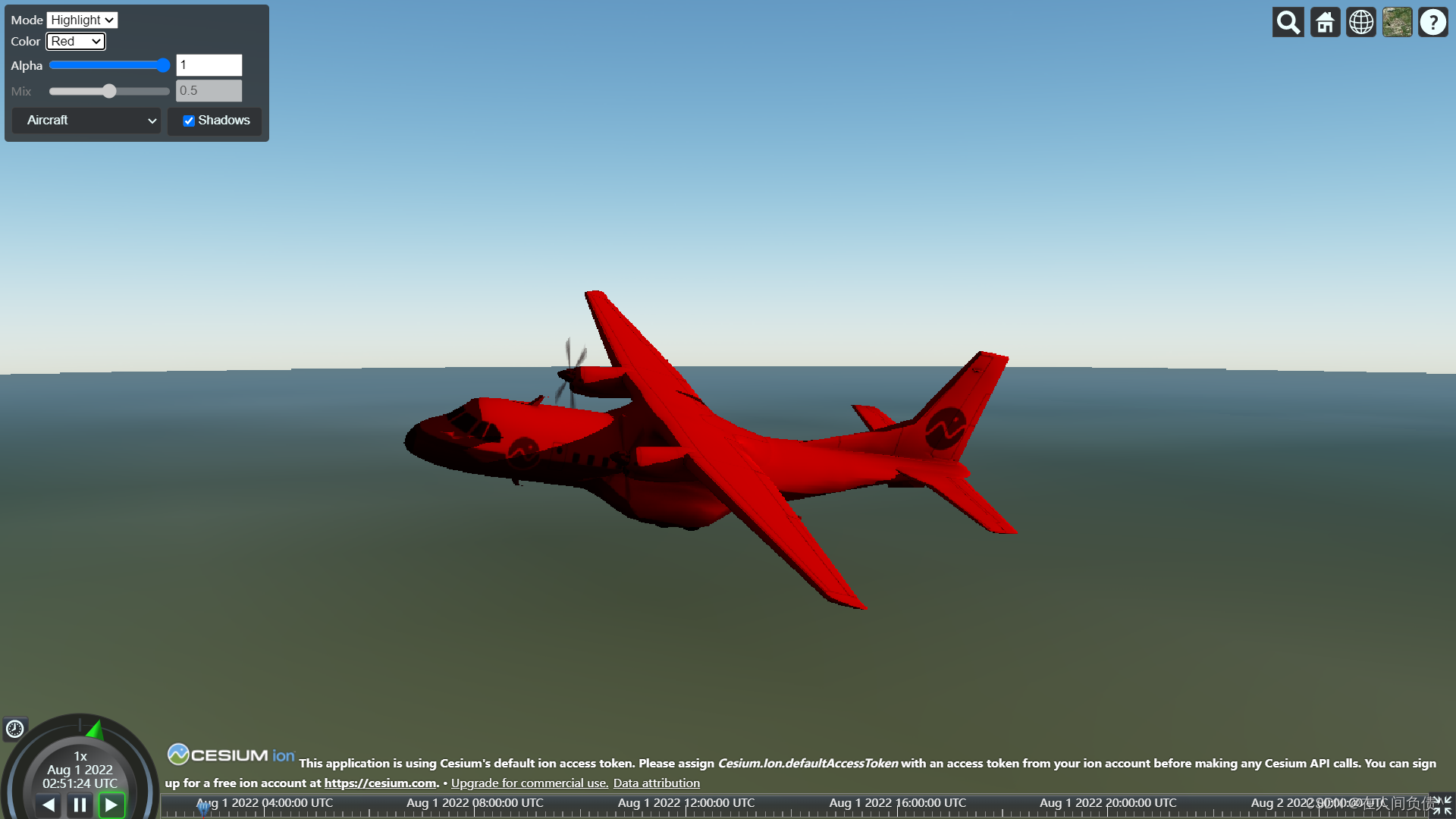
- readyPromise camera.lookAt:
看模型的视角
cesium是将视角将模型的中心点进行绑定camera.lookAt( center, new Cesium.HeadingPitchRange(heading, pitch, r * 2.0) );- 1
- 2
- 3
- 4
解除绑定
- 1
Sandcastle使用讲解
- Cesium.knockout
// The viewModel tracks the state of our mini application. const viewModel = { color: "White", colors: ["White", "Red", "Green", "Blue", "Yellow", "Gray"], alpha: 1.0, colorBlendMode: "Highlight", colorBlendModes: ["Highlight", "Replace", "Mix"], colorBlendAmount: 0.5, colorBlendAmountEnabled: false, }; // Convert the viewModel members into knockout observables. Cesium.knockout.track(viewModel); // Bind the viewModel to the DOM elements of the UI that call for it. const toolbar = document.getElementById("toolbar"); Cesium.knockout.applyBindings(viewModel, toolbar);- 1
- 2
- 3
- 4
- 5
- 6
- 7
- 8
- 9
- 10
- 11
- 12
- 13
- 14
- 15
- 16
- 17
- 18
<tr> <td>Modetd> <td> <select data-bind="options: colorBlendModes, value: colorBlendMode">select> td> tr>- 1
- 2
- 3
- 4
- 5
- 6
- Cesium.knockout.track(viewModel) Cesium.knockout.applyBindings(viewModel, toolbar)
Cesium.knockout .getObservable(viewModel, "color") .subscribe(function (newValue) { model.color = Cesium.Color.fromAlpha( getColor(newValue), Number(viewModel.alpha) ); }); Cesium.knockout .getObservable(viewModel, "alpha") .subscribe(function (newValue) { model.color = Cesium.Color.fromAlpha( getColor(viewModel.color), Number(newValue) ); }); Cesium.knockout .getObservable(viewModel, "colorBlendMode") .subscribe(function (newValue) { const colorBlendMode = getColorBlendMode(newValue); model.colorBlendMode = colorBlendMode; viewModel.colorBlendAmountEnabled = colorBlendMode === Cesium.ColorBlendMode.MIX; }); Cesium.knockout .getObservable(viewModel, "colorBlendAmount") .subscribe(function (newValue) { model.colorBlendAmount = Number(newValue); });- 1
- 2
- 3
- 4
- 5
- 6
- 7
- 8
- 9
- 10
- 11
- 12
- 13
- 14
- 15
- 16
- 17
- 18
- 19
- 20
- 21
- 22
- 23
- 24
- 25
- 26
- 27
- 28
- 29
- 30
- 31
- 32
- 33
2. ModelInstance示例讲解
http://localhost:8080/Apps/Sandcastle/index.html?src=development%2F3D%20Models%20Instancing.html&label=Development

Cesium.ModelInstanceCollectionfunction createCollection(instances) { const collection = scene.primitives.add( new Cesium.ModelInstanceCollection({ url: url, instances: instances, }) );- 1
- 2
- 3
- 4
- 5
- 6
- 7
3. Model子节点控制
// respond to viewmodel changes by applying the computed matrix Cesium.knockout .getObservable(viewModel, "matrix") .subscribe(function (newValue) { const node = model.getNode(viewModel.nodeName); if (!Cesium.defined(node.originalMatrix)) { node.originalMatrix = node.matrix.clone(); } node.matrix = Cesium.Matrix4.multiply( node.originalMatrix, newValue, new Cesium.Matrix4() ); }); }) .catch(function (error) { window.alert(error); });- 1
- 2
- 3
- 4
- 5
- 6
- 7
- 8
- 9
- 10
- 11
- 12
- 13
- 14
- 15
- 16
- 17
- 18
-
相关阅读:
分享几个Linux几个有趣且实用的命令
高德地图教程
试从多个方面比较电路交换、报文交换和分组交换的主要优缺点?
关于python上的一个坑——reload导致模块重置
【ElM分类】基于麻雀搜索算法优化ElM神经网络实现数据分类附代码
实用小算法
《深入理解java虚拟机 第三版》学习笔记一
python 定时器
JUC中的原子类
八股文系列:程序开发中的集合容器,你了解多少?
- 原文地址:https://blog.csdn.net/qq_52354698/article/details/126215571

