-
Cannot find a valid baseurl for repo: HDP-3.1-repo-1

目录
一、版本信息
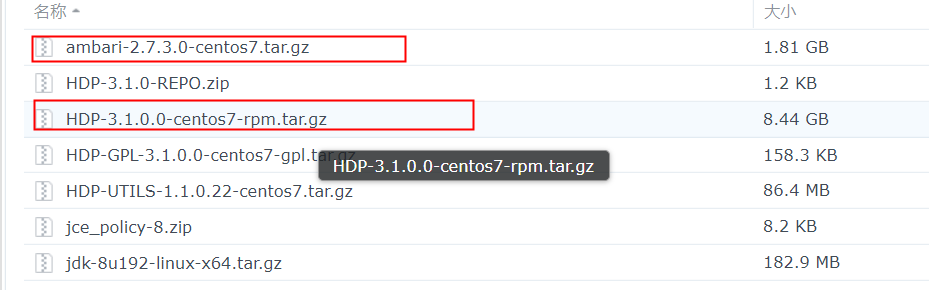
安装报错信息
stderr:
Failed to execute command:  rpm -qa | grep smartsense- ||  yum -y install smartsense-hst ||  rpm -i /var/lib/ambari-agent/cache/stacks/HDP/3.0/services/SMARTSENSE/package/files/rpm/*.rpm; Exit code: 1; stdout: 已加载插件:fastestmirror
Loading mirror speeds from cached hostfile
; stderr:

 One of the configured repositories failed (未知),
 and yum doesn't have enough cached data to continue. At this point the only
 safe thing yum can do is fail. There are a few ways to work "fix" this:

     1. Contact the upstream for the repository and get them to fix the problem.

     2. Reconfigure the baseurl/etc. for the repository, to point to a working
        upstream. This is most often useful if you are using a newer
        distribution release than is supported by the repository (and the
        packages for the previous distribution release still work).

     3. Run the command with the repository temporarily disabled
            yum --disablerepo= ...

     4. Disable the repository permanently, so yum won't use it by default. Yum
        will then just ignore the repository until you permanently enable it
        again or use --enablerepo for temporary usage:

            yum-config-manager --disable
        or
            subscription-manager repos --disable=

     5. Configure the failing repository to be skipped, if it is unavailable.
        Note that yum will try to contact the repo. when it runs most commands,
        so will have to try and fail each time (and thus. yum will be be much
        slower). If it is a very temporary problem though, this is often a nice
        compromise:

            yum-config-manager --save --setopt=.skip_if_unavailable=true

Cannot find a valid baseurl for repo: HDP-3.1-repo-1
错误:文件未找到,所用 glob: /var/lib/ambari-agent/cache/stacks/HDP/3.0/services/SMARTSENSE/package/files/rpm/*.rpm
ambari-hdp-1.repo 内容如下
- [HDP-3.1-repo-1]
- name=HDP-3.1-repo-1
- baseurl=
- path=/
- enabled=1
- gpgcheck=0
- [HDP-UTILS-1.1.0.22-repo-1]
- name=HDP-UTILS-1.1.0.22-repo-1
- baseurl=
- path=/
- enabled=1
- gpgcheck=0
二、解决方式
地址:
Root cause : https://issues.apache.org/jira/browse/AMBARI-25069Workaround :
This is a Javascript bug in ambari that happens when using local repository and there is no internet access to cluster
to workaround this
- Steps
- 1) go to /usr/lib/ambari-server/web/javascipts
- cd /usr/lib/ambari-server/web/javascripts
- 2) take backup of app.js
- cp app.js app.js_backup
- 3) edit the app.js
- find out the line(39892) : onNetworkIssuesExist: function () {
- Change the line from :
- /**
- * Use Local Repo if some network issues exist
- */
- onNetworkIssuesExist: function () {
- if (this.get('networkIssuesExist')) {
- this.get('content.stacks').forEach(function (stack) {
- stack.setProperties({
- usePublicRepo: false,
- useLocalRepo: true
- });
- stack.cleanReposBaseUrls();
- });
- }
- }.observes('networkIssuesExist'),
- to
- /**
- * Use Local Repo if some network issues exist
- */
- onNetworkIssuesExist: function () {
- if (this.get('networkIssuesExist')) {
- this.get('content.stacks').forEach(function (stack) {
- if(stack.get('useLocalRepo') != true){
- stack.setProperties({
- usePublicRepo: false,
- useLocalRepo: true
- });
- stack.cleanReposBaseUrls();
- }
- });
- }
- }.observes('networkIssuesExist'),
- as per : https://github.com/apache/ambari/pull/2743/files
- Later as you have already deployed the cluster we need to reset the cluster (Caution : this will erase all the configs you have created previously in Step6 and also the Hosts and services you have selected need to select again )
- Command :
- ambari-server reset
- And hard reload the page and start the create cluster wizard again.
- Incase you have already at Step 9 and cannot proceed with ambari-server reset (as it invovles lots of Configs being added again , the below steps are for you )
- Preqrequesties : The cluster now is in Deployment step(step 9 ) and you have only retry button to press
- steps
- 1) Stop ambari-server
- 2) login to Database
- 3) use the below command to list out all the contents in repo_definition table :
- select * from repo_definition;
- 4) you can see the base_url will be empty for the all the Rows in the table
- 5) Correct the base_url for every rows and update it using the command :
- update repo_definition set base_url='<YOUR BASE URL>' where id=<THE CORESPONDING ID>;
- for ex :
- update repo_definition set base_url='http://asnaik.example.com/localrepo/HDP-3.1' where id=9;
- 6) after correcting all the base_url columns in repo_definition table and also delete the empty repos created by ambari from location /etc/yum.repos.d
- 7) start ambari, Login to UI and press retry button, The Installation will work as smooth as it can be.
- Hope this helps.
我执行到了 最后一个步骤, 只能 retry
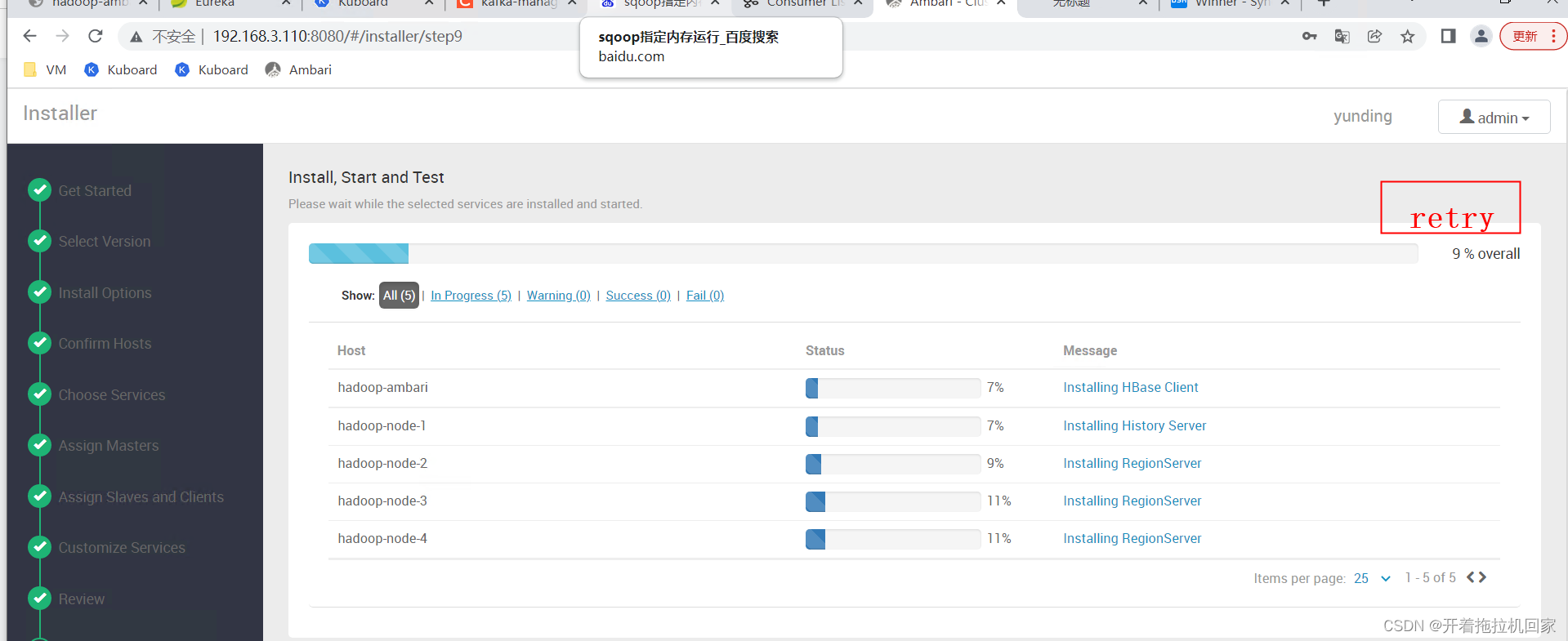
以下是我的三个BaseURL
http://hadoop-ambari/HDP/centos7/3.1.0.0-78
http://hadoop-ambari/HDP-GPL/centos7/3.1.0.0-78
http://hadoop-ambari/HDP-UTILS/centos7/1.1.0.22停止 ambari-server 后,我们 直接修改 repo_definition 表

-------------------------------- 感谢点赞! -------------------------------------
-
相关阅读:
【FPGA】FPGA实现UART串口通信回环
SpringBoot SpringBoot 基础篇 2 SpringBoot 基础配置 2.2 属性配置
LLVM(6)ORC实例分析:Transform in cpp
使用 WebGL 创建 3D 对象
DLT645-2007智能电表通讯规约 协议读取数据实战
时空数据挖掘一(城市计算)
nginx之configure解析以及模板简介
【毕业设计】python+opencv+机器学习车牌识别
lua入门(3) - 变量
【MUDUO 】Channel通道
- 原文地址:https://blog.csdn.net/qq_35995514/article/details/124345420