-
用Python Pygame做的一些好玩的小游戏
有些游戏的代码比较长就不公布了
1.简简单单
1.疯狂的鸡哥

你要准备的图片:

命名为:ji.png
代码:
- import pygame
- import random as r
- pygame.init()
- pygame.display.set_caption('aaa')
- pm = pygame.display.set_mode((800,600))
- class Ls(pygame.sprite.Sprite):
- def __init__(self,pos):#pos 鼠标点击的位置
- super().__init__()
- self.image = pygame.image.load('ji.png')
- self.dx = r.randint(20,50)
- self.dx2 = r.randint(20, 50)
- self.image = pygame.transform.scale(self.image,(self.dx,self.dx2))
- self.rect = self.image.get_rect()
- self.rect.top = pos[0]
- self.rect.left =pos[1]
- self.vx = r.randint(-3,11)
- self.vy = r.randint(-2,12)
- # update方法
- def update(self):
- self.rect.left += self.vx
- self.rect.top += self.vy
- if self.rect.left <= 0 or self.rect.left >= 750:
- self.vx = -self.vx
- self.image = pygame.transform.scale(self.image,(self.dx,self.dx2))
- if self.rect.top <= 0 or self.rect.top >= 550:
- self.vy = -self.vy
- group = pygame.sprite.Group()
- while True:
- pm.fill((120,205,255))
- zt = pygame.mouse.get_pressed()
- zy = pygame.font.Font('叶根友刀锋黑草.ttf',50).render('左键增加滚轮碰到哪个哪个删除 ',True,(0,0,0))
- pm.blit(zy,(0,0))
- if zt[0]:
- group.add(Ls([100,200]))
- if zt[1]:
- wz = pygame.mouse.get_pos()
- for i in group:
- if i.rect.collidepoint(wz): #给定点是否在给定矩形范围中,前面的是给定矩形,括号中的是点.
- i.kill()
- group.draw(pm)
- group.update()
- for event in pygame.event.get():
- if event.type == pygame.QUIT:
- exit()
- pygame.display.update()
- pygame.time.Clock().tick(20)
2.智慧的随机分数系统

- while True:
- import pygame
- pygame.init()
- pygame.display.set_caption('aaa')
- screen = pygame.display.set_mode((800,600))
- jts = pygame.image.load('照片\jts.png')
- jtx = pygame.image.load('照片\jtx.png')
- qd = pygame.image.load('照片\qd.png')
- a = 100
- mm = 1
- while mm == 1:
- screen.fill((255,255,255))
- ju = pygame.font.Font('字体\叶根友刀锋黑草.ttf', 100)
- s = ju.render(str(a), True, (1, 2, 200))
- ju2 = pygame.font.Font('字体\叶根友刀锋黑草.ttf', 100)
- s2 = ju2.render('满分:', True, (1, 2, 200))
- for event in pygame.event.get():
- if event.type == pygame.QUIT:
- exit()
- screen.blit(s,(300,300))
- screen.blit(qd, (620, 10))
- screen.blit(s2,(100,100))
- screen.blit(jts,(500,200))
- screen.blit(jtx,(500,400))
- x, y = pygame.mouse.get_pos()
- for i in range(111):
- for ii in range(101):
- if x == 500+i and y == 200 + ii and pygame.mouse.get_pressed()[0] == True:
- a = a+1
- for i in range(97):
- for ii in range(117):
- if x == 500+i and y == 400 + ii and pygame.mouse.get_pressed()[0] == True:
- a = a-1
- for i in range(154):
- for ii in range(79):
- if x == 620+i and y == 10 + ii and pygame.mouse.get_pressed()[0] == True:
- mm = 1333
- pygame.display.update()
- pygame.time.Clock().tick(20)
- import pygame
- import random as r
- pygame.init()
- pygame.display.set_caption('aaa')
- screen = pygame.display.set_mode((800,600))
- qd = pygame.image.load('照片\qd.png')
- b = str(r.randint(0,a)) + '分'
- mm = 1
- while mm == 1:
- screen.fill((255,255,255))
- ju = pygame.font.Font('字体\叶根友刀锋黑草.ttf', 50)
- s = ju.render(b, True, (1, 2, 200))
- ju2 = pygame.font.Font('字体\叶根友刀锋黑草.ttf', 50)
- s2 = ju2.render('我预测你这次考试会考:', True, (1, 2, 200))
- for event in pygame.event.get():
- if event.type == pygame.QUIT:
- exit()
- screen.blit(s,(100,200))
- screen.blit(qd, (620, 500))
- screen.blit(s2,(100,100))
- x, y = pygame.mouse.get_pos()
- for i in range(154):
- for ii in range(79):
- if x == 620+i and y == 500 + ii and pygame.mouse.get_pressed()[0] == True:
- print(1)
- mm = 1333
- pygame.display.update()
- pygame.time.Clock().tick(20)
要准备的图片:
jts.png  #向上的箭头
jtx.png   #向下的箭头
qd.png  #确定
2.平平淡淡也挺好玩
1.极速赛车

准备一个汽车图片叫做:
qc.png
代码:
- import pygame,sys
- from random import*
- while True:
- js = ''
- class Block(pygame.sprite.Sprite):
- def __init__(self):
- super().__init__()
- self.kd = randint(90,180)
- self.image = pygame.Surface((self.kd,20))
- self.image.fill((255,255,255))
- self.rect = self.image.get_rect()
- self.rect.top = 0
- self.rect.left = 0
- def update(self,v):
- self.rect.top += v
- if self.rect.top >= 600:
- self.kill()
- class Block2(Block):
- def __init__(self):
- super().__init__()
- self.rect.left = 400-self.kd
- class Car(pygame.sprite.Sprite):
- def __init__(self):
- super().__init__()
- self.image = pygame.image.load('qc.png')
- self.image = pygame.transform.scale(self.image, (20, 50))
- self.rect = self.image.get_rect()
- self.rect.top = 400
- self.rect.left = 150
- def update(self):
- k = pygame.key.get_pressed()
- if k[pygame.K_RIGHT]:
- self.rect.left += 5
- elif k[pygame.K_LEFT]:
- self.rect.left -= 5
- if self.rect.left >= 400:
- self.rect.left = 400
- if self.rect.left <= 0:
- self.rect.left = 0
- def zi(dx,x,y):
- xz = pygame.font.Font('叶根友刀锋黑草.ttf', 50).render(str(dx), True, (0, 0, 0))
- screen.blit(xz,(x,y))
- pygame.init()
- screen = pygame.display.set_mode((400,600))
- pygame.display.set_caption("qc")
- group = pygame.sprite.Group()
- group2 = pygame.sprite.Group()
- group3 = pygame.sprite.Group()
- group3.add(Car())
- i = 0
- v = 3
- while True:
- screen.fill((0,0,255))
- for event in pygame.event.get():
- if event.type == pygame.QUIT:
- sys.exit()
- t = pygame.time.get_ticks()
- if js == '':
- miao = str(t / 1000)
- miao2 = int(miao[0])
- zi('速度:' + str(int(v)), 0, 0)
- if miao2 == 1 and miao2 != 0:
- v += 0.001
- i += 1
- jg = randint(20,50) #间隔
- if i % jg == 0:
- group.add(Block())
- group.draw(screen)
- group.update(v)
- jg2 = randint(20, 50) # 间隔2
- if i % jg2 == 0:
- group2.add(Block2())
- group2.draw(screen)
- group2.update(v)
- group3.draw(screen)
- group3.update()
- else:
- zi('Game Over',0,100)
- zi('按滚轮回去',50,200)
- #碰撞
- a = pygame.sprite.groupcollide(group,group3,False,False)
- b = pygame.sprite.groupcollide(group2, group3, False, False)
- if a or b:
- js = '结束'
- i = 0
- v = 3
- if pygame.mouse.get_pressed()[1] and js == '结束':
- break
- pygame.display.update()
- pygame.time.Clock().tick(60)
2.滑雪

代码太长了:294行
提供一个创意思路
3.制作困难的游戏
提供思路
1.风叶穿行
被我爆改成了火山穿行
网站链接(B站的灵感):风叶穿行 (bilibili.com)

2.鱿鱼游戏系列


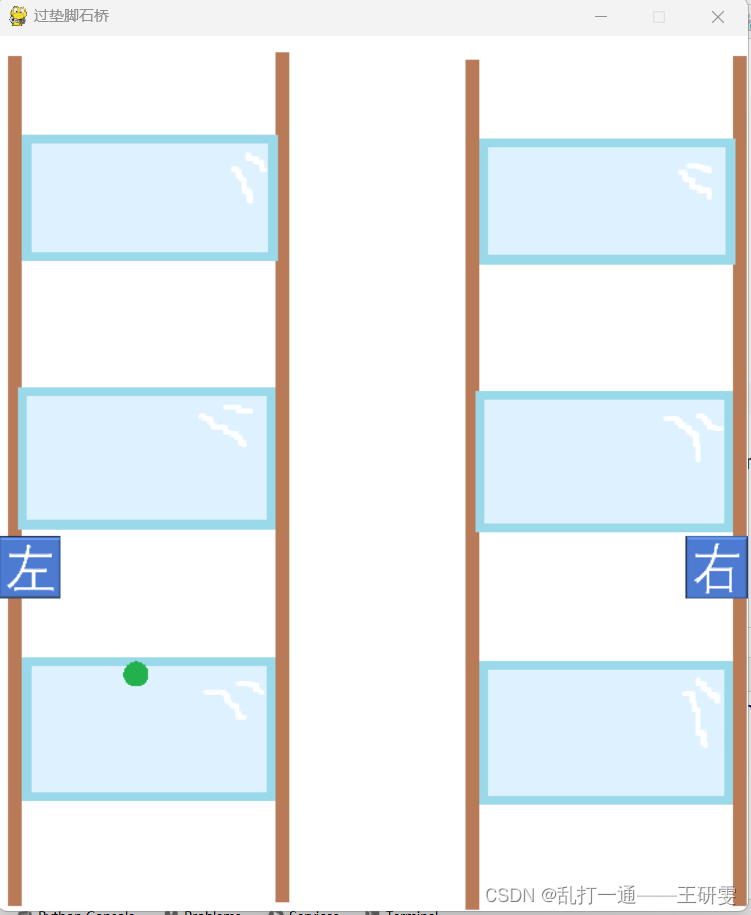
4.我还有很多有意思的pygame游戏

-
相关阅读:
C语言之自定义类型------枚举和联合体
金融帝国实验室(CapLab)官方更新_V9.1.15版本(2023年第64次)
Linux下的基本指令
Docker-Compose 使用
机器学习8线性回归法Linear Regression
怎样做好金融投资翻译
Linux》yum与vim
[附源码]计算机毕业设计springboot基于vuejs的爱宠用品销售app
Docker快速极简配置nginx实现不同域名访问分流
【LeetCode】136. 只出现一次的数 python
- 原文地址:https://blog.csdn.net/pythonwyw123321/article/details/139201606