-
linux系统-----------搭建LNMP 架构


PHP(Hypertext Preprocessor 超文本预处理器)是通用服务器端脚本编程语言,主要用于web开发实现动态web页面,也是最早实现将脚本嵌入HTML源码文档中的服务器端脚本语言之一。同时,php还提供了一个命令行接口,因此,其也可以在大多数系统上作为一个独立的shell来使用
LNMP 架构
环境准备 lnmp 需要 安装 nginx mysql php 软件
准备工作 关闭防火墙,防护
- [root@localhost ~]#systemctl stop firewalld
- [root@localhost ~]#setenforce 0
- [root@localhost ~]#cd /opt
- [root@localhost opt]#ls
- [root@localhost opt]#rz -E
- rz waiting to receive.
- [root@localhost opt]#rz -E
- rz waiting to receive.
- [root@localhost opt]#rz -E
- rz waiting to receive.
- [root@localhost opt]#rz -E
- rz waiting to receive.
- [root@localhost opt]#ls
- Discuz_X3.4_SC_UTF8.zip mysql-boost-5.7.20.tar.gz nginx-1.22.0.tar.gz php-7.1.10.tar.bz2
- [root@localhost opt]#tar xf nginx-1.22.0.tar.gz
- [root@localhost opt]#cd nginx-1.22.0/
- [root@localhost nginx-1.22.0]#
- [root@localhost nginx-1.22.0]#
- [root@localhost nginx-1.22.0]#
- [root@localhost nginx-1.22.0]#
- [root@localhost nginx-1.22.0]#
- [root@localhost nginx-1.22.0]#ls
- auto CHANGES CHANGES.ru conf configure contrib html LICENSE man README src
- [root@localhost nginx-1.22.0]#yum -y install pcre-devel zlib-devel gcc gcc-c++ make


(一)编译安装nginx
1、安装依赖包
yum -y install pcre-devel zlib-devel gcc gcc-c++ make
2、创建运行用户、组
[root@localhost nginx-1.22.0]#useradd -M -s /sbin/nologin nginx
(Nginx 服务程序默认以 nobody 身份运行,建议为其创建专门的用户账号,以便更准确地控制其访问权限) useradd -M -s /sbin/nologin nginx
3、编译安装nginx
- ./configure \
- --prefix=/usr/local/nginx \
- --user=nginx \
- --group=nginx \
- --with-http_stub_status_module
- [root@localhost nginx-1.22.0]#make -j 2
- [root@localhost nginx-1.22.0]#make install
[root@localhost nginx-1.22.0]#ln -s /usr/local/nginx/sbin/nginx /usr/bin


- tee /lib/systemd/system/nginx.service <<eof
- [Unit]
- Description=nginx
- After=network.target
- [Service]
- Type=forking
- PIDFile=/usr/local/nginx/logs/nginx.pid
- ExecStart=/usr/local/nginx/sbin/nginx
- ExecReload=/bin/kill -1 $MAINPID
- ExecStop=/bin/kill -3 $MAINPID
- PrivateTmp=true
- [Install]
- WantedBy=multi-user.target
- eof
- [root@localhost nginx-1.22.0]#systemctl daemon-reload
- [root@localhost nginx-1.22.0]#systemctl enable --now nginx.service
- [root@localhost nginx-1.22.0]#systemctl status nginx.service


(二)编译安mysql
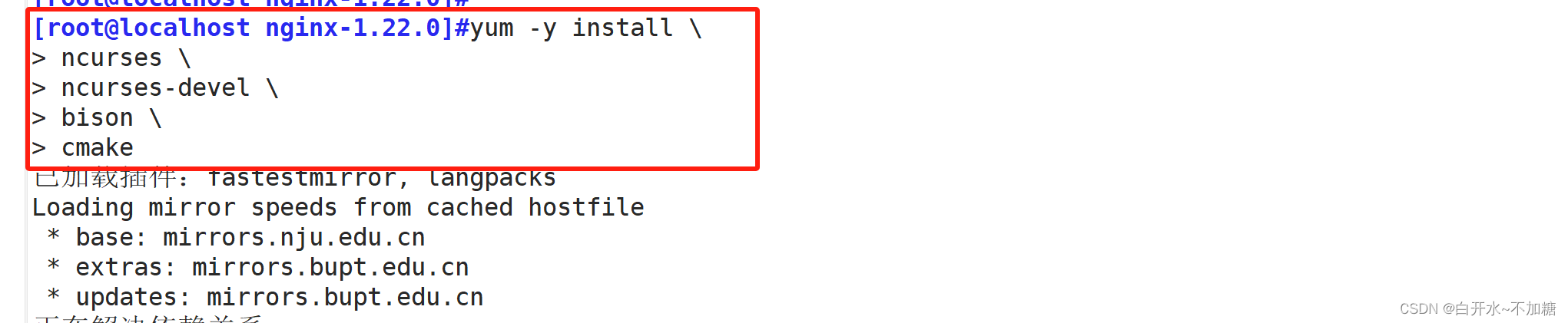
1、安装Mysql环境依赖包
- yum -y install \
- ncurses \
- ncurses-devel \
- bison \
- cmake
- yum -y install gcc gcc-c++ cmake bison bison-devel zlib-devel libcurl-devel libarchive-devel boost-devel ncurses-devel gnutls-devel libxml2-devel openssl-devel libevent-devel libaio-devel

2、创建运行用户
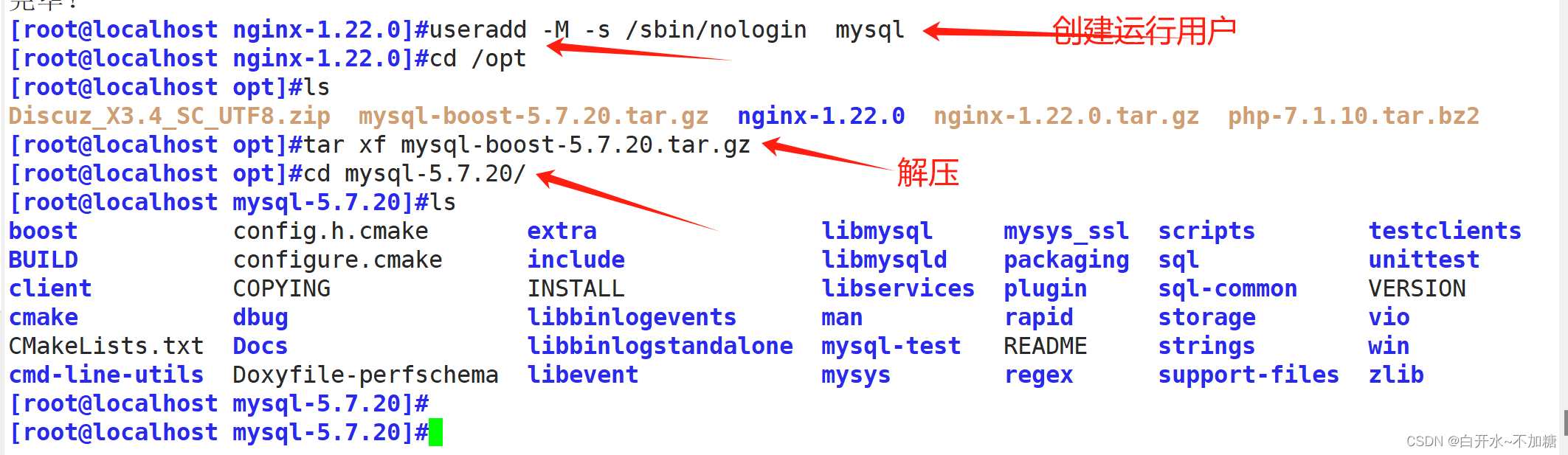
- [root@localhost nginx-1.22.0]#useradd -M -s /sbin/nologin mysql
- [root@localhost nginx-1.22.0]#cd /opt
- [root@localhost opt]#ls
- Discuz_X3.4_SC_UTF8.zip mysql-boost-5.7.20.tar.gz nginx-1.22.0 nginx-1.22.0.tar.gz php-7.1.10.tar.bz2
- [root@localhost opt]#tar xf mysql-boost-5.7.20.tar.gz
- [root@localhost opt]#cd mysql-5.7.20/
- [root@localhost mysql-5.7.20]#ls
- boost config.h.cmake extra libmysql mysys_ssl scripts testclients
- BUILD configure.cmake include libmysqld packaging sql unittest
- client COPYING INSTALL libservices plugin sql-common VERSION
- cmake dbug libbinlogevents man rapid storage vio
- CMakeLists.txt Docs libbinlogstandalone mysql-test README strings win
- cmd-line-utils Doxyfile-perfschema libevent mysys regex support-files zlib
- [root@localhost mysql-5.7.20]#
3、编译安装
- cmake \
- -DCMAKE_INSTALL_PREFIX=/usr/local/mysql \
- -DMYSQL_UNIX_ADDR=/usr/local/mysql/mysql.sock \
- -DSYSCONFDIR=/etc \
- -DSYSTEMD_PID_DIR=/usr/local/mysql \
- -DDEFAULT_CHARSET=utf8 \
- -DDEFAULT_COLLATION=utf8_general_ci \
- -DWITH_EXTRA_CHARSETS=all \
- -DWITH_INNOBASE_STORAGE_ENGINE=1 \
- -DWITH_ARCHIVE_STORAGE_ENGINE=1 \
- -DWITH_BLACKHOLE_STORAGE_ENGINE=1 \
- -DWITH_PERFSCHEMA_STORAGE_ENGINE=1 \
- -DMYSQL_DATADIR=/usr/local/mysql/data \
- -DWITH_BOOST=boost \
- -DWITH_SYSTEMD=1
- [root@localhost mysql-5.7.20]#make -j 2
- [root@localhost mysql-5.7.20]#make install


4、修改mysql 配置文件
[root@localhost mysql-5.7.20]#vim /etc/my.cnf- [client]
- port = 3306
- socket=/usr/local/mysql/mysql.sock
- [mysqld]
- user = mysql
- basedir=/usr/local/mysql
- datadir=/usr/local/mysql/data
- port = 3306
- character-set-server=utf8
- pid-file = /usr/local/mysql/mysqld.pid
- socket=/usr/local/mysql/mysql.sock
- bind-address = 0.0.0.0
- skip-name-resolve
- max_connections=2048
- default-storage-engine=INNODB
- max_allowed_packet=16M
- server-id = 1
- sql_mode=NO_ENGINE_SUBSTITUTION,STRICT_TRANS_TABLES,NO_AUTO_CREATE_USER,NO_AUTO_VALUE_ON_ZERO,NO_ZERO_IN_DATE,NO_ZERO_DATE,ERROR_FOR_DIVISION_BY_ZERO,PIPES_AS_CONCAT,ANSI_QUOTES

5、更改mysql安装目录和配置文件的属主属组
- [root@localhost mysql-5.7.20]#chown -R mysql:mysql /usr/local/mysql/
- [root@localhost mysql-5.7.20]#chown mysql:mysql /etc/my.cnf

6、设置路径环境变量
- [root@localhost mysql-5.7.20]#echo 'export PATH=/usr/local/mysql/bin:/usr/local/mysql/lib:$PATH' >> /etc/profile
- [root@localhost mysql-5.7.20]#source /etc/profile

7、初始化数据库
[root@localhost mysql-5.7.20]#cd /usr/local/mysql/bin/- ./mysqld \
- --initialize-insecure \
- --user=mysql \
- --basedir=/usr/local/mysql \
- --datadir=/usr/local/mysql/data

8、添加mysqld系统服务
- [root@localhost bin]#cp /usr/local/mysql/usr/lib/systemd/system/mysqld.service /usr/lib/systemd/system/
- [root@localhost bin]#systemctl daemon-reload
- [root@localhost bin]#systemctl start mysqld.service
- [root@localhost bin]#systemctl status mysqld.service
[root@localhost bin]#systemctl enable mysqld.service

9、修改mysql 的登录密码
[root@localhost bin]#mysqladmin -u root -p password "abc123"
mysqladmin -u root -p password "abc123"
给root账号设置密码为abc123,提示输入的是原始密码(为空)要求输入的是原密码直接回车即可10、授权远程登录
[root@localhost bin]#mysql -uroot -pabc123
(三)编译安装php软件
1、安装环境依赖包
- yum -y install gd \
- libjpeg libjpeg-devel \
- libpng libpng-devel \
- freetype freetype-devel \
- libxml2 libxml2-devel \
- zlib zlib-devel \
- curl curl-devel \
- openssl openssl-devel

2、编译安装
- ./configure \
- --prefix=/usr/local/php \
- --with-mysql-sock=/usr/local/mysql/mysql.sock \
- --with-mysqli \
- --with-zlib \
- --with-curl \
- --with-gd \
- --with-jpeg-dir \
- --with-png-dir \
- --with-freetype-dir \
- --with-openssl \
- --enable-fpm \
- --enable-mbstring \
- --enable-xml \
- --enable-session \
- --enable-ftp \
- --enable-pdo \
- --enable-tokenizer \
- --enable-zip
- [root@localhost php-7.1.10]#make -j 2
- [root@localhost php-7.1.10]#make install


3、调整PHP配置文件
- [root@localhost php-7.1.10]#ls php.ini-development
- php.ini-development
- [root@localhost php-7.1.10]#cp php.ini-development /usr/local/php/lib/php.ini
- [root@localhost php-7.1.10]#vim /usr/local/php/lib/php.ini
- 修改内容
- date.timezone = Asia/Shanghai
- mysqli.default_socket = /usr/local/mysql/mysql.sock
调整主配置文件:


- [root@localhost php-7.1.10]#cd /usr/local/php/lib/
- [root@localhost lib]#ls
- php php.ini
- [root@localhost lib]#cd php/
- [root@localhost php]#ls
- Archive Console doc OS pearcmd.php peclcmd.php System.php XML
- build data extensions PEAR PEAR.php Structures test
- [root@localhost php]#cd ..
- [root@localhost lib]#ls
- php php.ini
- [root@localhost lib]#cd ..
- [root@localhost php]#ls
- bin etc include lib php sbin var
- [root@localhost php]#pwd
- /usr/local/php
- [root@localhost php]#cd etc/
- [root@localhost etc]#ls
- pear.conf php-fpm.conf.default php-fpm.d
- [root@localhost etc]#pwd
- /usr/local/php/etc
- [root@localhost etc]#cp php-fpm.conf.default php-fpm.conf
- [root@localhost etc]#ls
- pear.conf php-fpm.conf php-fpm.conf.default php-fpm.d
- [root@localhost etc]#vim php-fpm.conf
调整进程服务配置文件:


调整扩展配置文件:
- [root@localhost etc]#cd php-fpm.d/
- [root@localhost php-fpm.d]#ls
- www.conf.default
- [root@localhost php-fpm.d]#cp www.conf.default www.conf
- [root@localhost php-fpm.d]#ls
- www.conf www.conf.default
- [root@localhost php-fpm.d]#

php有三个配置文件:
php.ini 主配置文件
php-fpm.conf 进程服务配置文件
www.conf 扩展配置文件#调整主配置文件:
cp /opt/php-7.1.10/php.ini-development /usr/local/php/lib/php.ini
vim /usr/local/php/lib/php.ini
--1170行--修改
mysqli.default_socket = /usr/local/mysql/mysql.sock
--939行--取消注释,修改
date.timezone = Asia/Shanghai#调整进程服务配置文件:
cd /usr/local/php/etc/
cp php-fpm.conf.default php-fpm.conf
vim php-fpm.conf
--17行--去掉";"注释
pid = run/php-fpm.pid#调整扩展配置文件:
cd /usr/local/php/etc/php-fpm.d/
cp www.conf.default www.conf4、路径优化
- [root@localhost php-fpm.d]#ln -s /usr/local/php/bin/* /usr/local/bin/
- [root@localhost php-fpm.d]#ln -s /usr/local/php/sbin/* /usr/local/sbin/

5、启动php-fpm
- [root@localhost php-fpm.d]#cd /opt/php-7.1.10/sapi/fpm/
- [root@localhost fpm]#ls
- config.m4 init.d.php-fpm Makefile.frag php-fpm.8.in php-fpm.service status.html.in www.conf.in
- CREDITS init.d.php-fpm.in php-fpm php-fpm.conf php-fpm.service.in tests
- fpm LICENSE php-fpm.8 php-fpm.conf.in status.html www.conf
- [root@localhost fpm]#pwd
- /opt/php-7.1.10/sapi/fpm
- [root@localhost fpm]#cp /opt/php-7.1.10/sapi/fpm/php-fpm.service /usr/lib/systemd/system/
- [root@localhost fpm]#
- [root@localhost fpm]#systemctl daemon-reload
- [root@localhost fpm]#systemctl start php-fpm.service
- [root@localhost fpm]#systemctl status php-fpm.service
- ● php-fpm.service - The PHP FastCGI Process Manager
- Loaded: loaded (/usr/lib/systemd/system/php-fpm.service; disabled; vendor preset: disabled)
- Active: active (running) since 三 2024-02-28 15:47:25 CST; 17s ago
- Main PID: 42918 (php-fpm)
- CGroup: /system.slice/php-fpm.service
- ├─42918 php-fpm: master process (/usr/local/php/etc/php-fpm.conf)
- ├─42919 php-fpm: pool www
- └─42920 php-fpm: pool www
- 2月 28 15:47:25 localhost.localdomain systemd[1]: Started The PHP FastCGI Process Manager.
- 2月 28 15:47:25 localhost.localdomain systemd[1]: Starting The PHP FastCGI Process Manager...
- [root@localhost fpm]#ss -natp |grep 9000
- LISTEN 0 128 127.0.0.1:9000 *:* users:(("php-fpm",pid=42920,fd=0),("php-fpm",pid=42919,fd=0),("php-fpm",pid=42918,fd=6))
- [root@localhost fpm]#

(四)配置 Nginx支持PHP解析
[root@localhost fpm]#vim /usr/local/nginx/conf/nginx.conf- [root@localhost fpm]#nginx -s reload
- [root@localhost fpm]#systemctl restart nginx.service
1、修改配置文件



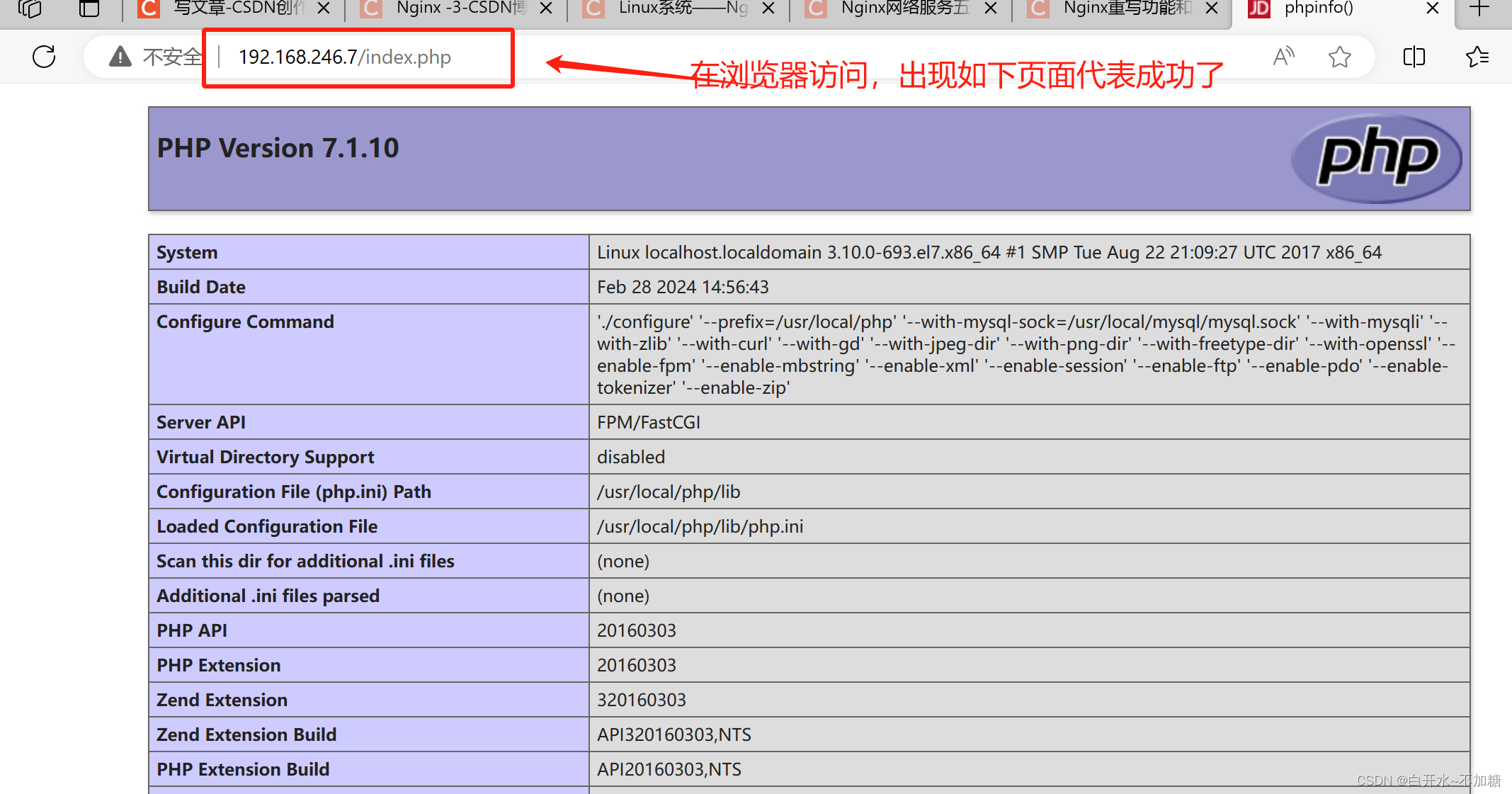
2、写php测试页面
- [root@localhost html]#vim /usr/local/nginx/html/index.php
- phpinfo();
- ?>
- [root@localhost html]#


3、去浏览器验证

4、验证数据库工作是否正常

- CREATE DATABASE bbs;
- GRANT all ON bbs.* TO 'bbsuser'@'%' IDENTIFIED BY 'admin123';
- GRANT all ON bbs.* TO 'bbsuser'@'localhost' IDENTIFIED BY 'admin123';
- flush privileges;
重新编辑测试页:

- $link=mysqli_connect('192.168.246.7','bbsuser','admin123');
- if($link) echo "
Success!!
"; - else echo "Fail!!";
- ?>
浏览器访问

(五)安装论坛
- [root@localhost ~]#cd /opt
- [root@localhost opt]#ls
- dir_SC_UTF8 mysql-5.7.20 nginx-1.22.0 php-7.1.10 说明.htm
- Discuz_X3.4_SC_UTF8.zip mysql-boost-5.7.20.tar.gz nginx-1.22.0.tar.gz php-7.1.10.tar.bz2
- [root@localhost opt]#unzip Discuz_X3.4_SC_UTF8.zip
- [root@localhost opt]#cd dir_SC_UTF8/
- [root@localhost dir_SC_UTF8]#ls
- readme upload utility
- [root@localhost dir_SC_UTF8]#cp -r upload/ /usr/local/nginx/html/bbs/
- [root@localhost dir_SC_UTF8]#cd /usr/local/nginx/html/bbs/
- [root@localhost bbs]#ls
- admin.php archiver crossdomain.xml forum.php index.php member.php portal.php source uc_client
- api config data group.php install misc.php robots.txt static uc_server
- api.php connect.php favicon.ico home.php m plugin.php search.php template
- [root@localhost bbs]#chmod -R 777 ./config/
- [root@localhost bbs]#chmod -R 777 ./data/
- [root@localhost bbs]#chmod -R 777 ./uc_client/
- [root@localhost bbs]#chmod -R 777 ./uc_server/
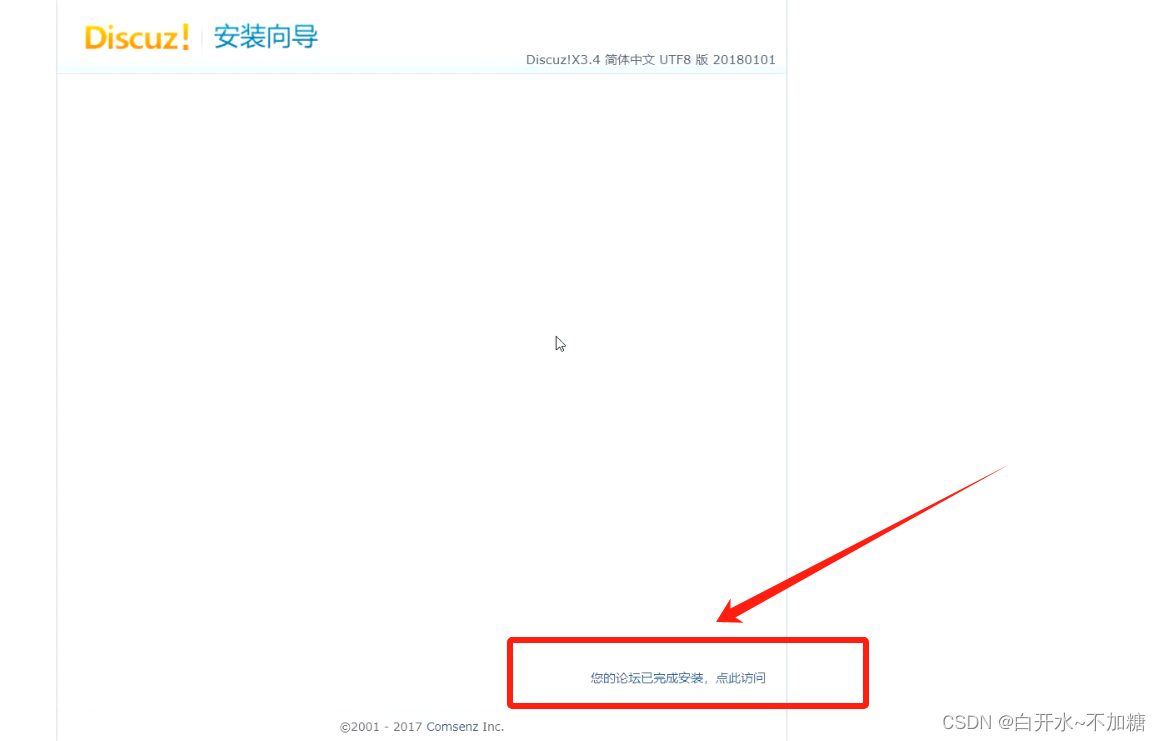
1、部署 Discuz


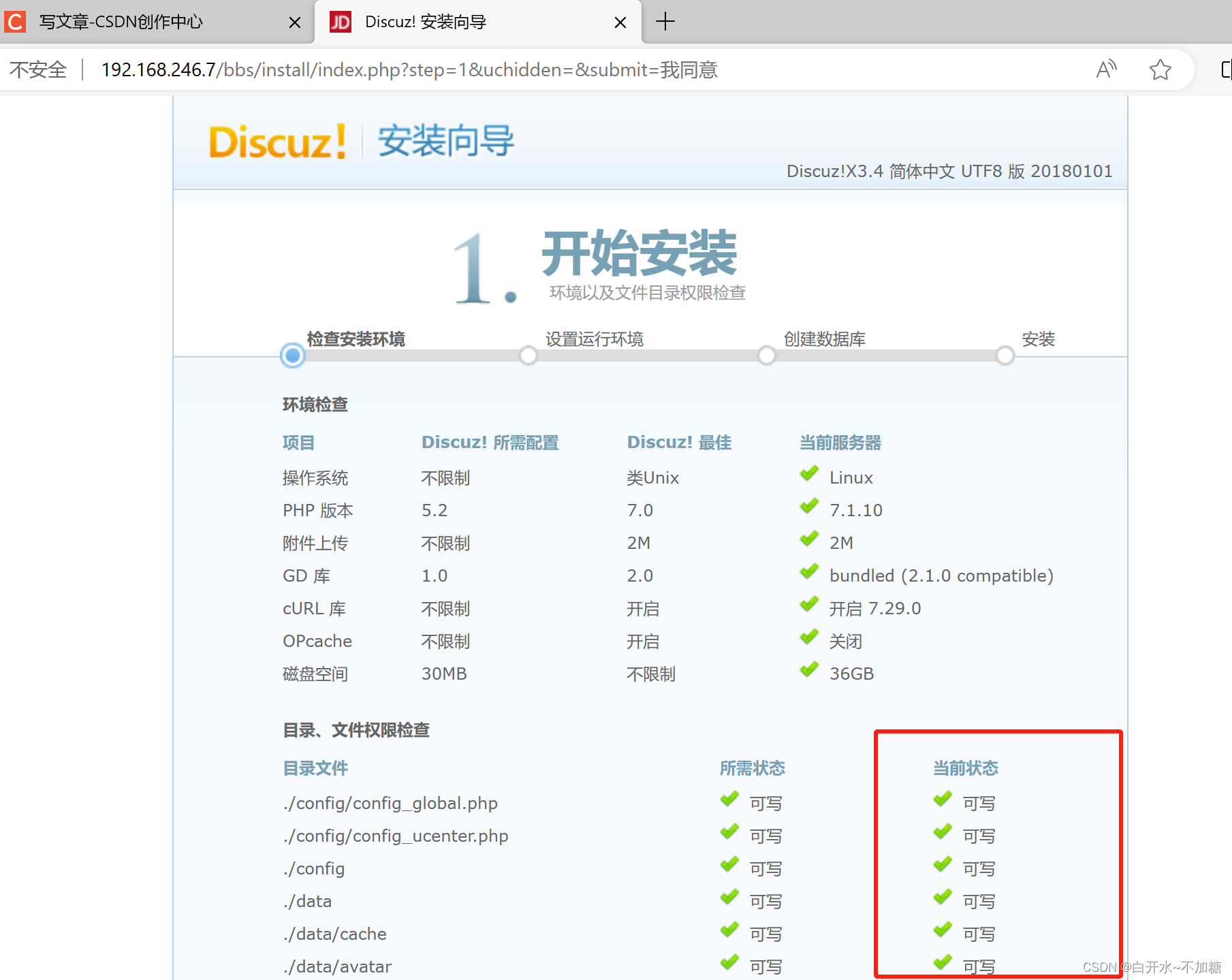
2、调整论坛目录的权限:

调整论坛目录的权限:
cd /usr/local/nginx/html/bbs/
chown -R nginx.nginx ./config/
chown -R nginx.nginx ./data/
chown -R nginx.nginx ./uc_client/
chown -R nginx.nginx ./uc_server/都要处理
chmod -R 777 ./config/
chmod -R 777 ./data/
chmod -R 777 ./uc_client/
chmod -R 777 ./uc_server/3、论坛页面访问


数据库默认端口号3306



(六)安装博客
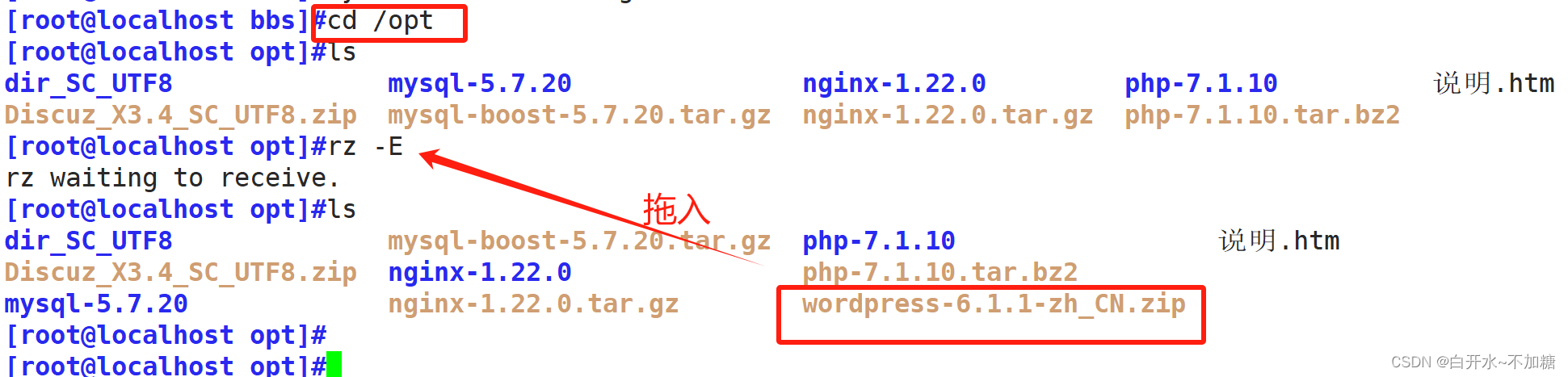

- [root@zzcentos1 opt]#cp -r wordpress /usr/local/nginx/html/
- [root@zzcentos1 opt]#cd /usr/local/nginx/html/
- [root@zzcentos1 html]#ls
- 50x.html bbs index.html index.php wordpress
- [root@zzcentos1 html]#chmod -R 777 wordpress/
- [root@zzcentos1 html]#ls
- 50x.html bbs index.html index.php wordpress
- [root@zzcentos1 html]#

建数据库名
- CREATE DATABASE blog;
- GRANT all ON blog.* TO 'bloguser'@'%' IDENTIFIED BY 'admin123';
- GRANT all ON blog.* TO 'bloguser'@'localhost' IDENTIFIED BY 'admin123';
- flush privileges;
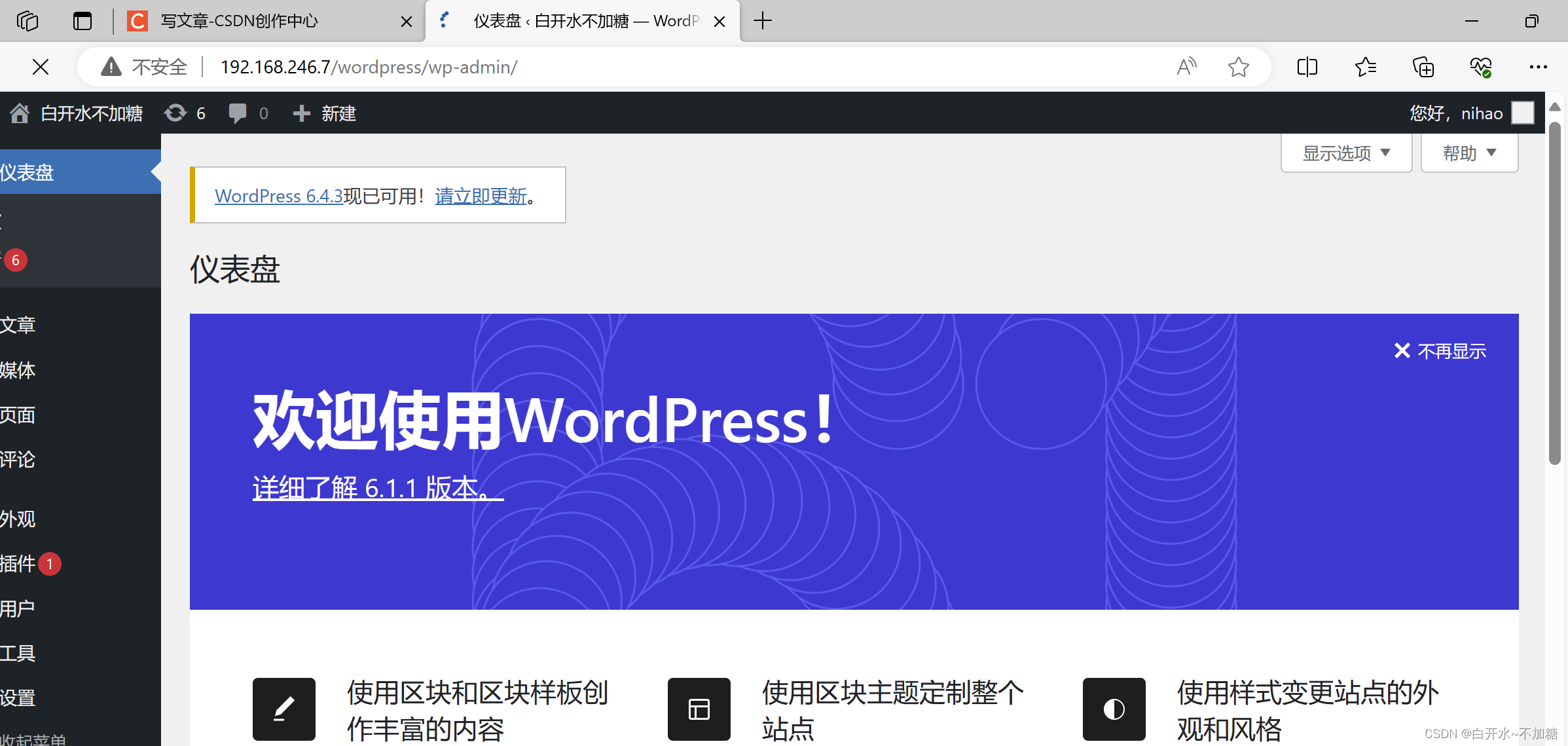
- wordpress/wp-admin

去浏览器访问




-
相关阅读:
Delegate介绍
LVDS转换芯片,GM8284C数据手册!!!!
满目星河、转身、皆是背影
[NOIP2011 提高组] Mayan 游戏
【算法】反悔贪心
SpringMVC工作原理
Go语言程序编译注入版本信息,提升Debug速度!
【WAF绕过】姿势总结(一)
编程-设计模式 2:抽象工厂模式
linux安装mysql
- 原文地址:https://blog.csdn.net/zzzxxx520369/article/details/136342026
