-
IDEA创建SpringBoot的多模块项目教程
最近在写一个多模块的SpringBoot项目,基于过程总了一些总结,故把SpringBoot多个模块的项目创建记录下来。
首先,先建立一个父工程:
(1)在IDEA工具栏选择File->New->Project
(2)选择Spring Initializr,默认选择Default,然后点击Next:

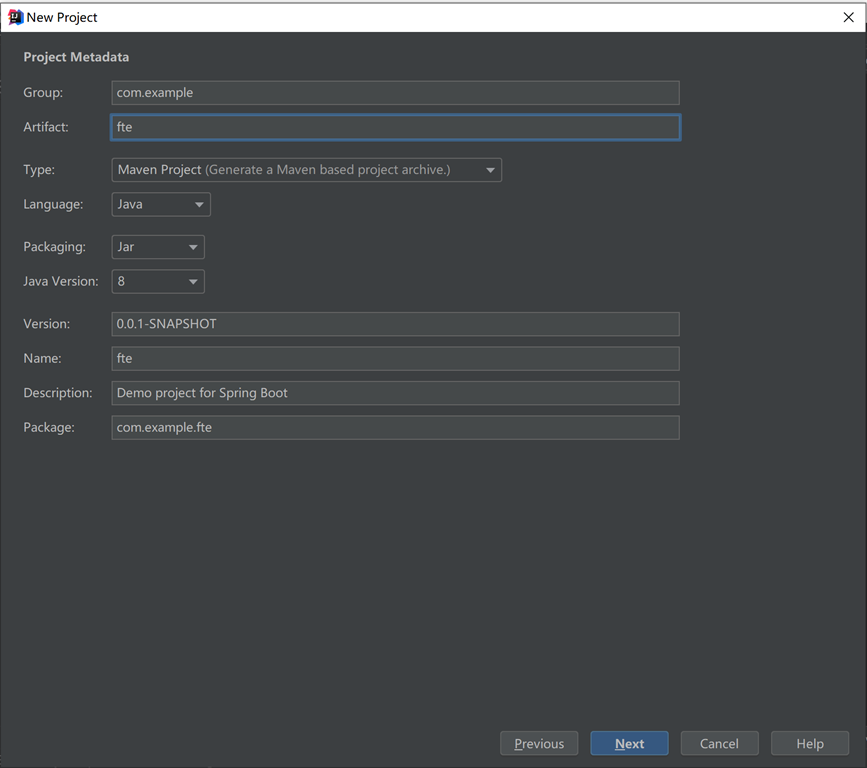
(3)在输入框填写以下截图内容,点击Next

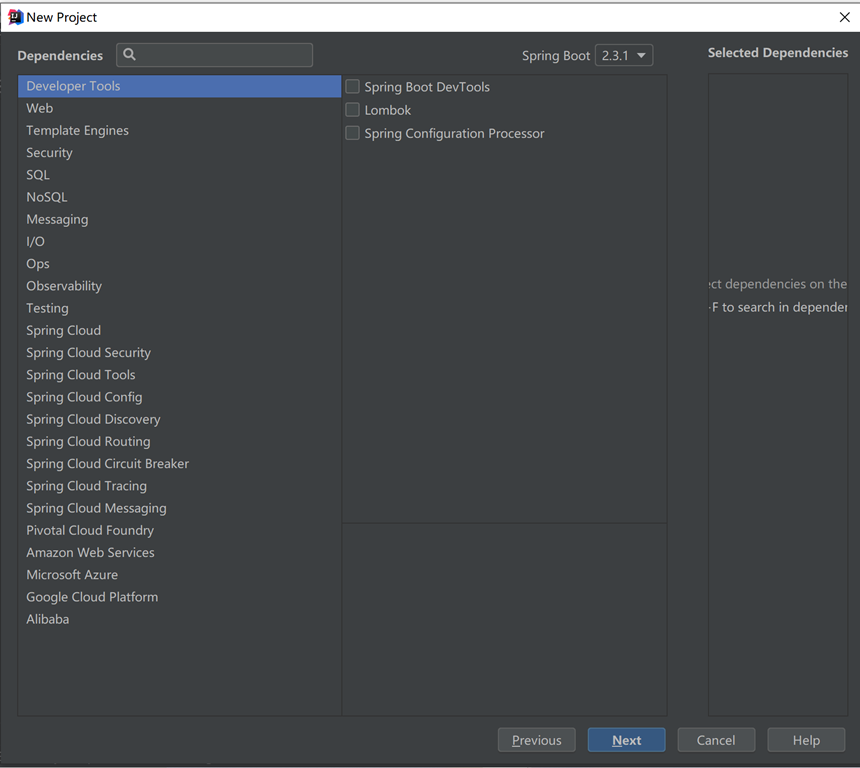
(4)直接点Next,无需选择

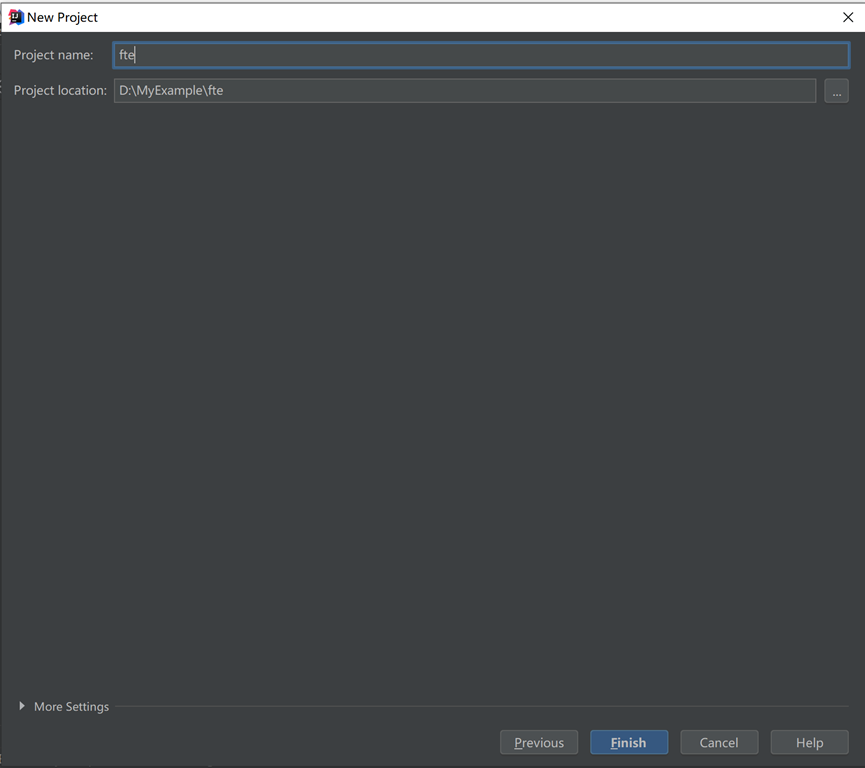
(5)直接点击Finish完成创建

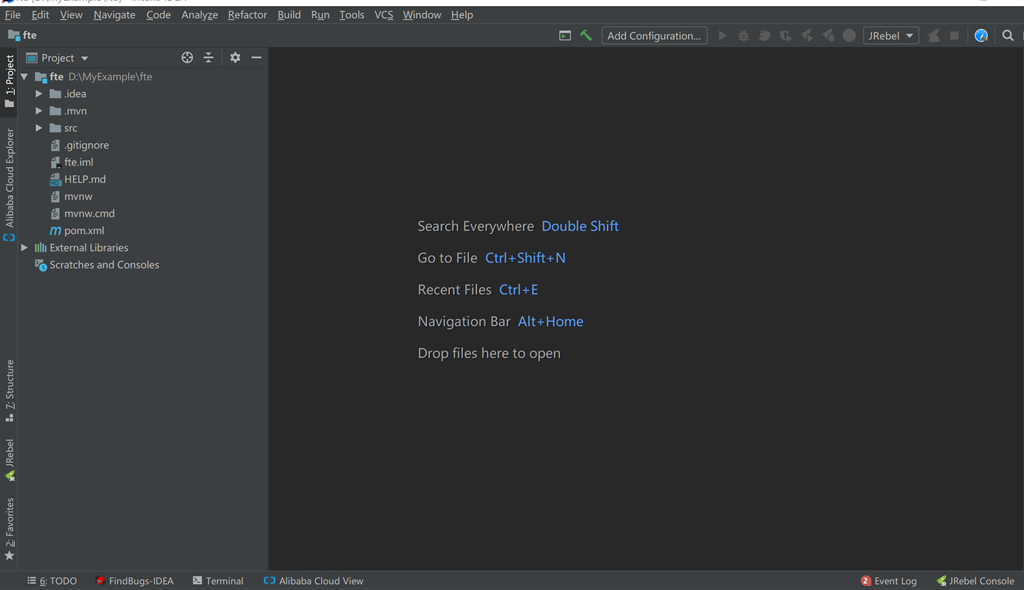
(6)按照以上步骤,可以生成以下的项目目录结构:

(7)这时把没用的.mvn目录,src目录,mvnw还有mvnw.cmd都删除,最终只保留.gitignore和pom.xml,若是web项目,可在该pom.xml里添加以下依赖:
- 1
- 2
- 3
org.springframework.boot - 4
spring-boot-starter-web - 5
2.3.1.RELEASE - 6
最终得到以下的父结构目录:

以上是创建父模块,下面创建子模块:
(1)在父模块的根目录fte上点右键,在弹出的框里选择New->Module

(2)选择Maven,点击Next
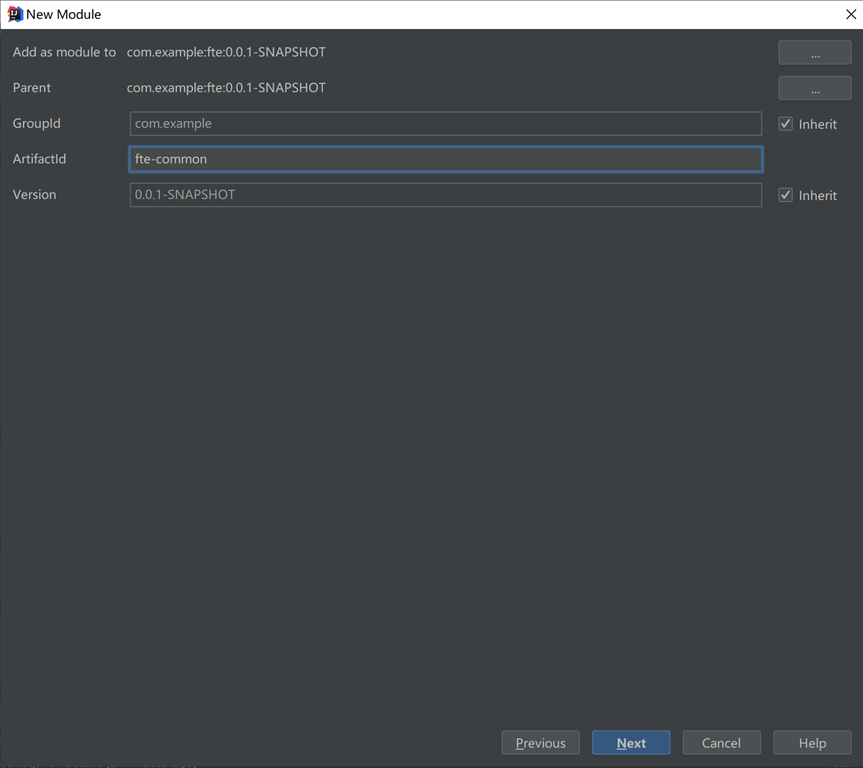
(3)填写以下内容,点击Next

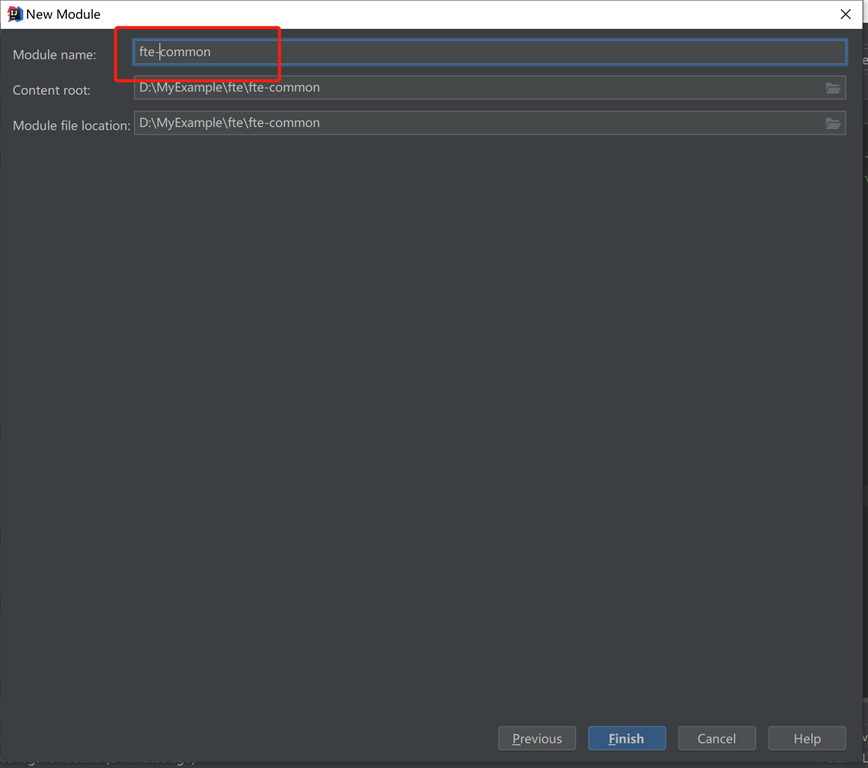
(4)填写Module,点击Finish

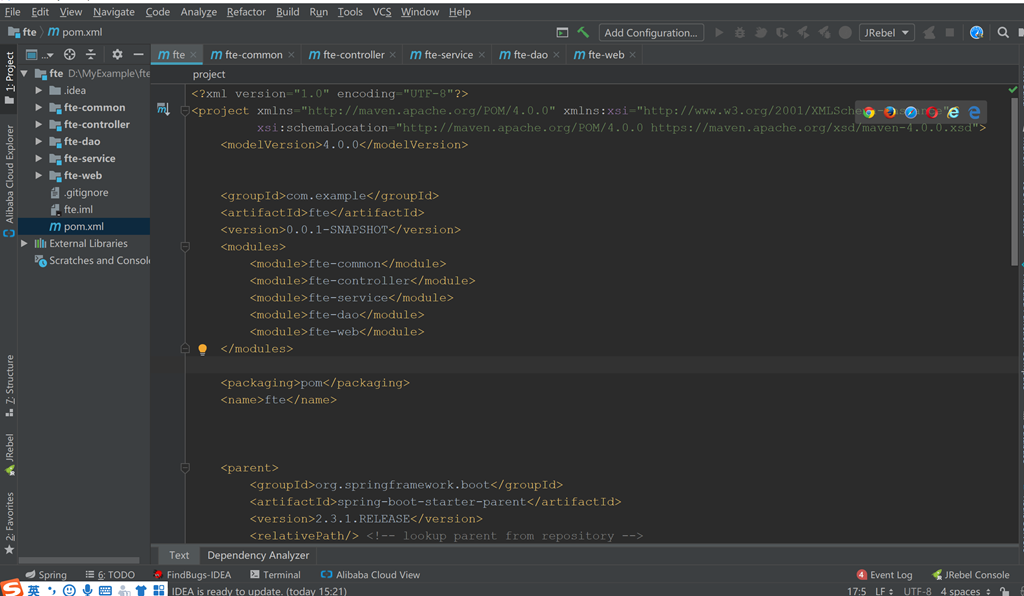
(5)同理添加fte-controller,fte-dao,fte-service,fte-web,最终得到以下的目录结构:

(6)增加模块之间的依赖:
controller层添加以下依赖:
- 1 <dependencies>
- 2 <dependency>
- 3 <groupId>com.examplegroupId>
- 4 <artifactId>fte-commonartifactId>
- 5 <version>0.0.1-SNAPSHOTversion>
- 6 dependency>
- 7
- 8 <dependency>
- 9 <groupId>com.examplegroupId>
- 10 <artifactId>fte-daoartifactId>
- 11 <version>0.0.1-SNAPSHOTversion>
- 12 dependency>
- 13
- 14 <dependency>
- 15 <groupId>com.examplegroupId>
- 16 <artifactId>fte-serviceartifactId>
- 17 <version>0.0.1-SNAPSHOTversion>
- 18 dependency>
- 19 dependencies>
service层添加以下依赖:
- 1 <dependencies>
- 2 <dependency>
- 3 <groupId>com.examplegroupId>
- 4 <artifactId>fte-daoartifactId>
- 5 <version>0.0.1-SNAPSHOTversion>
- 6 dependency>
- 7 dependencies>
(7)测试
在fte-controller创建com.zhu.fte.web包,增加以下两个类:
fteWebApplication类:
- 1 package com.zhu.fte.web;
- 2
- 3 import org.springframework.boot.SpringApplication;
- 4 import org.springframework.boot.autoconfigure.SpringBootApplication;
- 5
- 6 @SpringBootApplication
- 7 public class fteWebApplication {
- 8 public static void main(String[] args) {
- 9 SpringApplication.run(fteWebApplication.class,args);
- 10 }
- 11 }
DemoController类
- 1 package java.com.zhu.fte.web;
- 2
- 3 import org.springframework.web.bind.annotation.GetMapping;
- 4 import org.springframework.web.bind.annotation.RequestMapping;
- 5 import org.springframework.web.bind.annotation.RestController;
- 6
- 7 @RestController
- 8 @RequestMapping("demo")
- 9 public class DemoController {
- 10
- 11 @GetMapping("test")
- 12 public String test(){
- 13 return "hello world";
- 14 }
- 15
- 16 }
运行发现出现错误:
出现错误:
[ERROR] Failed to execute goal org.apache.maven.plugins:maven-surefire-plugin:2.22.2:test (default-test) on project fte-common: Execution default-test of goal org.apache.maven.plugins:maven-surefire-plugin:2.22.2:test failed: Plugin org.apache.maven.plugins:maven-surefire-plugin:2.22.2 or one of its dependencies could not be resolved: Could not transfer artifact junit:junit:jar:4.12 from/to central (https://repo.maven.apache.org/maven2): Connect to repo.maven.apache.org:443 [repo.maven.apache.org/151.101.52.215] failed: Connection timed out: connect -> [Help 1]
把缺少的org.apache.maven.plugins手动放到父工程的pom.xml里
- 1 <build>
- 2 <plugins>
- 3 <plugin>
- 4 <groupId>org.apache.maven.pluginsgroupId>
- 5 <artifactId>maven-clean-pluginartifactId>
- 6 <version>2.5version>
- 7 plugin>
- 8 <plugin>
- 9 <groupId>org.apache.maven.pluginsgroupId>
- 10 <artifactId>maven-source-pluginartifactId>
- 11 <version>2.2version>
- 12 plugin>
- 13 <plugin>
- 14 <groupId>org.apache.maven.pluginsgroupId>
- 15 <artifactId>maven-compiler-pluginartifactId>
- 16 <version>3.0version>
- 17 <configuration>
- 18 <source>1.8source>
- 19 <target>1.8target>
- 20 <encoding>${file.encoding}encoding>
- 21
- 22 <compilerArgument>-parameterscompilerArgument>
- 23 configuration>
- 24 plugin>
- 25 <plugin>
- 26 <groupId>org.apache.maven.pluginsgroupId>
- 27 <artifactId>maven-install-pluginartifactId>
- 28 <version>2.4version>
- 29 plugin>
- 30 <plugin>
- 31 <groupId>org.apache.maven.pluginsgroupId>
- 32 <artifactId>maven-jar-pluginartifactId>
- 33 <version>2.4version>
- 34 <configuration>
- 35 <archive>
- 36 <manifest>
- 37 <addDefaultImplementationEntries>true
- 38 addDefaultImplementationEntries>
- 39 manifest>
- 40 archive>
- 41 configuration>
- 42 plugin>
- 43
- 44 <plugin>
- 45 <groupId>org.apache.maven.pluginsgroupId>
- 46 <artifactId>maven-surefire-pluginartifactId>
- 47 <version>2.13version>
- 48 <configuration>
- 49 <argLine>-Xmx512M -Dfile.encoding=${file.encoding}argLine>
- 50 configuration>
- 51 plugin>
- 52 plugins>
- 53 build>
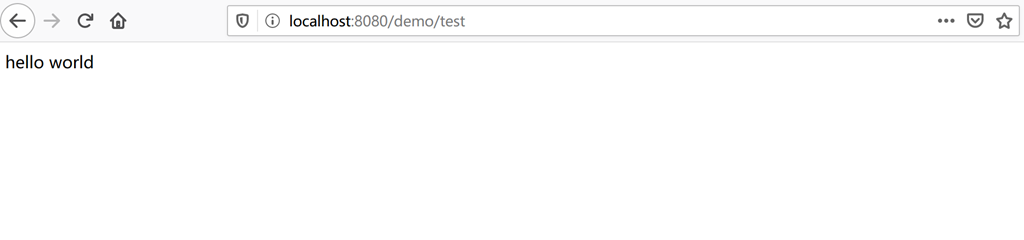
运行fteWebApplication类里的main方法,默认端口为8080,访问http://localhost:8080/demo/test,正常出现以下情况:

按照以上步骤,就可以初步建立SpringBoot多模块的项目,下一章将基于这个基础搭建Mybatis以及其逆向工程。
-
相关阅读:
通过篡改cred结构体实现提权利用
ASP.NET Web 应用 Docker踩坑历程——续
基于SpringBoot+Vue企业会议室预定管理系统设计和实现
Redis 命令—— 超详细操作演示!!!
记一次HBase启动异常的恢复历程
微信小程序4种弹框
【高并发项目实战】自适应高并发复杂场景的订单拆分算法工具
【Unity的HDRP渲染管线搭建配置VR交互场景_SteamVR 插件和Pico串流助手_经验分享】
c 语言基础:L1-044 稳赢
mysql联合索引和最左匹配问题。
- 原文地址:https://blog.csdn.net/weixin_40706420/article/details/134454350