-
Vue中的常用指令v-html / v-show / v-if / v-else / v-on / v-bind / v-for / v-model
前言
持续学习总结输出中,Vue中的常用指令v-html / v-show / v-if / v-else / v-on / v-bind / v-for / v-model
概念:指令(Directives)是Vue提供的带有 v- 前缀 的特殊标签属性。可以提高操作
DOM的效率。vue 中的指令按照不同的用途可以分为6大类:
- 内容渲染指令(
v-html、v-text) - 条件渲染指令(
v-show、v-if、v-else、v-else-if) - 事件绑定指令(
v-on) - 属性绑定指令 (
v-bind) - 列表渲染指令(
v-for) - 双向绑定指令(
v-model)
1、内容渲染指令
内容渲染指令用来辅助开发者渲染 DOM 元素的文本内容。常用的内容渲染指令有如下2 个:
- v-text(类似innerText)
使用语法:hello
类似 innerText,使用该语法,会覆盖 p 标签原有内容
- v-html(类似 innerHTML)
使用语法:hello
类似 innerHTML,使用该语法,会覆盖 p 标签原有内容,能够将HTML标签的样式呈现出来。
代码演示:
DOCTYPE html> <html lang="en"> <head> <meta charset="UTF-8"> <meta http-equiv="X-UA-Compatible" content="IE=edge"> <meta name="viewport" content="width=device-width, initial-scale=1.0"> <title>Documenttitle> head> <body> <div id="app"> <div v-html="msg">div> div> <script src="https://cdn.jsdelivr.net/npm/vue@2/dist/vue.js">script> <script> const app = new Vue({ el: '#app', data: { msg: `星辰大海
` } }) script> body> html>- 1
- 2
- 3
- 4
- 5
- 6
- 7
- 8
- 9
- 10
- 11
- 12
- 13
- 14
- 15
- 16
- 17
- 18
- 19
- 20
- 21
- 22
- 23
- 24
- 25
- 26
- 27
- 28
- 29
- 30
运行效果:

2、条件渲染指令
条件判断指令,用来辅助开发者按需控制
DOM的显示与隐藏。条件渲染指令有如下两个,分别是:1、v-show
- 作用: 控制元素显示隐藏
- 语法: v-show = “表达式” 表达式值为 true 显示, false 隐藏
- 原理: 切换
display:none控制显示隐藏 - 场景:频繁切换显示隐藏的场景
2、v-if
- 作用: 控制元素显示隐藏(条件渲染)
- 语法: v-if= “表达式” 表达式值 true显示, false隐藏
- 原理: 基于条件判断,是否创建或移除元素节点
- 场景: 要么显示,要么隐藏,不频繁切换的场景
示例代码:
DOCTYPE html> <html lang="en"> <head> <meta charset="UTF-8"> <meta http-equiv="X-UA-Compatible" content="IE=edge"> <meta name="viewport" content="width=device-width, initial-scale=1.0"> <title>Documenttitle> <style> .box { width: 200px; height: 100px; line-height: 100px; margin: 10px; border: 3px solid #000; text-align: center; border-radius: 5px; box-shadow: 2px 2px 2px #ccc; } style> head> <body> <div id="app"> <div v-show="flag" class="box">我是v-show控制的盒子div> <div v-if="flag" class="box">我是v-if控制的盒子div> div> <script src="https://cdn.jsdelivr.net/npm/vue@2/dist/vue.js">script> <script> const app = new Vue({ el: '#app', data: { flag: false } }) script> body> html>- 1
- 2
- 3
- 4
- 5
- 6
- 7
- 8
- 9
- 10
- 11
- 12
- 13
- 14
- 15
- 16
- 17
- 18
- 19
- 20
- 21
- 22
- 23
- 24
- 25
- 26
- 27
- 28
- 29
- 30
- 31
- 32
- 33
- 34
- 35
- 36
- 37
- 38
运行效果:

3、 v-else 和 v-else-if
- 作用:辅助v-if进行判断渲染
- 语法:v-else v-else-if=“表达式”
- 需要紧接着 v-if 使用
示例代码:
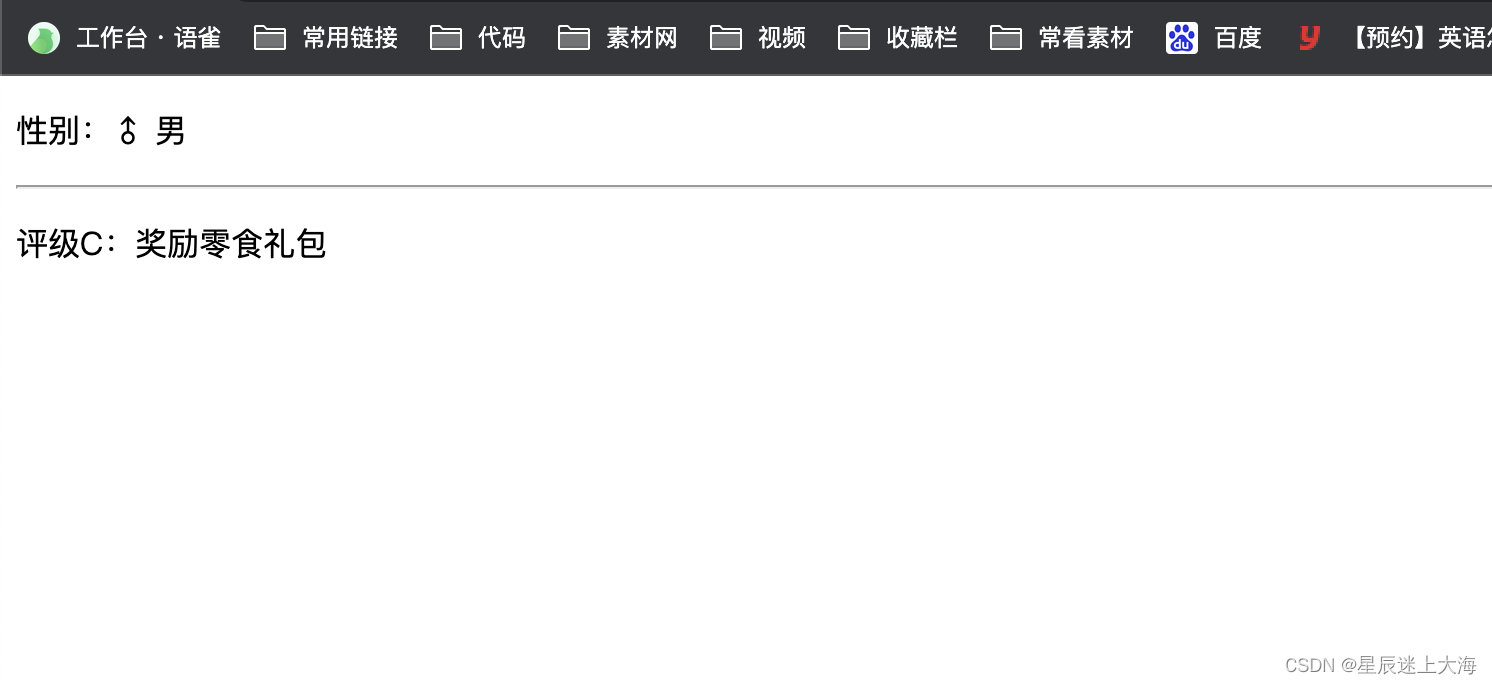
DOCTYPE html> <html lang="en"> <head> <meta charset="UTF-8"> <meta http-equiv="X-UA-Compatible" content="IE=edge"> <meta name="viewport" content="width=device-width, initial-scale=1.0"> <title>Documenttitle> head> <body> <div id="app"> <p v-if="gender === 1">性别:♂ 男p> <p v-else>性别:♀ 女p> <hr> <p v-if="score >= 90">评级A:奖励电脑一台p> <p v-else-if="score >= 70">评级B:奖励周末郊游p> <p v-else-if="score >= 60">评级C:奖励零食礼包p> <p v-else>评级D:惩罚一周不能玩手机p> div> <script src="https://cdn.jsdelivr.net/npm/vue@2/dist/vue.js">script> <script> const app = new Vue({ el: '#app', data: { gender: 1, score: 60 } }) script> body> html>- 1
- 2
- 3
- 4
- 5
- 6
- 7
- 8
- 9
- 10
- 11
- 12
- 13
- 14
- 15
- 16
- 17
- 18
- 19
- 20
- 21
- 22
- 23
- 24
- 25
- 26
- 27
- 28
- 29
- 30
- 31
- 32
- 33
- 34
- 35
运行效果:
3、事件绑定指令
使用Vue时,为DOM注册事件,语法如下:
v-on:简写为 @
- 内联语句
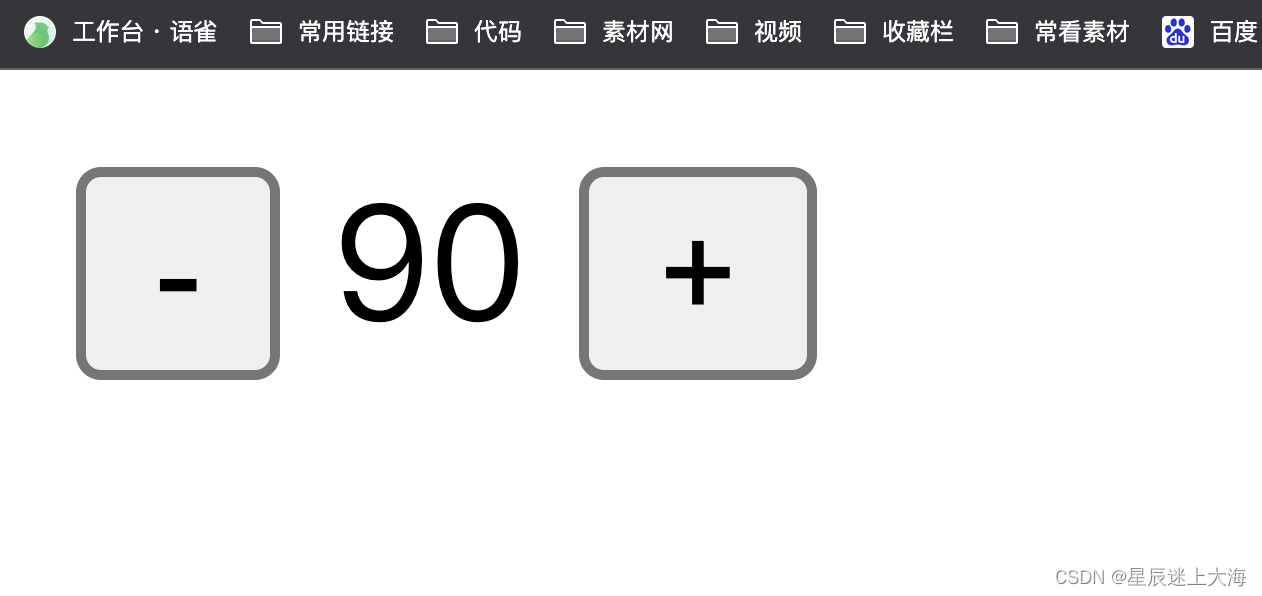
DOCTYPE html> <html lang="en"> <head> <meta charset="UTF-8"> <meta http-equiv="X-UA-Compatible" content="IE=edge"> <meta name="viewport" content="width=device-width, initial-scale=1.0"> <title>Documenttitle> head> <body> <div id="app"> <button @click="count--">-button> <span>{{ count }}span> <button v-on:click="count++">+button> div> <script src="https://cdn.jsdelivr.net/npm/vue@2/dist/vue.js">script> <script> const app = new Vue({ el: '#app', data: { count: 90 } }) script> body> html>- 1
- 2
- 3
- 4
- 5
- 6
- 7
- 8
- 9
- 10
- 11
- 12
- 13
- 14
- 15
- 16
- 17
- 18
- 19
- 20
- 21
- 22
- 23
- 24
- 25
- 26
- 27
运行效果:
- 事件处理函数
注意:事件处理函数应该写到一个跟data同级的配置项(methods)中
methods中的函数内部的this都指向Vue实例DOCTYPE html> <html lang="en"> <head> <meta charset="UTF-8"> <meta http-equiv="X-UA-Compatible" content="IE=edge"> <meta name="viewport" content="width=device-width, initial-scale=1.0"> <title>切换显示隐藏title> <style> button{ padding:10px 20px; border-radius: 4px; cursor: pointer; background-color: #4fc08d; color: #fff; border:2px solid #1c8556; } style> head> <body> <div id="app"> <button @click="fn">切换显示隐藏button> <h1 v-show="isShow">星辰大海h1> div> <script src="https://cdn.jsdelivr.net/npm/vue@2/dist/vue.js">script> <script> const app4 = new Vue({ el: '#app', data: { // data 提供数据 isShow: true }, methods: { // methods 提供处理逻辑函数 fn () { // 让提供的所有methods中的函数,this都指向当前实例 this.isShow = !this.isShow } } }) script> body> html>- 1
- 2
- 3
- 4
- 5
- 6
- 7
- 8
- 9
- 10
- 11
- 12
- 13
- 14
- 15
- 16
- 17
- 18
- 19
- 20
- 21
- 22
- 23
- 24
- 25
- 26
- 27
- 28
- 29
- 30
- 31
- 32
- 33
- 34
- 35
- 36
- 37
- 38
- 39
- 40
- 41
- 42
运行效果:

3.给事件处理函数传参
如果不传递任何参数,则方法无需加小括号;methods方法中可以直接使用 e 当做事件对象
如果传递了参数,则实参$event表示事件对象,固定用法。DOCTYPE html> <html lang="en"> <head> <meta charset="UTF-8"> <meta http-equiv="X-UA-Compatible" content="IE=edge"> <meta name="viewport" content="width=device-width, initial-scale=1.0"> <title>星辰自动售货机title> <style> .box { border: 3px solid #000000; border-radius: 10px; padding: 20px; margin: 20px; width: 400px; } h3 { margin: 10px 0 20px 0; } p { margin: 20px; } style> head> <body> <div id="app"> <div class="box"> <h3>星辰自动售货机h3> <button @click="buy(5)">可乐5元button> <button @click="buy(10)">咖啡10元button> <button @click="buy(8)">牛奶8元button> div> <p>银行卡余额:{{ money }}元p> div> <script src="https://cdn.jsdelivr.net/npm/vue@2/dist/vue.js">script> <script> const app = new Vue({ el: '#app', data: { money: 100 }, methods: { buy (price) { this.money -= price } } }) script> body> html>- 1
- 2
- 3
- 4
- 5
- 6
- 7
- 8
- 9
- 10
- 11
- 12
- 13
- 14
- 15
- 16
- 17
- 18
- 19
- 20
- 21
- 22
- 23
- 24
- 25
- 26
- 27
- 28
- 29
- 30
- 31
- 32
- 33
- 34
- 35
- 36
- 37
- 38
- 39
- 40
- 41
- 42
- 43
- 44
- 45
- 46
- 47
- 48
- 49
- 50
- 51
运行效果:

4、属性绑定指令
- 作用: 动态设置html的标签属性 比如:src、url、title
- 语法:v-bind: 属性名=“表达式”
- v-bind: 可以简写成 => :
比如,有一个图片,它的
src属性值,是一个图片地址。这个地址在数据 data 中存储。则可以这样设置属性值:
DOCTYPE html> <html lang="en"> <head> <meta charset="UTF-8"> <meta http-equiv="X-UA-Compatible" content="IE=edge"> <meta name="viewport" content="width=device-width, initial-scale=1.0"> <title>v-bindtitle> head> <body> <div id="app"> <img v-bind:src="imgUrl" v-bind:title="msg" alt=""> <img :src="imgUrl" :title="msg" alt=""> div> <script src="https://cdn.jsdelivr.net/npm/vue@2/dist/vue.js">script> <script> const app = new Vue({ el: '#app', data: { imgUrl: './imgs/10-02.png', msg: 'hello 星辰大海' } }) script> body> html>- 1
- 2
- 3
- 4
- 5
- 6
- 7
- 8
- 9
- 10
- 11
- 12
- 13
- 14
- 15
- 16
- 17
- 18
- 19
- 20
- 21
- 22
- 23
- 24
- 25
- 26
- 27
运行效果:

5、列表渲染指令
Vue 提供了 v-for 列表渲染指令,用来辅助开发者基于一个数组来循环渲染一个列表结构。
v-for 指令需要使用
(item, index) in arr形式的特殊语法,其中:- item 是数组中的每一项
- index 是每一项的索引,不需要可以省略
- arr 是被遍历的数组
DOCTYPE html> <html lang="en"> <head> <meta charset="UTF-8"> <meta http-equiv="X-UA-Compatible" content="IE=edge"> <meta name="viewport" content="width=device-width, initial-scale=1.0"> <title>Documenttitle> head> <body> <div id="app"> <h3>星辰水果店h3> <ul> <li v-for="(item, index) in list"> {{ item }} - {{ index }} li> ul> <ul> <li v-for="item in list"> {{ item }} li> ul> div> <script src="https://cdn.jsdelivr.net/npm/vue@2/dist/vue.js">script> <script> const app = new Vue({ el: '#app', data: { list: ['西瓜', '苹果', '鸭梨', '香蕉'] } }) script> body> html>- 1
- 2
- 3
- 4
- 5
- 6
- 7
- 8
- 9
- 10
- 11
- 12
- 13
- 14
- 15
- 16
- 17
- 18
- 19
- 20
- 21
- 22
- 23
- 24
- 25
- 26
- 27
- 28
- 29
- 30
- 31
- 32
- 33
- 34
- 35
- 36
运行效果:

v-for中的key
实例代码:
DOCTYPE html> <html lang="en"> <head> <meta charset="UTF-8"> <meta http-equiv="X-UA-Compatible" content="IE=edge"> <meta name="viewport" content="width=device-width, initial-scale=1.0"> <title>Documenttitle> head> <body> <div id="app"> <h3>星辰的书架h3> <ul> <li v-for="(item, index) in booksList"> <span>{{ item.name }}span> <span>{{ item.author }}span> <button @click="del(item.id)">删除button> li> ul> div> <script src="https://cdn.jsdelivr.net/npm/vue@2/dist/vue.js">script> <script> const app = new Vue({ el: '#app', data: { booksList: [ { id: 1, name: '《红楼梦》', author: '曹雪芹' }, { id: 2, name: '《西游记》', author: '吴承恩' }, { id: 3, name: '《水浒传》', author: '施耐庵' }, { id: 4, name: '《三国演义》', author: '罗贯中' } ] }, methods: { del (id) { this.booksList = this.booksList.filter(item => item.id !== id) } } }) script> body> html>- 1
- 2
- 3
- 4
- 5
- 6
- 7
- 8
- 9
- 10
- 11
- 12
- 13
- 14
- 15
- 16
- 17
- 18
- 19
- 20
- 21
- 22
- 23
- 24
- 25
- 26
- 27
- 28
- 29
- 30
- 31
- 32
- 33
- 34
- 35
- 36
- 37
- 38
- 39
- 40
- 41
- 42
- 43
- 44
- 45
运行效果:

注意:
- key 的值只能是字符串 或 数字类型
- key 的值必须具有唯一性
- 推荐使用 id 作为 key(唯一),不推荐使用 index 作为 key(会变化,不对应)
6、双向绑定指令
所谓双向绑定就是:
- 数据改变后,呈现的页面结果会更新
- 页面结果更新后,数据也会随之而变
作用: 给表单元素(input、radio、select)使用,双向绑定数据,可以快速 获取 或 设置 表单元素内容
语法: v-model=“变量”
需求: 使用双向绑定实现以下需求
- 点击登录按钮获取表单中的内容
- 点击重置按钮清空表单中的内容
DOCTYPE html> <html lang="en"> <head> <meta charset="UTF-8"> <meta http-equiv="X-UA-Compatible" content="IE=edge"> <meta name="viewport" content="width=device-width, initial-scale=1.0"> <title>Documenttitle> head> <body> <div id="app"> 账户:<input type="text" v-model="username"> <br><br> 密码:<input type="password" v-model="password"> <br><br> <button @click="login">登录button> <button @click="reset">重置button> div> <script src="https://cdn.jsdelivr.net/npm/vue@2/dist/vue.js">script> <script> const app = new Vue({ el: '#app', data: { username: '', password: '' }, methods: { login () { console.log(this.username, this.password) }, reset () { this.username = '' this.password = '' } } }) script> body> html>- 1
- 2
- 3
- 4
- 5
- 6
- 7
- 8
- 9
- 10
- 11
- 12
- 13
- 14
- 15
- 16
- 17
- 18
- 19
- 20
- 21
- 22
- 23
- 24
- 25
- 26
- 27
- 28
- 29
- 30
- 31
- 32
- 33
- 34
- 35
- 36
- 37
- 38
- 39
- 40
- 41
- 42
- 43
运行效果:

总结
指令我们开发 vue 中最基础、最常用、最简单的知识点。
- 内容渲染指令(
-
相关阅读:
复习专栏之---消息队列
Spring5应用之AOP切入点详解
mitmproxy的介绍以及配置过程中的问题
排序算法之快速排序(挖坑法)
一线互联网大厂普遍使用的Docker,掌握这套面试题,让领导主动涨薪
今年2023双十一腾讯云服务器的价格优惠力度如何?
解决“error #147 declaration is incompatible with xxx xxx (declared at line xx)”问题
在 Jupyter Notebook 中查看所使用的 Python 版本和 Python 解释器路径
Spring与MyBatis整合
H指数----题解报告
- 原文地址:https://blog.csdn.net/qq_37255976/article/details/134317557
