-
QCC 音频输入输出
QCC 音频输入输出
QCC蓝牙芯片(QCC3040 QCC3083 QCC3084 QCC5181 等等)支持DAC、I2S、SPDIF输出,AUX、I2S、SPDIF、A2DP 输入
蓝牙音频输入,模拟输出是最常见的方式。
也可以再此基础上动态切换输入方式。
输入方式切换参考
static void kymeraWiredAnalog_StartChains(kymeraTaskData *theKymera)
{
bool connected;Source line_in_l = SourcekymeraWiredAnalog_GetSource(appConfigLeftAudioChannel(), appConfigLeftAudioInstance(), KymeraOutput_GetMainSampleRate() /* for now input/output rate are same */); Source line_in_r = SourcekymeraWiredAnalog_GetSource(appConfigRightAudioChannel(), appConfigRightAudioInstance(), KymeraOutput_GetMainSampleRate() /* for now input/output rate are same */); /* if stereo, then synchronize */ if(line_in_r) SourceSynchronise(line_in_l, line_in_r); DEBUG_LOG("kymeraWiredAnalog_StartChains"); /* The media source may fail to connect to the input chain if the source disconnects between the time wired analog audio asks Kymera to start and this function being called. wired analog audio will subsequently ask Kymera to stop. */ connected = ChainConnectInput(theKymera->chain_input_handle, line_in_l, EPR_WIRED_STEREO_INPUT_L); if(line_in_r) connected = ChainConnectInput(theKymera->chain_input_handle, line_in_r, EPR_WIRED_STEREO_INPUT_R); /* Start the output chain regardless of whether the source was connected to the input chain. Failing to do so would mean audio would be unable to play a tone. This would cause kymera to lock, since it would never receive a KYMERA_OP_MSG_ID_TONE_END and the kymera lock would never be cleared. */ KymeraOutput_ChainStart(); Kymera_StartMusicProcessingChain(); if (connected) ChainStart(theKymera->chain_input_handle);- 1
- 2
- 3
- 4
- 5
- 6
- 7
- 8
- 9
- 10
- 11
- 12
- 13
- 14
- 15
- 16
- 17
- 18
- 19
- 20
- 21
- 22
- 23
- 24
}
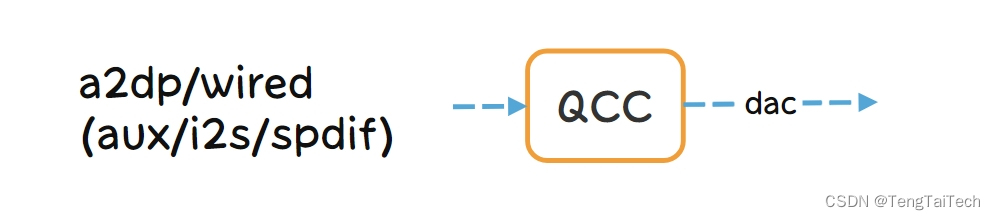
基础上动态切换输出方式,
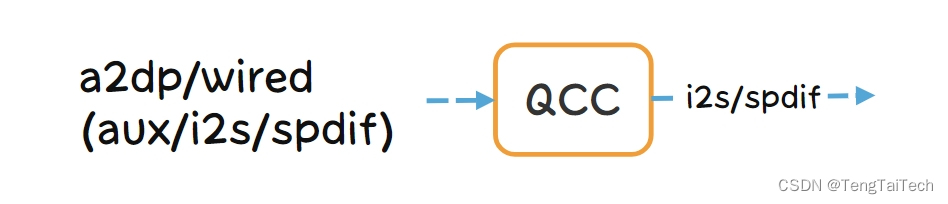
根据使用场景也可以直接修改为同时输出
-
相关阅读:
Java基于微信小程序的一起考研学习平台
06-分布式中间件-Mycat-ShardingJDBC
spdx-sbom-generator使用记录
Linux实训——单机版聊天室
Android JNI系列详解之ndk-build工具的使用
报白是什么意思?入驻抖音小店哪些类目需要报白?报白如何操作?
机器学习笔记 - 图像搜索的常见网络模型
windows uvc
Jetpack Lifecycle源码分析
使命、愿景、价值观到底有什么区别
- 原文地址:https://blog.csdn.net/TengTaiTech/article/details/133974675
