-
接口自动化测试框架【reudom】
reudom
Automated testing framework based on requests and unittest interface.
基于 Unittest 和 Requests 的 接口自动化测试框架
介绍
基于Unittest/Requests的接口自动化测试库提供脚手架,快速生成接口自动化测试项目。
自动生成HTML测试报告。
支持用例参数化。
支持用例失败重跑
对原生Requests库API无损
目录架构
myreudom/
├── test_case/
│ ├── test_sample.py
├── reports/
└── run.py
test_dir/目录实现用例编写。
reports/ 目录存放生成的测试报告。
run.py 文件运行测试用例。
安装教程
> pip install reudom
If you want to keep up with the latest version, you can install with github repository url:> pip install -U git+https://github.com/SeldomQA/reudom.git@master
创建项目
>reudom --project myreudom
运行项目:
> reudom -r run.py
Python 3.7.1_
| |
_ __ ___ _ _ __| | ___ _ __ ___
| '__/ _ | | | |/ _` |/ _ \| '_ ` _ \
| | | __| |_| | (_| | (_) | | | | | |
|_| \___|\__,_|\__,_|\___/|_| |_| |_|
--------------------------------------@itest.info
generated html file:/Users/work/reports/2019_12_22_14_51_57_result.html
.1
查看报告
你可以到 myreudom\reports\ 目录查看测试报告。reports文件夹可以不用自己去创建,它会在你执行run.py时自动创建此文件夹
Simple demo
请查看 demo/test_sample.py 文件- import reudom
- class test(reudom.TestCase):
- def setUp(self):
- self.url = 'http://www.baidu.com'
- def test01(self):
- rep = reudom.request('get', url=self.url, headers=self.headers())
- result = rep.json()
- self.assertEqual(result['status'], '200')
- if __name__ == '__main__':
- reudom.main("test_sample.py")
说明:
- 创建测试类必须继承
reudom.TestCase。 - 测试用例文件命名必须以
test开头。 - reudom引入了
post、get、head、patch、put、delete、options等方法。
main() 方法
- import reudom
- # ...
- if __name__ == '__main__':
- seldom.main(
- path="./",
- title="接口自动化测试用例",
- description="详细测试结果:",
- debug=False,
- rerun=0,
- save_last_run=False,
- )
说明:
path : 指定测试目录或文件。
title : 指定测试报告标题。
description : 指定测试报告描述。
debug : debug模式,设置为True不生成测试HTML测试,默认为False。
rerun : 设置失败重新运行次数,默认为 0。
save_last_run : 设置只保存最后一次的结果,默认为False。
Run the test
import reudomreudom.main(path="./") # 当前目录下的所有测试文件
reudom.main(path="./test_dir/") # 指定目录下的所有测试文件
reudom.main(path="./test_dir/test_sample.py") # 指定目录下的测试文件
reudom.main(path="test_sample.py") # 指定当前目录下的测试文件
说明:如果指定的目录,测试文件必须以test 开头。
如果要运行子目录下的文件,必须在子目录下加 __init__.py 文件。
跳过用例- import reudom
- class YouTest(reudom.TestCase):
- @reudom.skip("跳过这条用例的执行")
- def test_case(self):
- """a simple test case """
- #...
在PyCharm里使用
当你使用PyCharm编译器或其他Python编译器时,您只需要使用pip install reudom安装后在你项目的文件夹内创建.py文件里import reudom就可以了
如果你需要正式的运行起来,只需在项目跟目录里创建run.py里使用上面的main方法取运行就可以啦;运行时会自动的在run.py的同级目录生成reports文件夹生成的 测试报告 就在里面!
AES加密
现在很多项目都使用 AES 对接口进行加密传输处理,所以我也对 reudom 库进行了支持
AES最常见的3种方案_AES-128、AES-192和AES-256,但目前仅对 AES-128 方案进行了分装,后面去会把剩下两种加进去
您只需在你的.py工程里引入import reudom,
然后使用:
reudom.aesCrypt(
key='16位',
model='加密模式',
iv='CBC模式需要它',
encode_='默认GBK')
.aesEncrypt('传入需要加密的明文')
key 传入长度必须是:16、24、32位
model 可选择:ECB、CBC、CFB、PGP、OFB、CTR、OPENPGP 这七种模式
iv 使用 CBC 时需要传入的与 key 同样的长度
encode_ 默认使用了 GBK 编码
text 传入需要加密的 明文- import reudom
- reudom.aesCrypt(key='1234567890123456', model='CBC', iv='1234567890123456', encode_='GBK').aesEncrypt(text='123')
- 控制台:
- /usr/bin/python3 /Users/yuanbaolei/work/GitHub/reudom/CryptoAESAES/Cipher/aesEncrypt.py
- 15tT+y0b+lJq2HIKUjsvvg==
- Process finished with exit code 0
总结:
感谢每一个认真阅读我文章的人!!!
作为一位过来人也是希望大家少走一些弯路,如果你不想再体验一次学习时找不到资料,没人解答问题,坚持几天便放弃的感受的话,在这里我给大家分享一些自动化测试的学习资源,希望能给你前进的路上带来帮助。
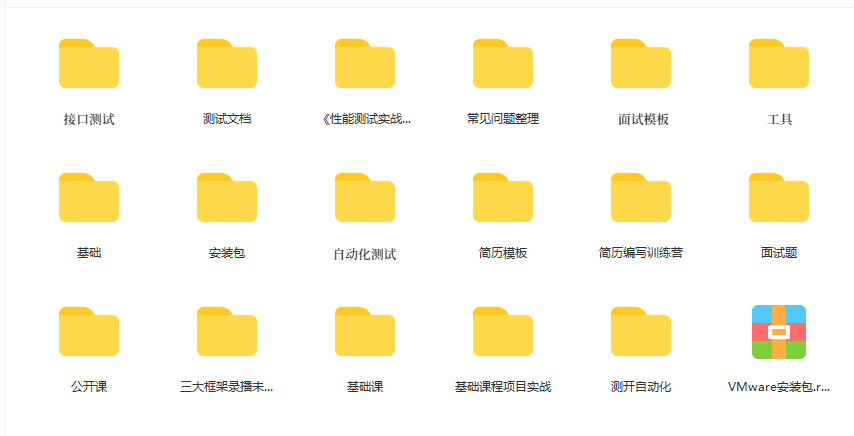
视频文档获取方式:
这份文档和视频资料,对于想从事【软件测试】的朋友来说应该是最全面最完整的备战仓库,这个仓库也陪伴我走过了最艰难的路程,希望也能帮助到你!以上均可以分享,点下方进群即可自行领取。 -
相关阅读:
使用webpack处理scss、sass、styl资源
[nlp] 对抗学习 FGM, PGD到FreeLB
WZOI-228一个数学问题
Kotlin 使用@BindingAdapter编译出错
热门Java开发工具IDEA入门指南——从Eclipse迁移到IntelliJ IDEA(二)
JavaScript学习——什么是编程语言?计算机基础
Vue 源码解读(8)—— 编译器 之 解析(上)
【AI】机器学习——绪论
蓝桥等考Python组别十三级008
.NET 8 Preview 5发布,了解一下Webcil 是啥
- 原文地址:https://blog.csdn.net/2301_77645573/article/details/133793335
