-
More types: structs, slices, and maps Part3
1.Slices of slices
Slices can contain any type, including other slices.

- package main
- import (
- "fmt"
- "strings"
- )
- func main() {
- // Create a tic-tac-toe board.
- board := [][]string{
- []string{"_", "_", "_"},
- []string{"_", "_", "_"},
- []string{"_", "_", "_"},
- }
- // The players take turns.
- board[0][0] = "X"
- board[2][2] = "0"
- board[1][2] = "X"
- board[1][0] = "0"
- board[0][2] = "X"
- for i := 0; i < len(board); i++ {
- fmt.Printf("%s\n", strings.Join(board[i], " "))
- }
- }
2.Appending to a slice
It is common to append new elements to a slice, and so Go provides a built-in
appendfunction. The documentation of the built-in package describesappend.func append(s []T, vs ...T) []T
The first parameter
sofappendis a slice of typeT, and the rest areTvalues to append to the slice.The resulting value of
appendis a slice containing all the elements of the original slice plus the provided values.If the backing array of
sis too small to fit all the given values a bigger array will be allocated. The returned slice will point to the newly allocated array.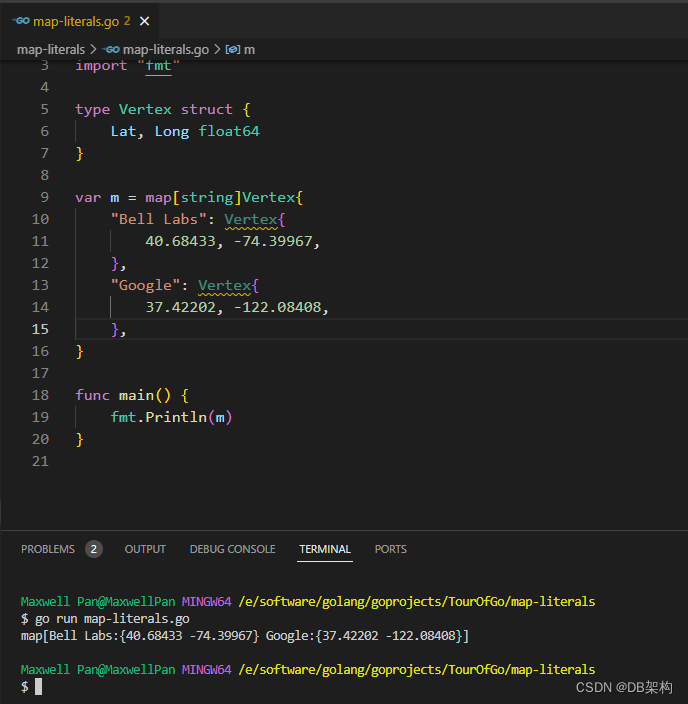
- package main
- import "fmt"
- func main() {
- var s []int
- printSlice(s)
- // append works on nil slices.
- s = append(s, 0)
- printSlice(s)
- // The slice grow as needed.
- s = append(s, 1)
- printSlice(s)
- // we can add more than one element at a time
- s = append(s, 2, 3, 4)
- printSlice(s)
- }
- func printSlice(s []int) {
- fmt.Printf("len=%d cap=%d %v\n", len(s), cap(s), s)
- }
3.Range
The
rangeform of theforloop iterates over a slice or map.When ranging over a slice, two values are returned for each iteration. The first is the index, and the second is a copy of the element at that index.

- package main
- import "fmt"
- var pow = []int{1, 2, 4, 8, 16, 32, 64, 128}
- func main() {
- for i, v := range pow {
- fmt.Printf("2**%d == %d\n", i, v)
- }
- }
4.Range continued
You can skip the index or value by assigning to
_.for i, _ := range pow for _, value := range pow
If you only want the index, you can omit the second variable.
for i := range pow

- package main
- import "fmt"
- func main() {
- pow := make([]int, 10)
- for i := range pow {
- pow[i] = 1 << uint(i) // == 2**i
- }
- for _, value := range pow {
- fmt.Printf("%d\n", value)
- }
- }
5.Maps
A map maps keys to values.
The zero value of a map is
nil. Anilmap has no keys, nor can keys be added.The
makefunction returns a map of the given type, initialized and ready for use.
- package main
- import "fmt"
- type Vertex struct {
- Lat, Long float64
- }
- var m map[string]Vertex
- func main() {
- m = make(map[string]Vertex)
- m["Bell Labs"] = Vertex{
- 40.68433, -74.39967,
- }
- fmt.Println(m["Bell Labs"])
- }
6.Map literals
Map literals are like struct literals, but the keys are required.
- package main
- import "fmt"
- type Vertex struct {
- Lat, Long float64
- }
- var m = map[string]Vertex{
- "Bell Labs": Vertex{
- 40.68433, -74.39967,
- },
- "Google": Vertex{
- 37.42202, -122.08408,
- },
- }
- func main() {
- fmt.Println(m)
- }
7.Map literals continued
If the top-level type is just a type name, you can omit it from the elements of the literal.

- package main
- import "fmt"
- type Vertex struct {
- Lat, Long float64
- }
- var m = map[string]Vertex{
- "Bell Labs": {40.68433, -74.39967},
- "Google": {37.42202, -122.08408},
- }
- func main() {
- fmt.Println(m)
- }
8.Mutating Maps
Insert or update an element in map
m:m[key] = elem
Retrieve an element:
elem = m[key]
Delete an element:
delete(m, key)
Test that a key is present with a two-value assignment:
elem, ok = m[key]
If
keyis inm,okistrue. If not,okisfalse.If
keyis not in the map, thenelemis the zero value for the map's element type.Note: If
elemorokhave not yet been declared you could use a short declaration form:elem, ok := m[key]

- package main
- import "fmt"
- func main() {
- m := make(map[string]int)
- m["Answer"] = 42
- fmt.Println("The value:", m["Answer"])
- m["Answer"] = 48
- fmt.Println("The value:", m["Answer"])
- delete(m, "Answer")
- fmt.Println("The value:", m["Answer"])
- v, ok := m["Answer"]
- fmt.Println("The value:", v, "Present?", ok)
- }
9.Function values
Functions are values too. They can be passed around just like other values.
Function values may be used as function arguments and return values.

- package main
- import (
- "fmt"
- "math"
- )
- func compute(fn func(float64, float64) float64) float64 {
- return fn(3, 4)
- }
- func main() {
- hypot := func(x, y float64) float64 {
- return math.Sqrt(x*x + y*y)
- }
- fmt.Println(hypot(5, 12))
- fmt.Println(compute(hypot))
- fmt.Println(compute(math.Pow))
- }
10.Function closures
Go functions may be closures. A closure is a function value that references variables from outside its body. The function may access and assign to the referenced variables; in this sense the function is "bound" to the variables.
For example, the
adderfunction returns a closure. Each closure is bound to its ownsumvariable.- package main
- import "fmt"
- func adder() func(int) int {
- sum := 0
- return func(x int) int {
- sum += x
- return sum
- }
- }
- func main() {
- pos, neg := adder(), adder()
- for i := 0; i < 10; i++ {
- fmt.Println(
- pos(i),
- neg(-2*i),
- )
- }
- }
-
相关阅读:
java项目进度跟踪管理系统
【Linux】基本指令-入门级文件操作(二)
【数据结构与算法】- 图(算法)
分布式消息队列RocketMQ介绍
elementui 表格自动滚动
K-Means聚类算法---C++
PyTorch学习笔记(一)
“金九银十”必刷!薪资瓶颈突破,阿里推出的面试指南(全彩版)
Docker基础学习
通过Power Platform自定义D365 CE 业务需求 - 3. 使用Microsoft Power应用程序
- 原文地址:https://blog.csdn.net/u011868279/article/details/133682004
