-
3分钟基于Chat GPT完成工作中的小程序

1. 写在前面
GPT自从去年爆发以来,各大公司在大模型方面持续发力,行业大模型也如雨后春笋一般发展迅速,日常工作中比较多的应用场景还是问答模式,作为写程序的辅助也偶尔使用。今天看到一篇翻译的博客“我用 ChatGPT,在 120 秒内做了一个飞机观测器!”_CSDN资讯的博客-CSDN博客
博客内容大致:Chat GPT写一个HTML,用户给定自己的坐标,可以实时接收飞过头顶的飞机信息。PlaneSpotter - Flight Notifier
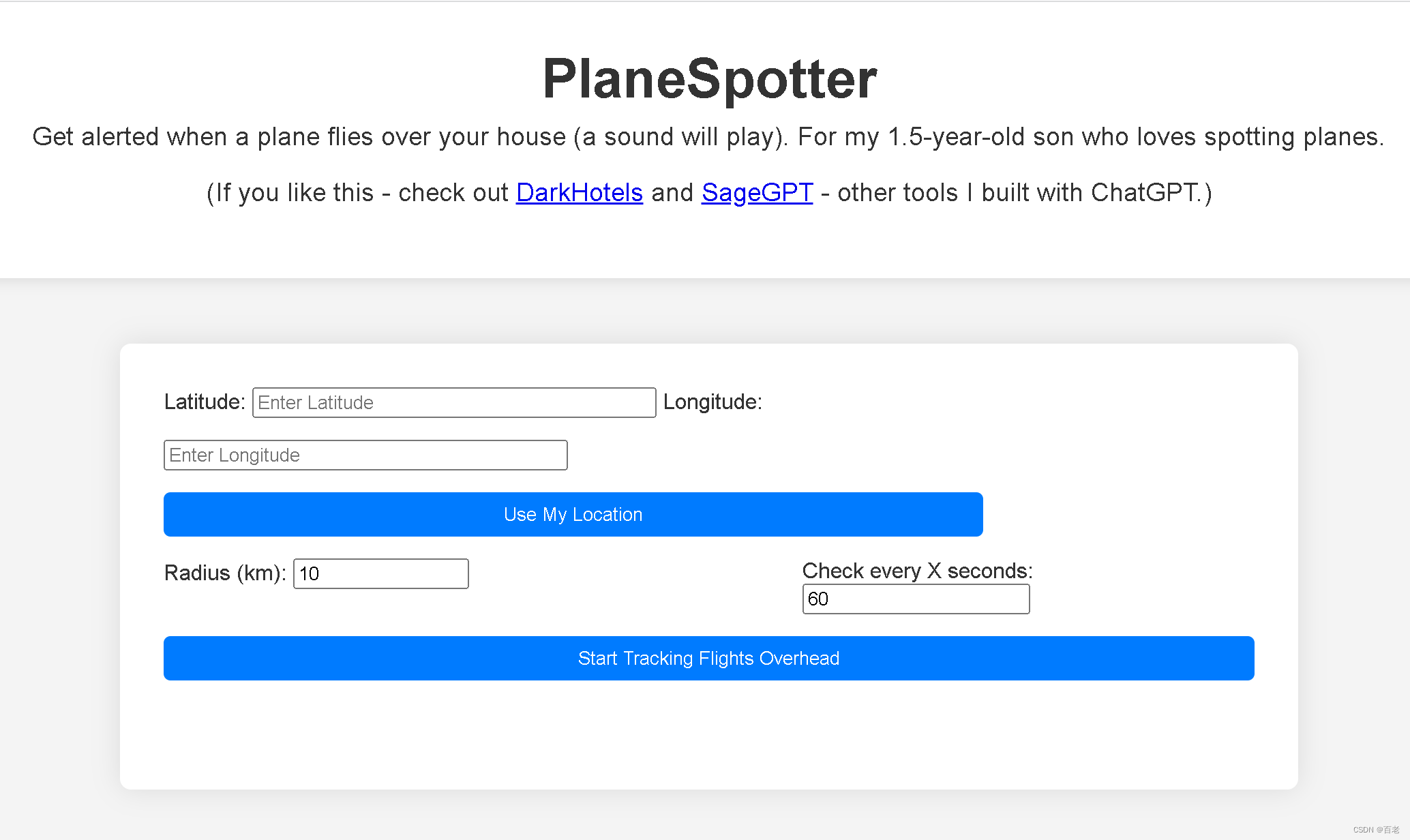
既然可以这样,那......发挥想象
本文利用免费的GPT 3.5
2. 抠图小程序
工作中做PPT经常需要透明底的图片,所以也收藏了一些图片处理网站,但是使用的时候,要么扫码关注公众号、要么注册用户......神烦
当然也有不错的去背景网站,例如Remove Background from Image, Free HD, No Signup - Pixian.AI
但是为什么不利用Chat GPT直接写一个呢?说干就干
提问:将图片白底变成透明底的程序,支持上传图片、下载图片,以单个HTML完成编程

回答:在HTML中,您可以使用HTML5的
元素允许用户上传图像,然后使用HTML5元素和JavaScript来处理图像,将白色背景变为透明。然后,您可以提供下载链接以下载处理后的图像。以下是一个完整的示例:- html>
- <html>
- <head>
- <title>图片白底变透明title>
- head>
- <body>
- <h1>图片白底变透明h1>
- <input type="file" id="imageInput" accept="image/*" />
- <canvas id="outputCanvas" style="display: none;">canvas>
- <a id="downloadLink" style="display: none;" download="transparent.png">
- 下载处理后的图像
- a>
- <script>
- // 监听文件上传
- const imageInput = document.getElementById('imageInput');
- imageInput.addEventListener('change', function() {
- const file = imageInput.files[0];
- if (file) {
- const reader = new FileReader();
- reader.onload = function(e) {
- const img = new Image();
- img.onload = function() {
- // 创建Canvas用于图像处理
- const canvas = document.getElementById('outputCanvas');
- canvas.width = img.width;
- canvas.height = img.height;
- const ctx = canvas.getContext('2d');
- // 清空Canvas
- ctx.clearRect(0, 0, canvas.width, canvas.height);
- // 在Canvas上绘制图像
- ctx.drawImage(img, 0, 0);
- // 获取图像数据
- const imageData = ctx.getImageData(0, 0, canvas.width, canvas.height);
- // 处理图像数据:将白色背景变为透明
- for (let i = 0; i < imageData.data.length; i += 4) {
- // 检查像素是否为白色
- if (imageData.data[i] >= 240 && imageData.data[i + 1] >= 240 && imageData.data[i + 2] >= 240) {
- // 将白色像素的alpha通道设置为0,即透明
- imageData.data[i + 3] = 0;
- }
- }
- // 在Canvas上绘制处理后的图像数据
- ctx.putImageData(imageData, 0, 0);
- // 显示下载按钮
- const downloadLink = document.getElementById('downloadLink');
- downloadLink.href = canvas.toDataURL('image/png');
- downloadLink.style.display = 'block';
- };
- img.src = e.target.result;
- };
- reader.readAsDataURL(file);
- }
- });
- script>
- body>
- html>
这个HTML页面允许用户上传图像,然后将白色背景变为透明,并提供了下载链接以下载处理后的图像。处理过程是通过JavaScript和Canvas API完成的。
步骤:代码复制并保存到HTML文件,打开即用


选择白底图片,试一下效果。原图与效果图对比


因为飞机有阴影,效果一般,再试一次

基本完成了白底--透明底小程序开发,GPT3.5只用了20s就生成了一个可以直接使用的HTML页面程序,赞!
3. 经纬度转换
在GIS软件开发过程中,会经常遇到经纬度格式转换,互联网是有一些在线转换的页面,也很方便,今天不妨再用20s测试一下GPT3.5
提问:完成经纬度格式转换的程序,包含经度、纬度两种格式的输入输出,以HTML单独页面程序完成

回答:以下是一个HTML页面程序,用于将经度和纬度之间的格式进行转换。用户可以输入经度和纬度,并选择要从哪种格式转换到另一种格式。页面会在用户进行转换时显示结果。请注意,这个示例支持将度分秒(DMS)格式转换为十进制度(DD)格式,以及将十进制度格式转换为度分秒格式。
- html>
- <html>
- <head>
- <title>经纬度格式转换title>
- head>
- <body>
- <h1>经纬度格式转换h1>
- <label for="inputLatitude">输入纬度:label>
- <input type="text" id="inputLatitude" placeholder="例如:40.7128或40° 42' 46'' N" />
- <label for="inputLongitude">输入经度:label>
- <input type="text" id="inputLongitude" placeholder="例如:-74.0060或74° 0' 21'' W" />
- <label for="formatSelect">选择格式:label>
- <select id="formatSelect">
- <option value="ddToDMS">十进制度 (DD) 到 度分秒 (DMS)option>
- <option value="dmsToDD">度分秒 (DMS) 到 十进制度 (DD)option>
- select>
- <button id="convertButton">转换button>
- <h2>结果:h2>
- <p id="result">p>
- <script>
- document.getElementById('convertButton').addEventListener('click', function() {
- const inputLatitude = document.getElementById('inputLatitude').value;
- const inputLongitude = document.getElementById('inputLongitude').value;
- const formatSelect = document.getElementById('formatSelect').value;
- const resultElement = document.getElementById('result');
- if (formatSelect === 'ddToDMS') {
- const latitudeDMS = ddToDMS(inputLatitude, 'latitude');
- const longitudeDMS = ddToDMS(inputLongitude, 'longitude');
- resultElement.innerHTML = `纬度 (DMS): ${latitudeDMS}
经度 (DMS): ${longitudeDMS}`; - } else if (formatSelect === 'dmsToDD') {
- const latitudeDD = dmsToDD(inputLatitude, 'latitude');
- const longitudeDD = dmsToDD(inputLongitude, 'longitude');
- resultElement.innerHTML = `纬度 (DD): ${latitudeDD}
经度 (DD): ${longitudeDD}`; - }
- });
- // 将十进制度 (DD) 转换为度分秒 (DMS)
- function ddToDMS(dd, type) {
- const d = parseInt(dd);
- const m = parseInt((dd - d) * 60);
- const s = ((dd - d - m / 60) * 3600).toFixed(2);
- const direction = (type === 'latitude') ? (dd >= 0 ? 'N' : 'S') : (dd >= 0 ? 'E' : 'W');
- return `${Math.abs(d)}° ${m}' ${s}'' ${direction}`;
- }
- // 将度分秒 (DMS) 转换为十进制度 (DD)
- function dmsToDD(dms, type) {
- const regex = /(\d+)°\s?(\d+)'?\s?(\d+(\.\d+)?)''?\s?([NSEW])?/i;
- const matches = regex.exec(dms);
- if (matches) {
- const degrees = parseFloat(matches[1]);
- const minutes = parseFloat(matches[2]);
- const seconds = parseFloat(matches[3]);
- const direction = (type === 'latitude') ? (matches[5] === 'S' ? -1 : 1) : (matches[5] === 'W' ? -1 : 1);
- return (degrees + minutes / 60 + seconds / 3600) * direction;
- }
- return '无效输入';
- }
- script>
- body>
- html>
这个页面允许用户输入纬度和经度,选择要从哪种格式转换到另一种格式,然后点击转换按钮以查看结果。支持的格式包括十进制度 (DD) 和度分秒 (DMS)。根据用户的选择,页面将显示转换后的结果。
步骤:代码复制并保存到HTML文件,打开即用

可以输入两种格式的经纬度,简直完美!
4. 写在后面
GPT的确极大地方便了我们的生活,以后更需要的是人类的想象力。以前很多小伙伴写这些方便的小程序兼职赚钱,没有被同行干掉,被新生事物GPT干掉了,正如之前的方便面被外卖干掉吧!谁还有好的思路的小程序,也可以一起试试。
另外,Chat GPT生成的程序自己也可以进行调优、调参处理,本文没有进行任何代码修改。
感兴趣的小伙伴也可以试试俄罗斯方块等小游戏
-
相关阅读:
Wireshark流量分析例题
版本控制 | 如何有效管理SVN服务器上的多个储存库
数据分享|R语言分析上海空气质量指数数据:kmean聚类、层次聚类、时间序列分析:arima模型、指数平滑法...
Go语言公开库与私有库及版本控制
【Redis】Redis的几个应用场景(string数据类型的应用)
三个本地组策略的设置实例
组合预测 | MATLAB实现基于BP-Adaboost强分类器多特征分类预测
C++类继承
四元数常用方法
在node中实现高效率、低内存的excel/JSON转换
- 原文地址:https://blog.csdn.net/u010763324/article/details/133606359