-
ElementUI实现登录注册+axios全局配置+CORS跨域
一、搭建项目
1.1 安装 Element-UI
先确保是否安装了vue-cli脚手架工具 !!!
安装vue脚手架可以看看我的上一篇博客
构建好项目后通过npm安装element-ui
cd 项目根路径 #进入新建项目的根目录
npm install element-ui -S #安装element-ui模块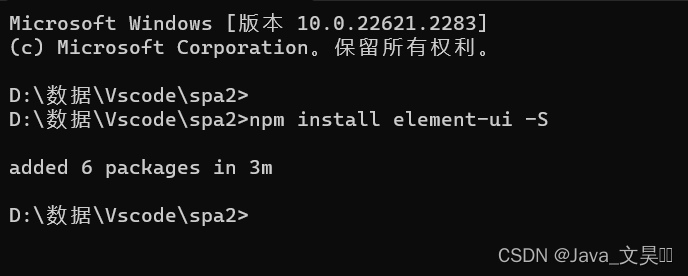
1.2 导入组件
打开 src目录下的main.js,该文件是项目的入口文件,所以在这里导入,其他组件均可使用,不用再导入。
- import Vue from 'vue'
- //新添加1
- import ElementUI from 'element-ui'
- //新增加2,避免后期打包样式不同,要放在import App from './App';之前
- import 'element-ui/lib/theme-chalk/index.css'
- import App from './App'
- import router from './router'
- Vue.use(ElementUI) //新添加3
- Vue.config.productionTip = false
1.3 创建登录、注册界面
我在src目录下新建了一个views专门存放一些界面组件,界面可自己设计,以下是我编写的:
1. 创建用户登录组件
Login.vue- <div class="login-wrap">
- <el-form class="login-container">
- <h1 class="title">用户登录h1>
- <el-form-item label="">
- <el-input type="text" v-model="username" placeholder="登录账号" autocomplete="off">el-input>
- el-form-item>
- <el-form-item label="">
- <el-input type="password" v-model="password" placeholder="登录密码" autocomplete="off">el-input>
- el-form-item>
- <el-form-item>
- <el-button type="warning" style="width:100%;" @click="doSubmit()">提交el-button>
- el-form-item>
- <el-row style="text-align: center;margin-top:-10px">
- <el-link type="primary">忘记密码el-link>
- <el-link type="primary" @click="gotoRegister()">用户注册el-link>
- el-row>
- el-form>
- div>
- <script>
- export default {
- name: 'Login',
- data() {
- return {
- username: '',
- password: ''
- }
- },
- methods: {
- gotoRegister() {
- this.$router.push("/Register");
- }
- }
- }
- script>
- <style scoped>
- .login-wrap {
- box-sizing: border-box;
- width: 100%;
- height: 100%;
- padding-top: 10%;
- background-color: #3b7cf5;
- background-repeat: no-repeat;
- background-position: center right;
- background-size: 100%;
- }
- .login-container {
- border-radius: 10px;
- margin: 0px auto;
- width: 350px;
- padding: 30px 35px 15px 35px;
- border: 1px solid #eaeaea;
- text-align: left;
- background-color: rgba(229, 229, 229, 0.8);
- }
- .title {
- margin: 0px auto 40px auto;
- text-align: center;
- color: #0b0b0b;
- }
- style>
创建用户注册组件Register
.vue- <div class="login-wrap">
- <el-form class="login-container">
- <h1 class="title">用户注册h1>
- <el-form-item label="">
- <el-input type="text" v-model="username" placeholder="注册账号" autocomplete="off">el-input>
- el-form-item>
- <el-form-item label="">
- <el-input type="password" v-model="password" placeholder="注册密码" autocomplete="off">el-input>
- el-form-item>
- <el-form-item>
- <el-button type="warning" style="width:100%;" @click="doSubmit()">提交el-button>
- el-form-item>
- <el-row style="text-align: center;margin-top:-10px">
- <el-link type="primary">忘记密码el-link>
- <el-link type="primary" @click="gotoLogin()">用户注册el-link>
- el-row>
- el-form>
- div>
- <script>
- export default {
- name: 'Register',
- data() {
- return {
- username: '',
- password: ''
- }
- },
- methods: {
- gotoLogin() {
- this.$router.push("/");
- }
- }
- }
- script>
- <style scoped>
- .login-wrap {
- box-sizing: border-box;
- width: 100%;
- height: 100%;
- padding-top: 10%;
- background-color: #3b7cf5;
- background-repeat: no-repeat;
- background-position: center right;
- background-size: 100%;
- }
- .login-container {
- border-radius: 10px;
- margin: 0px auto;
- width: 350px;
- padding: 30px 35px 15px 35px;
- border: 1px solid #eaeaea;
- text-align: left;
- background-color: rgba(229, 229, 229, 0.8);
- }
- .title {
- margin: 0px auto 40px auto;
- text-align: center;
- color: #0b0b0b;
- }
- style>
注1: