-
史上最全的Selenium三大等待介绍
一.强制等待
1.设置完等待后不管有没有找到元素,都会执行等待,等待结束后才会执行下一步
2.实例:
- driver = webdriver.Chrome()
- driver.get("https://www.baidu.com")
- time.sleep(3) # 设置强制等待
- driver.quit()
二.隐性等待
1.设置全局等待,对每个查询的元素都生效,当页面元素没有第一时间找到,会等待implicitly_wait设置的时间,时间过后再查找一次,要是还没找到就报错。
2.实例:
- driver = webdriver.Chrome()
- driver.get("https://www.baidu.com")
- driver.implicitly_wait(10) # 设置隐性等待
- driver.quit()
三.显性等待
1.WebDriverWait类
1)导入webdriverwait类
from selenium.webdriver.support.wait import WebDriverWait2)实例化WebDriverWait
wait = WebDriverWait(driver, 10, 2) # 10为等待时间,2为在10s内每过2s去判断一次selenium提供了WebdriverWait类用于针对指定的元素设置等待,其中内含until和until_not两个方法判断。
3)until(self, method, message: str = "") 函数
methon:为判断条件,若返回true,则判断成功,返回false,判断失败,打印message信息。
message:为判断失败时打印的信息,可写可不写。
- driver = webdriver.Chrome()
- driver.get("https://www.baidu.com")
- wait = WebDriverWait(driver, 10, 2) # 设置显性等待
- wait.until("判断条件", "返回false时打印的信息")
- driver.quit()
4)until_not(self, method, message: str = "") 函数
until_not效果与until相反,返回false时判断成功,返回true时判断失败。
- driver = webdriver.Chrome()
- driver.get("https://www.baidu.com")
- wait = WebDriverWait(driver, 10, 2) # 设置显性等待
- wait.until_not("判断条件", "返回true时打印的信息")
- driver.quit()
5)判断条件通常与expected_conditions连用,内部封装了判断方法。expected_conditions的具体用法,我们接着往下看。
2.expected_conditions
下面介绍expected_conditions模块下所有的函数用法
1)title_is:精准匹配页面标题,匹配成功返回true,失败返回false
- from selenium import webdriver
- from selenium.webdriver.common.by import By
- from selenium.webdriver.support.wait import WebDriverWait
- from selenium.webdriver.support.expected_conditions import *
- option = webdriver.ChromeOptions()
- option.add_argument("--headless") # 设置无窗口模式
- driver = webdriver.Chrome(options=option) <br>driver.get("https://www.baidu.com") <br>wait = WebDriverWait(driver, 10, 2) # 设置显性等待 <br>wait.until(title_is("百度一下,你就知道")) # 精准匹配标题 <br>driver.quit()
2)title_contains:模糊匹配标题,匹配成功返回true,失败返回false
- from selenium import webdriver
- from selenium.webdriver.common.by import By
- from selenium.webdriver.support.wait import WebDriverWait
- from selenium.webdriver.support.expected_conditions import *
- option = webdriver.ChromeOptions()
- option.add_argument("--headless") # 设置无窗口模式
- driver = webdriver.Chrome(options=option)
- driver.get("https://www.baidu.com")
- wait = WebDriverWait(driver, 10, 2) # 设置显性等待
- wait.until(title_contains("百度")) # 模糊匹配标题
- driver.quit()
3)presence_of_element_located:判断定位的元素是否存在(可见和隐藏元素),存在返回true,否则返回false。
- from selenium import webdriver
- from selenium.webdriver.common.by import By
- from selenium.webdriver.support.wait import WebDriverWait
- from selenium.webdriver.support.expected_conditions import *
- option = webdriver.ChromeOptions()
- option.add_argument("--headless") # 设置无窗口模式
- driver = webdriver.Chrome(options=option)
- driver.get("https://www.baidu.com")
- wait = WebDriverWait(driver, 10, 2) # 设置显性等待
- wait.until(presence_of_element_located((By.ID, "kw")), "不存在") # 判断元素是否存在,可见和隐藏元素都可判断
- driver.quit()
4)url_contains:判断页面url地址是否包含预期结果,满足预期返回true,不满足返回false。
- from selenium import webdriver
- from selenium.webdriver.common.by import By
- from selenium.webdriver.support.wait import WebDriverWait
- from selenium.webdriver.support.expected_conditions import *
- option = webdriver.ChromeOptions()
- option.add_argument("--headless") # 设置无窗口模式
- driver = webdriver.Chrome(options=option)
- driver.get("https://www.baidu.com")
- wait = WebDriverWait(driver, 10, 2) # 设置显性等待
- wait.until(url_contains("baidu1"), "不包含") # 检测当前页面url地址是否包含预期结果
- driver.quit()
5)url_matches:判断当前页面地址是否包含预期结果,内填写正则表达式,满足预期返回true,不满足返回false。
- from selenium import webdriver
- from selenium.webdriver.common.by import By
- from selenium.webdriver.support.wait import WebDriverWait
- from selenium.webdriver.support.expected_conditions import *
- option = webdriver.ChromeOptions()
- option.add_argument("--headless") # 设置无窗口模式
- driver = webdriver.Chrome(options=option)
- driver.get("https://www.baidu.com")
- wait = WebDriverWait(driver, 10, 2) # 设置显性等待
- wait.until(url_matches("baidu"), "不包含") # 检测当前页面url地址是否包含预期结果,内填写正则表达式
- driver.quit()
6)url_to_be:精准判断url,若相同返回true,不同返回false
- from selenium import webdriver
- from selenium.webdriver.common.by import By
- from selenium.webdriver.support.wait import WebDriverWait
- from selenium.webdriver.support.expected_conditions import *
- option = webdriver.ChromeOptions()
- option.add_argument("--headless") # 设置无窗口模式
- driver = webdriver.Chrome(options=option)
- driver.get("https://www.baidu.com")
- wait = WebDriverWait(driver, 10, 2) # 设置显性等待
- wait.until(url_to_be("https://www.baidu.com/"), "不存在") # 精准判断url
- driver.quit()
7)url_changes:精准判断url,若相同返回false,不同返回true。
- from selenium import webdriver
- from selenium.webdriver.common.by import By
- from selenium.webdriver.support.wait import WebDriverWait
- from selenium.webdriver.support.expected_conditions import *
- option = webdriver.ChromeOptions()
- option.add_argument("--headless") # 设置无窗口模式
- driver = webdriver.Chrome(options=option)
- driver.get("https://www.baidu.com")
- wait = WebDriverWait(driver, 10, 2) # 设置显性等待
- wait.until(url_changes("https://www.baidu.c"), "相等") # 精准匹配url不相等
- driver.quit()
8)visibility_of_element_located:判断定位的元素是否存在,只能判断可见元素,存在返回true,不存在返回false。
- from selenium import webdriver
- from selenium.webdriver.common.by import By
- from selenium.webdriver.support.wait import WebDriverWait
- from selenium.webdriver.support.expected_conditions import *
- option = webdriver.ChromeOptions()
- option.add_argument("--headless") # 设置无窗口模式
- driver = webdriver.Chrome(options=option)
- driver.get("https://www.baidu.com")
- wait = WebDriverWait(driver, 10, 2) # 设置显性等待
- wait.until(visibility_of_element_located((By.ID, "kw")), "不存在") # 判断元素是否存在,只适用于可见元素
- driver.quit()
9)visibility_of:判断元素是否存在,只能判断可见元素
- from selenium import webdriver
- from selenium.webdriver.common.by import By
- from selenium.webdriver.support.wait import WebDriverWait
- from selenium.webdriver.support.expected_conditions import *
- option = webdriver.ChromeOptions()
- option.add_argument("--headless") # 设置无窗口模式
- driver = webdriver.Chrome(options=option)
- driver.get("https://www.baidu.com")
- wait = WebDriverWait(driver, 10, 2) # 设置显性等待
- element_id = driver.find_element(by=By.ID, value="kw")
- wait.until(visibility_of(element_id), "不存在") # 判断元素是否存在,只适用于可见元素
- driver.quit()
此方法与visibility_of_element_located判断结果相同,只是传递参数不同,visibility_of传元素,visibility_of_element_located传元组
10)presence_of_all_elements_located:判断页面至少有一个定位的元素存在(可见和隐藏元素都会判断)。
wait.until(presence_of_all_elements_located((By.TAG_NAME, "span")), "没有一个存在") # 判断页面至少有一个定位的元素存在(可见和隐藏元素都会判断)11)visibility_of_any_elements_located:判断页面至少有一个定位的元素存在,且为可见元素。
wait.until(visibility_of_any_elements_located((By.TAG_NAME, "span")), "没有一个存在") # 判断页面至少有一个定位的元素存在,且为可见元素12)visibility_of_all_elements_located:判断定位的元素全部可见。
wait.until(visibility_of_all_elements_located((By.TAG_NAME, "span")), "不可见") # 判断定位的元素全部可见13)text_to_be_present_in_element:模糊匹配文本值。
wait.until(text_to_be_present_in_element((By.XPATH, "//span[contains(text(),'123')]"), "124"), "匹配不成功") # 模糊匹配元素文本值14)text_to_be_present_in_element_value:模糊匹配定位元素的value值。
wait.until(text_to_be_present_in_element_value((By.XPATH, "//input[@id='su']"), "百度一下"), "匹配错误") # 模糊匹配元素value值15)text_to_be_present_in_element_attribute:模糊匹配定位元素指定属性的属性值。
wait.until(text_to_be_present_in_element_attribute((By.XPATH, "//input[@id='kw']"), "name", "w"), "匹配错误") # 模糊匹配定位元素指定属性的属性值16)frame_to_be_available_and_switch_to_it:判断frame是否可以切换(switch_to.frame())。
wait.until(frame_to_be_available_and_switch_to_it((By.XPATH, "elenment")), "不可切换") # 判断frame是否可以切换17)invisibility_of_element_located:判断定位的元素是否不可见或者不存在,不可见返回true,反之返回false
wait.until(invisibility_of_element_located((By.TAG_NAME, "span")), "错误") # 判断元素是否不可见/不存在,不可见返回true18)invisibility_of_element:判断元素是否不可见或者不存在,不可见返回true,反之返回false。
- span=driver.find_element(By.TAG_NAME, "span")
- wait.until(invisibility_of_element(span), "错误") # 判断元素是否不可见或者不存在,不可见返回true,反之返回false
与invisibility_of_element_located用法相同,只是传递参数不同,一个传元素,一个传元组。
19)element_to_be_clickable:判断定位的元素是否可点击
wait.until(element_to_be_clickable((By.ID, "su")), "错误") # 判断定位的元素是否可点击20)staleness_of:判断元素是否存在,存在若在等待的时间内被移除,则返回true
- span = driver.find_element(By.ID, "su")
- wait.until(staleness_of(span), "错误") # 判断元素是否存在,存在若在等待的时间内被移除,则返回true
这里注意的是传递的参数是元素。
21)element_to_be_selected:判断元素是否被选中
- id=driver.find_element(by=By.XPATH, value="//option[contains(text(),'2')]")
- wait.until(element_to_be_selected(id),"失败") # 判断可见元素是否选中
这里注意的是传递的参数是元素。
22)element_located_to_be_selected:判断定位的元素是否被选中,选中返回true,未选中返回false。
wait.until(element_located_to_be_selected((By.XPATH, "//option[contains(text(),'1')]")),"失败") # 判断定位的元素是否被选中与element_to_be_selected用法相同,不同的是传递的是元组。
23)element_selection_state_to_be:判断元素选中的状态是否符合预期
id=driver.find_element(by=By.XPATH, value="//option[contains(text(),'2')]")<br><br>wait.until(element_selection_state_to_be(id,False),"选中了") # 判断元素是否被选中,并给出预期结果与element_selection_state_to_be用法相同,不同的是传递的元组。
25)number_of_windows_to_be:判断当前打开的窗口是否符合预期。
wait.until(number_of_windows_to_be(1),"不是一个") # 期望当前打开的窗口数为几个26)new_window_is_opened:判断是否新打开了一个窗口。
- hand = driver.window_handles # 获取当前所有窗口的柄句
- print(len(hand))
- driver.find_element(by=By.XPATH, value="//a[contains(text(),'新闻')]").click()
- wait.until(new_window_is_opened(hand)) # 判断是否打开了一个新窗口
27)alert_is_present:判断页面是否有alert。
wait.until(alert_is_present(),"没有alert") # 判断页面是否有alert28)element_attribute_to_include:判断定位的元素是否存在预期的属性值。
这个我们就不做多余的介绍了,因为本身封装的就有问题,我们先来看下封装的原代码:

通过get_attribute(attribute_)获取属性值,若为none则返回false,否则返回不为none,其实这点是存在问题的
因为get_attribute(attribute_)当属性不存在时是什么都不会返回的,更不会返回none。
29)any_of:判断多个条件满足一个为true的话就返回true,相当于or逻辑
wait.until(any_of(alert_is_present(), element_attribute_to_include((By.TAG_NAME, "a"), "name")), "没有一个符合要求的") # 多个判断条件有一个返回true,则返回True,or逻辑30)all_of:判断多个条件必须都满足为true的话才返回true,相当于and逻辑
wait.until(all_of(alert_is_present(), element_attribute_to_include((By.TAG_NAME, "a"), "name"))) # 多个判断条件必须都满足,True,and逻辑31)none_of:判断多个条件都返回false时,才能判断成功返回true
wait.until(none_of(alert_is_present(), element_attribute_to_include((By.TAG_NAME, "a"), "name"))) # 判断多个条件都返回flase时返回true,有一个返回true时则返回false感谢每一个认真阅读我文章的人,礼尚往来总是要有的,虽然不是什么很值钱的东西,如果你用得到的话可以直接拿走:
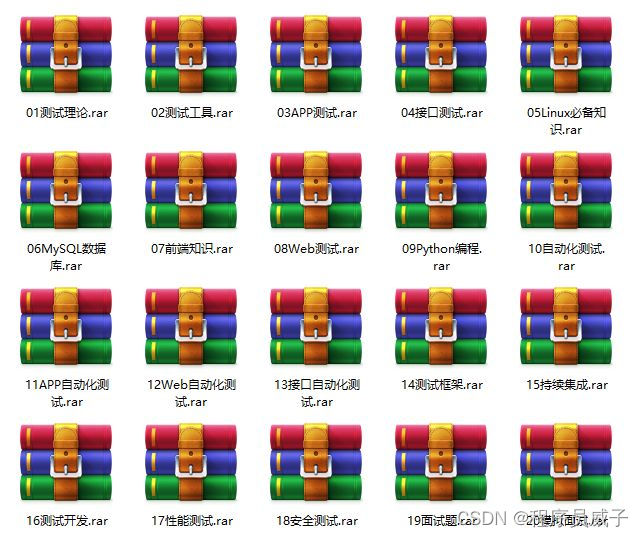
这些资料,对于【软件测试】的朋友来说应该是最全面最完整的备战仓库,这个仓库也陪伴上万个测试工程师们走过最艰难的路程,希望也能帮助到你!有需要的小伙伴可以点击下方小卡片领取
-
相关阅读:
星火模型(Spark)的langchain 实现
小白入手实现AI客服机器人demo
加密与安全_Java 加密体系 (JCA) 和 常用的开源密码库
arduino框架开发esp32,arduino框架的优势是什么?为什么要用这个框架
HTML5中自定义数据属性:data-*的使用
一种NIRII荧光增强脂质体及其制备方法和应用
【912.排序数组】
vector类模拟实现(c++)(学习笔记)
2022.7.11-7.17 AI行业周刊(第106期):竭尽全力,努力就好
Vue3和Vue2的部分用法差异 (持续更新中)
- 原文地址:https://blog.csdn.net/okcross0/article/details/132976962