-
第四章:Redis--一站式高性能存储方案(包含下载)
Redis概述
-
Redis是一 款基于键值对的NoSQL数据库,它的值支持多种数据结构。
key都是一个String类型,但value的类型包含以下:
字符串(strings)、哈希(hashes)、 列表(lists)、 集合(sets)、 有序集合(sorted sets)等 -
Redis将所有的数据都存放在内存中,所以它的读写性能十分惊人。(快)
- 同时,Redis还可以将内存中的数据以快照(RDB)或日志(AOF)的形式保存到硬盘上,以保证数据的安全性。
- 快照(RDB)适合几个小时存一次
- 日志(AOF)实时存储,体积大,占磁盘空间,恢复速度慢
-
Redis典型的应用场景包括:缓存、排行榜、计数器、社交网络、消息队列等。
安装Redis
官网提供了Linux的安装包,微软提供了windowshttps://github.com/ microsoftarchive/redis的;
- 点击链接进入,按照图示下载


- 安装时一路默认即可


注意环境变量的配置,Redis安装完毕后,服务自动启动了
- 输入命令redis-cli,连接成功
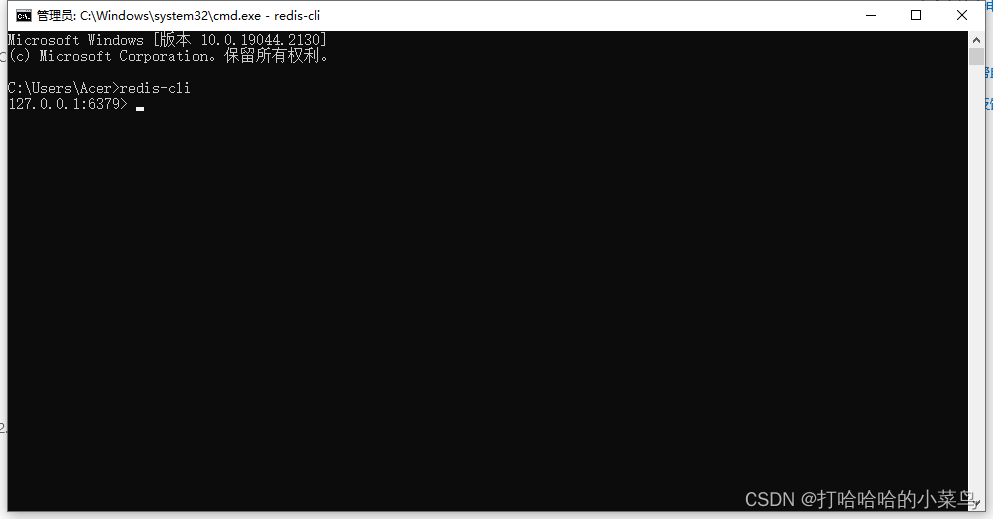
一些使用的语法:
-
数据库默认以0,
-
更换数据库用select num
-
flush db 刷新
-
在库里增加String 类型的数据

-
取hash值
redis里面用冒号充当下划线的功能,分隔字符

-
redis中的list(有序),是一个容器,可以支持队列和栈的功能操作
eg: 103 102 101(左进右出)
lpush test:ids 101 102 103 127.0.0.1:6379> lindex key test:ids 0 (error) ERR wrong number of arguments for 'lindex' command 127.0.0.1:6379> lindex test:ids 0 "103" 127.0.0.1:6379> lindex test:ids 2 "101" 127.0.0.1:6379> lrange test:ids 0 2 1) "103" 2) "102" 3) "101" 127.0.0.1:6379> rpop test:ids "101" 127.0.0.1:6379> rpop test:ids "102"- 1
- 2
- 3
- 4
- 5
- 6
- 7
- 8
- 9
- 10
- 11
- 12
- 13
- 14
- 15
- redis 集合(无序)
127.0.0.1:6379> sadd test:teachers aaa bbb ccc ddd eee (integer) 5 127.0.0.1:6379> scount test:teachers (error) ERR unknown command 'scount' 127.0.0.1:6379> scard test:teachers (integer) 5 127.0.0.1:6379> spop test:teachers "bbb" 127.0.0.1:6379> spop test:teachers "ddd" 127.0.0.1:6379> spop test:teachers# 随机弹出 "ccc"- 1
- 2
- 3
- 4
- 5
- 6
- 7
- 8
- 9
- 10
- 11
- 12
- redis 有序集合(按分数排序)
127.0.0.1:6379> zadd test:students 10 aaa 20 bbb 30 ccc 40 ddd 50 eee (integer) 5 127.0.0.1:6379> zcard test:students (integer) 5 127.0.0.1:6379> zscore test:students ccc#查看分数 "30" 127.0.0.1:6379> zrank test:students ccc# 排序默认由小到大 (integer) 2 127.0.0.1:6379> zrange test:students 0 2 1) "aaa" 2) "bbb" 3) "ccc" 127.0.0.1:6379> keys *#查看库里的key相关内容 1) "test:students" 2) "test:count" 3) "test:user" 4) "test:ids" 5) "test:teachers" 127.0.0.1:6379> keys test* 1) "test:students" 2) "test:count" 3) "test:user" 4) "test:ids" 5) "test:teachers" 127.0.0.1:6379>- 1
- 2
- 3
- 4
- 5
- 6
- 7
- 8
- 9
- 10
- 11
- 12
- 13
- 14
- 15
- 16
- 17
- 18
- 19
- 20
- 21
- 22
- 23
- 24
- 25
- 其他操作
127.0.0.1:6379> type test:user # 查看key的值的类型 hash 127.0.0.1:6379> exists testLuser # 查看是否存在testLuser这样一个key (integer) 0 127.0.0.1:6379> exists test:user # 存在返回1 (integer) 1 127.0.0.1:6379> del test:user# 删除key (integer) 1 127.0.0.1:6379> exists test:user# 不存在返回0 (integer) 0 127.0.0.1:6379> expire test:students 10 # 设置key的过期时间 (integer) 1 127.0.0.1:6379> keys * # 查看所有key 1) "test:count" 2) "test:ids" 3) "test:teachers"- 1
- 2
- 3
- 4
- 5
- 6
- 7
- 8
- 9
- 10
- 11
- 12
- 13
- 14
- 15
- 16
redis将数据存储在内存中
-
-
相关阅读:
常见的内网穿透工具有 ngrok/ localtunnel/ frp
参考线平滑-FemPosDeviation-SQP
词嵌入数据集的预处理--Word2Vec实现(一)
微信小程序入门
Java-package和import语句
做接口测试都测什么?有哪些通用测试点?
linux常用命令
Java线程调度及相关函数
常用Git命令记录
milvus数据库-连接
- 原文地址:https://blog.csdn.net/qq_41026725/article/details/127734497
